Quick wins for a faster PC:
Fix the driver behind crashes, sound loss and screen glitchesFind Drivers →Clear out junk files and repair common Windows errorsFree Scan →Scan for outdated or missing drivers - takes under a minuteDriver Scan →The Intel Xeon E-2134 is a four-core, eight-thread Coffee Lake-era server CPU with a 3.50 GHz base frequency and up to 4.50 GHz turbo. ServeTheHome’s February 2019 review found that it could perform well in its tested workloads, but judged the six-core Xeon E-2136 a better value for most buyers at the time. The E-2134 is now discontinued, so that historical verdict is not a current price or performance comparison.
Xeon E-2134 specifications and platform
Intel lists the E-2134 as launched in Q3 2018 and currently marks it discontinued. Its specifications describe a single-socket processor for the FCLGA1151 platform.


As an Amazon Associate I earn from qualifying purchases.
| Specification | Intel listing |
|---|---|
| Cores and threads | 4 cores, 8 threads |
| Frequency | 3.50 GHz base; up to 4.50 GHz turbo |
| Cache | 8 MB |
| TDP | 71 W |
| Memory | DDR4-2666, two channels, ECC support, up to 128 GB with compatible platform and BIOS support |
| Expansion | PCIe 3.0, up to 16 lanes |
| Socket and operating configuration | FCLGA1151; one socket |
| Lifecycle | Launched Q3 2018; discontinued. Intel lists end of servicing updates as June 30, 2025. |
These specifications are from Intel’s Xeon E-2134 product page. A matching socket alone does not guarantee compatibility: confirm the specific motherboard model, chipset, BIOS support, and ECC implementation before buying. If the system needs remote management or other server-board features, check those separately as well.
What ServeTheHome tested
John Lee’s review, published February 4, 2019, tested the E-2134 on a Supermicro X11SCA-F with four 8 GB DDR4-2666 ECC UDIMMs, an Intel DC S3710 400 GB SSD, and a Supermicro 32 GB SATADOM. The review covered kernel compilation, c-ray ray tracing, 7-Zip compression, NAMD, Sysbench, OpenSSL, UnixBench, GROMACS, and chess across its Linux-Bench and Linux-Bench2 procedures. ServeTheHome described the published results as a sample of a larger dataset.
#1 Best Overall
The review’s findings are workload-specific, not a universal ranking. In its c-ray test, the E-2134 outpaced the Xeon Silver 4108. Its Sysbench CPU result was somewhat better than the E3-1230 V6, and it outperformed the tested E3-1200 V6 processors in OpenSSL signing and verification. In GROMACS, however, the E-2134 trailed the lower-clocked Xeon D-2123IT, which the review attributed to differences in AVX-512 execution. The review page presents numeric results in charts; no exact scores are transcribed here.
Those contrasting outcomes show why a benchmark label matters. Clock-sensitive or lightly threaded work can favor frequency, while parallel throughput may benefit from more cores. Specialized instruction behavior can also change results in scientific workloads. See the test descriptions and graphs in ServeTheHome’s benchmark discussion; its results should be read as 2019 comparisons among the tested CPUs, not as a ranking against current processors.
Rank #2

- Intel Xeon E5-2699 V4 Docosa-core (22 Core) 2.20 Ghz Processor - Socket Lga 2011-v3 - 5.50 Mb - 55 Mb Cache - 64-bit Processing - 14 Nm - 145 W
Xeon E-2134 vs. E-2136: the review’s buying hinge
The E-2136 has six cores, 50% more than the E-2134’s four. ServeTheHome’s 2019 review compared the E-2134 at about $250 with an E-2136 premium of about $35, and concluded the six-core model offered better value in most cases. Those dollar figures describe the review’s historical comparison only; they are not present-day prices or evidence of current availability.
Do these 3 things before closing this tab:
1Fix the driver behind crashes, sound loss and screen glitches2Clear out junk files and repair common Windows errors3Scan for outdated or missing drivers - takes under a minuteIn the reviewer’s words: “The reason we have difficulty recommending the Intel Xeon E-2134 is that the Intel Xeon E-2136 is a much better value.” That conclusion is most useful as a workload-and-price framework: additional cores mattered if the buyer’s software could use them and if the premium was modest. The review left a narrow case for the E-2134—an especially tight budget and no practical use for the E-2136’s extra cores. Read the original positioning in ServeTheHome’s review.
How much power did the test system use?
ServeTheHome measured about 31 W at idle and just under 99 W at peak for its complete test system, not for the processor alone. The setup used a 208 V APC/Schneider Electric PDU at 17.7 °C and 72% relative humidity; reported test-window variation was ±0.3 °C and ±2% RH. The review also says it rechecked on 120 V racks and exceeded the common 1 A threshold. These wall-side readings include the motherboard, memory, storage, and other system components, so they should not be compared directly with Intel’s 71 W CPU TDP. The measurement context appears in ServeTheHome’s power and conclusion page.
Independent reader supportYour contribution helps us test, update, and keep practical guides available for everyone.Is the Xeon E-2134 still worth buying?
Intel’s discontinued status means the E-2134 is not a straightforward new-CPU recommendation. The available evidence here does not establish current retail stock, secondhand pricing, or performance against modern processors. A used E-2134 may still make sense for a compatible system or a workload that needs its particular platform, but evaluate the complete cost and condition rather than relying on the 2019 price comparison.
Quick Recap
Rank #4
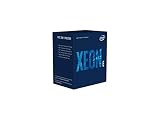
- INTEL CPU BX80684E2224 XEON E-
- Check the exact motherboard and BIOS support; do not infer compatibility from FCLGA1151 alone.
- Confirm the intended memory type and ECC support on the board, especially if data integrity is a requirement.
- Compare the full system’s capabilities and upgrade path, including memory and PCIe needs. The E-2134 platform is limited to the listed two memory channels and up to 16 PCIe 3.0 lanes.
- Verify the exact CPU model’s graphics capability if display output matters. ServeTheHome noted the E-2134 lacked onboard graphics, unlike a G-suffixed model such as the E-2144G; do not assume graphics from socket or family name.
- Price the specific chip and compatible platform using current listings before deciding; no current market quote is established here.
Product prices and availability are accurate as of the date/time indicated and are subject to change. Any price and availability information displayed on Amazon at the time of purchase will apply.
The Tool Desk
Outbyte Driver Updater FREEFix the driver behind crashes, sound loss and screen glitchesFind Drivers →Outbyte PC Repair FREERepair Windows errors before they cause bigger problemsFix Now →



