Chiller Calc Pro is an iOS calculator described by its creator, Samet Nail, as a tool for HVAC/R professionals. Its stated features range from chilled-water capacity and flow calculations to pump, pipe, glycol, buffer-tank and energy calculations. The app’s feature list comes from its author; independent calculation-accuracy testing is not established.
What Chiller Calc Pro is designed to calculate
In a post published on DEV Community on September 17, Samet Nail describes Chiller Calc Pro as a mobile tool for common chiller and chilled-water calculations. The listed functions include:
As an Amazon Associate I earn from qualifying purchases.
- Cooling capacity and water flow
- Chiller sizing and glycol correction
- Pump calculations
- Pipe sizing, velocity and pressure drop
- Buffer tank sizing
- Energy and coefficient-of-performance (COP) calculations
This is the creator’s description of the app’s scope, not an independent feature or accuracy review. The post does not establish adoption, user satisfaction, or that the results are suitable for final equipment selection. Read the developer’s description on DEV Community.
The basic water-side capacity calculation
A preliminary estimate of cooling capacity on a water system uses two measured or known values: water flow and the temperature difference between the entering and leaving water. APT Chiller’s guide gives these equations:
#1 Best Overall
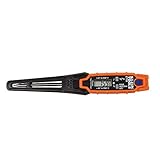
- TEMPERATURE SELECTION: User selectable Fahrenheit and Celsius measurements for convenience and versatility
- WIDE MEASUREMENT RANGE: Measurement range of -40 to 482°F (-40 to 250°C) with room temperature accuracy of +/- 27°F (+/- 15°C)
- BACKLIT DISPLAY: Backlit display allows for easy viewing in low-light environments
- ADVANCED FUNCTIONS: Max/Min, Hold, and Average functions provide additional data analysis capabilities
- NON-MEDICAL DEVICE: Not intended for use on people or animals, complying with regulations and maintaining clear distinction from medical devices
| Unit system | Preliminary capacity equation |
|---|---|
| Metric | Q (kW) = flow (m³/h) × ΔT (°C) × 1.163 |
| Imperial | Q (BTU/h) = 500 × GPM × ΔT (°F) |
| Conversion | 1 refrigeration ton = 3.517 kW |
Here, ΔT is the difference between the entering- and leaving-water temperatures. A pipe clamp thermometer can help measure those temperatures, but it does not measure flow: that value must be measured separately or otherwise known. The equations and conversion are from APT Chiller’s cooling-capacity guide.
Why a preliminary result is not an equipment selection
The equations provide a useful estimate, but capacity alone does not determine whether a chiller is correctly selected for an installation. APT Chiller says final selection should account for ambient temperature, pressure drop, fluid concentration and operating conditions. Those factors can affect the equipment’s required capacity or the system’s ability to deliver it.
Rank #2

- WIDE −58 TO 572°F TEMPERATURE RANGE Folding digital pocket thermometer with a broad −58 to 572°F (−50 to 300°C) range for HVAC, refrigeration and field service work. The 3.5-inch probe reads ambient air or makes direct contact in solids and liquids, with user-selectable °F/°C scales.
- READS ACCURATELY - OPEN OR CLOSED, ANY ANGLE The back-folding probe delivers readings in any position, even when folded shut. All-angle operation lets you take measurements in tight ducts, equipment and registers without fighting the probe angle.
- HANDS-FREE MAGNETIC MOUNT & POCKET CLIP A built-in magnet mounts the meter to equipment, duct, or any steel surface so you can read hands-free while you work. The integrated pocket clip keeps it secure and within reach between readings.
- MIN/MAX MEMORY WITH DEPENDABLE ACCURACY Accurate to ±1.8°F (±1°C) across −22 to 302°F, with 0.1° resolution. Min/Max captures the highest and lowest readings, and auto power-off (about 1 hour) preserves battery life. Large, easy-to-read LCD.
- COMPACT, RUGGED & BACKED BY A 3-YEAR WARRANTY A pocket-sized, jobsite-ready design that's CE-marked and powered by a long-life AB13 (LR44) button-cell battery. Covered by UEi's 3-year limited warranty. Note: this is a measurement tool - not a medical device, and not intended for use on people or animals.
The same guide suggests a preliminary safety margin of 10–25%, depending on process variation. That is the guide’s recommendation for preliminary calculations—not a universal code requirement or a substitute for project-specific design and manufacturer selection data.
Quick wins for a faster PC:
Clear out junk files and repair common Windows errorsFree Scan →Scan for outdated or missing drivers - takes under a minuteDriver Scan →Repair Windows errors before they cause bigger problemsFix Now →How the calculator’s scope differs from other chiller tools
Water-side calculations
The core capacity estimate uses flow and water ΔT to quantify heat transfer on the chilled-water side. Nail’s feature list describes a broader set of related field calculations, including pumps, pipes, glycol and buffer tanks, but the available feature description does not establish how the app handles its inputs, assumptions or defaults.
Rank #3

- DIFFERENTIAL TEMPERATURE: PDT655 can store temperature readings and measure differential temperature by Measuring (T1 - T2)
- VERSATILE: The PDT655 fits in your pocket and can take readings in tight spaces with a folding probe.
- COMPACT POCKET SIZE: Compact and field‑ready, the PDT655 measures 6" × 1.5" × 0.75" when folded and includes a 5" probe, making it ideal for pockets, tool pouches, and HVAC service bags
- EASY-TO-READ: The PDT655 comes equipped with a large digital display for easy reading. There is also a backlight to illuminate display in dark spaces.
- HANDS-FREE: The PDT655 includes a built in magnet that enables hands free operation for easy measurement of ducts and vents
Plant-level performance analysis
Carrier describes PLV Pro as free chiller-plant performance analysis software for consulting engineers. Its analysis considers context such as geography, building type, plant capacity and chiller quantity, staging method, design temperatures and plant design. Carrier says its tool uses site-specific weather profiles, DOE building occupancy data and chiller staging and design information. It also describes pre-calculated building load profiles generated with its Hourly Analysis Program using 8,760-hour energy modeling; that figure describes the tool’s modeling basis, not an independent performance finding. This plant-level scope is broader than a single water-side capacity calculation, and the available sources do not establish that PLV Pro duplicates Chiller Calc Pro’s listed functions. Carrier’s PLV Pro overview.
Refrigeration-cycle modeling
A separate user-authored calculator description discusses modeling a vapor-compression refrigeration cycle across multiple state points, with assumptions such as superheat, subcooling, pressure losses and compressor efficiency. Its author characterizes that kind of result as preliminary and not a replacement for manufacturer performance maps. This illustrates a different calculation depth from a water-side load estimate; it is not evidence that Chiller Calc Pro models the refrigeration cycle. Read the user-authored cycle-modeling description.
Rank #4

- Magnet inside base of probe to easily attach to vents
- Range -40 to 572-degrees F (-40 to 300-degrees C)
- User selectable Fahrenheit and Celsius temperature measurements
- Backlit display for easy viewing in low light, and auto-power off after 15 minute to conserve battery life
- Max/Min, Hold and Average functions
What to check when evaluating a chiller calculator
For Chiller Calc Pro or another professional calculator, the useful questions are about the calculation and its intended use:
- Scope: Does it calculate water-side load, model a refrigeration cycle, analyze a whole plant, or some combination?
- Inputs: Are the required flow, temperatures, units and fluid properties clear?
- Assumptions: Are defaults and corrections—such as glycol concentration—visible and appropriate to the job?
- Output purpose: Is the result intended for preliminary screening or equipment selection?
- Verification: Can a result be checked against a known calculation, project data or manufacturer information?
Other iOS HVAC calculator listings cover adjacent tasks such as psychrometrics, refrigerant pressure-temperature data, duct sizing and field calculations. Their presence shows that mobile calculators are an established category, not that they validate Chiller Calc Pro. Apple’s HVAC Pro Calculator listing is one example of an adjacent app listing.
Quick Recap
Best Value

- PRECISE TEMPERATURE MEASUREMENT: Optical resolution (distance-to-spot) of 8:1 ensures accurate temperature readings from a distance
- WIDE MEASUREMENT RANGE: Measure temperatures from -40F to 752F (-40C to 400C), covering a broad range of applications
- VERSATILE TEMPERATURE PROBE: Measure air vents, ducts, and liquids temperatures using the temperature probe, which includes a hands-free hanging hook for convenient usage
- TARGET LASER POINTER: Utilize the target laser as a laser pointer, enhancing precision and accuracy in aiming and measurements
- NON-MEDICAL DEVICE: Not intended for use on people or animals, complying with regulations and maintaining clear distinction from medical devices
Product prices and availability are accurate as of the date/time indicated and are subject to change. Any price and availability information displayed on Amazon at the time of purchase will apply.




