To test email with Playwright without mocks, submit the email-triggering form in the browser, capture the message in a dedicated test inbox, then assert its contents and complete the journey through its link or code. This verifies that the application’s email path produced a usable message; it does not, by itself, prove delivery to real customers or inbox placement.
What a no-mocks email test verifies
The browser test drives the real application flow: for example, requesting a password reset or registering an account. The application sends a message through its configured email path, while a controlled test inbox captures it for inspection. Your test reads that message and, when relevant, uses its link or code in the application.

As an Amazon Associate I earn from qualifying purchases.
This is different from mocking the email sender or inventing a message body in the test: those approaches cannot establish that the integrated path produced the expected message. A test inbox also avoids sending test messages to personal accounts or real customers. The captured-message workflow does not establish every aspect of production delivery, such as whether a customer’s provider accepts the email or places it in the inbox rather than spam.
The Tool Desk
Outbyte Driver Updater FREEFix the driver behind crashes, sound loss and screen glitchesFind Drivers →Outbyte PC Repair FREEClear out junk files and repair common Windows errorsFree Scan →Choose an inbox and route test email into it
Two documented approaches are a hosted inbox with an API client and an SMTP sandbox. The working example below uses Mailosaur’s Node.js client to retrieve a captured message. SMTP.dev documents a separate sandbox route and a Playwright password-reset example; its setup differs, so treat it as an alternative rather than combining both configurations.
#1 Best Overall
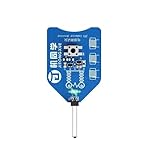
- CT-1 inductor coil tester, innovative and practical electromagnetic induction, simple operation, fast PCB fault troubleshooting.
- High stability, high precision.
- The green light indicates that the inductor is working properly.
- Quickly and accurately locate the fault point of the mobile phone motherboard or other BGA boards.
- Please check your specifications carefully before purchasing to compatibility with your needs.
| Approach | How the application routes mail | How the test retrieves it | Example-specific detail |
|---|---|---|---|
| Mailosaur hosted inbox | Configure the application to send messages into the service. | Use Mailosaur’s Node.js client and query for a matching message. | The quickstart requires an account and API key. Mailosaur quickstart |
| SMTP.dev sandbox | Point the application’s SMTP transport at the sandbox, or use a domain whose MX points to the sandbox. | Retrieve the captured message using the service’s documented approach. | The vendor documents a Playwright password-reset flow and worker-specific addresses. SMTP.dev password-reset example |
Set up the Mailosaur example
- Create a Mailosaur account and obtain an API key and server ID. Configure the application under test to send email to the test service, rather than to customer recipients. See the Mailosaur quickstart for its setup requirements.
- Install the Node.js client with
npm install mailosaur. - Provide the API key through an environment variable or CI secret; do not commit it to source control. The client can then be initialized with the key, as shown in the quickstart.
The quickstart also documents npm create mailosaur@latest to generate a configured starter project. For an existing application, installing the client and configuring the app’s test-mail route lets you add inbox checks to the current Playwright suite.
Trigger the message and retrieve the right one
Use a unique recipient for the test, submit the application’s real form, and ask the inbox API for a message addressed to that recipient. Mailosaur’s Node.js client uses messages.get() to wait for the first message matching the supplied criteria. Its documented default wait is 10 seconds, configurable with the timeout option. The Playwright guide says the default search range is messages received in the previous hour; use receivedAfter when the test needs a different range. See Mailosaur’s Node.js guide and Playwright email-testing guidance.
import { MailosaurClient } from "mailosaur";
import { expect, test } from "@playwright/test";

const mailosaur = new MailosaurClient(process.env.MAILOSAUR_API_KEY);
const serverId = process.env.MAILOSAUR_SERVER_ID;

test("password reset email completes the reset flow", async ({ page }) => {
  const testAddress = "[email protected]";

  await page.goto("/forgot-password");
  await page.getByLabel("Email address").fill(testAddress);
  await page.getByRole("button", { name: "Send reset link" }).click();

  const email = await mailosaur.messages.get(serverId, {
    sentTo: testAddress,
  });

  expect(email.subject).toContain("Password reset");
  expect(email.from[0].email).toBe("[email protected]");
  expect(email.text.body).toContain("Reset your password");
});
This is an illustrative pattern based on the documented client API, not a claim that it has been run against your application. Replace the example address, labels, sender, subject, and template text with values from your own app. For better matching, add criteria that distinguish this test’s message, such as a distinctive subject or body phrase, where your application permits it.
Crashes, No Sound, or Screen Glitches?
Random freezes, missing sound and display glitches usually trace back to one bad driver. Find and replace yours safely.Free scan · under a minutePC Slower Than It Used to Be?
A free scan shows the junk files, broken settings and background clutter dragging Windows down - then fixes them in one click.Free scan · Windows 10 & 11Assert the email and finish the user journey
Check the fields that matter to the flow: sender, recipient, subject, and plain-text or HTML content. Then extract the intended link or code and use it as a user would. A password-reset test should complete the reset and assert the resulting application state; an account-verification test should confirm that verification took effect. The exact selectors and final assertion depend on your application.
Rank #3

- Fast Component Checking: The coil checker provides a simple visual indication when examining inductive parts on an active board, helping shorten routine inspection steps.
- Simple Visual Result: The component inspection process uses an indicator light to show the checking result, making basic board examination easier to follow.
- Board Levels Use: The board diagnostics design is suited to locating suspected component issues during handset maintenance and circuit assembly inspection.
- Easy Operations: The winding component locator uses a straightforward sensing process. Bring the sensing end close to the component being checked and observe the indicator.
- Compact for Work Areas: The repair bench accessory is small and lightweight for convenient placement in a maintenance setup, while the 5V USB connection supports straightforward operations.
Checking only that some email exists can miss a broken or unusable link. SMTP.dev’s documented example follows a reset link, sets a password, and checks the resulting sign-in URL. Use the same end-to-end principle while asserting the state your own application treats as success. See SMTP.dev’s password-reset example and Mailosaur’s email-testing guidance.
Independent reader supportYour contribution helps us test, update, and keep practical guides available for everyone.Keep parallel tests from reading each other’s messages
When Playwright workers run at the same time, do not select whichever email arrived most recently. Give each worker a distinct recipient, and query by recipient plus a subject or other identifying criterion where possible. This prevents a stale message or another worker’s email from satisfying the assertion. SMTP.dev specifically recommends one address per worker and matching by recipient and subject in its parallel-testing example.
Quick Recap
Best Value

- AllyCare Support Included: Includes 1-Year AllyCare Support for comprehensive product assistance and maintenance
- Multi-Gig and 10Gig Ethernet Testing: Quickly test, verify, and troubleshoot 1Gig, Multi-Gig and 10Gig Ethernet (copper, fiber) including line-rate performance testing and packet capture. LANBERT Media Qualification app tests the capability of premise cabling and media components for carrying Multi-Gig and 10 Gig Ethernet
- Layer 1-7 AutoTest Capability: Layer 1 7 AutoTest enables any technician to find network problems efficiently across all network layers
- Continuous Network Monitoring: Monitor networks for intermittent issues, every minute for up to 24 hours for comprehensive troubleshooting
- Advanced Technology Upgrade Support: Install, test, verify, and troubleshoot technology upgrades, Multi-Gig (NBASE-T) and 10G networks with advanced Android-based troubleshooting apps and purpose-built test hardware
Rank #4
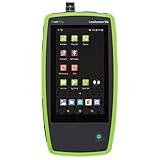
- AllyCare Support Package: Includes 1-Year AllyCare Support including software and firmware updates, repairs and replacements, extra product features such as cloud-based remote control, full topology mapping and more
- Multi-Gig and 10 Gig Ethernet Testing: Quickly test, verify, and troubleshoot 1Gig, Multi-Gig and 10 Gig Ethernet on copper and fiber including line-rate performance testing and packet capture. LANBERT Media Qualification app tests the capability of premise cabling and media components for carrying Multi-Gig and 10 Gig Ethernet
- Comprehensive Automated Network Testing: Layer 1 through 7 comprehensive automated tests help engineers find network problems, while the periodic test mode monitors networks for intermittent issues every minute for up to 24 hours
- Fiber Testing Capabilities: Enables testing and validation of single mode and multimode fiber for various use cases including connectivity, signal loss, throughput, and LANBERT media qualification
- Advanced Troubleshooting Technology: Install, test, verify, and troubleshoot technology upgrades, Multi-Gig NBASE-T and 10G networks with advanced Android-based troubleshooting apps and purpose-built test hardware
Troubleshoot missing messages and timeouts
- No message is found: Check whether it appears in the test provider’s dashboard, whether the recipient criterion exactly matches the address submitted by the app, and whether the received-after search range includes its arrival time. Mailosaur lists these checks in its Playwright troubleshooting guidance.
- The lookup times out: Mailosaur’s Node.js guide documents a 10-second default for
messages.get()and a configurabletimeout. If your test environment takes longer to send mail, set an appropriate wait rather than making the browser assertion wait indefinitely. See the Node.js guide. - The test works locally but not in CI: Confirm that the inbox credentials are present as CI secrets and that the application’s test SMTP or email configuration is available in that job. Keep secrets out of committed files.
- The wrong message satisfies the query: Use an isolated address and narrower message criteria. Avoid choosing messages solely by arrival order, especially when tests run concurrently.
Product prices and availability are accurate as of the date/time indicated and are subject to change. Any price and availability information displayed on Amazon at the time of purchase will apply.
Quick wins for a faster PC:
Clear out junk files and repair common Windows errorsFree Scan →Fix the driver behind crashes, sound loss and screen glitchesFind Drivers →Repair Windows errors before they cause bigger problemsFix Now →



