Firebase App Distribution lets you share pre-release Android builds with testers without publishing them as a public Play Store release. Register the matching Android app in Firebase, build and sign a package, then distribute it through the Firebase console or an automated workflow. Plan tester access and build retention as part of the setup: invitations expire, and releases are not stored indefinitely.
What you need before distributing a build
- A Firebase project with the Android app registered under its exact package name. The name is case-sensitive and cannot be changed for that Firebase app after registration. Firebase’s CLI distribution guide explains the requirement.
- App Distribution enabled for the Firebase app. If it is not enabled, an automated distribution attempt can return a 404, according to Firebase’s CI/CD guidance.
- A pre-release Android package built and signed through your usual process. Firebase documents signing with a debug key or an app signing key.
- The testers or groups who should receive access, plus concise release notes that identify what changed or what to test.
App Distribution is a pre-release sharing workflow, not the same thing as Google Play closed testing. Firebase documents an integration with Google Play internal app sharing for Android App Bundles, but an uploaded AAB does not automatically appear in a Play developer account unless the integration requirements are met. See Firebase App Distribution and its Android troubleshooting guide.

As an Amazon Associate I earn from qualifying purchases.
Distribute your first Android release
- Register the Android app. In your Firebase project, add the Android app using the package name from the Android build. Verify spelling and capitalization before registering; Firebase says this value cannot be changed for the registered app.
- Enable App Distribution. Open the app in the Firebase console and enable App Distribution before uploading or automating a release.
- Build and sign the package. Create the pre-release APK using your normal Android build process and sign it with a debug key or app signing key.
- Choose a distribution route. For a one-off upload, use the Firebase console. For repeat releases, use the Firebase CLI, Gradle plugin, fastlane, or the public App Distribution API.
- Select recipients and publish. Choose individual testers or groups, add release notes, and distribute. Firebase sends invitations or notifications; the console shows invitation acceptance and download status.
- Check the release links carefully. The CLI provides a Firebase console link, a tester-facing link that requires release access, and a signed direct binary link that expires after one hour. Treat the direct download URL as temporary, not as a durable sharing link. Details are in Firebase’s CLI guide.
Choose the distribution method that fits your build process
| Route | Best fit | What to manage |
|---|---|---|
| Firebase console | Manual or occasional releases | Select the app, package, testers or groups, and release notes in the interface. |
| Firebase CLI | Scripts and CI jobs | Pass the app ID and package, and manage credentials, tester list, and release notes in automation. |
| Gradle plugin | Distribution tied to Android build variants | Keep tester and release configuration alongside Gradle build configuration. |
| fastlane | Teams already using fastlane lanes | Integrate distribution into the existing release automation. |
| Public App Distribution API | Custom automation or bulk management | Implement API calls and manage authentication directly. |
Firebase documents console, CLI, Gradle, and fastlane workflows; its CI/CD guidance also points to the public API. For CI use of supported tools, Firebase recommends service credentials and describes service accounts as identities for applications rather than people. Choose the least complicated route that fits your build and identity setup; Firebase does not identify one approach as best for every team. See Firebase’s CI/CD guidance.
Manage testers, groups, and invitations
Use groups for recurring test cycles
Add testers individually when access is specific to a person, or organize recurring audiences into groups. Firebase’s CLI supports adding and removing testers and managing groups. Its CI/CD guidance recommends groups when the same people need access to multiple releases; removing a person from a group removes access to releases shared with that group. See the CLI guide and the CI/CD guide.
#1 Best Overall

- ⚠️ ONLY COMPATIBLE with Android USB-C Phones and iPhone 15, 16, 17 Models (15, 15 Pro, 15 Pro Max, 16, 16 Pro, 16 Pro Max, 17, 17 Pro, 17 Pro Max) ⚠️ Android OS: 9, 10, 11, 12, 13, 14. iOS Operating System: iOS 17-26. Application version – 5.13.0.
- ⚠️ Compatible Android Devices Include: ⚠️Samsung Galaxy S8, S8+, S9, S9+, S10, S10 Plus, S10e, S10 5G, S20, S20+, S20Ultra, S20 FE 5G, S21, S21+, S21 Ultra, S22+, S22 Ultra, S23, S23+, S23Ultra, S24, S24 Ultra, S24+. Samsung Galaxy A31, A32, A41, A50, A51, A51 5G, A51 5G UW, A52, A52 5G, A70, A71, A71 5G, A71 5G UW, A72. Samsung Galaxy Note 8, 9, 10, 10+, 20, 20 Ultra. LG G6, G7, G8, G8s. Google Pixel 3, 3 XL, 3a XL, 4, 4 XL, 5, 6, 6 Pro, 7, 7 Pro, 8, 8 Pro, 9, 9 Pro XL. OS: Android 9, 10, 11, 12, 13, 14. Application version – 5.13.0.
- PORTABLE ON THE GO: Manage your diabetes at or away from home with the Dario device (for iPhone) being small and light enough to fit in your pocket.
- SMART GLUCOSE METER: Track & monitor on your phone with free Dario Health App (US Only). Please make sure to pull the lancet loader back before hitting the release button.
- QUICK & EASY: No coding with results in 6 seconds and only a 0.3µ sample needed.
Use invite links when testers should self-enroll
Invite links let users add themselves as testers. Without a group, Firebase says the link adds a tester to the latest distributed release they were invited to test. You can optionally limit acceptance to the recipient’s email address. Configure and review invite links using Firebase’s invite-link instructions and tester management documentation.
Explain the tester’s installation steps
A tester opens the invitation on an Android device, signs in with Google to accept it, and follows the setup flow to install the release. Firebase also recommends Firebase App Tester for accessing test builds in one place. The tester flow is documented in Firebase’s Android tester setup guide.
Rank #2

- Fda Cleared: reliable, clinically proven Accuracy
- 24/7 customer support
- Eligible for FSA reimbursement.
- 5 year product warranty
- Fast 4 second testing with a tiny 0.4 microliter sample size
Remove access during offboarding
Make tester removal part of your access-offboarding process when someone leaves the organization or no longer needs a build. Firebase’s CI/CD guidance describes removal using CLI, fastlane, Gradle, and API workflows.
The Tool Desk
Outbyte PC Repair FREEClear out junk files and repair common Windows errorsFree Scan →Outbyte Driver Updater FREEFix the driver behind crashes, sound loss and screen glitchesFind Drivers →Understand release and tester limits
Firebase’s documentation, reviewed October 7, 2026, lists these limits and retention periods. Because Firebase documentation can change, consult the linked pages when planning a long-running test program.
- Testers: Up to 500 testers per Firebase project and 200 per App Distribution group. Firebase says teams can request a no-cost group-limit increase. Sources: troubleshooting and FAQ and tester management.
- Release count: Up to 1,000 releases per app. Above the cap, Firebase automatically removes the oldest releases. Source: troubleshooting and FAQ.
- Release availability: A release remains available for 150 days, after which it is removed. Firebase displays a notice 30 days before expiry. Sources: CLI guide and troubleshooting and FAQ.
- Invitation acceptance: An unaccepted tester invitation expires after 30 days; Firebase provides a notice five days before expiry. Sources: CLI guide and console guide.
Keep builds you need beyond Firebase retention
Download builds before they expire or are displaced by the release cap, then archive them outside App Distribution. Firebase suggests Cloud Storage for build archiving. A custom results bucket incurs storage charges and requires a billing-enabled project, as noted in the CLI documentation and the troubleshooting guide.
Quick Recap
Best Value
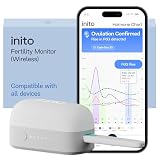
- CONNECTS TO ALL DEVICES - Inito’s latest model works with all iOS and Android devices, syncing wirelessly. It seamlessly fits it into your morning routine without the hassle of attaching a gadget to your phone.
- TRACKS ALL 4 KEY HORMONES IN 1 TEST - Inito measures actual values of estrogen, LH, PdG (urine metabolite of progesterone), and FSH on a single strip so you get a complete picture of your cycle from the comfort of your home. Our advanced Spectral Mapping Technology reads even the weakest signals for lab-grade precision.
- KNOW WHEN YOU’VE OVULATED, DON’T JUST PREDICT IT - Inito confirms ovulation by tracking the rise in your PdG levels, while other tests only track LH and give you a ‘yes’ or ‘no’ result. Get your 6 most fertile days to maximize your chances of conception.
- DESIGNED FOR EVERY CYCLE - Whether you have PCOS, irregular cycles, anovulatory cycles or are trying after age 35, Inito gives you 100% personalized results with actual hormone values. These insights help you confidently find the lifestyle changes, such as diet, exercise, or supplements, that work best for your unique body.
- PRECISE INSIGHTS DRIVEN BY ACTUAL DATA - Every Inito kit comes with access to our free, easy-to-use app for iOS and Android. Receive AI-powered analysis built on the world’s largest fertility hormone dataset, with no monthly subscriptions – just real data, ready to share with your doctor.
Rank #4

- Professional-Grade Tool:A must-have for repairsmiths, offering reliable data cable testing.
- Portable Design:Compact and lightweight, the DT3 Data Cable Detection Board is ideal for on-the-go electrical diagnostics.
- Efficient Diagnostics: DT3 ON-OFF Data Cable Detection Board swiftly identifies cable issues for quick repairs.
- Versatile Compatibility:Supports for iPhone, Android, and Type-C/Micro Lightning cables, ensuring broad device compatibility.
- Precise Switching:Features a precise ON-OFF switch for easy data cable testing and troubleshooting.
Troubleshoot common setup problems
- Distribution returns a 404: Confirm App Distribution is enabled for the Firebase app, as described in Firebase’s CI/CD guidance.
- The package does not match: Compare the registered Firebase package name with the Android build’s package name, including capitalization. The Firebase registration cannot be renamed for that app; see the CLI guide.
- A tester cannot install or access the build: Check that the invitation was accepted using the expected Google sign-in and that the tester was selected for the release or belongs to an invited group. Use the tester setup guide and Android troubleshooting page.
- An old build is no longer available: Check whether its 150-day availability period elapsed or the app exceeded the 1,000-release cap. Keep an external archive for builds that must remain available.
- An AAB is missing from Google Play: Verify that the documented App Distribution and Google Play internal app sharing integration requirements are met; uploading an AAB alone does not guarantee it appears in the Play developer account.
Product prices and availability are accurate as of the date/time indicated and are subject to change. Any price and availability information displayed on Amazon at the time of purchase will apply.




