Yes. Claude Code can be pointed at a gateway that forwards its requests to non-Anthropic models, and two routes are documented: OpenRouter as a hosted gateway, and LiteLLM as a proxy you run yourself. Each route needs a base URL, a credential, and a model choice. What you do not get is Anthropic support for the arrangement. Because the route is sensitive to compatibility, the work is verifying each request path and measuring the cost of finished tasks, not reading the per-token price of the cheaper model.
Where Anthropic and the gateway providers draw the line
Anthropic’s gateway documentation, checked on 7 October 2026, states:
As an Amazon Associate I earn from qualifying purchases.
Any gateway that exposes a supported API format works. Anthropic doesn’t endorse, maintain, or audit third-party gateway products, and doesn’t support routing Claude Code to non-Claude models through any gateway.
Quick wins for a faster PC:
Repair Windows errors before they cause bigger problemsFix Now →Scan for outdated or missing drivers - takes under a minuteDriver Scan →Special offer. See more information about Outbyte and uninstall instructions. Please review EULA and Privacy policy.
That sentence sets the boundary for everything below. The gateway is your responsibility, and the non-Claude model sits outside the support scope.
#1 Best Overall
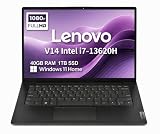
- RELIABLE DESIGN - The Lenovo V14 is a budget-friendly business laptop designed for everyday productivity, remote learning, and small business needs. Positioned between the IdeaPad and ThinkPad families, it combines dependable performance, military-grade durability that meets MIL-STD-810H standards, and a lightweight 3.15 lb design for easy portability. Compared with the larger V15, the V14 offers a more compact and travel-friendly form factor while maintaining the same business-focused reliability, making it an excellent choice for professionals who value mobility, durability, and everyday efficiency.
- POWERFUL PERFORMANCE - Powered by an Intel Core i7-13620H Processor with 10-core for superior efficiency and speed. 40GB DDR4 RAM for seamless multitasking, and 1TB PCIe NVMe M.2 SSD for fast storage and reduced load times, ensuring smooth and responsive performance for all your tasks.
- EXCELLENT VISUAL - Features a 14" FHD (1920x1080) Anti-glare, 45% NTSC display with TÜV Rheinland Low Blue Light certification and Intel UHD graphics for crisp, eye-friendly visuals. Expand your workspace with 2 external monitors via HDMI and USB-C, supporting resolution up to 4K (3840x2160) @60Hz. 720p HD with Privacy Shutter camera ensures crisp video calls with enhanced clarity.
- VERSATILE CONNECTIVITY - Equipped with USB-C 3.2 Gen 1, USB-A 3.2 Gen 1, USB 2.0 ports, HDMI 1.4b, Ethernet, Power connector and an Audio combo jack for versatile connectivity. Includes Wi-Fi 6 and Bluetooth 5.2 for fast and reliable wireless performance.
- OPERATING SYSTEM - Preinstalled with Windows 11 Home 64-bit and AI Copilot, this system delivers a modern, intuitive user experience with enhanced productivity and everyday security features. Built-in tools such as Windows Security, Smart App Control, and automatic updates help keep your device protected and running smoothly. Seamless compatibility with a wide range of applications, peripherals, and home or office software ensures reliable performance for work, study, and entertainment.
OpenRouter draws a narrower line from its side. Its documentation says Claude Code is optimized for Anthropic models, may not work correctly with other providers, and is guaranteed to work only through OpenRouter’s Anthropic first-party provider.
Anthropic’s enterprise overview lists supported ways to reach Claude through other infrastructure:
- Anthropic Console
- Amazon Bedrock
- Claude Platform on AWS
- Google Cloud’s Agent Platform
- Microsoft Foundry
These routes differ in billing, authentication and enterprise controls, but they serve Claude models. None of them makes a non-Claude model a supported choice inside Claude Code.
Recommended Free Tools
Rank #2

- FULL HD IPS DISPLAY - Enjoy vibrant, crystal-clear images with 178-degree wide-viewing angles
- AMD RYZEN 3 30 PROCESSOR - Everyday performance you can count on; Multitask, stream, game casually, and edit photos smoothly with responsive power and vibrant HDR visuals
- ENJOY UP TO 14 HOURS AND 15 MINUTES OF BATTERY LIFE - HP Fast Charge restores battery from 0 to 50% in approximately 45 minutes
- AMD RADEON 610M GRAPHICS - Experience smooth entertainment; Built for streaming and multitasking, enjoy realistic visuals and efficient performance for work and play
- STORAGE AND MEMORY - 512 GB PCIe NVMe M.2 SSD offers fast speed and efficient storage; and 8 GB LPDDR5 RAM memory boosts performance with higher bandwidth
How the four settings fit together
- Base URL (
ANTHROPIC_BASE_URL) decides where Claude Code sends its requests. Setting it alone does not select a model. - Credential decides whose account handles the requests and what access the caller has. Both routes below place their key in
ANTHROPIC_AUTH_TOKEN. - Model decides what runs. Use
--modelfor one session, or set a default through settings or the model environment variables. Claude Code accepts aliases or model names, and provider routes may use provider-specific identifiers. - API format must match what Claude Code sends. Anthropic documents differences in model IDs, request fields and headers between the Anthropic Messages format and cloud-provider formats. A gateway that translates between them has to handle each difference.
Option A: OpenRouter hosted gateway
OpenRouter’s setup guide points the base URL at https://openrouter.ai/api and places the OpenRouter key in ANTHROPIC_AUTH_TOKEN. Its example is:
export OPENROUTER_API_KEY="<your-openrouter-api-key>"
export ANTHROPIC_BASE_URL="https://openrouter.ai/api"
export ANTHROPIC_AUTH_TOKEN="$OPENROUTER_API_KEY"
export ANTHROPIC_API_KEY=""
Setting ANTHROPIC_API_KEY to an empty string prevents a competing Anthropic credential from taking precedence over the OpenRouter token.
- Create an OpenRouter API key in your OpenRouter account.
- Export the four variables above in the shell session that will launch Claude Code. If you place them in a shell profile, the key is stored in plaintext there, and OpenRouter warns that it can be committed or shared by accident.
- If a Claude account login was cached earlier, run
/logoutonce inside Claude Code, quit, and relaunch. - Run
/statusand confirm that the base URL ishttps://openrouter.ai/apiand that the credential in use is the OpenRouter token. - Choose a model with
--modelfor a single session, or set the model environment variables for a default. OpenRouter’s recommended examples route each model class to a specific model ID. - Optional: to fill the
/modelpicker from the gateway, setCLAUDE_CODE_ENABLE_GATEWAY_MODEL_DISCOVERY=1. OpenRouter describes gateway model discovery as opt-in. - Confirm which model actually served your requests in OpenRouter’s activity dashboard.
Requests go to OpenRouter’s endpoint. The setup guide does not describe how OpenRouter handles prompts or retains data, so review its terms before sending private code through this route.
Rank #3

- AN AMAZING MAC AT A SURPRISING PRICE — With an incredibly portable and durable aluminum design, up to 16 hours of battery life,* and the A18 Pro chip, MacBook Neo is ready to go wherever school takes you.
- FOUR STUNNING COLORS. ONE DURABLE DESIGN — Choose from four beautiful colors — Silver, Blush, Citrus, or Indigo — each with a color-coordinated keyboard. And MacBook Neo is made with a durable recycled aluminum enclosure that helps it reach 60 percent recycled content by weight — the most ever in any Apple product.*
- FLY THROUGH EVERYDAY ASSIGNMENTS — Whether you’re cramming for finals, using Apple Intelligence* to summarize class notes, creating presentations, or even playing the latest Apple Arcade game,* MacBook Neo delivers the performance and AI capabilities you need to get things done.
- UP TO 16 HOURS OF BATTERY LIFE — MacBook Neo delivers all day battery life, so you can power through from early morning classes to late night study sessions without worrying about plugging in.
- A VIBRANT 13-INCH DISPLAY* — The gorgeous Liquid Retina display on MacBook Neo supports 1 billion colors, so photos and videos pop and text is crisp for easy reading.
Option B: LiteLLM proxy
LiteLLM’s tutorial runs a proxy in an environment you control, with provider credentials and a model list in its configuration. Its examples cover OpenAI, Gemini, Vertex AI and Azure OpenAI. Provider names, model identifiers and versions change, so copy them from the current LiteLLM guide rather than from this article.
Do these 3 things before closing this tab:
1Fix the driver behind crashes, sound loss and screen glitches2Repair Windows errors before they cause bigger problems3Scan for outdated or missing drivers - takes under a minute- Write the proxy configuration with your provider credentials and a model list. Give each model the name you will use in Claude Code.
- Start the proxy.
- Export the proxy address as
ANTHROPIC_BASE_URLand the proxy key asANTHROPIC_AUTH_TOKEN. The proxy address is the host and port the proxy reports when it starts.export ANTHROPIC_BASE_URL="<proxy-address>" export ANTHROPIC_AUTH_TOKEN="<proxy-key>" - Launch the configured model with
claude --model <configured-name>. - Optional: set
CLAUDE_CODE_ENABLE_GATEWAY_MODEL_DISCOVERY=1to populate the/modelpicker. LiteLLM documents this feature for Claude Code v2.1.129 or later, which you can check withclaude --version. - Issue a virtual key for the Claude Code user that allows only the models you intend to offer. LiteLLM notes that the proxy key may otherwise grant access to every configured model.
Compare the two routes
| Factor | OpenRouter (hosted gateway) | LiteLLM (proxy you run) |
|---|---|---|
| Deployment | Hosted; base URL https://openrouter.ai/api |
Self-run or organization-run proxy at an address you set |
| Support boundary | Guaranteed only with OpenRouter’s Anthropic first-party provider; other providers may not work correctly | Outside Anthropic support, as for any gateway; compatibility depends on your configuration |
| Upstream provider credentials | Not stated in the setup guide | Held in the proxy configuration |
| Credential set in Claude Code | OpenRouter key in ANTHROPIC_AUTH_TOKEN; ANTHROPIC_API_KEY set to empty |
Proxy key in ANTHROPIC_AUTH_TOKEN |
| Model selection | --model or model environment variables; discovery is opt-in |
--model with your configured name; discovery is opt-in and documented for Claude Code v2.1.129 or later |
| Access control | Not stated in the setup guide | Virtual keys recommended to limit which models a user can reach |
| Verifying the served model | Activity dashboard | Not stated in the setup guide |
| Format translation and feature parity | Not stated in the setup guide | Translates between the Anthropic Messages format and provider formats; feature parity is not established |
Confirm the route before you rely on it
/statusshows the base URL and credential you intended, and not a cached Claude login.- The model named in the provider’s dashboard or the proxy’s logs matches the model you selected with
--model. - A representative task completes, such as a multi-file edit followed by a test run, without retries you did not expect.
- Tool calls run in the order Claude Code requested and complete without stalling.
- Context figures and compaction behavior look plausible during a long session.
Why a cheaper rate does not guarantee a cheaper task
As of 7 October 2026, the setup documentation from Anthropic, OpenRouter and LiteLLM does not publish a comparable cost or coding-quality benchmark, so this article quotes no savings percentage. Total task cost depends on several factors:
- Input, output, cache and reasoning-token rates, taken from each provider’s current price list for the specific model.
- Retries, including failed requests and tasks that must be started again.
- The number of model turns. A model that needs more iterations to finish the same task can cost more despite a lower per-token rate.
- Completion quality. A task that fails a tool-mediated step and needs manual repair has a cost that the token count does not show.
To compare fairly, run a short trial of your own work:
Rank #4

- THE POWER TO STAY PRODUCTIVE – Looking to make your everyday work and home life more manageable without breaking the bank? The Lenovo V15 Gen 4 offers long-term reliability with top-of-the-line features to make you your most productive self.
- CRUSH YOUR TO-DO LIST – The AMD Ryzen CPU pairs quiet performance and enhanced operating power to crush your high-demand workday. It optimizes performance and allows for seamless multitasking.
- TRUE-TO-LIFE VISUALS – The 15.6” FHD IPS display is anti-glare with 300 nits brightness to see your best outside or in. Its 88% screen-to-body ratio makes viewing detailed applications like spreadsheets a breeze.
- SEAMLESS COLLABORATION – Lenovo Smart Appearance enhances your camera effects to protect your privacy and to make you the focus of every video conference. Intelligent noise cancelation minimizes distraction and Dolby Audio provides an elegantly sonorous experience.
- BUILT TO WITHSTAND – Built for military-grade toughness, the V15 Gen 4 is tested to withstand harsh temperatures, pressure, humidity, vibrations and more. Keep your work safe from the board room to your living room and everywhere in between.
- Pick three to five tasks you actually perform, such as a bug fix, a refactor across files, and a test-writing task.
- Run each task on the Anthropic route you normally use and on the gateway route, starting from the same repository state.
- Record whether each task completed, the number of turns, the number of retries, and the token usage and cost shown in each provider’s dashboard.
- Compare cost per completed task, not cost per token.
Troubleshooting
/status still shows a Claude account
A cached login is taking precedence. Run /logout once, quit Claude Code, relaunch it, and check /status again. For the OpenRouter route, confirm that ANTHROPIC_API_KEY is empty in the session.
The /model picker shows no gateway models
Gateway model discovery is opt-in. Set CLAUDE_CODE_ENABLE_GATEWAY_MODEL_DISCOVERY=1 in the shell that launches Claude Code and relaunch. For LiteLLM, the documented feature requires Claude Code v2.1.129 or later. If the picker stays empty, select the model directly with claude --model <model-id>.
The Tool Desk
Outbyte PC Repair FREERepair Windows errors before they cause bigger problemsFix Now →Outbyte Driver Updater FREEScan for outdated or missing drivers - takes under a minuteDriver Scan →Context size or compaction looks wrong
Claude Code applies its own assumptions to model IDs it does not recognize, and those assumptions can change the context size it displays and when it compacts a conversation. Check the provider’s documented context limit for your exact model before trusting long sessions, and treat Claude Code’s displayed figures as unverified for that model.
Tool calls fail, stall or loop
This is the compatibility limit showing up in practice. Confirm which model served the request, then run the same task on the Anthropic route. If the task completes there and fails on the gateway, the problem lies in the gateway route or the model, so keep that kind of work on the Anthropic route.
An API key appears in a shared file
Remove the export line from any shell profile or settings file that is committed or shared, then revoke and replace the key in the provider’s dashboard. Keep keys in environment variables for the session, or in a personal settings scope. Never place a secret in the shared project settings file.
Quick Recap
Choosing a route
- Use the Anthropic route for work where tool reliability matters more than per-token price.
- Consider OpenRouter when you want a hosted endpoint, a usage dashboard, and no infrastructure to run.
- Consider LiteLLM when you need to hold provider keys yourself and limit which models each user can reach through virtual keys.
- Treat either gateway route as an experiment until a trial on your own tasks shows lower cost per completed task with no loss of tool reliability.
Product prices and availability are accurate as of the date/time indicated and are subject to change. Any price and availability information displayed on Amazon at the time of purchase will apply.




