For background features that need to react when someone reaches or leaves an area, use Android’s Geofencing API instead of continuously polling high-accuracy location. Geofencing is designed to conserve power, but it is a delayed proximity signal—not an instant, door-level arrival detector. Plan for minute-scale delivery, realistic location accuracy, and recovery when registrations need to be rebuilt.
Choose geofencing when minutes of delay are acceptable
Android’s Geofencing API uses the Fused Location Provider and is intended for battery-conscious, long-running place triggers. Android describes geofencing as “optimized for battery performance” and calls it an excellent fit for background notifications around places. By contrast, continuously requesting high-accuracy background updates for a feature that only needs to know whether a device reached an area spends power on information the feature does not need. Android’s location battery guidance says background location gathering is throttled on Android 8.0 (API 26) and higher, with location computed and delivered only a few times per hour.
As an Amazon Associate I earn from qualifying purchases.
That power saving comes with latency. Android says background geofence responsiveness shifts from tens of seconds to approximately two minutes, and reports up to 10 times better battery performance on some devices; that is a platform statement, not a promise for a particular phone or app. Its geofencing guidance describes typical latency as usually under two minutes and averaging about two to three minutes under background location limits. After a device has been stationary for a significant period, latency may reach six minutes. A responsiveness setting is not a delivery deadline. Android’s geofencing guide
Outdated Drivers Are Slowing You Down
One free scan finds every outdated or missing driver and matches the right update for your exact hardware.Free scan · exact hardware matchPC Slower Than It Used to Be?
A free scan shows the junk files, broken settings and background clutter dragging Windows down - then fixes them in one click.Free scan · Windows 10 & 11Use a visible foreground experience for behavior that truly needs immediate, continuous updates, such as turn-by-turn navigation. For background reminders or automation that can tolerate a delay, prefer geofencing and set user expectations accordingly.
#1 Best Overall

- 📱 Global Cloud Positioning – Works with both Google's Find Hub (Android Only,Not for GPS & ios)
- 📢 Loud Alert Sound – Built-in speaker with up to 85dB for quick locating
- 🔋 Far Superior Battery Life – Up to 2 years battery life on Android
- 💧 IP65 Waterproof – It provides protection against rainwaterand splashes
- 👮 Data Encryption – With the help of Google's technology, all location information is encrypted
Set a boundary that location can actually distinguish
Start with a radius of at least 100–150 meters, Android’s recommended minimum range, then validate it in the places and conditions where the feature will run. Wi-Fi location accuracy is usually 20–50 meters according to Android; without Wi-Fi, accuracy can range from several hundred meters to several kilometers. These are platform guidance values, not a guarantee for every device or location. A small circle around a building entrance cannot reliably promise door-level detection on that basis.
Choose transitions to match what the user needs to know. Entry and exit are useful when crossing an area matters, but they can produce unwanted notifications when someone merely passes through. When actual presence is the signal, add a dwell transition and tune its loitering delay to the task. Android’s real-world scenarios guidance suggests a dwell delay of about five minutes or less, with responsiveness around five minutes and potentially ten minutes where that extra delay is acceptable. Android’s geofencing guide
Rank #2

- [Seamless Adaptation to Android Ecosystem]: This wireless tag, specially designed for Google Find My Device, can achieve stable wireless interconnection with Android phones. It deeply integrates into Google's positioning ecosystem, enabling easy device positioning and searching operations, thus providing Android users with a convenient tracking experience
- [No Monthly Fees]: There are no subscription fees required, breaking down the payment barriers. Users can enjoy all positioning and searching functions immediately after purchase without additional costs for continuous use, showing significant cost-effectiveness
- [All-weather Reliable Protection]: Equipped with a strong magnetic silicone protective case, it meets the IP67 dustproof and waterproof standards. Whether it is daily collisions, rain splashes, or dust intrusion, it can effectively protect the internal components of the tag, ensuring stable operation in various complex environments
- [Long-lasting Battery Life to Avoid Frequent Replacement]: Powered by a CR2032 battery, with optimized power consumption design, the standby time can be as long as 1 year. This greatly reduces the frequency of battery replacement, saving users from the trouble of frequent maintenance and making use more worry-free
- [Precise Positioning and Quick Search]: Relying on Google Find My Device's positioning technology, it can accurately lock the position of the device to which the tag is attached. When items are accidentally lost, users can quickly initiate a search through their Android phones, helping them retrieve items efficiently and enhancing the sense of security in use
For example, a reminder that is useful only after someone stays at a location should generally wait for dwell rather than fire on every pass. Test the chosen radius and delay in real deployment conditions; the published accuracy ranges do not establish how a particular app will perform.
Free tools Windows power users keep installed
One-click scans. No signup required.
Balance responsiveness, accuracy, and battery
Android recommends balanced-power or low-power location for most use cases, reserving high accuracy for foreground tasks that need real-time updates. For long-running place notifications, a notification responsiveness value around five minutes is a practical starting point; use around ten minutes if the use case can tolerate more delay. These values tune the trade-off, but do not guarantee that an event will arrive within that interval. Android’s location battery guidance
Rank #3

- 📱 Global Cloud Positioning – Works with both Google's Find Hub (Android Only,Not for GPS & ios & Huawei)
- 📢 Loud Alert Sound – Built-in speaker with up to 98dB for quick locating
- 🔋 Far Superior Battery Life – Up to 2 years battery life on Android
- 💧 IP65 Waterproof – It provides protection against rainwaterand splashes
- 🔊 Visualize Distance – Visualize distance using UWB technology within Bluetooth range, allowing you to immediately see the distance
Battery use generally rises with greater accuracy, more frequent computation, and lower delivery latency. Avoid maintaining continuous background location requests just to detect entry into or exit from a defined area. If finer updates are genuinely needed once someone is nearby, use a staged design:
- Register a larger-area geofence. Use it to identify arrival in a broad region without continuously tracking the device.
- Register relevant smaller geofences dynamically. Add nearby places only when they matter, rather than keeping a large catalog active.
- Use more granular updates only while appropriate. If the feature needs them while the device is inside the region, request them then and stop them on exit.
Android allows at most 100 registered geofences at once. Remove fences that are no longer relevant; a larger place catalog requires hierarchical or dynamic registration rather than one oversized static set. Android’s geofencing guide
Rank #4

- REDESIGNED TO DO MORE: The redesigned Galaxy SmartTag2 is made so you can keep calm and keep track; Its design makes it easy for you to tag and carry your belongings
- EASY TO USE: It's IP67-rated water- and dust-resistant, activates your compatible IoT devices and stays powered for up to 500 days or even up to 40% more on Non-Power Saving Mode
- RELAX, YOU'VE GOT IT TAGGED: Simply register a new Galaxy SmartTag2 and get started right away with SmartThings Find; With its intuitive tracking experience, you now have a way to keep track of things you love right in the palm of your hand
- SEARCH NEAR WHEN IT'S NOT FAR: Lose something. Switch on Search Nearby and get guided instructions to your item's location via Compass View; If you still don't see it, just ring your Galaxy SmartTag2 to have it send out an audible signal
- Type of battery needed: replaceable CR2032 1 ea Lithium battery (not included)
Register transitions and keep receiver work short
Register geofences through the Geofencing API and supply a PendingIntent. A broadcast receiver receives the transition intent, checks the geofencing event, and starts the appropriate background work or presents a notification. Keep receiver work brief; hand off longer tasks through an appropriate background-work mechanism. PendingIntent mutability requirements apply starting with Android S, so verify the current API contract and target-SDK behavior for the app’s implementation. Android’s geofencing guide
What’s actually slowing this PC down?
Pick the symptom - the matching free tool is one click away.
Make registration recoverable and idempotent
Geofence registrations are normally restored after Google Play services upgrades, service-process restarts, or a location-process crash. They should be rebuilt when still needed after a device reboot, app reinstall, app-data clear, Google Play services data clear, or a GEOFENCE_NOT_AVAILABLE alert. Persist enough application state to reconstruct the intended set, and make registration safe to repeat so recovery does not create stale or duplicated requests. Android’s geofencing guide
Best Value
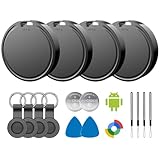
- 📱 Global Cloud Positioning – Works with both Google's Find Hub (Android)
- 📢 Loud Alert Sound – Built-in speaker with up to 85dB for quick locating
- 🔋 Far Superior Battery Life – Up to 2 years battery life on Android
- 💧 IP65 Waterproof – It provides protection against rainwaterand splashes
- 👮 Data Encryption – With the help of Google's technology, all location information is encrypted
Build recovery as part of the feature rather than treating a successful initial registration as permanent. Reconcile the desired set against current state whenever a relevant reset or availability alert calls for it.
Request background access only when the feature needs it
Ask for only the location access necessary to deliver the feature. If the feature genuinely requires all-the-time location, explain clearly how background access benefits the user and keep it tied to core functionality. Android says apps targeting Android 10 (API 29) or higher need ACCESS_BACKGROUND_LOCATION for all-the-time access. Google Play also applies background-location restrictions and review; meeting general recommendations does not guarantee approval. Android’s location permissions guide
Quick Recap
Decide whether geofencing fits the job
| Design consideration | Geofencing implication |
|---|---|
| Latency tolerance | Background notifications are typically minutes-scale; immediate, continuous behavior belongs in a visible foreground experience. |
| Battery cost | Geofencing or low- and balanced-power requests suit place triggers better than continuous high-accuracy updates. |
| Spatial tolerance | Compare the desired boundary with Android’s 100–150 m minimum-radius guidance and the actual Wi-Fi or network-location conditions. |
| Noise tolerance | Entry and exit can trigger on pass-through; dwell helps when sustained presence is what matters. |
| Scale | Keep no more than 100 geofences active at once; use hierarchical or dynamic registration for larger catalogs. |
| Permission burden | Background access must be essential, transparent to users, and compatible with OS and store requirements. |
Product prices and availability are accurate as of the date/time indicated and are subject to change. Any price and availability information displayed on Amazon at the time of purchase will apply.
Quick wins for a faster PC:
Clear out junk files and repair common Windows errorsFree Scan →Scan for outdated or missing drivers - takes under a minuteDriver Scan →



