What’s actually slowing this PC down?
Pick the symptom - the matching free tool is one click away.
Update a product’s dimensions from Products > All Products > edit product > Product data > Shipping. Enter the item’s packed length, width and height in the store’s configured units, then select Update. Packed measurements—not the bare product size—are what box-packing logic and many live carrier quotes need.
Antihost offers managed WordPress hosting with free migration, one-click staging and a 14-day free trial.
What WooCommerce package dimensions mean
WooCommerce stores one set of shipping measurements for each product: length, width and height. Those values are used by shipping methods, carrier-rate calculations and box-packing tools. They can also appear in the customer-facing Additional information area of a product page.
As an Amazon Associate I earn from qualifying purchases.
Outdated Drivers Are Slowing You Down
One free scan finds every outdated or missing driver and matches the right update for your exact hardware.Free scan · exact hardware matchPC Slower Than It Used to Be?
A free scan shows the junk files, broken settings and background clutter dragging Windows down - then fixes them in one click.Free scan · Windows 10 & 11The correct value is the size of the product as it will be shipped. Include the carton, mailer, padding, foam, inserts or other protective material that remains around the product when it is handed to the carrier. A bare item measurement can make a packer choose a box that is too small or can produce an understated dimensional rate.
WooCommerce’s box-packing guidance describes the rule this way: enter “the size of the item as it will be packaged and shipped,” rather than the unpackaged measurements. If you sell an item in a retail box, measure the retail box; if you place that box in a larger shipping carton, use the dimensions that your shipping workflow actually rates. When a packing extension creates an outer carton automatically, the product dimensions should represent the packed unit that the extension is intended to place in that carton.
#1 Best Overall

- Accurate to 0.1oz: High precision for postage, packaging, or food preparation.
- Solid design with high weight limit: 50Lbs
- Smart Tare & Hold Functions: Effortlessly subtract container weight or lock readings for larger boxes.
- Clear LCD Display: Large, backlit screen makes weights easy to read, even in dim rooms.
- Multi-measuring units: Kg, lb/oz, oz
Check the store’s measurement units first
Every dimension is interpreted in the units selected for the store. Before editing products, go to WooCommerce > Settings > Products and confirm the configured units for weight and dimensions. A value of 30 means 30 of the selected length unit; it does not automatically mean centimetres or inches.
- Use one measuring system consistently when measuring products and entering values.
- Confirm the weight unit as well if you are correcting shipping data at the same time.
- If an inventory spreadsheet uses a different unit, convert it before importing or entering values.
Changing the store unit setting changes how existing numbers are interpreted. Treat a unit change as a data migration: verify representative products afterward instead of assuming that the old numeric values still describe the same physical size.
The Tool Desk
Outbyte PC Repair FREEClear out junk files and repair common Windows errorsFree Scan →Outbyte Driver Updater FREEScan for outdated or missing drivers - takes under a minuteDriver Scan →Update dimensions on a simple product
- Open the product list. In the WordPress admin, go to Products > All Products.
- Edit the product. Select the product whose shipping measurements need correction.
- Open Shipping. In the Product data panel, select the Shipping tab.
- Enter all three dimensions. Fill in Length, Width and Height using decimal values in the store’s configured unit. Enter numbers only; do not add unit symbols, quotation marks or other special characters.
- Measure the packed product. Record the outside dimensions of the shipment-ready unit, including protective material. Keep the orientation consistent so that length, width and height describe the same three sides every time.
- Save. Select Update and wait for the product editor to finish saving.
Complete all three fields when the product is shipped as a three-dimensional parcel. Leaving one side blank can prevent a packing rule or carrier integration from calculating a reliable package. If a product legitimately has an unusual shape, use the rectangular outer dimensions that enclose the packed item unless your shipping extension provides a separate shape model.
Use a repeatable measuring method
Place the packaged item on a flat surface. Measure the longest side as length, the next side as width and the remaining side as height. Measure to the outside of the packaging, not to an inner product edge. For compressible padding, use the thickness that exists after the package is closed and ready for dispatch; do not rely on an uncompressed estimate.
For example, if a ceramic item is 16 × 12 × 10 cm without protection but is shipped in a carton that measures 20 × 16 × 14 cm after padding is installed, enter 20, 16 and 14 when the store’s dimension unit is centimetres. The smaller product measurements are useful for catalog copy, but they are not the shipping dimensions.
Set dimensions for variable products and variations
A variable product can have different packed sizes for different choices. Open the parent product, then expand each variation in the Variations panel and enter that variation’s shipping data where the variation editor exposes it. Save the parent product after completing the changes.
Give every size or configuration its own values when its packed dimensions differ. A missing variation value does not mean “unknown”: WooCommerce can fall back to the parent product’s dimensions. That fallback is useful for genuinely identical packages, but it can produce wrong rates when a larger or smaller variation has been left blank.
Rank #2

- Digital tabletop postal scale for quickly and precisely weighing items
- Includes a shipping postal scale and AC adapter; made of durable black ABS, aluminum, and iron
- 65 pound (30kg) capacity reads to 0.1 ounce (1g) in 0.1 ounce increments; minimum load weight is 0.2 ounces (5g)
- Extra large LCD display for easy viewing; measuring units in ounces, pounds, g, and kg
- Tare function for resetting the scale to zero after setting a container on the platform; great for net weights
- Same package for every variation: Parent dimensions can be used deliberately, provided the variations truly ship in that package.
- Different package sizes: Populate length, width and height on each affected variation.
- Mixed catalog: Check that no variation is silently inheriting a parent value after a product update.
After saving, test a representative order for each materially different variation. The purpose is to confirm that the selected variation—not merely the parent product—supplies the dimensions used by the shipping method.
Why the Shipping tab is missing
The Shipping tab is available for eligible simple and variable products. It is not shown when the product is marked Virtual. WooCommerce’s dimensions guidance also identifies Grouped and External/Affiliate products as product types without these fields.
Check the product type
In the Product data selector, confirm that the item is a simple or variable product if it needs its own parcel dimensions. A grouped product is a collection of linked products, and an external or affiliate product is sold through another destination; neither product type exposes the normal product-shipping fields.
Quick wins for a faster PC:
Clear out junk files and repair common Windows errorsFree Scan →Scan for outdated or missing drivers - takes under a minuteDriver Scan →Check the Virtual setting
Clear Virtual when the item is physically shipped. A virtual product has no shipment to rate, so WooCommerce hides shipping-specific inputs. If the product is both downloadable and physically delivered, review whether it should remain a physical product with the appropriate downloadable settings rather than being marked virtual.
Check the variation editor
For a variable product, dimensions may be stored on the individual variations rather than in the location you first inspected on the parent. Expand a variation and look for its shipping fields. If a variation has no values, the parent values may be used.
Will changing dimensions change shipping rates?
It can. Live carrier rates and shipping extensions may use length, width, height and weight to calculate a quote. A larger packed size can increase a dimensional charge, change which service is available or require a different box. A smaller, accurate measurement can reduce a quote, but only when the package really ships at that size.
Dimension changes are not merely catalog edits. They can affect the price shown at checkout, so verify the result after saving. Place a test order or request a quote through the same carrier integration used by customers, using a destination and service that expose the issue. Compare the product’s stored weight and dimensions with the values entered in the carrier account or shipping extension.
Recommended Free Tools
Rank #3

- Lightweight Postal Scale - Max. Capacity: 440lb/200kg, Min. Readability: 40g, Display Resolution: 10g. Features a Carbon Fiber platform paired with a durable ABS housing. Lightweight + sturdy, easy to clean, move, and store.
- Digital Shipping Scale - 3 weighing Modes: kg/lb/lb:oz. Separate large back-lit LCD display with adjustable/disable Auto-off. Easy to handhold or wall-mount with the included drywall anchors and screws.
- User Friendly Design - Ships pre-calibrated and can also be easily calibrated. Dual powered by 2 x AAA batteries or AC adapter (both included).
- Hold & Tare Function - Locks readings and removes container weight for multiple weighing needs. Ideal for post offices, warehouses, commercial and home use.
- Fuzion Support - We offer 2-Year Warranty and Lifetime Support for this digital scale. Full day service by our support team. We are always glad to help with all your questions or concerns.
If a quote is unexpectedly high
- Re-measure the shipment-ready package, including all padding and the outer carton.
- Confirm that the store’s length and weight units match the units expected by the carrier integration.
- Check the product weight as well as its dimensions; an incorrect weight can raise a quote even when the box size is right.
- Review shipping-extension settings for handling, packaging or other adjustments that are added after WooCommerce reads the product data.
- Check a variable product’s selected variation. A missing variation value can make WooCommerce use an unsuitable parent dimension.
Do not shrink dimensions simply to obtain a lower rate. The saved values should describe the parcel that will actually be accepted by the carrier. If a carrier audits package size, an artificially small value can lead to a later adjustment.
Keep shipping data even when you do not want it displayed
WooCommerce uses the same product weight and dimension set for shipping calculations and the customer-facing Additional information area. Deleting dimensions to remove a row from the product page also removes data that a carrier-rate calculation may need.
If the problem is presentation rather than shipping, keep the accurate values in the Shipping section and change the display separately. Depending on the site, an attribute, translation, or theme customization can rename or suppress customer-facing labels. That approach preserves the measurements for rates while allowing the product page to use language that makes sense to shoppers.
Configure reusable boxes and envelopes
Product dimensions describe the packed product. They do not necessarily describe every outer carton used to fulfill an order. WooCommerce Shipping can store reusable package templates: create a custom Box or Envelope, enter its length, width and height, and save it for later packing calculations.
Free tools Windows power users keep installed
One-click scans. No signup required.
Box-packing logic compares the product dimensions with the available box or envelope dimensions. It can also consider product weight and a package’s maximum weight. This lets the packer choose among saved containers instead of treating every product as if it occupied an unlimited generic parcel.
When a package template helps
- You use a small set of standard cartons or mailers repeatedly.
- Several products can share a container, but the outer container is larger than any single product.
- You need the packing calculation to respect a maximum package weight.
- You want to update a carton size once rather than edit every product when the carton changes.
Separate product and container measurements
Do not enter the outer carton as the product dimensions if the shipping extension is already adding that carton through a Box or Envelope template. Doing so can double-count packaging and produce an oversized quote. Conversely, do not enter only the bare item dimensions when the product itself is shipped in a fixed retail box that the packer treats as the product unit.
Choose an update method for a larger catalog
Manual editing is safest when the number of products is small and measurements need human verification. A REST API update is useful when an inventory or ERP system is the authoritative source and dimensions must be synchronized repeatedly. A shipping extension is appropriate when the main challenge is selecting outer containers and calculating rates rather than merely storing three numbers.
Rank #4

- Digital shipping postal scale for weighing items; heavy duty yet lightweight, portable design
- Includes a postal scale and an AC adapter; black ABS with an aluminum anti-skid platform
- 660 pound (300kg) capacity reads to 0.11 pound/50g/2 ounce in 0.1 ounce increments; minimum load weight is 6 ounces (150g)
- Measuring units in kg, ounces, and pounds
- Additional separated large back-lit LCD display allows for reading the weighing data from a distance of up to 2m
| Method | Best fit | Per-variation values | Automation frequency | Carrier-rate dependence | Box-packing support | Risk to accurate packed measurements |
|---|---|---|---|---|---|---|
| Manual product edit | Small or changing catalogs that need visual checks | Enter each variation individually when sizes differ | Occasional | Easy to verify immediately with a test quote | Uses any configured packing rules, but does not create boxes by itself | Low when the operator measures each shipment |
| REST API product update | ERP or inventory synchronization across many products | Send values for the relevant product or variation records | Scheduled or event-driven | Depends on the source system and the receiving shipping integration | Stores product dimensions; container selection still comes from the shipping setup | Higher if the source contains unpackaged catalog sizes or overwrites verified values |
| Shipping extension | Stores that need carrier quotes, package rules or standard containers | Depends on the extension; verify how it handles variation fallback | Automatic during rate calculation | Directly tied to the extension and carrier configuration | Can use saved boxes or envelopes and package maximum weights | Depends on correct product data and package rules |
Whichever method you use, keep a clear distinction between product dimensions and outer-package templates. An automated feed should not overwrite a carefully measured packed value with a product-catalog size simply because both are labeled length, width and height.
Update dimensions through the REST API
The WooCommerce REST API product schema exposes writable string properties for dimensions.length, dimensions.width and dimensions.height. An integration can include those properties in a product update request when dimensions are synchronized from an inventory or ERP system.
The dimensions portion of an update payload has this shape:
{"dimensions":{"length":"30.5","width":"20","height":"10"}}Send values as strings, as defined by the product schema, and use the same units configured in the store. The API does not solve the measurement question: the source system still needs shipment-ready dimensions, and a synchronization job should distinguish parent products from variations when their packages differ.
Protect verified values in an integration
- Map the source fields explicitly to packed length, packed width and packed height.
- Validate that all three values are numeric decimal strings before sending an update.
- Keep the store’s unit configuration documented alongside the integration mapping.
- Decide whether a blank variation value should inherit the parent value or be rejected for review.
- Log updates so an unexpected rate change can be traced to the product record that changed.
Verify an update before relying on live rates
- Reopen the product and confirm that all three Shipping fields contain the intended packed measurements.
- For variable products, select a small, medium and large variation where applicable and check each record.
- Confirm that the product is not accidentally marked Virtual and that its product type still supports shipping fields.
- Check the product weight at the same time, especially when a carrier quote was previously too high.
- Run a checkout or rate calculation through the live shipping method for a representative destination.
- Compare the quote with the carrier or extension’s package details and investigate any unexpected packaging adjustment.
- Record the final measurements in the store’s inventory documentation so future edits do not revert to unpackaged values.
A successful save in the product editor proves only that WordPress stored the numbers. The checkout verification proves that the shipping method is reading the intended product, variation and package configuration.
Common mistakes and their fixes
Entering the product’s catalog size
Symptom: Rates are lower than expected, a box packer rejects the item, or the carrier later adjusts the charge. Fix: Measure the closed, shipment-ready package and replace the three values with those outside dimensions.
Mixing centimetres and inches
Symptom: Every product appears dramatically too large or too small. Fix: Confirm WooCommerce > Settings > Products, convert the source measurements to that unit, and then review existing records affected by the mismatch.
Best Value
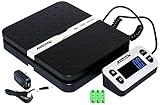
- Solid structure & Sleek/Modern Design – ACCUTECK postal scale is designed with durable plastic platform, user-friendly buttons, backlit extended display and two way 90 degree-opened lid.
- Enhanced capacity with higher precision- This new postal scale can hold a max weigh up to 110 lbs in 0.1 oz graduation. It can meet all your needs from a first-class package to parcel packages. Start weight: 10g.
- Multi Measuring Units with extra Large LCD display. Measure in oz, g, lb/oz. The extra large back-lit LCD display allows you to work under any environment.
- Convenient Tare/Hold Function and the shipping postal scale features are tare function which allows you to zero out the number for multi-packages purpose. Hold function allows you to lock the number after you take the package off the platform.
- Power supply: Batteries, USB cable Charger, AC adapter (All Included). When using on Battering, it will turn off automatically after 90 seconds. When using Ac adapter for power supply, it won't turn off automatically.
Leaving variation fields blank
Symptom: One variation receives the parent’s rate even though its package is different. Fix: Enter dimensions on that variation and test its checkout rate separately.
Deleting values to hide them from shoppers
Symptom: The Additional information row disappears, but carrier rates stop reflecting package size. Fix: Restore accurate Shipping values and handle display changes with an attribute, translation or theme customization.
Making a virtual product physical without checking type settings
Symptom: The Shipping tab remains unavailable. Fix: Clear Virtual and use a supported simple or variable product type when the item is actually shipped.
Double-counting packaging
Symptom: A saved box template is used, but the quote is based on an unexpectedly large package. Fix: Ensure product dimensions describe the packed product unit and the Box or Envelope template describes the outer container only once.
A practical maintenance routine
Measure new products before publishing them, not after the first order exposes a rate problem. Store the packed measurements with the fulfillment record and update WooCommerce whenever the packaging changes. A change from a padded mailer to a rigid carton is a shipping-data change even if the product itself is unchanged.
Review products after a unit-setting change, after replacing standard cartons, and after installing or reconfiguring a shipping extension. Sample both simple products and variations because parent fallback can conceal missing variation data. Finally, keep one test destination and service available so a dimension change can be checked before it affects every customer.
Quick Recap
Product prices and availability are accurate as of the date/time indicated and are subject to change. Any price and availability information displayed on Amazon at the time of purchase will apply.




