Recommended Free Tools
If your Apple Watch screen has turned black and white, the cause is almost always the Color Filters accessibility setting, which includes a grayscale option. Turn Color Filters off on the watch at Settings > Accessibility > Color Filters, and the color should return. If it does not, restart the watch.
Turn off Color Filters on the watch
Apple’s accessibility support page covers grayscale as part of the Color Filters feature, and says the filter can apply system-wide across the watch interface. To change it directly on the watch:
As an Amazon Associate I earn from qualifying purchases.
- Press the Digital Crown to open the Home screen, then open Settings.
- Tap Accessibility, then tap Color Filters.
- Turn off Color Filters. If the screen presents filter choices instead of a simple switch, select a filter that is not grayscale.
Apple’s watchOS guide on adjusting text and display settings notes that a restart may be needed before grayscale changes take effect. If the color still does not return after you change the setting, restart the watch and check the screen again.
Change the setting from the paired iPhone
You can also manage the same accessibility options from the iPhone that your watch is paired with. Open the Apple Watch app, tap My Watch, then tap Accessibility and change the relevant option. This is useful if the watch screen is hard to navigate while it is in grayscale, because you can make the change from the phone’s larger display.
#1 Best Overall

- 【High Definition Experience】 After the case for Apple Watch Series 11 Series 10 is applied, all functions and buttons retain their full responsiveness. The smooth, sensitive touch paired with HD transparency ensures a comfortable and distinctive experience
- 【Screen Touch Sensitivity】 The sensitivity of the screen protector for Apple Watch 11/10 provides a precise touch response, delivering a bare-metal feel and preserving the authentic color quality of your iWatch
- 【Enhanced Scratch Defense】 Constructed from robust PC material and featuring built-in tempered glass, this Apple Watch 11/10 case offers full front and edge coverage, providing your iWatch with complete protection from daily wear, including scratches, drops, and impacts
- 【Applicable Model】 This hard PC case with screen protector is ONLY applied for iWatch Series 11 Series 10 46mm. Make sure your iWatch series is correct before purchasing
- 【Warm Reminder】 Each package includes 2 satin black covers for Apple Watch Series 11 Series 10 46mm. The case is not waterproof, reminding that you can take it off before swimming or sports to prevent moisture and remove the case and wipe it dry if moisture gets inside
Rule out Theater Mode before changing display settings
A dark screen and a grayscale screen are different problems with different fixes. Theater Mode is a separate feature. It stops the display from waking when you raise your wrist, so the screen can look off even though nothing about its colors has changed. Theater Mode does not make the interface grayscale.
Use the symptom to decide which setting to check:
| What you see | Likely cause | Where to check |
|---|---|---|
| The screen is visible but monochrome (gray, black, and white) | Color Filters, including the grayscale filter | Settings > Accessibility > Color Filters, or Apple Watch app > My Watch > Accessibility |
| The screen stays dark when you raise your wrist | Theater Mode, which keeps the display from waking on wrist raise | Turn off Theater Mode, then raise your wrist again |
If the screen is still black and white
- Confirm that Color Filters is off on the watch itself, not only on the iPhone, and then restart the watch.
- If the watch still shows grayscale after a restart, return to Settings > Accessibility > Color Filters and check whether a grayscale filter is selected.
- If the screen stays dark on wrist raise, check Theater Mode, since it is a different setting from grayscale.
What Apple says about grayscale
Apple describes the grayscale option as assistance “for users for whom color might impair visibility.” The setting is intended as an accessibility aid, so if you did not turn it on yourself, check whether someone else with access to the watch or paired iPhone changed it. Apple’s support material does not publish figures about how often this setting is used, and no such statistic is needed to make the fix work.
Rank #2
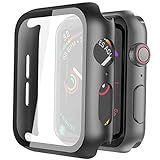
- Compatible model: Compatible with apple watch series 6/5/4/SE 44mm (Also compatible with new apple watch SE2 44mm)
- Overall protection: This case with glass screen protector is designed to offer external surface protection to your watch without compromising usability.
- Easy to install: Super easy to install for its snap-on design to avoid taking the straps off first.
- Kindly tip: These covers don't support while swimming because the water will get trapped underneath the cases. If you forget to take it off, you can wipe it out with a cloth or wipes.
- What you get: 2 x high performance PC hard case + dry and wet wipes.
Sources: Apple’s Use Accessibility features on your Apple Watch page covers the grayscale purpose, system-wide behavior, and the watch and paired-iPhone paths. Apple’s Adjust text and display settings on Apple Watch guide covers the Color Filters path and the restart note. Apple’s Silence notifications for extended periods on Apple Watch guide covers Theater Mode behavior.
Quick Recap
Best Value
![Ailun 3 Pack Screen Protector for Apple Watch Ultra 4/3/2/Ultra [Clear]](https://m.media-amazon.com/images/I/41-hDfV+J7L._SL160_.jpg)
- Application: ONLY Compatible with Apple Watch Ultra 4/3/Ultra 2/Ultra 49mm (2026/2025/2023/2022 Release). Not compatible with any other Apple Watch models.
- Full Protection: The screen protector is made of tempered glass, which enhances its anti-drop and anti-scratch function, can provide maximum protection and protect your Apple watch screen from dust, scratches and shocks.
- Touch Sensitive: It doesn't interfere with the touch screen and easy access to all controls, buttons, sensors and with smooth tempered glass surface and "True Touch" feel.
- Anti-Fingerprint: 99.99% High-definition clear hydrophobic and oleophobic screen coating protects against sweat and oil residue from fingerprints.
- Easiest Installation: Removing dust and aligning it properly before actual installation, enjoy your screen as if it wasn't there.
Rank #4

- Compatible model: Compatible with apple watch series 6/5/4/SE/SE2 40mm (Also compatible with 2025 new apple watch SE3 40mm). WARM REMINDER: Please check the Series and size on the back of your watch before purchasing to prevent purchasing an unsuitable product
- Overall protection: This case with glass screen protector is designed to offer external surface protection to your watch without compromising usability
- Easy to install: Super easy to install for its snap-on design to avoid taking the straps off first
- Kindly tip: These covers are not waterproof, so water may get in while swimming/washing your hands. If water gets in/fogs up, you just need to take the case off and wipe it clean
- What you get: 2 x high performance PC hard case + dry and wet wipes
Rank #3

- Compatibility: LK Apple Watch Series 10 Series 11 screen protector 46mm / Apple Watch Series 12 screen protector 46mm is only compatible for Apple Watch 46mm. Please check your Apple Watch model & size before purchasing.
- Superior Material: LK Apple Watch Screen Protector 46mm Series 12 / Apple Watch Screen Protector 46mm Series 11 / Series 10 is made of high-quality material, which has excellent durability and scratch resistance, providing comprehensive protection for your Apple Watch 46mm. Self-repairing small scratches and bubbles automatically within 24 hours.
- Ultra-Clear & Touch Sensitive: With 99% High Transparency and ultra-thin design, LK Apple Watch Screen Protector 46mm Series 10 / Series 11 / Apple Watch Screen Protector 46mm Series 12, brings bright and colorful image quality, ensuring the clarity and responsiveness of the watch screen. High-response haptic touch technology makes you feel like a bare screen during use.
- Maximum protection: LK Apple Watch Series 11 Screen Protector 46mm / Apple Watch Series 12 Screen Protector 46mm will fit your screen perfectly from curved edge to curved edge. It designed to offer the maximum amount of coverage for your Apple Watch 46mm and provides maximum protection.
- Easy to Install: Please watch our online installation video before install. You can finish within seconds. If you have any questions before or after your purchase, please feel free to contact us, we will reply to you within 24 hours.
Product prices and availability are accurate as of the date/time indicated and are subject to change. Any price and availability information displayed on Amazon at the time of purchase will apply.




