The Tool Desk
Outbyte Driver Updater FREEScan for outdated or missing drivers - takes under a minuteDriver Scan →Outbyte PC Repair FREERepair Windows errors before they cause bigger problemsFix Now →There is no general Chromecast setting that hides the receiver from everyone while leaving it connected to the same Wi-Fi. The right fix depends on what you mean: restrict who can join your Wi-Fi to stop them casting, turn off shared media controls to stop them controlling playback, or revoke Local Network access to stop an app on your own Apple device finding Cast devices.
Choose the setting that matches the problem
| What you want to stop | What to change | What it affects |
|---|---|---|
| Other people starting a cast | Restrict access to your Wi-Fi; consider a guest network | Who can access the network and cast |
| Other people controlling media already playing | Turn off “Let others control your cast media” in Google Home | Control of cast media, not whether the receiver appears in device lists |
| Your iPhone, iPad, or Mac discovering Cast devices | Revoke Local Network permission for the relevant app | Discovery and casting from that app on that device |
| Cast control notifications on your Android phone | Turn off “Media controls for Cast devices” | Notifications on that phone, not network access or discovery by other users |
Stop other people on your Wi-Fi from casting
Google says, “By design, anyone who has access to your Home Wi-Fi network can cast to your TV.” Google’s prevention guidance recommends password-protecting the network and sharing its password only with people you trust. If the password has circulated more widely than intended, change it and reconnect only the devices you want on the network. Removing someone from Wi-Fi can also remove their access to other network resources.
As an Amazon Associate I earn from qualifying purchases.
Consider a guest Wi-Fi network for visitors
A guest network can separate visitor access from your main network. Google’s instructions for creating and sharing a Guest Wi-Fi network let the owner choose which devices are shared on supported, configured Google Wifi or Nest Wifi setups. Whether a Chromecast is discoverable across a guest network depends on the router’s configuration and isolation behavior; check the router’s settings and test from a guest device rather than assuming the Chromecast will be hidden.
Stop other people controlling what is playing
In the Google Home app, open Home > All devices, touch and hold the Chromecast or Google Cast device tile, then select Settings > Recognition & sharing. Turn off Let others control your cast media. Google describes this option as preventing other people on the Wi-Fi network from controlling cast media. It does not promise to remove the receiver from their Cast device pickers or stop them starting a new cast.
#1 Best Overall

- The Google TV Streamer (4K) delivers your favorite entertainment quickly, easily, and personalized to you[1,2]
- HDMI 2.1 cable required (sold separately)
- See movies and TV shows from all your services right from your home screen[2]; and find new things to watch with tailored recommendations for everyone in your home based on their interests and viewing habits
- Watch live TV and access over 800 free channels from Pluto TV, Tubi, and more[3]; if you find an interesting show or movie on your TV, mobile app, or Google search, you can easily add it to your watchlist, so it’s ready when you are[2]
- Up to 4K HDR with Dolby Vision delivers captivating, true-to-life detail[4]; and you can connect speakers that support Dolby Atmos for more immersive 3D sound
Stop an app on your Apple device discovering Cast devices
Local Network access is controlled per app on iPhone, iPad, and Mac. In the device’s settings, find the relevant Cast-enabled app and turn off its Local Network permission:
- iPhone or iPad: Settings > Privacy & Security > Local Network.
- Mac: System Settings > Privacy & Security > Local Network.
Google’s Local Network guidance explains that the app will no longer discover Cast devices on that Apple device. Casting from that app will not work unless you restore permission. This does not change what other people can see from their own phones or computers.
Rank #2

- The Google TV Streamer (4K) delivers your favorite entertainment quickly, easily, and personalized to you[1,2]
- HDMI 2.1 cable required (sold separately)
- See movies and TV shows from all your services right from your home screen[2]; and find new things to watch with tailored recommendations for everyone in your home based on their interests and viewing habits
- Watch live TV and access over 800 free channels from Pluto TV, Tubi, and more[3]; if you find an interesting show or movie on your TV, mobile app, or Google search, you can easily add it to your watchlist, so it’s ready when you are[2]
- Up to 4K HDR with Dolby Vision delivers captivating, true-to-life detail[4]; and you can connect speakers that support Dolby Atmos for more immersive 3D sound
Turn off Cast control notifications on Android
If the problem is a persistent media-control notification on your Android phone—not the Chromecast appearing to other people—open Settings > Google > Devices & sharing > Cast options and turn off Media controls for Cast devices. Google documents this as a notification control for that phone. It does not stop other users from discovering or casting to the receiver. For the separate setting that limits control of playback, use Google Home’s Let others control your cast media option described above. See Google’s Cast media control notifications instructions.
Chromecast Guest mode is no longer supported
Older instructions may tell you to enable Guest mode and give visitors a PIN. Google’s current Guest mode help says the feature is no longer supported; guests can cast by joining the host’s Wi-Fi. Use network access controls or a properly configured guest network instead.
Quick Recap
Best Value
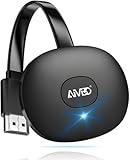
- 【WIRELESS 4K CASTING IN SECONDS】SOCLLLife Wireless HDMI Display Adapter wirelessly mirror 4K video and audio from small screen (Phone, i-Pad, MacBook, Android phones, tablet, laptop) to larger displays (TV/monitor/projector). You can experience 4K decoding & 1080P@60Hz output, low-latency casting on a big screen—no more cable clutter.
- 【PLUG & PLAY SETUP】Set up your wireless screen sharing in 3 simple steps—just plug the HDMI dongle into your TV, power it, and connect via your device’s screen mirroring function. No apps or drivers required, the seamless HD video and audio will display on your TV in minutes. (Note: iOS users need extra steps to connect to the dongle's wireless signal)
- 【POPULAR APP CASTING FROM ANDROID & WINDOWS】Instant cast all your favorite app content from Android or Windows (≤ Win 10, not supported on Win 11) devices to your TV, like Netfix, Prime Video, HULU, HBO Max, Sky Go, and more. Switch from small screen to larger one and enjoy high-definition series, movies, live sports, and shows with friends and family.
- 【HDCP LIMITATION FOR IOS MIRRORING】Our Wireless HDMI Dongle supports casting your Apple Phone (included Apple Phone17), i-Pad, or MacBook to a larger screen for web browsing, watching movies, presentations, and more. It works with YouTube, Instagram, TikTok, and other non-HDCP copyright-protected apps. (Note: Due to Apple’s HDCP restrictions, premium apps like Netfix and Prime Video are not supported.)
- 【MIRROR & EXTEND MODE】Switch between two display modes: Mirror Mode for real-time shared content casting and Extend Mode for dual-screen multitasking, supporting 4K decoding & output at 1080P@60Hz. You can enjoy casting HD videos to your TV while using your phone for other apps, texts, or browsing in flexible extended mode.
Rank #4

- Expand your home entertainment without buying a new TV; Google Chromecast lets you stream your favorites from your phone, tablet, or laptop; no remote needed
- Chromecast is easy to set up up; just plug it in, connect to Wi-Fi, and start streaming to turn your TV into a smart TV; it works with almost any TV that has an HDMI port
- Works with the apps you already know and love; enjoy shows, movies, music, games, sports, photos, live TV, and more from over 2,000 streaming apps in up to 1080p
- With Chromecast, you can stream, pause, play, or adjust the volume right from your phone with just a tap; while you’re streaming, you can still use your phone as you normally do
- Mirror your laptop screen or turn your tablet into an even better entertainment system; surf the web or see your media on the big screen
Rank #3

- HD streaming made simple: With America’s number 1 TV streaming platform,* exploring popular apps—plus tons of free movies, shows, and live TV—is as easy as it is fun. *Based on hours streamed—Hypothesis Group
- Compact without compromises: The sleek design of Roku Streaming Stick won’t block neighboring HDMI ports, and it even powers from your TV alone, plugging into the back and staying out of sight. No wall outlet, no extra cords, no clutter.
- No more juggling remotes: Power up your TV, adjust the volume, and control your Roku device with one remote. Use your voice to quickly search, play entertainment, and more.
- Shows on the go: Take your TV to-go when traveling—without needing to log into someone else’s device.
- TV, simplified: With setup that only takes minutes, a simple-to-navigate Home Screen, and an uncluttered remote control that does all you need—Roku makes it easier to watch the TV you love.
Product prices and availability are accurate as of the date/time indicated and are subject to change. Any price and availability information displayed on Amazon at the time of purchase will apply.




