Recommended Free Tools
Timing note: As of October 3, 2026, Jackbox had announced The Jackbox Party Pack 12 for release on October 15, 2026, so its live-store setup and availability could not yet be confirmed. The steps below follow Jackbox’s general setup guidance; they are not post-launch verification of Pack 12. Jackbox’s announcement lists a $29.99 announced price and PC (Steam and Epic Games Store), PlayStation 5, Xbox Series X|S, Nintendo Switch, Apple TV, iPad, and Mac App Store as planned platforms. Check your intended store for current availability and price.
How local Jackbox multiplayer works
One person runs the purchased and installed game on a host device. Everyone else joins that game using a browser-capable internet device and the room code shown on the host screen. Players do not each need to own the pack. For an in-person game, make sure the host screen is visible to the whole group; Jackbox does not require a particular kind of TV, monitor, cable, or connection.
As an Amazon Associate I earn from qualifying purchases.
The announced Pack 12 listing names five games: We Forgot a Card, Hyperface, Debate and Switch, Idol Factions, and MegaPals. The listing gives We Forgot a Card a player count of 2–8 and a 15-minute duration; those details should not be treated as limits or session lengths for every game in the pack. See the official Pack 12 listing.
How do I set up Jackbox Party Pack 12 for local multiplayer?
- Get the pack on the host device. After release, buy and install it from a supported storefront for the device you plan to use. The platforms in the announcement are planned availability, not confirmation that every store has completed its listing. Pack 12-specific system requirements were not established in the available official information, so check the live listing for your device before buying.
- Put the host screen where the group can see it. Launch the pack, choose a game, and wait for its lobby to appear. Jackbox’s general instructions say the host screen should be visible to the whole room when playing in person. Use whatever display arrangement works for your room; no particular accessory is specified. Jackbox’s general how-to instructions.
- Have each player join from a browser device. On a phone, tablet, or computer with internet access, open jackbox.tv and enter the room code displayed on the host screen. Jackbox identifies those device types as possible controllers. Its browser support page lists minimum versions as general jackbox.tv information, not Pack 12-specific requirements; an up-to-date browser is a sensible choice. Supported browsers for jackbox.tv.
- Start the game when everyone is in the lobby. Once players have joined and have their controller devices ready, the host starts the game from the host screen. Jackbox’s getting-started guide.
Which device should host?
Choose a platform you can connect to a screen the group can see, and make sure the purchase is for the platform you intend to use. The Pack 12 announcement names PC through Steam and Epic Games Store, PlayStation 5, Xbox Series X|S, Nintendo Switch, Apple TV, iPad, and Mac App Store. It does not establish that one option is easier or performs better than another, so choose based on the devices and display setup you already have. Recheck the live store page for availability, price, and requirements.
#1 Best Overall
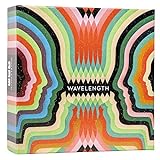
- Hot or cold. Soft or hard. Wizard or…not a wizard? Work together to decide where your clue falls on the spectrum in this telepathic party game.
- POLYGON: “One of the best party games we’ve ever played.”
- NYT WIRECUTTER: Featured in “The best board games”
- Works in groups from 2-12+ people. Great for large parties, offsites, family gatherings, and anywhere you need instant fun.
- 5 seconds to set up, 1 minute to learn, 30 minutes to play
Can friends join remotely?
Local multiplayer means everyone shares the host’s displayed game and joins its room. For remote guests, the host must also share the game screen through a video-call service, Steam Remote Play Together, or supported console-sharing options; players still use jackbox.tv as controllers. Jackbox says its games do not offer online matchmaking. Its remote-play guidance recommends wired internet when possible, and because that support article dates to December 5, 2023, verify current platform-sharing options before relying on a particular route. Jackbox’s remote-play guidance.
Quick Recap
Rank #3

- Package Quantity :1
- In contrast to traditional trivia formats, you don't receive points for answering questions correctly. Instead, points are subtracted for every incorrect answer!
- Contains 110 cards with more than 400 questions about things that you should know
- An addictively entertaining trivia game where it will only be a matter of time before you hear yourself say ahhh!... I should have known that!
Rank #2

- VIBRANT COLOR GAME: Challenge friends and family to connect words with colors in the engaging Hues and Cues, featuring 480 colorful hues for limitless fun!
- FUN FOR ALL AGES: Perfect for family game nights, parties, or casual play, this game brings players of all ages together with simple rules and exciting gameplay.
- UNIQUE EXPERIENCE: No two rounds are the same! Hues and Cues provides a new and unique experience with each playthrough, keeping the fun fresh and engaging.
- CREATIVE AND INNOVATIVE: Use just one or two word clues to guide others to the right hue, sparking creative thinking and fostering fun team interaction.
- QUICK TO LEARN: Hues and Cues offers fast-paced action with easy rules, making it enjoyable for both casual players, and gaming enthusiasts.
Product prices and availability are accurate as of the date/time indicated and are subject to change. Any price and availability information displayed on Amazon at the time of purchase will apply.




