To set up a Thunderbolt 5 PCIe expansion enclosure on macOS, first confirm that your Mac, the enclosure, and the specific PCIe card are each compatible. Install the card with the enclosure powered off, connect it using a supported Thunderbolt cable, then install the card maker’s macOS driver if required. Thunderbolt recognition alone does not guarantee that the card’s driver or every feature will work.
Before you buy or install anything
Compatibility has three separate parts: the Mac’s port and macOS version, the enclosure’s requirements, and the card’s macOS support. A match on one does not establish a match on the others.
As an Amazon Associate I earn from qualifying purchases.
- Identify the Mac: note its model, chip, actual Thunderbolt-capable port, and macOS version. A USB-C-shaped port does not by itself prove Thunderbolt support.
- Check the exact enclosure and revision: use its manufacturer’s current compatibility page and installation guide. For example, Sonnet lists the Echo II DV T5 Rackmount for Macs with Thunderbolt 5, Thunderbolt 4, Thunderbolt/USB4, or Thunderbolt 3 ports and macOS 15 or later. That applies to this model, not every Thunderbolt enclosure.
- Check the exact PCIe card: confirm macOS driver support for your Mac’s chip and installed macOS release, physical dimensions, slot requirements, and any auxiliary power needs. Sonnet’s card compatibility chart can help with Sonnet systems, but its information is based on what card makers provide and does not guarantee third-party compatibility. Ask the card maker about your exact configuration.
- Check bandwidth and intended use: confirm that the enclosure’s electrical lane width and Thunderbolt connection can support the card’s workload. A full-length slot is not necessarily electrically x16.
Install the PCIe card with the enclosure off
Use the manual for the exact enclosure model and revision for opening the chassis, seating and securing the card, and connecting auxiliary power. Do not assume that instructions for a Mac Pro’s internal PCIe slots apply to an external enclosure.
For the Echo II DV Rackmount family, Sonnet’s user guide says PCIe cards are not hot-pluggable: shut down and disconnect power and Thunderbolt before replacing a card. The guide also cautions that not all cards that work with Intel Macs have drivers compatible with M-series Macs. Check the current T5-specific instructions before applying advice from a family guide to a particular revision.
#1 Best Overall
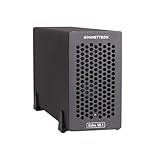
- Add Connectivity & Unlock Performance: Expand your computer with a high-performance PCIe card over Thunderbolt 5. Ideal external PCIe expansion for Mac, Windows, and Linux systems.
- Thunderbolt 5 to PCIe Expansion: Delivers up to 6000 MB/s bi-directional PCIe bandwidth for pro audio, video, storage, and networking cards.
- Wide PCIe 4.0 Card Compatibility: Supports half-length+ (7.75"), full-height, single-width PCIe 4.0 x8 cards—plus most cards that require a daughter card.
- Pro-Level Power & Connectivity: Includes auxiliary PCIe power for power-hungry cards. Second Thunderbolt port enables daisy-chaining and provides 15W to connected peripherals.
- Compact, Quiet & Rugged Build: Lightweight aluminum enclosure with temperature-controlled, variable-speed fan for extremely quiet cooling; perfect for desktops, studios, and on-set workflows.
- Shut down the Mac and switch off or disconnect the enclosure as directed by its manual.
- Disconnect the enclosure’s power and Thunderbolt cables before opening it.
- Install and secure the PCIe card, and attach auxiliary power if the card requires it. Follow the enclosure and card makers’ instructions.
- Close the chassis, reconnect power, and connect the enclosure to the Mac with a cable supported by that enclosure.
Connect with a supported Thunderbolt cable
Use the supplied cable or one that meets the enclosure maker’s requirements; do not assume that any USB-C cable will provide a Thunderbolt connection. For the Echo II DV T5 Rackmount, Sonnet lists support for Thunderbolt 5 or Thunderbolt 4 cables, excludes optical Thunderbolt cables, and includes two 0.8 m Thunderbolt 5 cables. Apple says Thunderbolt 3, 4, and 5 cables connect to a Mac without an adapter; see its cable guidance.
That Sonnet model’s specifications describe a 2U rackmount chassis with two full-length, full-height, single-width PCIe cards in two PCIe 4.0 slots that are x16 mechanical but x4 electrical. It lists two 6-pin auxiliary power connectors providing up to 75 W each and a universal 400 W power supply. These are manufacturer specifications for this particular model, not general enclosure requirements.
Rank #2

- Dual-Slot Thunderbolt 5 PCIe Expansion System: Connect two high-performance, non-GPU PCIe cards to your computer using Thunderbolt cables. Supports all Thunderbolt-compatible, single-width PCIe cards, regardless of card length or height—ideal for professional expansion workflows.
- Dual Thunderbolt 5 Interfaces with Full Bandwidth Per Slot: Features two Thunderbolt 5 connections and two PCIe 4.0 slots, delivering up to 6000 MB/s of PCIe bandwidth to each card simultaneously—no shared bandwidth, no performance compromise.
- Built for Bandwidth-Hungry Workflows: Run DV I/O cards, ultra-fast NVMe SSD adapters, and multi-port 10GbE or 25GbE network cards at full performance at the same time—perfect for video production, post-production, audio, and data-intensive environments.
- Integrated 400W Universal Power Supply: Includes dual 75W auxiliary PCIe power connectors for power-hungry cards, plus 15W of power from secondary Thunderbolt ports for connected peripherals and Thunderbolt daisy-chaining.
- Rugged, Quiet, and Broadly Compatible: Housed in durable aluminum and designed for quiet operation. Compatible with macOS (Apple silicon and Intel Macs), Windows PCs with Thunderbolt 5, Thunderbolt 4, or USB4, and Linux systems.
For maximum performance with two bandwidth-hungry cards in this rackmount model, Sonnet specifies two connections to the host, using two Thunderbolt 5 ports with independent PCIe bandwidth. Do not assume that one Thunderbolt connection provides that two-link configuration.
Outdated Drivers Are Slowing You Down
One free scan finds every outdated or missing driver and matches the right update for your exact hardware.Free scan · exact hardware matchWindows Errors? Fix Them Before They Spread
Repair common Windows errors and clear accumulated junk for a smoother, more stable PC - no reinstall needed.Free scan · no reinstallInstall the card’s driver, if it needs one
Some PCIe cards need a driver for full macOS functionality. Get the installer and instructions from the card maker for your specific card and macOS version. If macOS presents a system-extension approval, follow the card maker’s guidance and Apple’s instructions that apply to your Mac and driver.
Rank #3
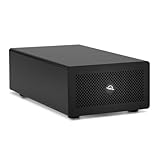
- Expands Small Machines: Use video capture, high-speed fiber/Ethernet, NVMe RAID, audio I/O, and other cards to unlock the potential of MacBooks, Mac Studio, Mac mini, and other space-constrained computers lacking a PCIe slot
- Internal Class Speed: Over 6000MB/s bandwidth available for simultaneous read/write
- Pro Level Card Ready: (1) PCIe 4.0 x4 (x16 mechanical slot) for half-length, full-height, single or double-width cards
- Expanded Connectivity: Three Thunderbolt 5 (USB-C) 80Gb/s ports each with 15W power delivery for more device, display, and drive possibilities
- 3 Year OWC Limited Warranty
Apple’s PCIe driver article is written for Mac Pro cards. It explains that some cards need drivers and that blocked system software may require approval in Privacy & Security; kernel-extension drivers can also require changes to Mac security settings. This is useful context, not a universal procedure for external enclosures. Do not change security settings unless the card maker’s current instructions require it.
Restart if the installer or card maker requests it. Then check the card in the manufacturer’s own application or diagnostic utility. There is no single macOS verification screen that proves every type of PCIe card is functioning fully.
Rank #4
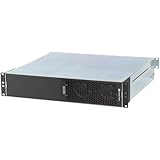
- ENHANCED COMPATIBILITY - Seamlessly integrates with macOS 14+, Windows 11, and Linux 6.1+ systems, supporting Thunderbolt 5, 4, and USB4 ports for broad device connectivity.
- ROBUST EXPANSION - Features two x16 mechanical (x4 electrical) PCIe 4.0 expansion slots, accommodating two full-length, full-height, single-width PCIe cards.
- OPTIMAL POWER DELIVERY - Provides two 6-pin auxiliary power connectors, each supplying up to 75W for PCIe cards requiring supplemental power.
- VERSATILE CONNECTIVITY - Equipped with four Thunderbolt ports and a C14-type power input, ensuring comprehensive peripheral and power management.
- RACKMOUNT INTEGRATION - Designed as a 2U Thunderbolt rackmount enclosure, offering a professional and space-efficient solution for your setup.
Understand the performance limits
Thunderbolt carries PCIe data through a connection with finite bandwidth. A slot’s mechanical size does not describe its electrical lane width, and neither a wide slot nor a Thunderbolt 5 label guarantees native desktop PCIe performance or a particular application throughput.
For the Echo II DV T5 Rackmount, Sonnet specifies x4 electrical PCIe 4.0 slots despite their x16 mechanical form. Sonnet’s Echo II DV guide warns that some cards may not reach full performance when their bandwidth needs exceed what the Thunderbolt connection can provide. The guide’s stated 2,880 MB/s is a manufacturer technical figure in its Echo II DV context; it is not a benchmark or guaranteed throughput figure for the T5 Rackmount.
Best Value

- THUNDERBOLT 3 PCIE EXPANSION CHASSIS: Add PCI Express support to a Thunderbolt 3/4 capable laptop / desktop computer; Increased productivity with Thunderbolt 3 and up to 40Gbps bandwidth; One external PCIe 3.0 x16 slot; Thunderbolt cable included
- EXPANDABILITY FOR LAPTOPS: Integrate video capture cards, high-speed fiber / ethernet connectivity, NVMe drives, FireWire cards, and more to unlock the potential of a notebook using this Thunderbolt 3 to PCIe chassis; Toolless design; Aluminum build
- 5K & 4K DISPLAY SUPPORT: Connect a display through the external PCIe enclosure; The DisplayPort and TB3 ports support various video outputs up to 4K/5K 60Hz (other video resolutions are also supported); PCIe Box does not support GPU graphic cards
- ROBUST POWER: The chassis delivers 25W via the PCIe slot and the LP4 port on the other side of the unit supports up to 30W between the 12V and 5V rails.; 12V 5A (65W) universal power adapter is included and is compatible w/ NA/JP, UK, EU, and ANZ regions
- COMPATIBILITY: Use single-width cards up to 8in (20.3cm) long; Built-in fan for active cooling; Daisy chain compatible with multiple TB3/4 devices; The chassis is driverless and is compatible with macOS, Windows; TAA-compliant
Troubleshoot a card that is not working
- The Mac does not appear to connect to the enclosure: verify that the Mac port supports Thunderbolt, check the cable type against the enclosure’s requirements, and consult the enclosure’s connection instructions.
- The enclosure connects but the card is missing or incomplete: power down before checking that the card is seated and secured, confirm required auxiliary power, and verify that a current driver supports the card, Mac chip, and macOS version.
- The card works but performance is lower than expected: check the slot’s electrical lane width, the card’s bandwidth needs, and the number of host links required for the intended workload. For the cited Sonnet rackmount’s maximum two-card performance configuration, the maker specifies two independent Thunderbolt 5 host connections.
- A macOS update changes card behavior: check the card maker’s driver notes before updating or troubleshooting further. Sonnet warns that OS updates can affect specific driver compatibility.
- Devices behave differently in a Thunderbolt chain: Sonnet notes that position in the chain can affect some devices. Test the enclosure directly connected to the Mac if the card maker or enclosure documentation supports that arrangement.
For exact T5 installation steps, consult Sonnet’s current product support page, which lists an “Echo II DV T5 Module Quick Start Guide,” revision A, posted December 18, 2025. Its support listing confirms the guide is available; use the guide itself for the applicable hardware revision.
Quick Recap
Product prices and availability are accurate as of the date/time indicated and are subject to change. Any price and availability information displayed on Amazon at the time of purchase will apply.




