What’s actually slowing this PC down?
Pick the symptom - the matching free tool is one click away.
Samsung’s own instruction for an unresponsive microwave is simple: unplug it, or switch off its circuit breaker, for 60 seconds, then restore power. That is a power cycle, not a hidden factory-reset menu. Before you do it, rule out a few easy causes. Beeping and no-heat problems also have their own steps.
This guidance comes from Samsung US support pages. Button layouts, Control Lock sequences and clearances differ by model and market, so check your exact model’s manual for control-specific steps.

As an Amazon Associate I earn from qualifying purchases.
Step 1: Rule out the simple causes
- Control Lock. If the buttons do nothing, check whether the lock is active. The unlock sequence varies by model, so use your manual (Samsung Microwave FAQs).
- Panel condition. Wipe the control panel with a damp cloth and dry it. Samsung notes some touch panels need contact from a bare finger. Pressing harder does not help (control panel troubleshooting, cleaning guide).
Step 2: Power cycle the microwave
- Unplug the microwave, or switch off its circuit at the breaker.
- Leave power off for 60 seconds.
- Restore power and check whether the panel responds.
Samsung’s wording: “To reset the microwave, unplug it or power cycle at the circuit breaker for 60 seconds.” No accessory or replacement part is needed (Samsung US Support).
Recommended Free Tools
If the symptom is different
The microwave keeps beeping
Power cycle for 60 seconds first. Samsung also describes putting a cup of water inside, running the microwave for a few seconds, then pressing Stop/Clear after the chime. Never run it completely empty. If the beeping continues or returns, request service (Samsung: microwave keeps beeping).
#1 Best Overall

- SENSOR COOKING: Samsung Sensor Cook automatically adjusts cooking time for optimal results. From soup to frozen dinners, you'll get great results every time.
- LARGE CAPACITY: With 1.9 cu. ft. of space, Samsung's largest capacity countertop microwave gives you plenty of room for any food you need to heat.
- CERAMIC INTERIOR: This durable ceramic enamil interior is scratch resistant, easy to clean and maintain.
- COOKING PRESETS: A variety of preset cooking options puts convenient meals with fresh ingredients at your fingertips.
- OPTIONAL TRIM KIT: Made from high-quality stainless steel, the Trim Kit accessory (sold seperately) gives you the flexibility to install the microwave oven in a wall or cabinet space.
It runs but does not heat
A reset is unlikely to fix this. Check these first:
- Demo mode is not on.
- You selected a cooking cycle, not Kitchen Timer.
- The door closes completely.
- Your model’s ventilation clearance is met.
If it still does not heat, contact service (Samsung: microwave does not heat).
Rank #2

- Microwave output power 1000 watts, input power 1600 watts. External dimensions 20.6 x 14.6 x 11.8 inches (WxDxH); includes 12.4-inch glass turntable.
- Smart Sensor Technology for Optimal Cooking: Automatically adjusts cooking time and power based on food humidity, ensuring perfectly cooked meals every time. Say goodbye to overcooked or undercooked dishes.
- 6 Preset Menus: This countertop microwave features 6 preset menu options for popular foods like pizza, veggie, sensor reheat and more.
- 10 Unique Power Levels with clock and kitchen timer: Tailor your cooking power levels for greater culinary flexibility, making it an essential kitchen tool. Perfect for everything from deodorization to boiling liquids.
- Easy Defrost & One touch start: Defrost your frozen food by weight or by time. Quick access to start the microwave from 1 to 6 minutes cooking at full power.
When to get service
If the panel is still unresponsive after cleaning, checking the lock and power cycling, Samsung says it needs service. A reset does not repair failed hardware, so repeated or returning symptoms point to a fault. On the Samsung US microwave support portal you can look up manuals by model and request repair.
Quick Recap
Best Value
Rank #4
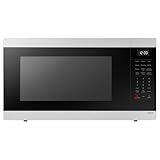
- SENSOR COOKING: Samsung Sensor Cook automatically adjusts cooking time for optimal results. From soup to frozen dinners, you'll get great results every time.
- LARGE CAPACITY: With 1.9 cu. ft. of space, Samsung's largest capacity countertop microwave gives you plenty of room for any food you need to heat.
- CERAMIC INTERIOR: This durable ceramic enamil interior is scratch resistant, easy to clean and maintain.
- COOKING PRESETS: A variety of preset cooking options puts convenient meals with fresh ingredients at your fingertips.
- OPTIONAL TRIM KIT: Made from high-quality stainless steel, the Trim Kit accessory (sold seperately) gives you the flexibility to install the microwave oven in a wall or cabinet space.
Rank #3

- Microwave output power 1000 watts, input power 1600 watts. External dimensions 20.6 x 14.6 x 11.8 inches (WxDxH); includes 12.4-inch glass turntable.
- Smart Sensor Technology for Optimal Cooking: Automatically adjusts cooking time and power based on food humidity, ensuring perfectly cooked meals every time. Say goodbye to overcooked or undercooked dishes.
- 6 Preset Menus: This countertop microwave features 6 preset menu options for popular foods like pizza, veggle, sensor reheat and more.
- 10 Unique Power Levels with clock and kitchen timer: Tailor your cooking power levels for greater culinary flexibility, making it an essential kitchen tool. Perfect for everything from deodorization to boiling liquids.
- Easy Defrost & One touch start: Defrost your frozen food by weight or by time. Quick access to start the microwave from 1 to 6 minutes cooking at full power.
Product prices and availability are accurate as of the date/time indicated and are subject to change. Any price and availability information displayed on Amazon at the time of purchase will apply.




