To ease eye strain while reading on a phone or tablet, take a distance break every 20 minutes, blink regularly, make text large enough to read comfortably, and adjust brightness and glare for your surroundings. If your eyes feel dry, artificial tears may help. These steps can reduce temporary discomfort, but ongoing or recurring vision problems should be assessed by an eye-care professional.
What causes eye strain during phone or tablet reading?
Digital eye strain is a group of symptoms that can arise during prolonged close-up work on screens. The American Academy of Ophthalmology (AAO) notes that screen use may be associated with dry or watery eyes, blurred vision, and headaches. Focused viewing can also reduce how often you blink, which may contribute to dryness. Symptoms alone do not identify the cause: near-focusing or eye-coordination problems can produce similar discomfort.
As an Amazon Associate I earn from qualifying purchases.
For background, see the AAO’s Digital Devices and Your Eyes and its overview of Computer Vision Syndrome (Digital Eye Strain).
The Tool Desk
Outbyte Driver Updater FREEScan for outdated or missing drivers - takes under a minuteDriver Scan →Outbyte PC Repair FREEClear out junk files and repair common Windows errorsFree Scan →What can you change while reading?
Take regular distance breaks
Use the 20-20-20 rule: every 20 minutes, look at an object at least 20 feet away for at least 20 seconds. This is a practical recommendation from the AAO, not a guarantee that symptoms will disappear. A brief pause from close focusing can also help break up a long reading session.
#1 Best Overall

- Applicable model: Compatible with iPhone 13/iPhone 13 Pro/iPhone 14/iPhone 16e/iPhone 17e.Please check the model of your iPhone in “Settings”-General-About- Model Name, Choose the right screen protector according the model name of your iPhone
- Filter blue light: The JESOHO Anti-blue light screen protector is made of polymer particles,blocks 97.1% of harmful blue light with wavelength between 380nm-450nm,color showed like iPhone's eye protection mode reduce eye fatigue, protect your eyes
- Scratch resistant and durable: The screen protector is made of high hardness tempered glass.Double Shatterproof Tempered Glass, it is more wear-resistant, scratch resistant and not easy to break, and can protect the mobile phone screen
- Nano coating: 99.99% high-definition transparent nano hydrophobic oil repellent screen coating is used to prevent sweat and oil stains from fingerprints, which makes your phone screen smoother and more sensitive
- Easy installation: After cleaning the cellphone screen , you can easily install it with the installation framework. Please view our online video of dust removal and correct alignment before actual installation, avoid it caused bubbles
Blink and respond to dryness
Make a point of blinking regularly during sustained reading. If your eyes feel dry, over-the-counter artificial tears are an option for dryness symptoms; they do not address every possible cause of eye strain. Follow the product directions, and ask an eye-care professional if you are unsure which drops are appropriate.
Make text easy to see
Increase the font size instead of bringing the screen closer just to decipher small type. Choose a size that lets you read without squinting or leaning forward. There is no universal phone-specific reading distance established in the cited guidance. The AAO’s approximately 25-inch or arm’s-length suggestion is for computer screens, so it should not be treated as a required measurement for handheld reading.
Rank #2

- Dimension: 21.26 x 13.39 inch/L x W. Compatible with iMac 24 inch;compatible with Lenovo Ideacentre 23.8;compatible with HP Pavilion 24/Flagship 23.8;compatible with Inspiron 23.8,compatible with Dell P Series 24;compatible with Fast Elite 8300 FHD 23;compatible with Sceptre 24;compatible with Acer Aspire 23.8/XFA240 bmjdpr 24;compatible with ViewSonic 24 and diagonally measured 23,23.6,23.8,24 inch 16:9 widescreen desktop PC LED monitor. Please measure your modiagonal dimension before purchase
- Protects your eyes by filtering and curbing 99% harmful UV. Anti-blue light between 420nm - 460nm can be reduced by 45% for HEV protection. Effectively reduce eye strain and fatigue caused by the UV and blue light
- Made of Acrylic. It can effectively prevent screen from dust, fingerprint and scratches. Suitable for office / home OL, gamer and programmer
- Ultra thin to 0.05 inch of 95% clear transparency, which will not darken your laptop screen, keeping the original screen brightness
- Easy to install, just remove the surface film on each side and hang on the monitor screen
Match the display to the room and reduce reflections
Adjust brightness and contrast so the page is comfortable to read in the surrounding light. Reposition the phone or tablet, or change the light source, if reflections make text harder to see. The AAO notes that a matte screen filter is an option for glare, but it may not reduce eye strain.
Do blue-light glasses or night mode relieve eye strain?
Blue-light-blocking glasses are not an established fix for digital eye strain. The AAO says available evidence has not shown that these glasses improve digital eye-strain symptoms, and it does not recommend special blue-light eyewear for computer use. It also says screen blue light has not been shown to damage human retinas. See the AAO’s Should You Be Worried About Blue Light?
Rank #3
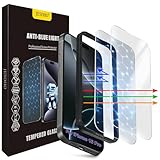
- The 3RD Gen HD colorless anti-blue light screen protector is available for iPhone 16 Pro & iPhone 17.Please check the model of iPhone in “Settings”-General-About- Model Name, Choose the right screen protector according the model name of iPhone
- 3RD gen anti blue light : For iPhone 16 Pro & iPhone 17(6.3") HD colorless screen protector is blue light blocking rate about 90.1% (wavelength between 380nm-450nm), reduce eye fatigue, especially suitable for gaming enthusiasts, work and video enthusiasts
- Scratch resistant and durable: The anti-blue light screen protector is built with 9H high-hardness tempered glass and a double shatterproof layer. Durability,Scratch-resistant and shatterproof, it's an ultimate guardian for your phone screen
- Accurate design and nano coating: The high-definition transparent nano hydrophobic coating anti-blue light screen protector prevents sweat and oil stains, leaving no fingerprints. Screen protector designed fits iPhone 16 Pro & iPhone 17, case-friendly
- Easy installation:This anti-blue light screen protector installation is a breeze with the included simple framework and online video instructions. After a thorough cleaning, simply align and apply protective film to achieve installation
Evening light can affect sleep timing, which is a separate concern from eye strain. A night mode or warmer display setting may be useful if bright evening screens interfere with your routine, but it should not be presented as a proven treatment for sore or tired eyes.
Independent reader supportYour contribution helps us test, update, and keep practical guides available for everyone.When should you get an eye exam?
Arrange an assessment with an eye-care professional if discomfort continues despite breaks and display adjustments, or if you repeatedly experience blurred or double vision during close-up reading. The National Eye Institute explains that convergence insufficiency can cause tired or sore eyes, blurred or double vision, and headaches during near work; it is one example of why persistent symptoms deserve evaluation. See the NEI’s Convergence Insufficiency information and its eye-health guidance.
Quick Recap
Best Value

- 【BEFORE ORDERING】1. Measure monitor diagonal size without edges. 2. Please check the size chart to confirm the correct variation you need.3. The width and height of computer blue light blocking screen protector 23-24 inch (23 inch, 23.5 inch, 23.6 inch, 23.8 inch, 24 inch) is width 540 mm * height 340 mm. (COMPATIBLE FOR IMAC 24 inch screen and Curved Monitors)
- 【ANTI BLUE RAY/UV/RADIATION】The computer blue light blocking screen protector adopted Japanese Fujimori nano-optical stacking technology, effectively blocking blue light ≥90%, anti UV ≥98%, blocks other harmful lights ≥99%. Recommended by ophthalmologists: computer screen filter for eye strain
- 【PREMIUM QUALITY】Desktop computer screen protector for eyes protection with 8H reinforced acrylic materials, 5 layers of optical engineering protection with a high resolution view, real colors, scratch resistance, anti-fingerprint, Ultra-thin 2mm, explosion-proof
- 【APPLICATION】Easy to use with hanging type, computer screen blue light blocker fitting on working, learning, playing games, watching TV and so on. Reducing eye strain, preventing myopia & dryness, hyperemia and so on, focusing on what you do, effectively improving your work and kid's learning
- 【PROFESSIONAL SERVICE】Removing computer protective films on both sides before installing blue light screen protector for computer monitor. Welcome to contact us if any problem troubles you, Answer and solution you got in first time
Rank #4

- 11X STRONGER, GRAPHENE FORTIFIED SCREEN PROTECTION - ZAGG Glass Elite XTR5 iPhone 17 Pro Max screen protector is reinforced with Graphene, tested to be 11X stronger than basic iPhone tempered glass, and offers advanced scratch and impact protection
- BLUE LIGHT FILTER FOR SLEEP & EYE COMFORT - This iPhone 17 Pro Max anti-glare screen protector features Eyesafe CPF60 technology, which filters the specific blue light wavelengths that impact sleep and eye comfort, without compromising screen clarity
- ANTI-REFLECTIVE TECH THAT ENSURES COLOR VIBRANCY - ZAGG's Anti-reflective iPhone screen protector technology improves color depth and vibrancy, making blacks deeper, true blues, and more vibrant reds, making the screen visible and clearer
- SMOOTH TOUCH, MAXIMUM SENSITIVITY FOR GAMERS - The SiO2 enhanced coating on this blue light screen protector for iPhone 17 Pro Max provides an incredibly smooth, touch-sensitive surface, and max touch response while gaming, swiping, or typing
- ZAGG EASY PerfectFit INSTALL - Unlike most iPhone screen protectors, ZAGG's iPhone 17 Pro Max tempered glass is easy to install. The ZAGG's PerfectFit two-step installation helps you apply the screen protector quickly and accurately at home
Product prices and availability are accurate as of the date/time indicated and are subject to change. Any price and availability information displayed on Amazon at the time of purchase will apply.
Free tools Windows power users keep installed
One-click scans. No signup required.




