To play split-screen in Gran Turismo 7, connect one controller for each player, open Multiplayer, and select Split-Screen Races. Player 1 sets up the race and chooses the cars and course. The maximum is four players on PS5 and two on PS4.
What you need before starting
- One controller per player. GT7’s manual does not require a particular controller model for both console generations.
- A compatible version and console: the PS5 version supports up to four local players; the PS4 version supports up to two. Four-player split-screen was added as a PS5-only feature in update 1.40. A PS4 copy can run on a PS5, but that does not make the PS4 version’s split-screen limit four players.
- No VR mode: split-screen is unavailable while playing in PS VR2 mode.
For the player limits and setup, see the GT7 online manual and PlayStation’s update 1.40 announcement. PlayStation also confirms PS4 compatibility on PS5 and the VR exclusion in its GT7 FAQ.
| # | Preview | Product | Price | |
|---|---|---|---|---|
| 1 |

|
Gran Turismo 7 Standard Edition - PlayStation 5 | $42.65 | Buy on Amazon |
| 2 |

|
Gran Turismo 7 PS5 | $46.50 | Buy on Amazon |
| 3 |
|
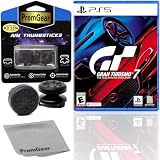
Gran Turismo 7 Standard Edition for PlayStation 5 (US Version), with PremGear ThumbSticks (2 pack: 1... | $49.95 | Buy on Amazon |
| 4 |

|
Gran Turismo 7 - For PlayStation 5 | $45.05 | Buy on Amazon |
As an Amazon Associate I earn from qualifying purchases.
How to set up a split-screen race
- Connect a separate controller for each person.
- Open the game’s Multiplayer area and choose Split-Screen Races. The manual documents the race setup from that screen but does not specify a more detailed route to it.
- Have Player 1 configure the race: set the number of laps and start type, choose the cars, and select the track, layout, and conditions.
- Select Start Race when the settings are ready.
Choosing cars and changing the grid order
Players can use rental cars supplied for split-screen racing or eligible cars from the Garage. To make a Garage car available, add it to Favourites in advance: open the Garage’s Change Car screen and press the triangle button. Before the race, the Quick Menu also provides Change Grid Order.
Outdated Drivers Are Slowing You Down
One free scan finds every outdated or missing driver and matches the right update for your exact hardware.Free scan · exact hardware matchPC Slower Than It Used to Be?
A free scan shows the junk files, broken settings and background clutter dragging Windows down - then fixes them in one click.Free scan · Windows 10 & 11Player limits by setup
| Setup | Maximum split-screen players |
|---|---|
| GT7 for PS4 | 2 |
| GT7 for PS5 | Up to 4 |
| GT7 in PS VR2 mode | Split-screen unavailable |
GT7’s official product information describes local four-player split-screen and excludes VR. Check which game version is running if you are using a PS5 with a PS4 copy.
#1 Best Overall
- With the return of classic cars, iconic tracks, and fan-favourite modes like GT Simulation and Sport Mode - Gran Turismo 7 is the complete Real Driving Simulator, 25 years in the making.
- Find your line. Whether you're a racer, collector, tuner, designer, photographer or arcade fan - immerse yourself in the facets of automotive culture that matter most to you.
- Connect and compete. Join an international community of drivers to share race strategies, tuning tips, livery designs and photos, before taking to the track to go head-to-head.
Does split-screen require PlayStation Plus?
The official manual and support information cited here do not establish whether local split-screen requires PlayStation Plus or a particular progression unlock. They also do not specify a special controller model as a universal requirement. Avoid assuming either requirement; the documented essentials are a controller for each player and access to the Split-Screen Races screen.
Quick Recap
Rank #3
- Included is the following: Gran Turismo 7 for PlayStatio 5 PS5, 2 pack of PremGear 2 Sizes Thumbsticks made to increase accuracy and comfort (1 High-Rise, 1 Mid-Rise), PremGear Quality Cleaning Cloth
- With the return of classic cars, iconic tracks, and fan-favourite modes like GT Simulation and Sport Mode - Gran Turismo 7 is the complete Real Driving Simulator, 25 years in the making
- BUILD YOUR DREAM GARAGE: Collect, tune, race and customize hundreds of cars and create your dream garage collection. Over 100 cars have been added since launch, including the Chevrolet Corvette CX.R Vision GT Concept, NISMO R34 GT-R Z-tune ’05 and McLaren MP4/4 ’88
- HIT THE ROAD: Race across 37 tracks with 110 layouts in both real-life locations and Gran Turismo originals, including 'Trial Mountain' and 'Deep Forest'. Find your line with Circuit Experiences, chase lap times in Time Trials and take part in themed events
- CAPTURE THE MOMENT IN SCAPES: Create stunningly realistic photos of your car collection in breathtaking locations around the world, from Yosemite National Park to Kadokawa Culture Museum in Japan
Rank #2
- 1183237
Product prices and availability are accurate as of the date/time indicated and are subject to change. Any price and availability information displayed on Amazon at the time of purchase will apply.




