Free tools Windows power users keep installed
One-click scans. No signup required.
You can personalize a Xiaomi lock screen by changing its wallpaper, adjusting the clock when your software offers that control, and—on supported models—editing visual styles, shortcuts, or swipe-down content. Start with Themes or Settings > Wallpaper for a new image. The exact menus vary by model, software version, region, and theme.
Change the lock-screen wallpaper
-
Open Themes and tap Wallpapers, or open Settings > Wallpaper.
As an Amazon Associate I earn from qualifying purchases.
-
Choose an image. A live wallpaper may be available depending on the phone and its software.
Quick wins for a faster PC:
Repair Windows errors before they cause bigger problemsFix Now →Scan for outdated or missing drivers - takes under a minuteDriver Scan →Special offer. See more information about Outbyte and uninstall instructions. Please review EULA and Privacy policy. -
Tap Apply.
-
Choose Set as Lock screen. The other choices listed in Xiaomi’s guide are Set as Home screen and Set both.
#1 Best Overall
 XHSESA Universal 20M Waterproof Phone Case for iPhone Huawei Xiaomi for Smartphones up to 7 Inches Underwater Photography
- Universal Fit – Compatible with most smartphones up to 5.4 to 6.9 inches, for 16 / 16e / 16 Plus / 16 Pro / 16 Pro Max, 15 / 15 Plus / 15 Pro / 15 Pro Max, 14 / 14 Plus / 14 Pro / 14 Pro Max, 13 / 13 Mini / 13 Pro / 13 Pro Max, 12 / 12 Pro / 12 Pro Max 11 / 11 Pro / 11 Pro Max / XS / XR / XS Max; Galaxy S25 / S25+ / S25 Ultra, S24 / S24+ / S24 Ultra, S23 / S23+ / S23 Ultra, S22 / S22+ / S22 Ultra, S21 / S21+ / S21 Ultra, S20 / S20+ / S20 Ultra S10 / S10+ / S9, Galaxy Note 20 / Note 10 / Note 9 / Note 8, A16 / A23 / A24 / A25 / A32 / A33 / A34 / A35 / A36 / A51 / A52 / A54 / A56.
- 20M Waterproof Protection – Keeps your phone safe for underwater use up to 20 meters, perfect for diving, swimming, and water sports.
- Bluetooth Control Buttons – Five precision buttons restore phone shooting modes for easy underwater photography.
- Anti-Fog Design – Equipped with a one-way air valve and vacuum pump, it removes up to 99.6% of the air of air to prevent lens fogging and ensure clear shots.
- Durable & Wear-Resistant – Made from ABS, PC, and aluminum alloy for reliable impact and scratch protection.
Xiaomi documents these wallpaper options in its wallpapers and themes guide. Available catalog items and controls may vary.
Change the clock layout or style
MIUI 14
On MIUI 14, go to Settings > Lock screen > Lock screen clock format, then select a layout. Xiaomi says this format cannot be changed while Dual clock is enabled. A third-party theme can also prevent changing the lock-screen layout. These instructions are documented in Xiaomi Malaysia’s MIUI 14 clock-format guide.
Rank #2

- Flexible: This soft TPU silicone case for Redmi Note 13 Pro Plus 5G fits your device perfectly and feels comfortable in the hand. The flexible sides ensure a secure fit, while the anti-slip cover helps provide reliable protection
- Precise Cut-Outs: All buttons and ports remain fully accessible with this case for Redmi Note 13 Pro Plus 5G. The camera cut-outs are precisely designed and provide extra protection for the camera lenses.
- COMPATIBILITY: Compatible with Redmi Note 13 Pro Plus 5G
- Strong & Durable: Made from robust silicone, this phone case is hard-wearing, durable and resistant to daily wear and tear. The raised bezel also helps protect your screen.
- Clean & Minimalist: This soft cover for Redmi Note 13 Pro Plus 5G stands out with its clear, simple design.
Other software versions
Some Xiaomi support instructions give a different route: Settings > Always-on display & Lock screen > Lock screen clock style. That path appears in Xiaomi Russia’s clock-style instructions. The menu name and location are not universal, so use the path that appears on your phone rather than assuming one applies to every Xiaomi model.
Try lock-screen editing on HyperOS
Xiaomi’s HyperOS overview describes lock-screen options for clock and signature changes, colors, filters, and styles. These features are not guaranteed across all HyperOS phones: Xiaomi says the available layout and features may differ by system version and model. See its HyperOS overview, published December 31, 2023, as an overview rather than a device-by-device feature list.
Rank #3
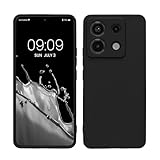
- Flexible: This soft TPU silicone case for Redmi Note 13 Pro 5G / Poco X6 5G fits your device perfectly and feels comfortable in the hand. The flexible sides ensure a secure fit, while the anti-slip cover helps provide reliable protection
- Precise Cut-Outs: All buttons and ports remain fully accessible with this case for Redmi Note 13 Pro 5G / Poco X6 5G. The camera cut-outs are precisely designed and provide extra protection for the camera lenses.
- COMPATIBILITY: Compatible with Redmi Note 13 Pro 5G / Poco X6 5G
- Strong & Durable: Made from robust silicone, this phone case is hard-wearing, durable and resistant to daily wear and tear. The raised bezel also helps protect your screen.
- Clean & Minimalist: This soft cover for Redmi Note 13 Pro 5G / Poco X6 5G stands out with its clear, simple design.
Press-and-hold editing on Xiaomi 14T
For the Xiaomi 14T specifically, Xiaomi documents this route: enable Settings > Lock screen > Press and hold to edit, then press and hold the lock screen to edit its wallpaper. The editor can use custom images or system wallpapers. Xiaomi describes the steps in its Xiaomi 14T wallpaper-editing FAQ; the cited guidance does not establish that this toggle is available on other models.
Adjust lock-screen shortcuts
To change the left shortcut, go to Settings > Lock screen > Customize shortcuts. Xiaomi says the left shortcut is triggered by swiping right and can be changed or set to None. The option is documented in its lock-screen swipe-shortcut FAQ.
Rank #4
![WRTBS Phone Case for Xiaomi Redmi 13C / Poco C65 Case with Glass Screen Protector [2 Pack], Built Slide Camera Protection Cover,Military Heavy Duty Full Body Protective Phone Case - Black](https://m.media-amazon.com/images/I/41clSxCOEkL._SL160_.jpg)
- 【Compatible Model】Perfect Designed for Xiaomi Redmi 13C / Poco C65.
- 【Smart Window】Delicate camera slide cover, higher than the raised lens, stuck in a groove. Premium lens protection. Annular stripes, smooth slide. Slight lock in each side, not slide randomly.
- 【Dual Layer Protection】Unique edge TPU is combined with Hard PC to protect your phone from drops, scratches and bumps. Military-Grade Protection with Air-Cushion Technology for all corners, and all around protection for your device.
- 【Multifunction Kickstand】Built in kickstand gives you the convenience to watch videos and movies hands-free with desired comfort and stability.Metal kickstand can rotate 360°, easy to rotate and sturdy.
- 【Tempered Glass Protector】2.5D arc design,Highly sensitive touch,Bubble-free,9H Hardness, prevent your screen breaking, scratches .One-click easy installation.
Choose what appears after swiping down
For the Xiaomi 14T, the documented path is Settings > Notifications & status bar > Items shown on the Lock screen after swiping down. Use it to choose which items are visible in that view. Xiaomi’s Xiaomi 14T FAQ cautions that lock-screen information may expose sensitive content, particularly in public places. The FAQ is model-specific; check your own phone’s settings for equivalent controls.
If a setting is missing or unavailable
-
Check your phone’s model and installed software version; Xiaomi’s instructions cover different devices and versions, and menu paths can differ.
Best Value
 Suttkue for Xiaomi 17 Magnetic Case,high qualit,PC Material,Scratch Resistant,Anti-Skid-Transparent
- 【Notice】This Phone Case is only compatible with Xiaomi 17 Case,Please check your cell phone model before buying.
- 【Well-designed】Precise cut-outs design allows easy and full access to speakers,charging ports, audio ports and buttons,No Signal Loss,compatible with magsafe
- 【practicality】Although lightweight,Strong enough, including raised edges to prevent screen and Camera scratches,Excellent Shockproof
- 【Modern Device】lightweight, in line with fashion trends. Effectively protect your phone,Flexible Press Button,phone case。
- 【Reminder】if you have any doubts please feel free to contact us by mail,we will provide satisfied solutions to you.
-
If the clock-format control will not change on MIUI 14, check whether Dual clock is enabled or a third-party theme is active.
-
If you cannot find an editing gesture or swipe-down option, do not assume the Xiaomi 14T instructions apply to your model. Look for the closest available lock-screen control in Settings or consult the support page for your device.
Quick Recap
Bestseller No. 1Bestseller No. 2Bestseller No. 3
Product prices and availability are accurate as of the date/time indicated and are subject to change. Any price and availability information displayed on Amazon at the time of purchase will apply.




