Recommended Free Tools
The safest way to extend a Pixel’s daily runtime is to keep Adaptive Battery, per-app battery optimization, and Charging optimization enabled, then remove the largest sources of current drain. Start by checking Settings > Battery > Battery usage instead of force-closing every app. Reduce screen-on time, hotspot and tethering, prolonged GPS navigation, streaming, gaming, and camera use when you do not need them. For charging, choose Adaptive Charging if you need a predictable full charge, or the 80% limit if you normally finish the day with spare capacity. Keep the phone cool, and use Battery Saver only when the remaining charge is low.
Pixel menus and features differ by model and Android version. The labels below follow Google’s current support guidance; your phone may place an option under a slightly different submenu.
As an Amazon Associate I earn from qualifying purchases.
Use this sequence first
- Leave Adaptive Battery and battery optimization on. Give a newly set-up or reset Pixel a few weeks to learn your habits.
- Open Battery usage. Check both the app list and system categories before changing background permissions.
- Reduce optional high-drain activity. Start with display time, hotspot, GPS navigation, video or music streaming, graphics-heavy games, and extended camera use.
- Turn on Charging optimization. Select Adaptive Charging or the 80% limit according to your daily charging needs.
- Control heat. Charge in a cool place, away from direct sun and other heat sources.
- Use Battery Saver for a low-battery situation. It is a way to stretch the remaining charge, not a replacement for finding a persistent drain.
This order matters: it preserves Pixel’s built-in battery-health controls while targeting the activities that actually consume power.
Keep Adaptive Battery and app optimization enabled
Pixel’s Adaptive Battery learns which apps you use and when you use them, then limits power available to less important background work. Android also applies battery optimization at the app level. Turning these features off removes controls designed to reduce idle drain, so disabling them is not a routine battery-saving step.
#1 Best Overall
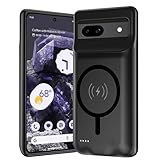
- [Safe charging and protection design] Passed CE, FC, RoHS certification to ensure your charging safety. Use high-quality battery cells to ensure power, safety and reliability, and long-term use will not reduce the health of the battery life.
- [100% or more power] The 10000mAh long-lasting battery can double the daily use time of your Pixel 8a and keep the power of Pixel 8a longer. Enjoy more talk time, music, movies, and internet surfing.The best choice for travel, camping and work.The portable design, charging anytime and anywhere.
- [Fully compatible with Pixel 8a] This battery case is compatible with all functions of Pixel 8a. Use the original data cable to charge and/or synchronize data. The certified charging chip ensures 100% compatibility with your Pixel 9a.
- [One-piece design, easy to use] The shell adopts ergonomic design and is comfortable to hold. The soft rubber on the curved top makes the installation and disassembly of the mobile phone easier. 4 LED battery power indicators, let you know how much power you have (0--25%--50%--75%--100%).
- [12 months after-sales and technical support] Customer satisfaction is our top priority. If you have any questions, problems or concerns, please send an email to our after-sales team, we will be more than happy to help you to ensure that our products work the way you need.
Google says the learning period can take a few weeks after a new phone setup or a factory reset. During that time, usage may look less settled than it will later. Keep the phone connected and updated normally rather than judging the feature after a single day. Google’s explanations of Pixel battery and charging behavior are available in its Pixel battery and charging guide and its battery-lifespan guidance.
Do not treat force-closing every app as a universal fix. Repeatedly reopening apps can require them to reload work, while the real cause may be a bright display, a weak-signal connection, navigation, or a system process. Investigate usage data first.
Find the app or system feature using the battery
Before restricting an app, identify whether it is actually responsible. On most current Pixels, open Settings > Battery > Battery usage. You can review usage by app and by system category. Depending on software version, the page may show a time range, background activity, screen activity, and a percentage of total consumption.
Read the app view
- Look for an app with unusually high background use when you have barely opened it.
- Check whether a high percentage matches heavy foreground use, such as video playback, navigation, a camera session, or a game. High use is expected in those cases.
- Open the app’s entry for controls such as allowing background use, optimizing battery use, or restricting background activity. Apply a restriction only when the evidence and your needs justify it.
Read the system view
System categories can reveal that the drain is not one misbehaving app. Screen, mobile network, Wi-Fi, Bluetooth, hotspot, GPS, and other hardware-related categories may dominate when the phone is used intensively or has a poor signal. A high screen or network figure calls for changing the activity or environment, not disabling battery optimization for unrelated apps.
Google’s battery-level instructions describe the current battery screens, while its battery-drain troubleshooting flow explains how to interpret unusual use. Pixel 6 and later also include battery diagnostics in Google’s troubleshooting guidance; the exact diagnostic labels depend on the model and software release.
Cut optional drain without changing battery-health controls
There is no universal percentage saving for any one setting. The useful change is to stop the activity you do not need at that moment, especially when the battery is already low or the phone is working in heat.
Reduce screen-on demand
- Turn the screen off when you are finished reading or watching.
- Shorten the screen timeout if you often set the phone down while it remains awake.
- Lower brightness manually in dark or indoor conditions, or leave adaptive brightness enabled so the phone can respond to ambient light.
- Reduce always-on or lock-screen information if you do not need it visible between uses.
A display that stays on for navigation, social feeds, video, or a long document can outweigh background optimization. Adjusting screen behavior is often the least disruptive first step because it does not prevent notifications or app updates.
What’s actually slowing this PC down?
Pick the symptom - the matching free tool is one click away.
Rank #2

- [Safe charging and protection design] Passed CE, FC, RoHS certification to ensure your charging safety. Use high-quality battery cells to ensure power, safety and reliability, and long-term use will not reduce the health of the battery life.
- [100% or more power] The 10000mAh long-lasting battery can double the daily use time of your Pixel 6a and keep the power of Pixel 6a longer. Enjoy more talk time, music, movies, and internet surfing. The best choice for travel, camping and work. The portable design, charging anytime and anywhere.
- [Fully compatible with Pixel 6a This battery case is compatible with all functions of Pixel 6a. Use the original data cable to charge and/or synchronize data. The certified lightning chip ensures 100% compatibility with your Pixel 6a.
- [One-piece design, easy to use] The shell adopts ergonomic design and is comfortable to hold. The soft rubber on the curved top makes the installation and disassembly of the mobile phone easier. 4 LED battery power indicators, let you know how much power you have (0--25%--50%--75%--100%).
- [12 months after-sales and technical support] Customer satisfaction is our top priority. If you have any questions, problems or concerns, please send an email to our after-sales team, we will be more than happy to help you to ensure that our products work the way you need.
Stop hotspot and tethering when finished
Hotspot and USB or Bluetooth tethering keep radios active and make the Pixel work as a network access point. Turn them off from Quick Settings or Settings > Network & internet > Hotspot & tethering when the other device no longer needs a connection. If you are in an area with weak cellular service, the phone may also use more power searching for a usable signal; moving to a stronger-signal location or using Wi-Fi where appropriate can help.
Limit prolonged GPS and navigation
Turn-by-turn navigation, location sharing, fitness tracking, and other apps that continuously request location can keep the GPS and display active. Stop navigation when you arrive, pause tracking you do not need, and download or cache information only when the app supports it and you have a legitimate offline need. Do not revoke location from every app indiscriminately: first identify which service is requesting it and whether removing access would break a feature.
Manage streaming, games, and camera sessions
Video and music streaming combine network activity, decoding, and often a continuously lit screen. Downloading content on Wi-Fi for a trip, lowering video quality when acceptable, using a shorter listening session, or turning the screen off for audio can reduce the work without disabling battery-health features.
Graphics-heavy games raise processor and graphics workload, while extended camera recording uses the display, image processing, storage, and often the network if you upload immediately. Take breaks between sessions, reduce demanding graphics settings when the game offers them, and postpone long recording or editing until you can charge in a cool place. Google lists gaming and camera use among intensive activities in its low-battery guidance.
Choose the right Charging optimization mode
Open Settings > Battery > Battery health > Charging optimization, then turn on Use charging optimization. On some models or Android versions, the wording or location differs. Charging optimization contains two different strategies, so choose based on how you use the phone rather than treating one as universally better.
| Mode | What it does | Best fit | Trade-off |
|---|---|---|---|
| Adaptive Charging | Delays completion so the phone reaches a full charge near your usual unplug time. | You need close to 100% most mornings and usually charge on a predictable schedule. | It may not activate when your routine changes, such as during travel, and it needs time to learn your pattern. |
| 80% limit | Stops normal charging at about 80% to reduce time spent at a high state of charge. | You usually finish the day with charge left and want to prioritize long-term battery health. | You have less immediate capacity for an unusually long day; you can switch it off when a full charge is needed. |
When Adaptive Charging makes sense
Adaptive Charging aims to finish near your normal unplug time rather than leaving the phone at 100% for hours. Google says it takes about 14 days to learn charging habits. A changing schedule, travel, or an occasional daytime charge can prevent it from engaging on a particular night. That behavior does not necessarily indicate a fault.
If you need a full battery at an irregular time, allow the phone to charge normally or temporarily choose another option. The feature is designed around a learned routine, not a guarantee that every charge will complete at a specific clock time. Google documents the mode and its learning behavior in Get the most life from your Pixel phone battery.
Rank #3

- 🐬【10000mAh High Capacity Last Longer】This for Google Pixel 10/10 Pro battery case provides 150% extra power with build in 10000mAh lithium Ion. NOTICE : NOT compatible with Google Pixel 9A or Google Pixel 10/10 Pro XL .
- 🐬【360°PROTECT YOUR iPhone】The smart charger case is not only a portable charger, but also a protective case for cellphone from scratches and daily wear and tear. Raised bezels help you protect the screen to some extent. And its advanced chips protect your smart phone from overheating, short-circuit and overcharging.
- 🐬【UPGRADED DESIGN And Wireless Charger】: This for Google Pixel 10/10 Pro battery case is ultra slim design,Uni-body design, easy to install. And suport wireless charger. You can charge with a wireless charge quick and convenient wireless charging experience. Elastic soft material and full edge design protect Google Pixel 10/10 Pro Battery case from scratches shock fingerprint and other daily wears and tear.Bring you a unique and comfortable tactile sensation.
- 🐬【Simple To Use】All-in-One charging case makes installation and carry much easier and safer. Equipped with power level indicator LED lights, just press the button for 3 seconds to start or stop charging. 4 LED battery level indicators that let you know how much power you have (0--25%--50%--75%--100%).
- 🐬【12 Months Service】: Customer satisfaction is our primary priority.for any reason makes you unsatisfied issues or concerns please contact us,12 Month after-Sale Technical Support, 30days no-hassle return and 24H customer service.
When the 80% limit makes sense
The 80% limit is available on Pixel 6a and later, subject to Google’s model and software availability. It favors long-term battery health over maximum capacity for that day. If you normally end the day with substantial charge remaining, the lower ceiling may be practical; if you regularly run out before bedtime, Adaptive Charging or a normal full charge may better match your needs.
Outdated Drivers Are Slowing You Down
One free scan finds every outdated or missing driver and matches the right update for your exact hardware.Free scan · exact hardware matchWindows Errors? Fix Them Before They Spread
Repair common Windows errors and clear accumulated junk for a smoother, more stable PC - no reinstall needed.Free scan · no reinstallGoogle requires a full charge every tenth cycle when the 80% limit is enabled so the phone can keep its capacity readings accurate. On that cycle, leave the phone connected for at least 30 minutes after the display reaches 100%. The phone manages this maintenance behavior; do not interpret the occasional full charge as the 80% setting being permanently disabled. Details and model availability are listed in Google’s battery-lifespan instructions.
Keep charging cool and compatible
Heat accelerates lithium-ion battery wear and can also make a phone reduce charging speed or performance temporarily. Google recommends a cool charging environment of about 25°C (78°F). Keep the Pixel out of direct sunlight, a hot car, a bed covered by blankets, or another place where heat cannot escape. If the phone becomes unusually hot, remove it from the heat source and let it cool before demanding more work from it.
Use a compatible USB-C Power Delivery (PD) or Programmable Power Supply (PPS) charger and a sound cable. Compatibility supports safe, expected charging, but buying a different charger does not repair software-related drain or make a heavily used phone consume less energy between charges. If a charger or cable is damaged, intermittent, or gets hot, replace it with compatible equipment rather than continuing to use it. Google’s charging and temperature recommendations appear in its battery-lifespan article and Understand your Pixel battery.
Use Battery Saver when the charge is nearly gone
Battery Saver is an emergency range-extender. Turn it on from Quick Settings, or open Settings > Battery > Battery Saver to configure it. Depending on model and version, it can limit background activity, reduce some visual effects, delay nonessential updates, and change how certain connections or apps behave.
Free tools Windows power users keep installed
One-click scans. No signup required.
Use it when you need the phone to remain available for a call, message, ticket, map, or other essential task and the battery is low. Continue reducing navigation, video, hotspot, and long GPS sessions; Battery Saver cannot make an intensive activity free. If you depend on an app for time-sensitive notifications, check its behavior while Battery Saver is active and turn the mode off when you can safely recharge. Google’s practical low-charge advice is in Stretch a low battery’s power on Pixel phone.
Independent reader supportYour contribution helps us test, update, and keep practical guides available for everyone.Diagnose a sudden change instead of guessing
After a software update
Drain can be temporarily higher after an Android or Pixel software update while the phone downloads, indexes, and optimizes software. Give it a few days of ordinary use, keep it connected when convenient, and then review Battery usage. One unusual day is not enough to diagnose a failed battery.
Rank #4
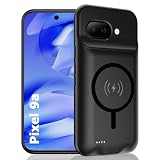
- [Safe charging and protection design] Passed CE, FC, RoHS certification to ensure your charging safety. Use high-quality battery cells to ensure power, safety and reliability, and long-term use will not reduce the health of the battery life.
- [100% or more power] The 10000mAh long-lasting battery can double the daily use time of your Pixel 9a and keep the power of Pixel 9a longer. Enjoy more talk time, music, movies, and internet surfing. The best choice for travel, camping and work. The portable design, charging anytime and anywhere.
- [Fully compatible with Pixel 9a] This battery case is compatible with all functions of Pixel 9a. Use the original data cable to charge and/or synchronize data. The certified charging chip ensures 100% compatibility with your Pixel 9a.
- [One-piece design, easy to use] The shell adopts ergonomic design and is comfortable to hold. The soft rubber on the curved top makes the installation and disassembly of the mobile phone easier. 4 LED battery power indicators, let you know how much power you have (0--25%--50%--75%--100%).
- [12 months after-sales and technical support] Customer satisfaction is our top priority. If you have any questions, problems or concerns, please send an email to our after-sales team, we will be more than happy to help you to ensure that our products work the way you need.
When one app suddenly rises to the top
Open its Battery usage entry and check foreground and background activity. Install pending updates, restart the phone, and use the available background or optimization control if the app does not need constant work. If restricting it breaks notifications, syncing, navigation, or another function you rely on, undo the restriction and look for an in-app sync or refresh setting instead.
When the whole phone drains quickly
Compare system categories such as screen, mobile network, hotspot, and GPS. A poor signal, a long navigation session, a bright display, or heat can affect many apps at once. Pixel 6 and later users can follow Google’s battery diagnostics and troubleshooting steps in Fix issues with your Pixel phone battery and Fix battery drain problem.
If the phone remains hot while idle, shuts down unexpectedly, swells, or shows a persistent sharp decline after ordinary troubleshooting, stop using it in unsafe conditions and seek Google’s model-appropriate support or repair route. Do not continue charging a physically damaged battery.
Recognize normal battery aging
Every lithium-ion battery loses capacity with time and charge cycles. A phone that once lasted all day may eventually require a midday charge even when your settings and usage have not changed. Google’s published thresholds are model-group guidance, not a promise that every battery reaches exactly the same result.
| Pixel group | Google’s stated capacity guidance | What to do |
|---|---|---|
| Pixel 3 through Pixel 8 Pro and Pixel Fold | Up to 80% of original capacity for about 800 charge cycles. | Consider replacement when remaining capacity is below 80% or the applicable cycle threshold is reached. |
| Pixel 8a and later | Up to 80% of original capacity for about 1,000 charge cycles. | Use the model’s health information and consider replacement below 80% or at the stated cycle threshold. |
Battery-health status is available on Pixel 8a and later, with model exceptions listed by Google. Older Pixels may not show the same health screen, so do not assume that a missing menu means the battery is healthy or unhealthy. Check your exact model in Understand your Pixel battery and use Google’s available repair options for your region.
A replacement battery addresses lost capacity; it does not fix a rogue app, poor cellular signal, or a phone that is hot because of intensive use. Confirm the cause before paying for repair.
A practical daily routine
- Morning: If you need a full day, let Adaptive Charging finish near your normal unplug time. If the 80% limit suits your routine, leave it enabled and carry a charger or power bank only for exceptional days.
- During use: Check Battery usage when runtime changes. Turn off hotspot, navigation, or screen activity as soon as the task ends.
- Before demanding work: Avoid starting a long game, camera recording, or navigation session with the phone already hot or in direct sun.
- At low charge: Enable Battery Saver, reduce display and network-intensive activity, and prioritize calls, messages, and directions.
- During charging: Use compatible USB-C PD or PPS equipment in a cool, ventilated place. Do not cover the phone or leave it in a hot vehicle.
These steps preserve Adaptive Battery, app optimization, and charging safeguards while directing your attention to measurable usage, charging habits, temperature, and genuine battery aging.
Quick Recap
Product prices and availability are accurate as of the date/time indicated and are subject to change. Any price and availability information displayed on Amazon at the time of purchase will apply.




