To make an aesthetic wallpaper collage, start with the screen you’ll use it on, build a canvas to fit, arrange a small group of images around one focal point, then export and test the file on the device. A template-based editor such as Canva can speed up the layout, but any tool that supports image placement, cropping, and JPG or PNG export will work.
1. Choose the device and canvas size
Decide whether the collage is for a phone lock screen, phone home screen, tablet, or desktop. Check the target display’s resolution and orientation in its settings or the manufacturer’s specifications. Phones are usually portrait and desktops often landscape, but the device’s actual screen is a better guide than a general rule.
As an Amazon Associate I earn from qualifying purchases.
Canva lists 1024 × 768, 1280 × 1024, and 1920 × 1080 pixels as examples of desktop wallpaper sizes. These are examples, not a universal specification; desktop resolutions vary. Canva’s wallpaper guidance recommends considering the size and layout of the image in relation to apps and icons.
Quick wins for a faster PC:
Scan for outdated or missing drivers - takes under a minuteDriver Scan →Clear out junk files and repair common Windows errorsFree Scan →2. Choose a visual direction and gather images
Pick a mood or theme before collecting images: warm neutrals, coastal blue, florals, retro colors, or a minimal look are useful starting points. Choose a few images that share a color, subject, or general mood so the finished collage feels intentional.
#1 Best Overall

- Compatibility: This paperfeel screen protector is compatible with iPad 11th Generation 2025, iPad 10th Generation 2022, iPad Air 11 M4 2026, iPad Air 11 M3 2025, iPad Air 11 M2 2024. Compatible with these models: A3354 A3355 A3356 A3266 A3267 A3270 A3459 A3460 A3463 A2696 A2757 A2777 A3162 A2902 A2903 A2904. Please check the size of your iPad before purchasing to ensure that when you receive this product, it will be suitable for your iPad
- Attention: This is not compatible with iPad Pro 11 2025 / 2024, iPad Pro 11 (2022 & 2021 & 2020 & 2018) and iPad Air 5th & Air 4th Generation(10.9 inch)
- Paperfeel Texture: Featuring advanced textured surface technology, ipad a16 screen protector replicates the natural friction of paper to create the perfect canvas. Designed for artists, students, and note-takers, it transforms your experience: enjoy smoother sketching, better shading, and more comfortable handwriting. Say goodbye to the slippery glass feel, whether you're illustrating or taking notes
- High Sensitivity: Crafted from 0.17mm Japanese PET film, it maintains the iPad’s original touch sensitivity. Designed for professionals and all users who require instant response—enabling fast app switching, precise gesture control, and a seamless experience—ipad air 11 inch screen protector ensures both productivity and entertainment
- Anti-Glare: The matte coating diffuses light to reduce glare interference, while the oleophobic layer effectively repels smudges. Our ipad 10th generation screen protector allows commuters, avid readers, and outdoor users to enjoy videos, reading, or work more comfortably in bright environments, keeping the screen clear and clean with colors as vibrant as ever
Use a mix of visual roles: one image to draw the eye, several supporting photos, and perhaps a small detail or texture. This is a practical composition approach, not a fixed design rule. Personal photos are a straightforward option. For downloaded or editor-provided assets, check the license for your intended use; an image appearing in search results does not itself grant permission.
3. Create a canvas in an editor
Use a wallpaper template if you want a head start, or create a blank canvas at the target screen’s dimensions. Canva’s desktop wallpaper templates include collage and moodboard styles that can be customized. You can also use a photo editor, presentation tool, or another design application that lets you position and crop images.
Rank #2

- Anti-glare (matte) film engineered to reduce glare and fingerprints
- Made from the high quality Japanese PET film for easy installation and no residue when removed
- Real touch sensitivity for a natural feel that provides flawless touch screen accuracy
- Protects your screen from daily scratches, dust and scrapes
- Include 3 pcs screen protectors
Save or download the images you plan to use, then add them to the canvas. Canva describes this basic workflow as positioning photos in a presentation or photo-editing program and saving the result as PNG or JPEG.
Do these 3 things before closing this tab:
1Clear out junk files and repair common Windows errors2Scan for outdated or missing drivers - takes under a minute3Repair Windows errors before they cause bigger problems4. Arrange and unify the collage
Establish a focal point
Place the most important or visually striking image first. Arrange the supporting images around it, varying their sizes enough to create a clear hierarchy rather than making every image compete for attention.
Rank #3
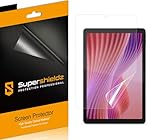
- Anti-glare (matte) film engineered to reduce glare and fingerprints
- Made from the high quality Japanese PET film for easy installation and no residue when removed
- Real touch sensitivity for a natural feel that provides flawless touch screen accuracy
- Protects your screen from daily scratches, dust and scrapes
- Include 3 pcs screen protectors
Choose a crop and spacing style
Use consistent crops and spacing for a tidy grid, or deliberately mix full-bleed rectangles with framed snapshot-style images for a scrapbook feel. Either approach can work; the key is making the variation look intentional.
Make the images feel connected
Use a restrained shared palette, a quiet background color, or one repeated accent to tie different photographs together. Keep a relatively open area where icons, app labels, widgets, or lock-screen text will sit. Previewing against the real interface helps reveal whether a face or other focal detail will be obscured.
Rank #4

- 【COMPATIBLE DEVICE】Exclusively Designed for Lenovo Tab M11/Xiaoxin Pad 2024 11 inch. * Please check your device model before purchasing.
- 【FEELS LIKE WRITING & DRAWING ON REAL PAPER】The premium paperfeel texture of surface makes you feel like paper, providing you with a wonderful and delicate writing and painting experience. Also it provides more resistance on the touchscreen than normal tempered glass which gives you more control and accuracy when drawing. The optimized ultra-thin surface which has finer and denser particles also helps to reduce the rate of wearing down on the pencil tip so you can use for longer.
- 【ANTI-GLARE & MATTE FINISH】The anti-glare matte surface of paperfeel screen protector can effectively suppress the glare of natural light and artificial light and provide you an excellent reading and working experience indoor and outdoor. Besides our surface-treated technology to ensure that there is minimizing graininess on the screen so enjoy a better visual experience!
- 【SMOOTH AS SILK & FINERPRINT RESISTANT】The special matte texture has the silk-like, smooth and powdery touch feeling, magically resists makeup, sweat and annoying fingerprints and makes the screen look cleaner, which gives your device a high-quality look and feel.
- 【ULTRA THIN 0.17mm WITH MULTIPLE LAYER STRUCTURE】Paperfeel Coating & Anti-Fingerprint Coating / PET layer / Anti Blue Light layer / PET layer / Silicone] With 2 layers of PET provide high anti-shock performance. It is a ultra thin design that provides flawless touch screen accuracy and fast response and pencil compatible perfectly without loss of screen quality.
5. Add decoration only if it helps
Paper textures, borders, simple labels, or a short phrase can reinforce a scrapbook or moodboard style. Keep them secondary to the images, and avoid placing small text where a clock or app icons will cover it. If an editor supplies the decorative elements, follow that service’s content license as well as the terms for your photographs.
Recommended Free Tools
6. Export and test it on the device
- Export or download the finished collage as a JPG or PNG. Canva lists both formats in its wallpaper instructions.
- Open the downloaded file on the target device and apply it as the wallpaper.
- Check whether the device crops or scales the image, whether the collage remains sharp, and whether icons or lock-screen elements cover important content.
- If the fit is awkward, return to the editor. Reposition the focal images or adjust the canvas to the device’s dimensions, then export and test again.
A file that looks right in the editor may be cropped when applied by the device, so test the exported image in its actual wallpaper setting rather than assuming one file will fit every screen.
Best Value

- 【PERFECTLY COMPATIBLE DEVICE】 Exclusively designed for XP PEN Magic Drawing Pad 12.2-inch tablet. Precise laser-cut engineering ensures an exact edge-to-edge fit with dimensions measuring exactly 10.98 x 7.56 inch. Please check your device model before purchasing
- 【REAL PAPERFEEL WRITING TEXTURE】 Features a premium micrometer-level matte finish that replicates the authentic friction and tactile feeling of writing and drawing on real paper. Eliminates slippery stylus sliding and annoying clicking sounds, offering optimal precision for digital sketching
- 【ANTI GLARE MATTE FINISH】 Specially engineered with an anti-glare finish to diffuse light reflections and eliminate bothersome mirror-like glare under bright sunlight or indoor overhead lamps. Keeps your screen crisp and clearly readable while resisting smudges and fingerprint marks
- 【95% BLUE LIGHT BLOCKING】 Upgraded with advanced light filtering technology that effectively blocks approximately 95 percent of harmful blue light and UV rays emitted from the screen. Greatly reduces eye strain and fatigue during extended reading, studying, or office working sessions
- 【EASY INSTALLATION & BUBBLE FREE】 Skip the frustration of traditional alignment failures by following our comprehensive setup video guide. Utilizing the proprietary VANENMO 3-step segmented layout, this protective guard allows for effortless centering and sectional application, drastically reducing user errors. Any microscopic air pockets trapped post-setup are engineered to dissipate autonomously within a 24-hour window, removing the need for high-pressure scraping and delivering a pristine, crystal-clear surface
Check image rights before sharing or selling
Personal wallpaper use is different from selling downloads, using a collage in an advertisement, or redistributing its source images. Canva’s commercial-use guidance explains that Free and Pro content is subject to its content licenses, that Pro content used by free-plan users requires licensing, and that unaltered media cannot be redistributed. It also notes restrictions on some uses and that third-party rights can affect ownership. Check the current terms for the specific asset and use; do not assume that placing an image in a collage clears every right.
For Unsplash images, consult its license help center and the guidance relevant to the intended use, including commercial projects, products for sale, attribution, releases, or recognizable people and brands. The license index is not a blanket clearance for every image or purpose.
Quick Recap
Product prices and availability are accurate as of the date/time indicated and are subject to change. Any price and availability information displayed on Amazon at the time of purchase will apply.




