What’s actually slowing this PC down?
Pick the symptom - the matching free tool is one click away.
To make a BeamMP server private, open ServerConfig.toml, set Private = true under [General], save the file, and restart BeamMP-Server. The server disappears from BeamMP’s public server list. Invited players connect through the game’s Direct Connect tab with the correct IP address and port.
Playing with friends? Godlike.Host runs hosted BeamNG.drive servers from 10 data-center locations, with free DDoS protection.
This is a visibility setting, not a password or whitelist. Anyone who obtains the server’s reachable IP and configured port can still attempt to connect, so treat the address and your server credentials carefully.
As an Amazon Associate I earn from qualifying purchases.
The exact setting that hides a BeamMP server
BeamMP reads privacy from the Private value in the [General] section of ServerConfig.toml. The minimum configuration is:
[General]
Private = true
After saving the file, restart the BeamMP-Server process. The official BeamMP setup documentation states that a server with Private = true will not appear in the server list. Players must use Direct Connect instead of selecting the server from public listings.
#1 Best Overall

- Immersive Gaming Experience: Perfect for Xbox and PC gaming titles, the Driving Force simulates the feeling of driving a real car with precision steering and pressure-sensitive pedals
- Premium Control: The Driving Force feedback racing wheel provides a detailed simulation of driving a real car, with helical gearing delivering smooth, quiet steering and a hand-stitched leather cover
- Customizable Pedals: These pressure-sensitive nonlinear brake pedals provide a responsive, accurate braking feel on a sturdy base - with adjustable pedal faces for finer control
- 900-Degree Rotation: Lock-to-lock rotation of the Driving Force means you can turn the wheel around two and a half times, hand over hand on wide turns - just like a real F1 race car
- Up Your Game: Take your racing simulation to the next level with Driving Force accessories like the Driving Force Shifter or desk and rig mounts
What “private” means in BeamMP
It removes public discovery
The Private flag controls whether the server is shown in BeamMP’s official server list. With the value set to true, people browsing that list cannot discover the server by name or select it from the listing.
It does not add a password or whitelist
BeamMP’s maintenance documentation defines the setting this way: when enabled, the server is not shown in the list, but anyone with the correct IP address and port can still connect. BeamMP privacy therefore reduces discovery rather than enforcing membership.
PC Slower Than It Used to Be?
A free scan shows the junk files, broken settings and background clutter dragging Windows down - then fixes them in one click.Free scan · Windows 10 & 11Outdated Drivers Are Slowing You Down
One free scan finds every outdated or missing driver and matches the right update for your exact hardware.Free scan · exact hardware matchIf you need stronger access control, limit who receives the address and consider controls at the network level. Do not describe a hidden server as password-protected unless you have implemented a separate control that actually authenticates players.
It is separate from the AuthKey
An AuthKey identifies the server with BeamMP’s backend. It is not the same thing as the Private visibility flag. A private server can use an AuthKey, and the key must be protected like a password.
Before editing the configuration
Have these details ready:
- A working BeamMP-Server installation and permission to edit its files.
- The server’s actual configuration file, named
ServerConfig.toml. The olderServer.cfgformat is incompatible with the current format. - The port selected in your configuration and, if the server is behind a router, access to the router’s port-forwarding settings.
- A text editor that saves plain text without changing TOML punctuation or adding a different extension.
- The correct IP address for each group of players: loopback for the same computer, a LAN address for players on the same network, or a public address for players outside the network.
Run BeamMP-Server once if you have never started it. The first run creates ServerConfig.toml. It is commonly beside the executable when you launch the server there, but BeamMP’s working directory determines where the configuration and logs are generated. If you cannot find the file, check the directory from which the active server process was started.
Rank #2
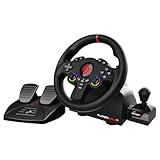
- MULTI-COMPATIBLE GAMING STEERING WHEEL: PS4, Switch 2, Switch, Xbox Series X/S, Xbox One, and PC. For setup, follow the connection instructions specific to each console (user manual included). An official controller must be connected for proper operation. Suitable for most racing games: GTA, Gran Turismo, Forza, Dirt, WRC, Farming Simulator, etc. This steering wheel is not compatible with PS5
- DOUBLE JOYSTICK: all the functions of a controller right on the steering wheel. Perfect for playing GTA: you steer and control your character without letting go of the wheel
- IMMERSIVE DRIVING EXPERIENCE: comes with analog pedals (accelerator and brake), 22 cm wheel diameter, 180° rotation angle, and steering wheel paddles for smooth and fast gear shifting. Programmable RGB LEDs around the 2 sticks and programmable buttons to suit all driving styles: 3 sensitivity modes depending on the type of circuit. Vibration motor available
- FINISH AND STABILITY: Robust ABS structure and ergonomic profile for excellent grip and improved comfort during long gaming sessions. For added stability, the wheel features a suction cup mounting system, ensuring perfect adhesion to most surfaces. Sold separately: clamping screws for mounting on cockpit
- WARRANTY & AFTER-SALES SERVICE: The Superdrive steering wheel comes with a 2-year manufacturer's warranty. Online support is available on the Subsonic website to answer your questions. Updates are also available in our FAQ section
Step-by-step: hide the server from the list
-
Start the server once to create the file
Launch BeamMP-Server and allow it to create its initial files. Stop the process before making configuration changes.
The Tool Desk
Outbyte PC Repair FREEClear out junk files and repair common Windows errorsFree Scan →Outbyte Driver Updater FREEFix the driver behind crashes, sound loss and screen glitchesFind Drivers →Special offer. See more information about Outbyte and uninstall instructions. Please review EULA and Privacy policy. -
Open the active ServerConfig.toml
Open the file used by the server process, not an old copy in another folder. The working directory matters; editing a duplicate file has no effect on the running instance.
-
Find the General section
Locate the section header
[General]. Add the privacy setting there if it is absent, or change the existing value totrue.[General] Private = true -
Check the configured port
Keep the port in
ServerConfig.tomlconsistent with the port your router forwards and the port permitted by the host firewall. BeamMP’s example configuration usesPort = 30814; use the port selected in your own file rather than copying that number automatically. -
Save without changing the syntax
Save the file as
ServerConfig.toml. Make sure the editor did not createServerConfig.toml.txt, convert quotation marks, or placePrivate = trueoutside the[General]section.Recommended Free Tools
Special offer. See more information about Outbyte and uninstall instructions. Please review EULA and Privacy policy.Rank #3
Sale HORI Racing Wheel Apex for Playstation 5, PlayStation 4 and PC - Officially Licensed by Sony - Compatible with Gran Turismo 7
- Compatible with PlayStation 5, PlayStation 4, and PC .Use the HORI Device Manager app to download firmware, adjust settings and make up to 4 custom profiles
- Full-size racing wheel and pedals optimized for authentic racing simulation
- 270-degree turn radius with adjustable output options
- Mount security with sturdy clamp system
- Use the HORI Device Manager app to download firmware, adjust settings and make up to 4 custom profiles
-
Restart BeamMP-Server
Stop and start the server so it reloads the configuration. Changing the file while an old process is still running does not guarantee that the process will adopt the new value.
-
Test the new connection method
Do not look for the server in the public list. Use BeamMP’s Direct Connect tab with the appropriate IP address and the configured port.
How friends connect to a private server
Give invited players the host address and port, then have them enter those values in Direct Connect. The address depends on where the player is relative to the server:
| Where the game is running | Address to enter | When to use it |
|---|---|---|
| The game and server are on the same computer | 127.0.0.1 |
Use the loopback address from that same machine. |
| Another computer on the same home or office network | The server computer’s local/LAN IP | Use the private network address reachable by machines on that LAN. |
| A player outside the host network | The host’s public IP | Use the internet-facing address, together with the forwarded BeamMP port. |
Always pair the address with the port configured in the server file. A correct address with the wrong port is still a failed connection. If your public IP changes, send invited players the current address; BeamMP’s private flag does not provide a permanent name or address.
Port forwarding and firewall requirements
A private setting does not bypass networking. External players must be able to reach the selected port on the host.
Rank #4

- REALISTIC RACING SIMULATION DUO: Feel what is like to drive a real race car with G920 Driving Force Racing Wheel & Pedals and Driving Force Shifter
- PAIRED FOR PRECISION: Take full control of the race with G920 Driving Force Racing Wheel & Pedals and Driving Force Shifter
- PRECISE CONTROL: Helical transmission gears reduce noise and vibration with anti-backlash keeping wheel and pedals tight. The six-speed “H” shifter helps you execute smooth, accurate gear transitions
- FORCE FEEDBACK: The dual motor force-feedback realistically simulates the feel of tires on a turn, understeer, oversteer, drifting and more
- PREMIUM BUILD: Look, feel and durability of a real race car wheel, pedals and shifter. Wheel cover, knob and boot are covered in high-quality, hand-stitched leather with a solid steel gear shaft and polished metal pedals
Forward the configured port
For a home server behind a router, create a port-forwarding rule from the router to the server computer. BeamMP’s FAQ advises forwarding the configured port for both TCP and UDP when connection errors point to forwarding problems. Use the same port number in the router rule that appears in ServerConfig.toml.
Allow the server through the host firewall
The operating system firewall can block connections even when the router is configured correctly. Permit BeamMP-Server through the firewall where required, and ensure the rule covers the selected port and the protocols needed by the server.
Keep every layer aligned
- The
Portvalue inServerConfig.toml. - The destination port in the router’s forwarding rule.
- The inbound rule in the host firewall.
- The port entered by every player in Direct Connect.
If any one of these differs, players may see a connection error even though the server itself is running.
Using an environment variable instead of the TOML value
BeamMP Server release v3.2.0 and later accepts environment variables. These variables override values in ServerConfig.toml, so they can change the effective privacy setting even when the file appears correct.
Set the General privacy variable in the environment used to launch the server:
Best Value

- TRUEFORCE: Next-gen TRUEFORCE technology connects to game engines for high-definition feedback; experience the ultimate driving experience with processing at 4000 times per second
- Programmable dual clutch: Get off the starting line cleaner and faster; a programmable dual clutch simulates real race car launch assist right from the controller, when playing supported games
- Control your game: Fine-tune your speed with a built-in LED RPM indicator; integrated PlayStation 5, PS4, PC game controls, a 24-point selector and progressive brake spring keep steering under control
- Premium Racing Design: Refreshed Logitech G gear design includes premium materials like a hand-stitched black leather wheel cover and polished metal pedals; experience the pleasure of driving at home
- On-wheel game controls: Take charge of wheel sensitivity, force feedback levels and simulated steering; Logitech G Hub Gaming software enable button customisation right from the controller
BEAMMP_PRIVATE=trueThe manual also accepts 1 as the enabled Boolean value:
BEAMMP_PRIVATE=1The TOML file is usually clearer for a home-server owner because the setting is visible alongside the other server options. Use an environment variable deliberately when your service manager, container, or hosting setup supplies configuration that way. If the server behaves as though it is public or private contrary to the file, inspect the launch environment for BEAMMP_PRIVATE; its value takes precedence.
Protect the AuthKey
The setup guide recommends adding an AuthKey to private servers and gives an explicit warning not to share it or show it to anyone. Treat the key exactly as you would a password.
- Do not include the AuthKey in screenshots, forum posts, support tickets, streams, or configuration examples.
- Do not paste it into a message when you only need to send friends the server address and port.
- Review logs and service definitions before publishing them; remove credentials from anything others can read.
- If the key has been exposed, follow BeamMP’s credential-recovery process rather than continuing to use a compromised secret.
Friends need the reachable IP and port to connect. They do not need the server’s AuthKey.
Troubleshooting a server that still appears public or cannot be joined
| Symptom | Likely cause | What to check |
|---|---|---|
| The server is still visible in the list | The wrong file was edited, the value is outside [General], or the process was not restarted. |
Confirm the active working directory, verify Private = true in ServerConfig.toml, and restart BeamMP-Server. |
| The file seems ignored | The server is using a different working directory or an obsolete configuration format. | Find the file generated by the active process. Use ServerConfig.toml, not Server.cfg. |
| Friends cannot connect from outside the network | The port is not forwarded, the firewall blocks it, or the wrong address was supplied. | Forward the configured port for TCP and UDP, permit BeamMP-Server through the firewall, and give outside players the public IP. |
| Players on the same LAN cannot connect | They are using a public address unnecessarily, or the host’s local address or firewall rule is wrong. | Use the server computer’s LAN IP and verify local firewall permissions. |
| The host can connect but friends cannot | Loopback testing proves only local access; it does not prove router forwarding or internet reachability. | Have an external player test the public IP and forwarded port, while checking the router and firewall. |
| The file says private but behavior is different | An environment variable is overriding the file. | Inspect the launch environment for BEAMMP_PRIVATE. On v3.2.0 and later, it overrides the TOML setting. |
| Direct Connect fails immediately | The address, port, or TOML syntax is invalid. | Confirm the host location, port number, [General] placement, and valid TOML spelling and punctuation. |
Home hosting versus a VPS for a private server
BeamMP’s setup guidance presents home hosting as a free option and VPS hosting as easier and more secure, but the official material does not provide a universal price, latency benchmark, or performance comparison. The practical trade-offs are about responsibility and control:
| Consideration | Home server | VPS |
|---|---|---|
| Setup complexity | You manage the operating system, router forwarding, firewall, and changing public address. | The provider supplies an internet-reachable host; you still configure BeamMP and the server firewall. |
| Network exposure | Your home network needs an inbound forwarding rule, so router and firewall hygiene are your responsibility. | The service is hosted in a data-center network, reducing home-router work but not eliminating server security duties. |
| Files and mods | You have direct control of the local files, configuration, logs, and installed mods. | You retain control of the virtual machine’s files, subject to the provider’s operating-system and storage limits. |
| Recurring cost | The official guide describes home hosting as free; your existing hardware and internet connection still need to remain available. | A VPS is a paid hosting arrangement, but the official guidance does not state a standard price. |
| Latency | Latency depends on your home upload connection, routing, and players’ locations. | Latency depends on the data-center location and each player’s route; no canonical BeamMP performance figure is established. |
Whichever host you choose, the privacy procedure is the same: set the General privacy value, restart the server, and distribute only the connection details intended for players.
Do these 3 things before closing this tab:
1Repair Windows errors before they cause bigger problems2Scan for outdated or missing drivers - takes under a minute3Clear out junk files and repair common Windows errorsOperational checklist for inviting players
- Configuration:
ServerConfig.tomlcontainsPrivate = trueinside[General]. - Process: BeamMP-Server was restarted after the edit.
- Port: The port in the file matches the router and firewall rules.
- Protocol: Home-router forwarding covers both TCP and UDP when required for the connection.
- Address: Each player has the correct loopback, LAN, or public address for their location.
- Client path: Players use Direct Connect rather than the public server list.
- Credential safety: The AuthKey remains private and is not included with the invitation.
- Overrides: No unintended
BEAMMP_PRIVATEenvironment variable is changing the file’s value.
Making the server public again
To restore public discovery, stop BeamMP-Server, change the same setting to Private = false in the [General] section, save the file, and restart the process. If an environment variable is present, remove or update BEAMMP_PRIVATE as well; otherwise its override can determine the effective value.
Quick Recap
Product prices and availability are accurate as of the date/time indicated and are subject to change. Any price and availability information displayed on Amazon at the time of purchase will apply.




