Recommended Free Tools
The reliable method is simple: download the current xNVSE release asset, extract its files into the Fallout: New Vegas folder that contains FalloutNV.exe, and start the game with nvse_loader.exe. Do not put the loader files in Data or install them as a normal Mod Organizer 2 mod. Before troubleshooting, confirm that you own a supported edition: Steam and GOG are supported, while Xbox Game Pass, Bethesda.net and German No Gore editions are not.
What NVSE and xNVSE do
Fallout: New Vegas Script Extender (NVSE) is a modder resource that adds scripting functions the unmodified game does not provide. Modern development is distributed as xNVSE, the maintained continuation of NVSE. Mods can use those extra functions for more advanced quests, interfaces, gameplay systems and utility features.
| # | Preview | Product | Price | |
|---|---|---|---|---|
| 1 |
|
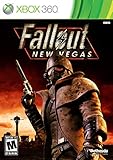
Fallout: New Vegas - Xbox 360 (Renewed) | $27.09 | Buy on Amazon |
| 2 |

|
Fallout: New Vegas - Playstation 3 (Renewed) | Buy on Amazon | |
| 3 |

|
Fallout: New Vegas - Xbox 360 Ultimate Edition | $141.66 | Buy on Amazon |
As an Amazon Associate I earn from qualifying purchases.
The project describes xNVSE as expanding scripting without modifying the executable files on disk. That means the extender itself is not a permanent patch to your game installation. It does not make every modded setup risk-free, however: other plugins, incorrect files, incompatible editions and antivirus software can still prevent the game from starting.
xNVSE is a loader installation, not a conventional Data-folder mod. That distinction explains most failed installations.
#1 Best Overall
- Not even nuclear fallout could slow the hustle of Sin City. Explore the vast expanses of the desert wastelands
- Feuding Factions, Colorful Characters and a Host of Hostiles
- Enjoy new additions to Fallout: Special melee combat moves have been added to bring new meaning to the phrase "up close and personal"
- With double the amount of weapons found in Fallout 3
- In a huge, open world with unlimited options you can see the sights, choose sides, or go it alone
Before you begin
Close Fallout: New Vegas and any launcher before copying files. Know which store supplied your copy, and make sure you can identify the folder containing both FalloutNV.exe and FalloutNVLauncher.exe. Have a .7z-capable archive utility ready. If the installation is already heavily modded, record the current mod list and keep a backup of your saves before replacing loader files or changing profiles.
Do not treat a mod manager’s virtual Data directory as the game’s physical installation directory. The loader must be available to the actual game executable, so this setup has one small manual step even when the rest of your mods are managed by MO2.
Check your edition before installing
The official xNVSE README identifies Steam and GOG releases as compatible. It excludes German No Gore, Xbox Game Pass and Bethesda.net editions. Epic Games Store users are directed to use the Epic Games Patcher workflow described by the project rather than assuming the standard Steam procedure will work.
What’s actually slowing this PC down?
Pick the symptom - the matching free tool is one click away.
| Fallout: New Vegas edition | Support status | What to do |
|---|---|---|
| Steam | Supported | Use the game directory containing FalloutNV.exe; launch with nvse_loader.exe or the documented Steam option. |
| GOG | Supported | Follow the current release documentation. The Nexus documentation specifically notes that the GOG setup also needs nvse_steam_loader.dll. |
| Epic Games Store | Use the Epic Games Patcher | Do not assume the ordinary Steam loader path applies. Check the current xNVSE instructions for the patcher and edition-specific files. |
| German No Gore | Unsupported in the README | xNVSE troubleshooting will not make this edition compatible. |
| Xbox Game Pass | Unsupported in the README | Use a supported PC release if you need xNVSE-based mods. |
| Bethesda.net | Unsupported in the README | The standard xNVSE installation is not intended for this edition. |
Edition support can change as the project evolves. Recheck the current README and release notes when you install a later version.
Download the correct xNVSE archive
- Open the xNVSE project’s official GitHub Releases page, not the repository’s source-code download.
- Choose the current release asset listed for users. At the time documented for this guide, the page listed xNVSE 6.4.9 and an archive named
nvse_6_4_9.7z; release numbers and filenames can change. - Save the archive somewhere you can inspect, such as your Downloads folder.
- Use an archive utility that can open
.7zfiles. Extract the archive to a temporary folder first so you can see the files before copying them.
Do not download GitHub’s automatically generated “Source code (zip)” or “Source code (tar.gz)” links for a normal player installation. Those contain project source material, not the ready-to-run loader files.
Reading the release notes before extracting is worthwhile. They can identify loader changes, edition-specific requirements and reported antivirus behavior. A filename from an old tutorial is not a substitute for the asset attached to the current release.
Install xNVSE in the Fallout: New Vegas folder
The destination is the game’s base directory: the folder where both FalloutNV.exe and FalloutNVLauncher.exe are visible. On a standard Steam installation, the README gives this usual path:
Free tools Windows power users keep installed
One-click scans. No signup required.
SteamsteamappscommonFallout New Vegas
Your Steam library may be on another drive, so use the actual location rather than copying this path blindly.
- In Steam, open your Library, right-click Fallout: New Vegas, choose Manage, then Browse local files. This opens the correct base directory for that installation.
- Alternatively, browse your GOG or Epic installation until you can see
FalloutNV.exeandFalloutNVLauncher.exe. - Open the extracted xNVSE archive. Copy the release’s root files and folders directly into the base directory.
- When Windows asks whether to merge folders or replace an older file from a previous xNVSE installation, keep the files from the newer release. Do not leave a second nested folder such as
Fallout New VegasxNVSEnvse_loader.exeunless the release documentation explicitly specifies that layout. - Verify that
nvse_loader.exeis alongsideFalloutNV.exe. If the loader is insideData, a Downloads subfolder or an extra extracted directory, the installation is in the wrong place.
Do not copy the loader’s root files into Data. Do not install xNVSE in Mod Organizer 2 as an ordinary mod. MO2 can manage mods that belong in the virtualized Data directory, but xNVSE’s loader must be available beside the game’s executable.
What should be in the destination?
The exact file set can change between releases, so use the archive’s own contents as the authority. The important placement test is not a particular number of files; it is that the release files are directly in the same physical directory as the two Fallout executables. If Windows shows an additional folder named after the archive, open it and copy the contents inside rather than copying only that outer folder.
Launch the game with NVSE active
Standard method: nvse_loader.exe
- Open the Fallout: New Vegas base directory.
- Double-click
nvse_loader.exe. - Let the game reach the main menu, then test an NVSE-dependent mod or use the verification method supplied by that mod.
Launching the normal game executable or launcher does not automatically prove that the extender loaded. Use the loader when diagnosing a setup.
PC Slower Than It Used to Be?
A free scan shows the junk files, broken settings and background clutter dragging Windows down - then fixes them in one click.Free scan · Windows 10 & 11Crashes, No Sound, or Screen Glitches?
Random freezes, missing sound and display glitches usually trace back to one bad driver. Find and replace yours safely.Free scan · under a minuteUsing the 4GB Patcher workflow
The project documents FalloutNV.exe as an alternative launch target after you have applied the FNV 4GB Patcher. This is a separate workflow: applying the patcher does not mean you should move xNVSE files into Data, and it does not make an unsupported game edition compatible.
Launching from Steam’s normal Play button
The README says the Steam Community option permits launching through Steam’s standard interface and is enabled by default. If you deliberately disabled that option or Steam does not hand off to the loader, launch nvse_loader.exe directly while testing. Restore the Steam option only after the direct loader works.
Choose the launch method deliberately
| Method | When to use it | First diagnostic question |
|---|---|---|
nvse_loader.exe |
Default installation and troubleshooting path | Is this file beside the correct FalloutNV.exe? |
FalloutNV.exe |
After applying the documented FNV 4GB Patcher | Was the patcher applied to this same game directory? |
| Steam Play button | When the Steam Community option is enabled | Does Steam launch the same installation whose files you checked? |
Testing one method at a time prevents a shortcut, mod manager or second game copy from hiding the real problem. Directly launching the loader is the clearest baseline.
Rank #2
- Feel the Heat in New Vegas: Not even nuclear fallout could slow the hustle of Sin City. Explore the vast expanses of the desert wastelands from the small towns dotting the Mojave Wasteland to the bright lights of the New Vegas strip
- Feuding Factions, Colorful Characters and a Host of Hostiles : A war is brewing between rival factions with consequences that will change the lives of all the inhabitants of New Vegas
- New Systems : Enjoy new additions to Fallout: Special melee combat moves have been added to bring new meaning to the phrase "up close and personal"
- An Arsenal of Shiny New Guns : With double the amount of weapons found in Fallout 3, you'll have more than enough new and exciting ways to deal with the threats of the wasteland and the locals
- Let it Ride : In a huge, open world with unlimited options you can see the sights, choose sides, or go it alone. Peacemaker or Hard Case, House Rules, or the Wild Card, it's all in how you play the game
How to verify that NVSE loaded
Verification should separate a loader problem from a mod problem.
- Confirm the loader file is in the same directory as
FalloutNV.exe. - Start through
nvse_loader.exe, not a desktop shortcut that points to the unmodified launcher. - Use an installed mod that explicitly requires NVSE and follow that mod’s own in-game verification instructions.
- If a required script command is reported as missing, treat that as evidence that the extender is not loaded, the wrong executable was started, the files are in the wrong directory, or the mod expects a different extender/version. Check those conditions before changing unrelated mods.
Do not infer success merely because the game reaches the title screen. A game can start normally while NVSE-dependent scripts remain unavailable. Conversely, a command error does not by itself identify whether the loader, the mod, or an edition mismatch is responsible; test each possibility in isolation.
Fix “NVSE not showing up” or “script command not found”
1. Check the destination folder
Close the game and inspect the folder containing FalloutNV.exe. The xNVSE loader and its release files must be there. A common mistake is extracting the archive into a folder named after the release and copying that folder, rather than copying the files inside it. Another is putting the files in Data because most New Vegas mods use that location.
2. Check how you launched the game
Start nvse_loader.exe directly. If you are using the 4GB Patcher workflow, use the patched FalloutNV.exe as documented by the project. Temporarily avoid launchers, custom shortcuts and mod-manager buttons that may point to a different copy of the game.
3. Check the edition
Steam and GOG are the editions named as compatible in the README. German No Gore, Xbox Game Pass and Bethesda.net are listed as unsupported. Epic users need the Epic Games Patcher path. No file-copy adjustment can overcome an edition that the project does not support.
4. Check the mod’s real dependency
A message about an unknown script command can come from a missing xNVSE installation, but it can also come from a mod that requires another plugin or a newer release. Read the mod’s requirements and test with only the extender and that mod enabled. Avoid adding several fixes at once; otherwise you will not know which change resolved the error.
5. Replace incomplete or stale files
If you previously installed an older NVSE build, remove obsolete loader files only when the current release documentation tells you to do so, then extract a fresh release into the correct directory. Do not mix files from multiple archives. Keep a backup of your saves before changing a heavily modded installation.
6. Check for a second game installation
If the files look correct but the command is still unavailable, compare the path opened from Steam or GOG with the path used by your shortcut. A second library, a copied game folder or a launcher configured for another installation can make a correct xNVSE installation appear absent. The loader and the executable you start must belong to the same folder.
Fix crashes after installing xNVSE
A crash immediately after installation does not prove that xNVSE caused it. The project’s first-line recommendation is to disable all other mods and see whether the crash remains.
The Tool Desk
Outbyte PC Repair FREEClear out junk files and repair common Windows errorsFree Scan →Outbyte Driver Updater FREEScan for outdated or missing drivers - takes under a minuteDriver Scan →- Exit the game and make a record of the current mod list and load order.
- Disable every other mod or start a clean profile, leaving only the base game and xNVSE.
- Launch through
nvse_loader.exeand test a new game or the main menu. - If the clean setup works, re-enable mods in small groups until the failing plugin or combination is identified.
- If the crash persists with all other mods disabled, reproduce it consistently and collect a crash log from a Crash Logger.
- Include the crash log, game edition, xNVSE release, launch method and a precise reproduction sequence in a GitHub issue. The project also lists its Discord server for support.
Keep the isolation result in your report: “crashes with only xNVSE enabled” is materially different from “crashes with 80 other plugins enabled.” Include whether the crash occurs before the menu, when loading a save or only after a particular mod is enabled. That context lets maintainers distinguish an installation failure from a plugin conflict.
When antivirus removes the loader
The official release notes report that antivirus software may delete nvse_loader.exe or nvse_steam_loader.dll. If a file vanishes after extraction or launch, first confirm that you downloaded the release from the project’s official page and that the archive and version are the ones you intended to use. Check your antivirus quarantine and its detection details.
The release notes mention temporarily disabling antivirus and, in some cases, using older versions of the files. Treat that as a troubleshooting measure, not proof that every warning is harmless. Do not disable security software before checking the source, and re-enable it immediately after any controlled test. If your security product offers an allow-list decision, make it only after you have verified the file’s origin and release.
If the loader disappears again, note exactly which file was removed and when. That detail belongs in a support report, along with the antivirus product and detection name. Never download a replacement DLL from an unrelated file-sharing site simply because the filename matches.
GOG-specific loader detail
The xNVSE documentation hosted on Nexus Mods states that the GOG version also requires nvse_steam_loader.dll. The README and the Nexus page may be updated at different times, so use the current release documentation when deciding which edition-specific files belong in the folder. If a GOG installation launches without NVSE commands, check that DLL before changing your mod list.
Rank #3
- Beyond the Wasteland: The world of New Vegas is more expansive than ever. Each new distinct area presents a fresh set of branching-quests, remarkable personalities and more chances to play the Savior or the Pariah to the natives of New Vegas.
- Dead Money: Lured into a trap masquerading as the Sierra Madre Casino, you are thrown into a high stakes game where you'll have to work with three other lost souls if you want to survive.
- Honest Hearts: An expedition into Utah's Zion National Park goes horribly wrong and you become embroiled in a war between tribes and put into a conflict between a New Canaanite missionary and the mysterious Burning Man.
- Old World Blues: Transported to the Big MT research crater, you are enlisted by the Think Tank to save them from their own science experiments that have gone horribly out of control.
- Lonesome Road: Ulysses, the original Courier Six, contacts you and promises to answer why he refused to deliver the Platinum Chip at the start of Fallout: New Vegas, but only if you make one last journey into the treacherous canyons of the Divide.
Keep the setup maintainable
Update deliberately
Release names change. Return to the official releases page when you update rather than relying on a filename copied from an old tutorial. Read the release notes for loader changes, compatibility notes and security reports, then replace the complete xNVSE file set together.
Separate the loader from managed mods
Keep a simple note of which files were copied into the base directory and let your mod manager handle ordinary Data-folder plugins. This makes it easier to remove or replace xNVSE without accidentally deleting unrelated mods.
Use a stable guide only as an optional foundation
The official releases page recommends Viva New Vegas for a stable broader mod setup. That guide is optional and is not a prerequisite for installing xNVSE. If you follow it, treat its version pinning and load-order instructions as a separate project from the loader installation described here.
Revert carefully
If you need to test an unmodded setup, disable or move only the xNVSE files identified by the current release documentation and keep your ordinary Data-folder mods separate. Do not delete shared game files or overwrite a working installation with files from an older archive without recording what changed. A clean comparison is useful only when you can restore the previous configuration.
Quick diagnostic checklist
- Is the game edition Steam or GOG, or are you following the Epic patcher instructions?
- Can you see
FalloutNV.exeandFalloutNVLauncher.exein the folder where you copied xNVSE? - Did you download a release asset rather than GitHub’s source-code archive?
- Are the loader files outside
Dataand outside an extra nested extraction folder? - Did you start
nvse_loader.exe, or use the documented 4GB Patcher launch method? - Did antivirus quarantine
nvse_loader.exeornvse_steam_loader.dll? - Does the problem remain with every other mod disabled?
- If it still crashes, do you have a Crash Logger report and the exact edition, release and reproduction steps?
What a correct installation looks like
When the installation is correct, the release files sit directly in the Fallout: New Vegas base directory, the game is started through the xNVSE loader (or the documented patched-executable workflow), and an NVSE-dependent mod can access its required script functions. If any one of those conditions is false, fix that condition before changing load order, reinstalling unrelated mods or blaming xNVSE for a crash.
Frequently Asked Questions
Where exactly do I install xNVSE?
Copy the extracted release files into the folder that contains both FalloutNV.exe and FalloutNVLauncher.exe. Do not put the loader in Data, Downloads or an extra nested archive folder.
Should xNVSE be installed through Mod Organizer 2?
No. The project describes this as a loader installation in the physical game directory, not a normal virtualized Data-folder mod.
Quick wins for a faster PC:
Repair Windows errors before they cause bigger problemsFix Now →Scan for outdated or missing drivers - takes under a minuteDriver Scan →Clear out junk files and repair common Windows errorsFree Scan →What is the safest way to start New Vegas after installing it?
Use nvse_loader.exe directly while testing. The documented alternatives are the patched FalloutNV.exe workflow after the FNV 4GB Patcher, or Steam’s standard interface when its Steam Community option is enabled.
Why does my NVSE-dependent mod report an unknown script command?
Check the destination folder, launch method, game edition and the mod’s stated requirements. Start with only xNVSE and that mod enabled so another plugin does not obscure the cause.
Does xNVSE work with every PC version of Fallout: New Vegas?
The README names Steam and GOG as compatible, directs Epic users to the Epic Games Patcher, and lists German No Gore, Xbox Game Pass and Bethesda.net editions as unsupported.
What should I do if antivirus deletes nvse_loader.exe?
Verify that the archive came from the official release page, inspect quarantine and detection details, and consult the current release note. The project mentions temporary antivirus disabling and older files as possible troubleshooting steps, but do not assume every alert is harmless.
Do these 3 things before closing this tab:
1Repair Windows errors before they cause bigger problems2Scan for outdated or missing drivers - takes under a minute3Clear out junk files and repair common Windows errorsHow do I troubleshoot a crash after installation?
Disable all other mods or use a clean profile, then test with only the base game and xNVSE. If the crash remains, reproduce it and attach a Crash Logger report with your edition, release, launch method and steps to a GitHub issue.
Is Viva New Vegas required for xNVSE?
No. The releases page recommends Viva New Vegas as an optional broader stability guide, but it is not required for the basic xNVSE installation.
The Bottom Line
Install the current release asset beside FalloutNV.exe, never in Data, and launch with nvse_loader.exe while verifying the setup. Confirm your edition first, check antivirus quarantine if files vanish, and isolate other mods before reporting a crash.
Quick Recap
Product prices and availability are accurate as of the date/time indicated and are subject to change. Any price and availability information displayed on Amazon at the time of purchase will apply.
Free tools Windows power users keep installed
One-click scans. No signup required.




