What’s actually slowing this PC down?
Pick the symptom - the matching free tool is one click away.
To get more time from an iQOO phone without losing useful alerts or services, start with screen settings, check which apps are actually using battery, and restrict background activity only for apps that do not need prompt updates. Use Battery Saver when its limits are acceptable, and keep the phone cool. Exact menu names and available controls vary by model, region and software version.
Start with the display
The screen is a practical place to cut avoidable use without switching off core phone functions. Google recommends lowering brightness or using adaptive brightness, and setting the screen to turn off sooner. Choose a brightness level that remains comfortable and a timeout that suits how you use the phone. Google’s Android battery guidance also lists Dark theme as an option that may reduce battery use on supported devices; it does not give a guaranteed saving.
| # | Preview | Product | Price | |
|---|---|---|---|---|
| 1 |
|
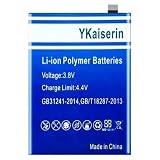
0 Cycle 5200mAh Phone Battery B-M8 | $23.22 | Buy on Amazon |
| 2 |
|
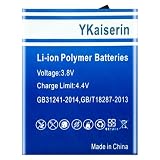
B-F9 4500mAh High-Durability Phone Battery | $28.47 | Buy on Amazon |
| 3 |
|
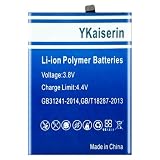
6500mAh BA09 High-Efficiency Phone Battery | $30.75 | Buy on Amazon |
| 4 |

|
Ultra-Power B-V0 5500mAh Phone Battery | $30.75 | Buy on Amazon |
| 5 |

|
4900mAh B-Q1 High-Efficiency Phone Battery | $33.03 | Buy on Amazon |
As an Amazon Associate I earn from qualifying purchases.
Try a lower or adaptive refresh rate if available
Some iQOO phones offer refresh-rate choices. A vivo phone manual says higher refresh rates use more power and generate more heat. If your phone has the control, try a lower or adaptive setting and see whether the difference in scrolling smoothness is acceptable. The menu and available choices are model- and software-specific; the manual does not establish one path or setting for every iQOO phone. vivo phone user manual
Windows Errors? Fix Them Before They Spread
Repair common Windows errors and clear accumulated junk for a smoother, more stable PC - no reinstall needed.Free scan · no reinstallCrashes, No Sound, or Screen Glitches?
Random freezes, missing sound and display glitches usually trace back to one bad driver. Find and replace yours safely.Free scan · under a minuteFind the drain before changing app permissions
Open your phone’s battery screen and look for apps with substantial use, especially background use. This helps distinguish an app that genuinely needs attention from one that is consuming power without providing a service you rely on. iQOO’s guidance notes that software running in the background consumes power. Its instructions describe a control for allowing or restricting background activity.
#1 Best Overall
- 【Compatible Models】 This replacement battery Replacement for VIVO IQOO Neo 3 Z1, Battery Model: B-M8. Confirm your device model matches before purchase.
- 【New Capacity】 5200mAh High capacity, brand new 0-cycle cell. Higher capacity than original battery for longer runtime.
- 【Easy Installation】 Exact fit as original battery. Beginners are recommended to watch replacement tutorials on YouTube before disassembly.
- 【Multi-Safety Protection】 Equipped with smart IC chip, the battery features safeguards against overcharging, overdischarging, overheating and short circuits for superior safety.
- 【Reliable Customer Care】 12-Month Return & Exchange, fast customer support.
Restrict only apps that can safely be delayed
Consider restricting an app you rarely use and do not expect to notify or sync promptly. Keep background access for apps whose purpose depends on timely activity, such as messaging, security, wearable, navigation or work apps. Change one app at a time; if an alert or sync stops arriving when expected, restore its background access.
iQOO community posts give example labels and paths including Settings > Battery > High background power consumption and “Background power consumption management.” These are not guaranteed labels for every build. If you cannot find the option, search Settings for “battery” or “background,” or use the battery screen to inspect app activity. iQOO’s battery tips and its background-power guide were published in 2022, so treat their menu directions as examples rather than a current universal walkthrough.
Rank #2
- 【Compatible Models】 This replacement battery Replacement for VIVO IQOO V1824BA V1824A 6G, Battery Model: B-F9. Confirm your device model matches before purchase.
- 【New Capacity】 4500mAh High capacity, brand new 0-cycle cell. Higher capacity than original battery for longer runtime.
- 【Easy Installation】 Exact fit as original battery. Beginners are recommended to watch replacement tutorials on YouTube before disassembly.
- 【Multi-Safety Protection】 Equipped with smart IC chip, the battery features safeguards against overcharging, overdischarging, overheating and short circuits for superior safety.
- 【Reliable Customer Care】 12-Month Return & Exchange, fast customer support.
Choose between selective controls and Battery Saver
App-by-app restrictions take more checking but let you preserve background activity for services that matter. Battery Saver is quicker to enable when you need the remaining charge to last, for example while travelling or late in the day, but it can limit or turn off background activity and delay some features, network connections and apps. iQOO’s community tips refer to Low power mode for times when the battery is low; the name and availability can vary. Google explains Battery Saver’s possible effects, so use it when those delays are an acceptable trade-off.
Reduce heavy-use conditions when runtime matters
Some activities draw more power simply because they keep the phone working hard or connected for long periods. Google’s examples include navigation, GPS use, streaming or watching video, graphics-heavy games, tethering, and calls while moving between activities. You do not need to disable useful services across the board: when you need more runtime, shorten a particularly demanding session or download content in advance if that fits your plans. Google’s guidance also warns that heat increases battery drain, even while the phone is idle, and that excessive heat can damage the battery.
Rank #3
- 【Compatible Models】 This replacement battery Replacement for VIVO iQOO Z8X, Battery Model: BA09. Confirm your device model matches before purchase.
- 【New Capacity】 6500mAh High capacity, brand new 0-cycle cell. Higher capacity than original battery for longer runtime.
- 【Easy Installation】 Exact fit as original battery. Beginners are recommended to watch replacement tutorials on YouTube before disassembly.
- 【Multi-Safety Protection】 Equipped with smart IC chip, the battery features safeguards against overcharging, overdischarging, overheating and short circuits for superior safety.
- 【Reliable Customer Care】 12-Month Return & Exchange, fast customer support.
Keep the phone cool and use a compatible charger
Avoid leaving the phone in hot conditions, since heat can increase drain even when it is not in active use. Google advises using the charger supplied with the phone and contacting the manufacturer for compatibility guidance. The available guidance does not establish that a faster or third-party charger will improve everyday runtime. Google Android Help
Update and troubleshoot persistent drain
Keep the phone’s system software and apps updated. An iQOO Connect Official post recommends system updates as a battery-maintenance step, but an update is not a guaranteed fix. If unusual drain continues, Google recommends restarting the phone and checking for Android and app updates; contact the manufacturer if the problem persists. A factory reset is not a first-line battery tip: it erases data, so it requires a backup. iQOO battery tips · Google troubleshooting guidance
Rank #4
- 【Compatible Models】 This replacement battery Replacement for VIVO IQOO Z6 5G V1963A, Battery Model: B-V0. Confirm your device model matches before purchase.
- 【New Capacity】 5500mAh High capacity, brand new 0-cycle cell. Higher capacity than original battery for longer runtime.
- 【Easy Installation】 Exact fit as original battery. Beginners are recommended to watch replacement tutorials on YouTube before disassembly.
- 【Multi-Safety Protection】 Equipped with smart IC chip, the battery features safeguards against overcharging, overdischarging, overheating and short circuits for superior safety.
- 【Reliable Customer Care】 12-Month Return & Exchange, fast customer support.
What to expect from these changes
These adjustments are ways to reduce avoidable consumption, not a promise of a particular increase in screen time or battery health. The sources cited here do not provide a controlled runtime gain for any setting. The right balance depends on whether you value smoother motion and immediate background updates more than the extra runtime a lower refresh rate or selective restriction may provide.
Do these 3 things before closing this tab:
1Fix the driver behind crashes, sound loss and screen glitches2Clear out junk files and repair common Windows errors3Scan for outdated or missing drivers - takes under a minuteQuick Recap
Best Value
- 【Compatible Models】 This replacement battery Replacement for VIVO iQOO Z3 V2073A, Battery Model: B-Q1. Confirm your device model matches before purchase.
- 【New Capacity】 4900mAh High capacity, brand new 0-cycle cell. Higher capacity than original battery for longer runtime.
- 【Easy Installation】 Exact fit as original battery. Beginners are recommended to watch replacement tutorials on YouTube before disassembly.
- 【Multi-Safety Protection】 Equipped with smart IC chip, the battery features safeguards against overcharging, overdischarging, overheating and short circuits for superior safety.
- 【Reliable Customer Care】 12-Month Return & Exchange, fast customer support.
Product prices and availability are accurate as of the date/time indicated and are subject to change. Any price and availability information displayed on Amazon at the time of purchase will apply.




