Recommended Free Tools
Humanize an AI-generated draft by editing for meaning first and style second: state what you intend to say, check every claim, restore missing qualifications, and only then revise the voice. Don’t add invented experiences or rely on an AI detector to prove who wrote the text. A human should verify and take responsibility for the final version.
Start with what you mean
Before changing wording, write the passage’s intended point in one plain sentence. Then identify the claims, evidence, examples, and caveats needed to make that point accurately. This gives you a standard for revision: a sentence belongs only if it supports the point and you can stand behind it.


As an Amazon Associate I earn from qualifying purchases.
Revise the draft without changing its claim
- Compare each sentence with your intended point. Remove unsupported claims and restore limits or conditions the draft left out. If the draft turns a possibility into a certainty, or a narrow observation into a broad conclusion, correct the claim rather than merely softening its wording.
- Keep only examples you can honestly support. Add relevant details, judgments, or examples from your own knowledge or sources. Don’t invent a personal anecdote or experience to make the writing sound more human.
- Check factual details. Verify names, dates, quotations, figures, and other claims against reliable sources. Fluent prose is not evidence of accuracy; UNESCO advises users to approach the accuracy and validity of AI-generated content critically. UNESCO’s 2023 guidance discusses this responsibility in the education context.
- Edit for voice and clarity. Once the content is sound, read the passage aloud. Replace stock transitions, repeated phrasing, or awkward sentences when they obscure your point. Prefer clear wording over cosmetic changes made simply to make the text seem less machine-written.
- Check the rules for where you will publish. Review any applicable authorship and disclosure requirements before submitting or publishing. Keep a human reviewer accountable for the final text.
Why detector scores do not prove authorship
An AI detector’s result should not be treated as proof that a person or a model wrote a particular passage. OpenAI says ChatGPT cannot reliably tell whether it generated a given text and may make up an answer when asked. OpenAI’s guidance cautions against using the chatbot as an authorship test.
The error figures sometimes cited online concern a discontinued tool, not every current detector. In 2023, OpenAI reported that its former classifier correctly marked 26% of AI-written text as “likely AI-written” on its English challenge set and incorrectly labeled 9% of human-written text as AI-written. It said performance was particularly poor on texts under 1,000 characters, described the classifier as unreliable, and discontinued it on July 20, 2023. These results are specific to that classifier and evaluation; they are not current, market-wide error rates. OpenAI’s announcement explains the evaluation and its limits.
#1 Best Overall

- 120 JOURNAL PROMPTS, 6 CATEGORIES: Goals & Growth, Work & Career, Love & Relationships, Getting Comfortable Being Uncomfortable, Self-Reflection, and Living Your Best Life — 20 cards per topic.
- NO BLANK PAGE PROBLEM: Every prompt is written to get your pen moving immediately — pick a card, follow the prompt, and let your thoughts do the rest.
- BEGINNER TO SEASONED JOURNALER: Gentle enough for first-timers, thought-provoking enough for experienced writers. Use 2-3 times a week for best results.
- COMPACT AND PORTABLE: Sturdy box, 100 x 70 x 50mm — fits in a bag, sits on a bedside table, goes wherever you go. Durable cardstock cards.
- MAKES A THOUGHTFUL GIFT: Beautifully illustrated, colour-coded by category, suitable for anyone seeking personal growth, self-reflection, or a creative outlet.
For educational settings, OpenAI also warns that detectors are not reliable enough for consequential decisions and describes false labeling of human-written work. UNESCO’s 2023 guidance likewise says there is little evidence that labeling and detection tools are effective in education. Those cautions do not establish that all detectors perform identically, but they do show why a score alone is not a sound basis for deciding authorship. See OpenAI’s educator guidance and UNESCO’s guidance.
Disclose AI assistance according to the applicable rules
Disclosure requirements depend on the publisher, school, workplace, and jurisdiction. OpenAI’s sharing and publication policy sets out expectations for content published in part with its API: attribute the content to the publisher, clearly disclose the AI’s role, and have a human take ultimate responsibility. Its example describes AI drafting followed by human review, editing, and revision. That is OpenAI’s policy for its stated use case, not a universal legal rule. Check the requirements that apply to your own work. Read OpenAI’s sharing and publication policy.
Rank #2
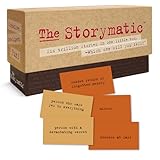
- Tons of Writing Prompts: A go-to writing and teaching tool used by writers, performers, artists, and creative people around the world; These 540 cards can help with writer’s block and can get your creative juices flowing; Great gift for writers
- How to Use: The basics are super easy: combine character cards with complication cards and follow your imagination into a story; Includes a booklet with prompts, suggestions, and non-competitive storytelling games; Great gift for teachers
- Kickstart Your Creativity with Storytelling Cards: Warm up your brain, tap your imagination, spark your creative thinking; Help writer’s block; Liven up classrooms, homeschool, remote learning; Explore the story prompts by yourself or in a group
- Creative Gift for Writers: Plus teachers, students, songwriters, aspiring novelists, storytellers, improv clubs, families, teens, artists, and anyone who likes stories; A creative housewarming gift and icebreaker; Bring it to game night; Ages 12+
- Creative Inspiration: The Storymatic Classic offers engaging writing prompts and games designed to spark imagination and creativity; Made in the USA
What provenance signals can—and cannot—show
Provenance tools can add context about how some content was created or handled, but no single signal is perfect. OpenAI’s 2026 EU AI Act guidance describes Content Credentials, C2PA conformance, SynthID watermarking for images and audio, and verification tools as parts of its provenance approach. It also cautions that signals may be removed or may not survive editing or platform changes. These image and audio signals should not be treated as authentication for ordinary edited text. OpenAI’s 2026 guidance describes the approach and its limits.
Do these 3 things before closing this tab:
1Fix the driver behind crashes, sound loss and screen glitches2Repair Windows errors before they cause bigger problems3Scan for outdated or missing drivers - takes under a minuteQuick Recap
Rank #4

- CURATED COLLECTION OF CREATIVE WRITING PROMPTS - Words Are Hard is a dazzling deck of thought-provoking writing prompts designed to get your brain moving. Explore every corner of your imagination with 150 story prompts spanning 8 genres, including fantasy, science fiction, historical fiction, romance, horror, children’s, mystery, and adventure.
- UNLOCK YOUR CREATIVITY - Embrace the power of story cards to hone your creative skills and awaken the storyteller within you. Every shuffle sparks a new story, a fresh idea, and a burst of imaginative energy! These creative writing cards make it easy to overcome the first and hardest obstacle of writing: getting started.
- EASY-TO-USE STORYTELLING CARDS - Ready to get the creative juices flowing? Simply choose a prompt and start writing. Let your mind roam and your ideas flow freely onto paper or your Freewrite screen. Allow the story prompts to lead you in unexpected directions as you push boundaries and discover new ways to use your narrative skills.
- IDEAL GIFT FOR WRITERS - This writing prompt box will deliver inspiration for years to come, making it one of the best gifts for writers. Each card is a work of art featuring stunning genre illustrations. A beautiful matte black case with gold foil accents and a custom embossed wooden stand complete this set.
- FIND YOUR FLOW WITH FREEWRITE - Freewrite distraction-free drafting devices and accessories are adored by writers worldwide for unlocking more prolific writing sessions. The Words Are Hard creative writing cards provide a fantastic way to jumpstart your creativity, reignite your passion, and achieve your literary goals.
Rank #3
Product prices and availability are accurate as of the date/time indicated and are subject to change. Any price and availability information displayed on Amazon at the time of purchase will apply.




