What’s actually slowing this PC down?
Pick the symptom - the matching free tool is one click away.
If your OnePlus phone’s battery is draining very fast, start at Settings > Battery and inspect battery usage details. Find the app or process using more power than its role and your recent activity would explain, then check its background settings before changing phone-wide features. Menu names and controls vary by model, region and OxygenOS version.
Find what is using the battery
- Open Settings > Battery. Review the battery usage details and look for an app or process whose consumption seems out of proportion to how you used the phone. OnePlus manuals describe this view, but its labels and reporting period differ between software generations and models.
- Check the period shown. A high-use item may reflect recent heavy activity rather than a persistent problem. Consider what you were doing during the period, such as streaming, navigation or gaming, before treating an app as the cause.
- Use any available power-saving diagnosis. The OxygenOS 14 manual describes a “Save power” action for detecting consumption issues. If your phone shows it, follow the on-screen guidance; other models may use different labels or not offer the same action.
OnePlus’s support portal provides manuals and software-upgrade information if you need instructions for your exact device.
As an Amazon Associate I earn from qualifying purchases.
Check apps with unusually high use
For an app that stands out, open its battery management or optimization options and review whether it is allowed to run in the background. OnePlus manuals describe automatic optimization for apps that use excessive power in the background, though the control and wording vary.
- Restrict background activity only for apps where delayed updates or alerts would not cause a problem.
- Background restrictions can affect how an app works and may delay notifications. Avoid applying the strictest restriction to every app, especially messaging, calling, security or work apps you rely on.
- If the app’s use is expected for what you did, such as navigation during a long trip, changing its settings may not address the real cause.
Review phone settings that can affect runtime
Power saving
Power saving or Battery Saver is an optional way to extend use when you need more time before charging. OnePlus says it can turn off some features or restrict apps, so some behavior may be limited while it is active. It can help manage runtime, but it does not by itself identify why the battery is draining.
#1 Best Overall
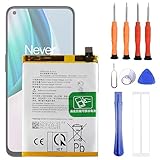
- 1. Applicable Models:Compatible with OnePlus 1+ Nord N10 5G BE2029 BE2025 BE2026 BE2028 ,Please carefully check your mobile phone model before purchasing to avoid purchasing the wrong model and damaging your product
- 2. Product Parameters: Battery Model:BLP815,Capacity parameter:4300mAh / 16.64Wh,4.45V,Please use a charger that is compatible with the battery or the original charger that came with the phone to extend the battery life
- 3.Excellent Performance: Features A+ grade battery cells, ensuring more than 900 charging cycles. Multi-layer protection design ensures safe use for users and devices, with a built-in microchip that prevents overcharging, over-discharging, and overheating.
- 4. Maintenance Instructions: Before using the battery for the first time, please fully discharge it three times and then charge it once to achieve optimal performance. Please note that optimal performance and service life can only be achieved after completing 3 to 5 full charge and discharge cycles.
- 5.After-sales service: If you have any questions after receiving the product, please contact us immediately. We will provide you with a solution, which will resolve your issue more efficiently. Thank you for contacting us
High performance mode
Check whether High performance mode is enabled. OnePlus manuals state that it uses extra power. If you do not need sustained high performance, turning it off is a reasonable reversible check. The setting may not be available on every model or software version.
Sleep standby optimization
On supported phones, Sleep standby optimization can put the phone into a lower-power state while it is asleep. OnePlus notes that this can reduce the frequency of push notifications. Enable it only if that trade-off suits you.
Rank #2

- 【More Capacity】 Model battery:BLP813,4890mAh large capacity .Larger capacity and longer life.This battery prolongs the phone service time, you can use the high capacity battery directly without bothering about running out of power and shut down some apps all the time.
- 【Easy Installation】It is easy to replace old battery with brandnew battery. Please turn off your phone prior to replacement, carefully disconnect your old battery and then connect your new battery to the mainboard, please ensure battery is connected to cellphone well,easily install, no need to worry about the installation is too complicated.
- 【Compatible model】 OnePlus Nord N100 BE2013, BE2015 & OnePlus Nord N200 5G; Guarantee compatibility and give your phone a new lease of life. Please check your phone model carefully before buying.
- 【Useful Reminder】It is recommended to fully drain and fully charge the battery especially during the first 3 charging and discharging cycles, doing so may greatly improve the overall life of the battery.
- 【Great Service】24 hours‘ friendly customer service. Please contact the our support team for the first time if you are not satisfied with this item. We will spare no effort to help you,Only to provide you with better service.
Optimized charging
Optimized charging adapts charging to usage habits to help slow battery aging. It is not a direct fix for power being consumed by an active app. Its name and availability vary by device.
Free tools Windows power users keep installed
One-click scans. No signup required.
Consider updates without assuming they are the cause
If the drain started after a software update, note when it began and check Settings or the OnePlus support portal for an applicable update for your model and region. Reports of post-update drain do not establish a universal cause or a guaranteed recovery period. Do not rely on leaving the phone connected after it reaches 100% as a proven fix.
Rank #3

- 【More Capacity】 Model battery:BLP699,3880mAh large capacity .Larger capacity and longer life.This battery prolongs the phone service time, you can use the high capacity battery directly without bothering about running out of power and shut down some apps all the time.
- 【Easy Installation】It is easy to replace old battery with brandnew battery. Please turn off your phone prior to replacement, carefully disconnect your old battery and then connect your new battery to the mainboard, please ensure battery is connected to cellphone well,easily install, no need to worry about the installation is too complicated.
- 【Compatible model】OnePlus 7 pro;Guarantee compatibility and give your phone a new lease of life. Please check your phone model carefully before buying.
- 【Safe & Efficient】The battery guarantees high-speed and efficient charging, multiple protection, safer operation of the user and the device, and built-in microchip to prevent overcharge, overdischarge and overheating. You can use it with confidence.
- 【Great Service】24 hours‘ friendly customer service. Please contact the our support team for the first time if you are not satisfied with this item. We will spare no effort to help you,Only to provide you with better service.
Check battery capacity and contact OnePlus if needed
Some OnePlus phones show maximum battery capacity in a battery-health screen. On the OnePlus Open, the manual describes this as an estimate compared with the battery when new; a lower estimate means less time between charges. Not every model exposes this reading, and OnePlus manuals cited here do not establish one replacement threshold for all phones.
If unusual drain continues after the app and settings checks, or your phone reports notably reduced capacity, contact OnePlus support for model- and region-specific guidance. The support portal offers manuals, software information and support routes; service options depend on your location.
Rank #4
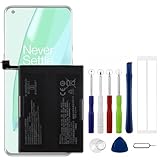
- Compatible Model No.:OnePlus 9 Pro 5G 1+9 Pro 5G LE2127 LE2123 LE2121 LE2125 LE2120,Capacity:2250mAh,Voltage:7.74V. Make sure your device is suitable for this replacement battery before ordering.
- Our battery is 100%, tested premium quality 100%, specially used Class A battery cells with UL,CE and RoHS certification. Each battery has a battery that has been tested under strict quality control standards and offers you a charge of up to 526+ cycles with fast and efficient charging.
- The battery comes with high quality repair tools and 3M adhesive tapes, no installation guide, a professional technician is recommended if you do not know how to replace it yourself.
- If as the product you received is broken, crashed or dented, please do not install it in your phone, contact us first and we will help you solve the problem immediately.
- Installation videos could be found on the internet like YouTube.
Why the exact model and OxygenOS version matter
OnePlus manuals document similar battery controls across several generations, but that does not mean every phone has the same screen, feature or menu path. For exact instructions, identify your phone model and OxygenOS version in Settings > About device, then use the matching manual or ask support. Include those details when seeking help so the guidance fits your device.
Quick wins for a faster PC:
Repair Windows errors before they cause bigger problemsFix Now →Scan for outdated or missing drivers - takes under a minuteDriver Scan →Quick Recap
Best Value

- 【Precise Compatibility, Perfect Fit】Please confirm your device model before placing an order. This product is a replacement battery for the [BLP821] model, specifically designed for the [One-Plus 9 1+9 LE2113 LE2117] model, ensuring a perfect fit with the original device and restoring your phone's vitality.
- 【Long-lasting Battery Life, Say Goodbye to Power Anxiety】We understand your need for long-lasting power. Each battery is made with high-quality cells and undergoes rigorous aging tests and performance screenings, offering higher energy density than ordinary batteries. This means longer talk, gaming, and video time, significantly reducing daily charging frequency, allowing you to use your device freely without worries.
- 【Easy Installation, Learn at a Glance】 Even beginners can handle it! We have prepared a complete set of simple repair tools for you. There’s no need to search everywhere for installation guides—just search for related videos on platforms like YouTube, and you’ll find plenty of clear tutorials to easily complete the installation.
- 【Built-in Multiple Safety Protections】Safety is our top priority. The battery is equipped with an advanced smart protection chip, offering multiple circuit protections such as overcharge, over-discharge, short circuit, and overheating. This not only effectively prevents potential risks but also intelligently optimizes the charging process, greatly extending the battery's lifespan and ensuring worry-free use.
- 【Worry-free After-sales and Professional Support】Your satisfaction is our highest pursuit. If you encounter any problems during installation or use, please feel free to contact us. We promise to provide professional and efficient responses and solutions within 24 hours, ensuring you have a pleasant shopping experience.
Product prices and availability are accurate as of the date/time indicated and are subject to change. Any price and availability information displayed on Amazon at the time of purchase will apply.




