Outdated Drivers Are Slowing You Down
One free scan finds every outdated or missing driver and matches the right update for your exact hardware.Free scan · exact hardware matchWindows Errors? Fix Them Before They Spread
Repair common Windows errors and clear accumulated junk for a smoother, more stable PC - no reinstall needed.Free scan · no reinstallStart with the launcher Bethesda supplies, not a hand-built DOSBox command. Bethesda’s Windows package of The Elder Scrolls: Arena is a DOS game bundled with DOSBox, and the package includes separate batch files for fullscreen and windowed play. Bethesda says its default DOSBox configuration works with the majority of hardware setups, so most fixes are small: use the right launcher, adjust a display or speed setting, or undo a change that made things worse.
This guide is organized by symptom. It also separates two kinds of advice that are easy to confuse: current DOSBox 0.74-3 behavior, and the original DOS-era instructions in Arena’s manual and reference card. The DOS-era figures are historical. They are not modern Windows requirements.
As an Amazon Associate I earn from qualifying purchases.
How Bethesda’s Windows package is meant to start
According to Bethesda’s support pages, the Windows installation provides two DOSBox batch files, one for fullscreen and one for windowed play, plus Start menu shortcuts when possible. The documented default locations are:
What’s actually slowing this PC down?
Pick the symptom - the matching free tool is one click away.
C:Program Files (x86)Bethesda SoftworksArenaArena (Full Screen).batC:Program Files (x86)Bethesda SoftworksArenaArena (Windowed).bat
If you installed elsewhere, look in that folder instead. Bethesda describes DOSBox as a third-party program supplied to run the MS-DOS game. Its support pages answer whether DOSBox must be configured before running Arena (the default configuration is meant to work as-is) and point to DOSBox documentation for emulator-specific help.
#1 Best Overall
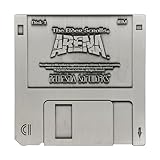
- ELDER SCROLLS FANDOM: The game that started it all, Elder Scrolls Arena was first released on 3½-inch floppy disk back in 1994, and we’re celebrating it with this limited edition floppy disk replica.
- DIMENSIONS: Measures 88x88mm.
- LIMITED EDITION: Individually numbered as one of 5,000 on the reverse and finished in antique nickel, the replica comes with a display stand to proudly show off your retro fandom!
- GREAT GIFT IDEA: Add this replica to your personal collection or gift it to the Skyrim fan in your life!
Quick map: symptom, likely area, where the fix lives
| Symptom | Try first | Applies to |
|---|---|---|
| Nothing starts | Run the bundled launcher or Start menu shortcut; read the DOSBox status window | Bethesda Windows package, DOSBox |
| Fullscreen too large or wrong | Alt+Enter; high-DPI override; fullresolution, output, aspect |
DOSBox 0.74-3 |
| Too slow or too fast | Ctrl+F11 / Ctrl+F12 to change cycles; lower in-game Detail | DOSBox 0.74-3; Arena’s own settings |
| Sound trouble or lockups | Set Sound FX and Music to “No Sound” as a test | Arena’s in-game configuration (DOS-era) |
| “Not enough EMS” or low memory | Understand it as an original-DOS message | Original DOS environment |
Arena will not launch
- Close any half-started DOSBox window, then run Arena (Windowed).bat from the install folder, or its Start menu shortcut. Windowed mode is the simplest test because it removes fullscreen scaling from the equation.
- Try Arena (Full Screen).bat. If one works and the other does not, the problem is display-related, so go to the next section.
- If both fail, read the DOSBox status window. The DOSBox manual recommends checking it for messages and errors, and any error text there is more useful than guessing.
- Confirm the files are where you think they are. A moved or partly deleted install folder will break the batch files.
The available evidence doesn’t point to a single cause for a total launch failure, and Bethesda’s support pages cover the Windows package with bundled DOSBox. They don’t give a version-by-version guarantee for Windows 11, macOS, Linux, or other storefront editions of the game. If you run a different package, treat its own documentation as the authority.
Fullscreen is oversized or visually wrong
In DOSBox 0.74-3, Alt+Enter toggles between windowed and fullscreen. Try that first. If fullscreen still looks wrong, the DOSBox manual points to three configuration-file options: fullresolution, output and aspect.
Rank #2

- 1st-person RPG with open-ended game play and short challenges
- Latest chapter in the epic and highly successful Elder Scrolls saga
- Create and play any character imaginable from noble warrior to wizened sorcerer
- Revolutionary AI; 1,000+ realistic non-player characters; unprecedented visuals
- All-new combat and magic system creates high-level of intensity
The Windows high-DPI case
The manual documents a Windows 10 case in which display scaling above 100% combines with DOSBox’s own scaling and makes the picture too large. Its workaround:
Free tools Windows power users keep installed
One-click scans. No signup required.
- Right-click the DOSBox executable and choose Properties.
- Open the Compatibility tab and choose Change high DPI settings.
- Enable the override for high-DPI scaling behavior and set it to Application.
The manual warns this can have side effects in windowed mode. If so, adjust windowresolution. These are DOSBox 0.74-3 instructions. They don’t prove that every Arena package uses the same executable or configuration file, so check which DOSBox your launcher actually calls.
Rank #3

- ENTER THE WORLD OF SKYRIM: Experience the legendary open-world RPG as a tabletop adventure, exploring Tamriel through branching quests, iconic factions, and rich Elder Scrolls lore.
- COOPERATIVE OR SOLO PLAY: Designed for 1–4 players, allowing you to adventure solo or team up to face dragons, uncover conspiracies, and shape the fate of Skyrim together.
- OPEN-ENDED QUEST SYSTEM: Choose how you approach each mission—diplomacy, stealth, or combat—as your decisions permanently impact the story and the world around you.
- DEEP CHARACTER PROGRESSION: Build unique heroes with evolving skills, gear, and abilities inspired by the video game’s iconic progression systems.
- HIGH REPLAYABILITY: Modular scenarios, multiple quest paths, and varied character builds ensure every campaign feels fresh and every journey through Skyrim is different.
Arena runs too slowly or too quickly
DOSBox emulates a CPU at a set number of cycles per millisecond, and that setting governs application speed.
- Ctrl+F12 increases cycles.
- Ctrl+F11 decreases cycles.
The manual warns that setting cycles too high can reduce performance, and that cycles=max can make a game run too fast or become unstable. If a change makes Arena erratic, undo it or lower the cycles. In the 0.74-3 configuration file, the cycles setting controls fixed, automatic, or maximum behavior.
Rank #4

- UPGRADE YOUR GAMEPLAY: Replace standard health chips with Premium Health for a more immersive experience in The Elder Scrolls: Betrayal of the Second Era. These upgraded chips offer a satisfying feel and weight, enhancing every move.
- RESOUNDING DURABILITY: Matching the weight of unit chips, Premium Health offers a solid foundation for your Elder Scrolls gameplay. Enjoy stacking up those chips with this premium component upgrade!
- STABLE CHIP STACKS: Say goodbye to wobbly stacks! The extra weight keeps your health right where you want it—firmly secured to your adventurer.
- PERFECT FOR TACTILE PLAYERS: Enjoy the satisfying feel of high-quality components in your hands? Premium Health will take you there! These chips are heavy, smooth, and stable.
- FROM AWARD-WINNING CREATORS: At Chip Theory Games, we’re known for engaging designs and peerless production. Making memorable tabletop experiences is core to who we are, and we guarantee there are hours of fun waiting for you!
Arena’s original reference card also suggests lowering the game’s Detail setting for slow play. That in-game option is safe to use on any setup. The card’s mention of SmartDrive belongs to its DOS context and isn’t a Windows tweak.
Quick wins for a faster PC:
Clear out junk files and repair common Windows errorsFree Scan →Fix the driver behind crashes, sound loss and screen glitchesFind Drivers →Repair Windows errors before they cause bigger problemsFix Now →Sound problems or lockups
Arena’s manual says Sound FX and Music drivers are set through the game’s Configure Game option. The shipped default is no sound, and the manual records the historical hardware values of base I/O address 220 hex, IRQ 7 and DMA 1. It warns that incorrect settings may cause problems.
Best Value

- Package Dimensions: 4.7 cms (L) x 23.0 cms (W) x 29.2 cms (H)
- Package Quantity: 1
- Product Type: Games
- Country Of Origin: China
The reference card’s diagnostic still makes sense: set both Sound FX and Music to No Sound. If the lockups stop, the cause was sound configuration. Those IRQ, DMA and I/O numbers describe DOS-era sound hardware. Don’t treat them as modern Windows audio settings, and don’t copy them into the host system.
“Not enough EMS,” low memory, or frequent lockups
These messages come from the original DOS environment. The reference card says Arena needs 603K of conventional memory (Bethesda Softworks; the archived card gives no year). It describes checking free conventional memory from a DOS prompt and configuring EMS through EMM386. It links frequent lockups to low conventional memory and sound conflicts.
That is a requirement of the DOS-era game environment. It doesn’t mean Windows must have 603K free, and a current PC does not need EMM386. If you see such a message under DOSBox, treat it as a sign that the launcher or configuration isn’t the one Bethesda supplied. Go back to the bundled launchers before editing anything.
What is and isn’t established about compatibility
The DOSBox compatibility list has Arena entries for several DOSBox versions, and the results are not identical. One record shows Arena as runnable on DOSBox 0.74-3, with differing records for other versions. These are community entries, not a Bethesda test matrix, and the percentages on them are individual ratings, not an overall success rate. No current benchmark or failure rate for Arena exists in the sources reviewed.
In practice, that means the bundled DOSBox 0.74-3 route is the best-documented path. If you swap in a newer DOSBox or a third-party build, you are outside what Bethesda documents.
Quick Recap
Product prices and availability are accurate as of the date/time indicated and are subject to change. Any price and availability information displayed on Amazon at the time of purchase will apply.




