Do these 3 things before closing this tab:
1Clear out junk files and repair common Windows errors2Fix the driver behind crashes, sound loss and screen glitches3Repair Windows errors before they cause bigger problemsCompare screenshots of the menu against an approved baseline at the mobile widths and interaction states that matter to your site. Capture both closed and open states, keep the browser environment consistent, and review each difference before accepting it as a new baseline.
What a mobile-menu visual test should cover
A visual comparison checks whether a rendered page differs from a previously approved screenshot. For a mobile menu, the result is meaningful only if you capture the relevant responsive layout and the actual states a visitor sees.
As an Amazon Associate I earn from qualifying purchases.
- Responsive widths: include a narrow phone viewport and any additional width where your navigation changes form. Use your site’s breakpoints rather than assuming one width represents every mobile layout.
- Closed state: capture the page before opening the menu, including the menu button and surrounding header.
- Open state: click or otherwise operate the real menu button, then capture the rendered panel. This checks the interaction’s visible result, not just a hand-constructed version of the open layout.
There is no universal set of viewport widths for every site. Choose widths that exercise your own responsive behavior, and use the same dimensions for the reference and later comparisons.
Quick wins for a faster PC:
Scan for outdated or missing drivers - takes under a minuteDriver Scan →Clear out junk files and repair common Windows errorsFree Scan →Fix the driver behind crashes, sound loss and screen glitchesFind Drivers →Create a reliable screenshot baseline
- Choose a representative page and test data. Use a page where the mobile navigation appears and keep its content deterministic where practical. Avoid capturing transient states such as an animation in progress.
- Set the viewport. Record the width and height for each viewport you intend to test, including any width at which the navigation changes layout.
- Capture the closed menu. Load the page in the intended browser environment and save a screenshot with the menu closed.
- Capture the open menu. Operate the actual menu control, wait until the panel is stable, and save a separate screenshot.
- Review and approve each reference. Inspect the screenshots before treating them as baselines. A baseline preserves an approved rendering; it does not prove that the design or behavior is correct.
Compare changes after an update
After a code or content change, rerun the same captures with the same viewport sizes, menu states, browser version, and host setup. Compare each result to its corresponding approved reference. A diff points to a visual change, not necessarily a defect: decide whether it is an intended design change or an unintended shift before updating the baseline.
#1 Best Overall

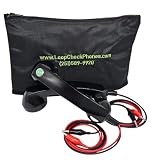
- telephone cable tester with On/Off and hangup buttons.FSK/DTMF dual system Caller ID.
- telephone wire cable testing FSK/DTMF dual system Caller ID.
- Easy for the lineman to check your telephone line fault.
- Come with Three type of line plug,easily connect to the phone line.
- This set offers Last number redial, On/Off and hangup buttons, so the lineman can check your telephone line fault.
Pay particular attention to changed position or size, color, overlay coverage, clipping, and text wrapping. If the change is intentional, inspect it and then update only the affected reference screenshots. If it is not intentional, fix the page or test setup and rerun the comparison rather than approving the difference merely to make the test pass.
Choose a comparison workflow
For a small local test suite, Playwright Test provides a built-in screenshot comparison workflow. Hosted services may suit teams that need a review workflow or a broader configured viewport matrix. Compare options against your existing test setup, required browser and viewport coverage, diff controls, CI integration, and usage model; no one option is best for every project.
Rank #2

- OEM
- Attachments with storage pouch
- SUPER bright LED light
- Internal Battery included
- Tool bag included
| Tool | Documented workflow | Useful considerations |
|---|---|---|
| ScreenshotNeo | Website screenshot API and MCP server; one GET request can return a screenshot or PDF. | Use when you want API-based capture rather than setting up a browser test locally. It is not a replacement for an approved-baseline comparison workflow described here. |
| Playwright Test | toHaveScreenshot() creates reference screenshots on first execution and compares later runs; snapshots can be updated. |
Local workflow with baseline storage and review. Keep the browser and host environment stable. |
| Chromatic with Playwright | Playwright-driven snapshots, responsive viewport testing, configurable diff sensitivity, and CI integration; snapshots can vary by browser, viewport, theme, and other configured dimensions. | Consider when you need hosted review or a configurable viewport and browser matrix. |
| BrowserStack Percy | Responsive visual tests can cover mobile, tablet, and desktop widths. | Each responsive width counts as a separate screenshot against monthly usage; account for that when deciding coverage. |
| Applitools | Vendor documentation describes breakpoint capture, framework integrations including Playwright, and multi-viewport responsive checks. | Assess the framework fit, desired breakpoint and browser coverage, and hosted-service requirements. These capabilities are described by the vendor. |
For implementation details, consult Playwright’s visual comparisons documentation, Chromatic’s Playwright guide and snapshot documentation, Percy’s responsive testing guide, and Applitools’ responsive design testing page.
Keep comparisons stable and useful
- Control the rendering environment. Playwright notes: “Browser rendering can vary based on the host OS, version, settings, hardware, power source (battery vs. power adapter), headless mode, and other factors.” Keep those conditions consistent between baseline and comparison runs where possible.
- Use stable page state. Keep test data consistent and wait for the menu to finish opening before capture. General test-design practice favors avoiding transient states; the cited tool documentation does not quantify their effect specifically for mobile menus.
- Set comparison sensitivity deliberately. Chromatic documents configurable sensitivity, but do not assume different tools use the same comparison algorithm or settings.
- Separate visual and functional checks. A screenshot does not establish that the menu opens and closes correctly, its links work, or keyboard interaction is sound. Test those behaviors separately.
Troubleshoot common false alarms
The comparison flags many differences without a code change
Check whether the operating system, browser version, browser settings, hardware, power source, or headless mode changed. Restore the baseline environment if possible, then rerun the same capture.
Rank #3
- OEM
- SUPER bright LED light
- Internal Battery included
- Heavy-duty tool bag
- SUPER loud and clear sound quality
The open-menu screenshot shows the closed state
Make sure the test operates the real menu button and waits for the open panel to become stable before taking the screenshot. Confirm that the expected open-state reference is paired with the open-state result.
The screenshot cuts off the panel or wraps text differently
Verify the exact viewport dimensions and use a width that represents the responsive breakpoint under test. Check the panel’s position, available space, and text content before deciding whether the difference is a regression.
Rank #4

- OEM
- Internal Battery
- SUPER bright LED light
- SUPER loud and clear sound quality
- Heavy-duty phone tool bag
A visual diff appears after a deliberate redesign
Review the affected regions against the intended change. Once approved, update the relevant baseline; do not use a baseline update as a substitute for reviewing the difference.
Or skip the browser setup
For a capture without configuring a browser test locally, ScreenshotNeo accepts a URL and returns an image or PDF. Its API can also be used alongside a separate baseline-comparison step; the request below captures a page but does not itself compare it with an approved reference. See the ScreenshotNeo API documentation for request options.
Quick Recap
Best Value
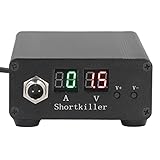
- CIRCUIT TEST TOOL: This power supply short circuit detection is mainly for capacitor-resistor power supply and component short circuit, used to quickly check the cell phone and computer motherboard circuit of the power supply circuit short circuit components. Help determine the location of the repair and improve the efficiency of maintenance.
- OVERLOAD PROTECTION: Our automotive circuit tester tool cell phone short circuit detector with overheating, overcurrent, overvoltage protection, voice prompts, positive and negative identification to prevent circuit overload and burnout, when the current exceeds 30A, this power circuit probe will automatically to protect the device and extend the service life.
- REAL-TIME DISPLAY & QUICK DETECTION: Computer motherboard short-circuit detector is suitable for detecting various short circuits, real-time display of current and voltage, can detect short-circuit seconds to repair, for a variety of cell phones, computers, short-circuit fault detection.
- DETECTOR: This short circuit detector is made of aluminum alloy material with anodized for effective and resistance, rugged.
- 1
curl -G "https://api.screenshotneo.com/v1/shot"
  -d access_key=YOUR_API_KEY
  --data-urlencode url=https://example.com
  -o mobile-menu.webp
Set the viewport and interact with the menu according to your capture workflow; keep distinct captures for closed and open states. ScreenshotNeo accepts and removes known cookie-consent banners, newsletter popups, and chat widgets before capture, with each step configurable. Bot checks, blank pages, failed loads, timeouts, and cache hits are not billed, and response headers indicate the page verdict and billing status. Its MCP server provides take_screenshot, get_page_info, and capture_pdf tools for AI agents. The free plan includes 1,000 screenshots per month without a card; paid plans start at $5 for 3,000 shots. Sign up for ScreenshotNeo’s free plan.
Product prices and availability are accurate as of the date/time indicated and are subject to change. Any price and availability information displayed on Amazon at the time of purchase will apply.




