Design for the farthest seat, not the monitor on your desk. A projected interface or slide is ready only when its text, controls, colors, and key visuals remain clear on the actual screen, in the room’s expected lighting.
Start with the person farthest from the screen
Projection changes the viewing conditions: text that looks crisp up close can become hard to distinguish across a room. Use a simple sans serif typeface with consistent strokes. Avoid thin or decorative fonts, excessive italics, and all-caps text. Make the primary action, labels, chart details, and diagrams large enough to be understood from the back of the room, and leave whitespace between related groups.
As an Amazon Associate I earn from qualifying purchases.
Published font sizes are useful starting points, not guarantees. Microsoft and the American Psychological Association (APA) cite 18 pt or larger as presentation guidance. For materials intended to be projected, University of Florida IFAS Extension recommends titles of 28–48 pt, body text of 24–32 pt, and subheadings of at least 20 pt; it calls 20 pt the absolute minimum for text projected to a large audience. The more demanding projection-specific guidance is a sensible starting point for room-scale use, but the needed size still depends on viewing distance, display, and conditions.
Recommended Free Tools
Keep each screen focused
Show what the audience needs at that moment, rather than turning a slide or screen into a document. W3C Web Accessibility Initiative (WAI) notes that many people find it difficult to read text while listening to a speaker. Move supporting detail to speaker notes or a separate handout, and use short bullets or sentences where text is needed. APA recommends no more than six lines of text per slide; treat that as a useful convention, not a universal limit for every interface.
#1 Best Overall

- Short Throw WXGA Projector: Experience crisp visuals with WXGA (1280x800p) resolution and a 0.5 throw ratio; ideal for projecting large, clear images in classrooms or small meeting rooms without shadows
- Clear Performance in Ambient Light: Deliver punchy images with 4,000 ANSI lumens that hold up against moderate ambient lighting; ensuring presentations stay visible and detailed during daytime sessions
- Vibrant and Cinematic Colors: Enjoy stunningly beautiful images powered by proprietary SuperColor technology; providing a wide color gamut for lifelike visuals in educational or professional settings
- Big Images in Tight Spaces: Transform small rooms with screen sizes up to 150 inches; conveniently projecting a massive 100-inch image from just 4.5 feet away to maximize limited floor space
- Easy Setup and Image Adjustment: Achieve a perfectly squared display with vertical auto-keystone correction and digital zoom; ensuring a stress-free setup for mobile presenters or permanent installs
For slides, APA’s 2026 presenter guidance recommends a widescreen 16:9 format. Whatever format you choose, keep essential content clear of the edges: some projectors crop them. Use concise chart labels and make diagrams understandable without requiring the audience to inspect small details.
Choose contrast for the room, not a universal theme
There is no single light or dark palette that works best in every venue. UF/IFAS recommends white or yellow lettering on a dark background, or black lettering on a white or light background. It cautions against red text, especially on dark backgrounds, and against projected colors that are too similar, such as red and dark green. W3C WAI notes that dark text on a light background may be suitable in a light room. These are options to test, not a substitute for testing.
Rank #2
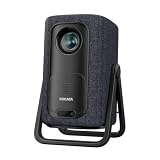
- 【1.1:1 Short Throw Ratio – Big Screen in Small Spaces】 Get a massive 100-inch image from just 2.44m (8 ft) away. Unlike long-throw mini projectors, this short throw portable projector fits apartments, dorms, or cozy bedrooms without rearranging furniture. True 1.1:1 ratio means you can place it on a coffee table or bookshelf and still enjoy giant, immersive visuals. Ideal for patios, balconies, or any tight space where you thought a big screen was impossible.
Colors that look distinct on a monitor may shift or lose clarity on a projection surface. Microsoft Support advises: “Check all colors on a projection screen before giving the actual presentation.” Test candidate themes on the real screen in the lighting expected during the event, and assess whether labels and controls remain distinct at a distance.
Never make color the only way to communicate meaning. Pair color-coded states with text labels, shapes, patterns, or other cues. Add meaningful alternative text to visuals, briefly describing their intent and important content, and do not make an image the sole carrier of essential text.
Rank #3
![[4500 ANSI/Built in Apps/65W Audio] Outdoor 4K-Projector with WiFi and Bluetooth 5.4, Auto Focus Smart Projector Support DoIby Audio, Upgrade GO2 Short Throw Projector with 360°Stand](https://m.media-amazon.com/images/I/41WlmVV28sL._SL160_.jpg)
- 4500 ANSI Highest Brightness & Sturdy 360° Rotatable Stand---With upgrade LED lamp built in, the GO2 outdoor projector offers 100% brighter images than other smart projectors. It offers bright, vibrant and clear images even with some light on(not suitable for full light bright room). Perfect for rooms with little light or outdoor night movie. Plus, it comes with a exclusive 360° rotatable stand, offering ultimate flexibility—easily project onto ceilings, walls, or any surface from any angle. Redefine your space with brilliant, big-screen projection anywhere you desire. P.S: Brighter projectors will cause louder fan noise
- Built in Apps and Unparalleled Inner 65W Stereo DoIby Audio---The projector 4k with wifi and bluetooth is pre-installed apps like NetfIix, YouTube and prime video. No need to connect extra devices to watch these apps. Powered by an advanced built-in chip, it ensures smooth and seamless performance across all apps, no lag and slowdowns. Moreover, experience cinema-grade audio with our 65W DoIby-supported stereo speakers. Featuring deep bass and crystal-clear highs, it delivers room-filling sound—perfect for movie nights, parties, or outdoor gatherings. The inner sound ranks No.1 among USD 1000 outdoor 4k projectors. No need to connect with external speakers
- 1:1 Short Throw Ratio and 50000:1 Contrast Ratio and Giant Display Size---The GO2 projector for bedroom offers a 100" image from just 8 feet—30% closer than other home projectors (others require 10.8 ft). With same projection distance, the image size is 30% larger than others. Small rooms can enjoy big screens too. Contrast is the difference between the darkest part of the image and the brightest. 50,000:1 contrast ratio delivers deeper blacks and brighter whites—no washed-out images, just lifelike clarity. Moreover, the projector 4k+ offers 50" to 500" image(4-25 ft distance)—the largest scalable display in its class. (Recommended: 100" for optimal viewing)
- Native 1080P, MEMC and HDR10---GO2 movie projector adopted 0.47’’ DMD chip, which provides 2 times sharper and more detailed image compared to other native 1080P projectors with 0.33’’ chip. Every Frame in Stunning Detail. The MEMC function ensures smoother motion, reduced blur, and enhanced clarity for fast-moving content. With HDR 10, dark areas are deeper without losing detail, enhanced with advanced image processing, every scene comes alive with breathtaking clarity. Our proprietary image processing transforms your living room into a IMAX-level cinema, with image quality that rivals commercial theaters
- Smart AI Auto Focus & Auto Keystone Correction& Auto Screen Fit &Auto Obstacle Avoidance---Say goodbye to time-consuming manual adjustments! This proyector delivers a crisp, perfectly aligned image within just 3 seconds when we move it to a new place. The exclusive auto obstacle avoidance function detects and works around obstacles automatically and never let furniture or decor ruin your viewing experience. More, the intelligent screen alignment instantly adapts to your screen’s boundaries, keeping images perfectly framed. P.S: Please make sure the function is enabled before starting
Check accessibility beyond the projected image
Some people will not be able to see the screen clearly, or may access the material in another way. Use a logical structure and meaningful headings in the source document, and provide an accessible copy before the activity. Where available, use the authoring software’s accessibility checker. PowerPoint includes accessibility features such as templates, contrast checking, and alt-text support; these can help, but the finished material still needs review.
Independent reader supportYour contribution helps us test, update, and keep practical guides available for everyone.Validate the setup before presenting
Visibility depends on the projector or display, screen, room lighting, room size, seating, resolution, and projected colors. The Australian Disability Gateway recommends checking visibility in the lighting that will actually be used and considering the room and seating arrangement. Plan around the farthest seat rather than assuming a successful monitor preview proves legibility.
Rank #4
![Portable Smart Projector [Bundled with Google TV Stick 14.0 & 4K Support & Dolby] with WiFi and Bluetooth HDR10,Ceiling Mini Movie Short Throw Projector Outdoor Auto Focus for Home Theater Bedroom](https://m.media-amazon.com/images/I/51NiI6zAPpL._SL160_.jpg)
- [Google TV 14.0 | 10,000+ Apps | Sports & Live TV | Voice Control] This 2026 smart mini projector with WiFi and Bluetooth features the latest Android 14.0 system, giving you direct access to 10,000+ apps—Netflix, YouTube, Prime Video, Disney+, Sling TV, Hulu + Live TV, YouTube TV, and more—all on one easy home screen, no TV stick needed. With 1+32GB storage for smooth performance, it offers personalized recommendations and a unified entertainment hub. Use the voice remote with built-in Google Assistant to watch live channels—ESPN, Fox Sports, CNN, NBC, etc.—perfect for live events. This Google TV projector transforms any room into a personal theater.
- [Native 1080P with 4K Support | Ultra Short Throw] This 4K projector features native 1080P resolution with 4K decoding support — it reads 4K content and displays it at 1080P, delivering vibrant colors, deep contrast, and sharp details. With a 0.8:1 ratio, this ultra short throw projector delivers 60" at 3.5 ft / 80" at 4.6 ft / 100" at 5.9 ft, and up to 120" from just 6.9 ft — ideal for small spaces. For best clarity, keep it closer to the screen; larger distances may soften image quality. HDR10 enhances brightness and color accuracy, bringing every scene to life with cinema-quality clarity. Whether you're watching movies or gaming, proyector 4k transforms any room into a personal theater.
- [AI Auto-Setup: Focus | Keystone | Obstacle Avoidance | Screen Fit] No more manual adjustments. This projector for bedroom features an advanced AI auto-setup system that delivers a perfectly rectangular, crystal-clear image within seconds of power-on. Auto focus, keystone correction, obstacle avoidance, and intelligent screen alignment work together for a flawless picture every time—whether you place this portable projector outdoor on a nightstand, shelf, or at an angle. Zoom-out allows flexible screen sizing. 【Pro tip】If kept in a fixed spot, turn off Auto Focus & Auto Four-Corner Correction. Manually adjust once, and this movie projector will remember—no need to readjust next power-on.
- [WiFi 6 | Bluetooth 5.3 | Multi-Device Screen Mirroring] Equipped with next-generation WiFi 6 technology, this bluetooth projector ensures buffer-free streaming and lag-free gaming, even for 4K content. Bluetooth 5.3 enables seamless connectivity for headphones, speakers, or mobile devices. This phone projector supports screen mirroring from iOS, Android, laptops, and more—cast movies, photos, or presentations instantly to the big screen. HDMI ARC/CEC and USB ports offer versatile connections for soundbars, gaming consoles, or Fire TV Stick, making this tv projector the central hub of your home entertainment setup.
- [Ultra-Compact & Built-in Rotatable Stand] Weighing just 2.6 lbs (1.2 kg) and as compact as an iPad Mini, this small projector is designed for true mobility—perfect for travel, RV trips, dorm rooms, or backyard movie nights. The built-in rotatable stand allows flexible projection onto walls, ceilings, or even attic spaces. Whether you're lying in bed, camping under the stars, or hosting a party, this mini projector for iphone delivers big-screen entertainment anywhere you go.
- Confirm the venue: Ask about the screen or display, room lighting, room size, and seating. Identify the farthest viewing position.
- Match display resolution: Set the computer and projector or display to compatible resolutions. Microsoft warns that a mismatch can crop slides or cause display problems.
- Test the complete material: Show the full UI or deck on the actual projection surface under expected lighting. Check text, controls, contrast, color distinctions, diagram detail, and whether the edges are cropped.
- Make corrections from the room: Increase text or visual size, simplify crowded screens, strengthen contrast, or move content away from the edges as needed. Recheck the changes from a distant seat.
- Prepare the delivery: Check cables, files, software versions, and equipment in advance. Microsoft recommends arriving early to verify the equipment. Provide accessible copies before the activity.
Use the room test as the final design decision
When choosing between layouts or themes, compare how well each works from the farthest seat, under venue lighting, and after the projector’s color and resolution effects. Also consider how much information competes for attention and whether meaning remains available without color or sight of the projection. A room test is the practical way to decide among otherwise plausible designs.
Free tools Windows power users keep installed
One-click scans. No signup required.
Quick Recap
Product prices and availability are accurate as of the date/time indicated and are subject to change. Any price and availability information displayed on Amazon at the time of purchase will apply.




