Do these 3 things before closing this tab:
1Repair Windows errors before they cause bigger problems2Scan for outdated or missing drivers - takes under a minute3Clear out junk files and repair common Windows errorsCreate the background as a separate image, then upload it to your video-call app and check it in the app’s preview before a meeting. You can generate a scene from a prompt or customize a ready-made template; the right image size and upload steps depend on the platform.
Choose an AI-generated image or a template
An AI image generator gives you control over the scene through a written prompt. A customizable template is a quicker starting point when you want to adjust an existing layout. Canva describes both template customization and prompt-based AI image creation for virtual backgrounds: Canva’s guide to creating a Zoom virtual background.
As an Amazon Associate I earn from qualifying purchases.
| Approach | Useful when | What to check |
|---|---|---|
| Generate an image from a prompt | You want to specify the room style, lighting, camera angle, and composition. | Inspect the result for distorted objects, unwanted lettering, or details that compete with your face. Regenerate or edit if needed. |
| Customize a template | You want a ready-made layout to adapt rather than composing a scene from scratch. | Check that the template leaves clear space where your head and shoulders will appear, and export at the target platform’s recommended dimensions. |
Neither route guarantees a better-looking result; the tools you choose may differ in availability and terms. In either case, create or customize the image first, then add it to the meeting app.
Plan a believable home-office scene
Choose a restrained room that fits the setting: perhaps a bright office, a calm bookshelf wall, or a simple desk with a plant. For a natural webcam effect, use a straight-on view at camera height, soft and even light, and a plausible room perspective. Keep the area behind your head and shoulders relatively uncluttered so the scene does not compete with you. These are composition suggestions, not platform requirements.
#1 Best Overall

- Size: 7x5ft (WxH) . Only one backdrop is included. No backdrop stands or grommets or pole pocket added on the backdrop.
- Material: Upgraded Polyester Fabric. High-resolution digital print with eye-catching details and lifelike colors.Non-reflective and do not fade. BELECO Office Bookcase Backdrop is Soft,Durable,Reusable,Seamless,and Easy-carrying. Can be Ironed and Washed to remove the wrinkles.
- Wide Application: This white bookshelf photography backdrop can be used for online class, online teaching decor, graduation decor banner ,teachers students portrait photoshoot; BELECO office bookcase backdrops can be also applied as video Recording, zoom meeting, video conferencing backdrop, web background, etc. Moreover, BELECO fabric bookshelf backdrops can be used as tapestry for wall decor.
- 【Customization】: Pictures, sizes, adding words or logo, grommets or pole pocket , round backdrops, or heavier fabric material etc. For Customization, please feel free to send Amazon message directly.
- Service: Your satisfaction is our sole purpose! Please do not hesitate if you have any questions about our backdrops.JUST contact us first,you will get a reply within a short time.
Reusable prompt
Create a realistic, professional home-office background for a video call, viewed straight on from webcam height. Show a tidy desk, a few understated books and plants, warm neutral colors, soft daylight, and a softly detailed room. Leave clear, uncluttered space in the center where a seated person’s head and shoulders will appear. No people, no text, no logos, no screen-within-screen, no dramatic perspective, 16:9 landscape composition.
Keep the camera angle and open central space consistent as you try different styles, such as modern, warm, minimal, or creative. Generated images can contain misshapen objects or stray lettering. Zoom in and inspect the full image before using it; do not assume the first result is ready to upload.
Rank #2
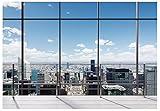
- We are proud to present the spectacular Window Backdrop, measuring an impressive 7X5 feet (2.1X1.5 metres)!
- COLOUR: We are proud to say that our office backdrops are meticulously inkjet printed using high resolution images and state-of-the-art digital production equipment. For best results, we recommend taking photos at a distance to make modern office backdrops look realistic!
- Hey, I totally get it - we all need that little something extra to make our meetings, office walls, video calls, virtual meetings and Zoom calls really pop! That's where the backgrounds come in. They're made of ultra-thin vinyl, so they're very lightweight and easy to install. Plus, they're high quality, so they'll look great in any environment. You don't have to worry about any unpleasant odours either - they're completely odourless!
- How are the colours? Each backdrop is printed using high-resolution images and state-of-the-art digital production equipment, so you can rest assured that you're buying the best quality product. Remember to keep a little distance when taking photos to bring the zoom home office backdrop to life!
- Fantastic Podcast Backdrop This incredible backdrop has many uses! You can use it as a bookshelf backdrop for all kinds of parties, weddings, festivals, library backdrops, room decorations, birthdays, restaurants, hotels, commercial building bookshelf backdrops, shopping malls, pubs, concerts, halls and more! You can hang it on walls, windows, doors, floors, ceilings, lawns, Christmas trees, and much more.
Export to the dimensions your platform recommends
There is no single image specification that applies to every video-call app. Follow the target platform’s guidance and confirm its current requirements before exporting.
Free tools Windows power users keep installed
One-click scans. No signup required.
| Platform | Image guidance | Upload availability described by the platform |
|---|---|---|
| Zoom | JPG/JPEG or PNG; 16:9; at least 1280 × 720 pixels, according to Zoom’s virtual background help page. | Zoom documents selecting or uploading an image in the desktop app. |
| Microsoft Teams | 16:9 at 1920 × 1080 pixels or higher if possible, according to Microsoft’s Teams background guidance. | Microsoft describes custom uploaded backgrounds in the PC and Mac applications. |
These are recommendations for the named platforms, not a guarantee that every image or device will behave identically. If you use another app, check its own help page for supported formats, dimensions, and upload options.
Rank #3

- 【Size】: 7x5FT / 2.1m x 1.5m / 82 inch x 59 inch.BELECO Office Backdrop is customizable. If you want to add logo,change design or size, please feel free to contact BELECO customer service..
- 【Material】: Upgraded Polyester Fabric. BELECO Fabric Office Backdrop is very soft, durable, and reusable. Can be ironed and washed.
- 【Apply】: Holiday and Party photography decorations, Birthday backdrop, Wedding background, Newborn Children photo shoot, Selfie shoot, photo booth props, Interior and Outdoor Photography, video backdrops, festival displays. It can be also used as tapestry, table cloth, wallpaper or room wall decoration, etc.
- 【Features】: High-resolution digital print with eye-catching details and lifelike colors. Non-reflective and non-fading.
- 【Service】: Support personalized customization! If you have any questions about our beautiful backdrops, JUST contact us first, you will get a satisfactory reply within a short time.
Upload the image and preview it before the call
Zoom desktop app
- Sign in to the Zoom desktop app.
- Open Settings, then Video & Effects.
- Select a preloaded background or upload your image using the background controls.
- Preview the result in your normal camera framing. Zoom also documents changing the background during a meeting through the video controls.
Labels and options can vary by app version or account settings. For the current upload guidance, see Zoom’s virtual background help page. Canva’s guide also recommends previewing an AI-generated background before joining so you can correct problems: Canva’s virtual-background guide.
Microsoft Teams
Use the background controls in the Teams PC or Mac application to choose or upload a custom background, following Microsoft’s current instructions: Change your background in Microsoft Teams meetings. The exact controls can depend on the app and account. Teams says it uses the device camera and AI to isolate the speaker from the physical background and apply the new setting; results therefore depend on the platform and device.
Rank #4

- 【Size&Color】:7x5ft/(84in x 60in).High-resolution digital print with eye-catching details and Vivid colors.
- 【Material】:This backdrop is made of Economical Polyester. This fabric is softer, durable, reusable and easy to carry and can be folded won't easy to get wrinkles. Can be ironed on non - graphic surface at low temperature.To avoid tearing, the backdrop edges are hand-stitched.
- 【Package】1 background. This product does not have a top pocket and does not include a stand or clips.
- 【Occasions】:The backdrop can be used for party decorations such as birthdays, Baby showers, holidays, retirements, bridal showers, graduations, etc. It can also be used for interior decoration such as tapestries, wallpaper, tablecloths, etc. And It can also be used as a prop for photography.
- 【Warm tips】:We can provide custom design service, send your custom informatins by Amazon Message10-20 days in advance.(Size,context,the part you want to change,ect)
What to inspect in the preview
- Look for jagged or flickering edges around hair, shoulders, and hands.
- Check whether the room appears tilted, floating, or at odds with your camera angle.
- Make sure the background is not so detailed or bright that it draws attention away from your face.
- Look for accidental text, logos, or objects generated in an unintended shape.
- Check the image under the lighting and camera framing you will use in the meeting.
Fix distracting edges and other common problems
| What you see | Likely cause | What to try |
|---|---|---|
| Hair or shoulders disappear, flicker, or have rough edges. | The app is struggling to separate you from the physical room. | Improve the lighting and try a simple, solid-color physical backdrop. A green screen can help with segmentation, but it is optional and does not guarantee clean edges. |
| Your outline blends into the virtual scene. | Your clothing may be close in color to a physical backdrop, or the foreground and background lack contrast. | If you use a solid-color backdrop, wear a contrasting color and preview again. Avoid clothing close to the backdrop color. |
| The scene looks distorted or contains odd lettering. | The generated image may have artifacts. | Edit or regenerate the image, then inspect it at full size and preview it again in the call app. |
| The background option or AI-generation setting is unavailable. | Feature availability may depend on the app, account, device, or administrator settings. | Check the platform’s help page and ask your organization’s administrator whether the feature is enabled. Zoom says virtual backgrounds must be enabled for its AI-generated background setting to be enabled; an administrator can control availability. See Zoom’s virtual background documentation and Zoom’s AI-generated background settings guidance. |
Or let it run in the cloud
If you also want uploaded videos to run as a 24/7 YouTube live stream, that is a separate task from creating a video-call background. StreamNeo keeps a YouTube channel live from uploaded videos: upload a recording or build a playlist, add your YouTube stream key, and go live. The cloud continues streaming without a computer or home connection left on.
- One flat price per slot for any uploaded quality up to 4K 60fps, with no re-encode or quality tiers.
- Automatic recovery if YouTube drops the stream.
- The first day is free, with no card required; one free day per account.
- Monthly billing is $9.99 per month.
See StreamNeo for service details, then start your free day.
Quick Recap
Best Value

- 【Size】:7(W) x 5(H)ft, 210 cm x 150 cm,Horizontal Landscape
- 【Material】: Upgraded polyester. Washable, ironed, and non-fading. Easy carry and can be folded when stored. Without Splice,seamless and non-reflective.
- 【Color】: Computer painted. Use high-end digital technology to restore the design details, it makes the color more vivid and attractive.
- 【Apply】: Newborn, Children, Graduation, Weddings, Holiday, Birthday, Party, Festival, Youtube Videos, and any major event or decoration etc. It can also be used as wall decor, tapestry.
- 【Service】: We provide customized service of size and picture, if you have any need, please feel free to contact us. Customers first! If you have any questions about our backdrops, contact us and we will reply as soon as possible.
Product prices and availability are accurate as of the date/time indicated and are subject to change. Any price and availability information displayed on Amazon at the time of purchase will apply.




