What’s actually slowing this PC down?
Pick the symptom - the matching free tool is one click away.
You can get an editable customer feedback form draft from a plain-language prompt in a few minutes, using several current AI form and survey builders. The draft is a starting point, not a finished questionnaire. Before you publish, you need to check each question, the answer types, the required fields, and the respondent-facing sequence yourself. The vendors describe generation and editing as features. None of the pages reviewed show that a generated form is automatically accurate, unbiased, or methodologically validated.
What an AI-generated feedback form does and does not give you
An AI form builder turns a description of what you want into a set of questions, usually with a title, a question list, and answer types such as rating scales, multiple choice, or open text. Several services that describe this workflow market it for customer feedback in particular. The vendor pages reviewed for this article describe generation, then editing or previewing, then sharing. They do not describe a generated form as validated or tested for response quality.


As an Amazon Associate I earn from qualifying purchases.
Treat the output the way you would treat a first draft from a colleague. It saves you the blank-page step. It does not decide what you need to learn, whether your wording is neutral, or whether your respondents will understand the questions. Those decisions stay with you.
Step 1: Define the experience and the goal before you prompt
The prompt works better when it names three things: the experience the respondent is evaluating, what your team plans to do with the answers, and who the respondent is. This is an editorial recommendation rather than a formula any vendor has validated, but it prevents the most common problem with generated drafts, which is a generic survey that could apply to any business.
#1 Best Overall
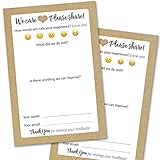
- IMPROVE CUSTOMER SATISFACTION - Filling out a comment card will reinforce positive feelings in guests, while also helping them feel heard if they have any concerns or suggestions. Plus, you’ll be able to correspond and keep in touch with customers directly, building brand loyalty and customer retention!
- REFLECT YOUR QUALITY - Customers will love that you went the extra mile to request their feedback! Reflect your care with these sturdy, stylish cards. Professional yet friendly, the streamlined format makes the cards easy and quick to fill out.
- PREMIUM CARDSTOCK - Made with thick 4x6” card stock, each card is easy to write on with any kind of pen. They make a much better impression than cheap looking flimsy paper forms!
- BULK VALUE PACK - Our bulk comment box forms are an easy, fun way to engage with customers. Whether you run a vacation rental, restaurant, B&B or other service based business, it's those little touches that really make a lasting positive impression!
- GET USEFUL FEEDBACK - You may be surprised at how helpful and encouraging the comments are! Guests may have some great ideas for how to make your business even more successful. Be sure to save those glowing comments to read anytime you feel down and need a little encouragement!
- Name the experience. For example: “a recent support chat,” “a delivery of our meal kit,” or “the onboarding call for new software accounts.”
- Name the decision. For example: “we will use the answers to decide which help-center articles to rewrite this quarter.”
- Name the respondent. For example: “customers who completed a purchase in the last 14 days.” The time window is an example; choose one that matches your own contact process.
Step 2: Ask for a short draft, not a long survey
Short forms tend to be easier to finish, and a generator will happily add more questions than you need. Ask for a single overall rating, one or two focused follow-up questions, and an optional open-text field. The vendor examples below show the pattern that appears most often in the pages reviewed.
FormBuilder shows this prompt as an example: “Create a customer satisfaction survey with a rating scale, open comments, and an NPS question…” forms.wtf shows a related one: “Build a customer feedback survey. Ask how they heard about us, an overall star rating, what we could improve, and their email for follow-up.” Both are examples written by the vendors, not independent advice on how to word a survey. Use them as models for structure, and rewrite the questions in your own customers’ language.
Rank #2

- Made in USA - Proudly produced in Ohio by a Veteran-owned business
- THIS IS A SMALL BUSINESS ESSENTIAL: BookFactory Client Record Book is a great tool to help keep track of your clients, terms of service, and an overview, and small notes section of services provided.
- FOR USE IN CLEANING, SALONS, LANDSCAPING, ETC: Keep track of clients, how often you are doing work, their personal information and schedule and cost of services. You can also mark if they’ve paid and date and time of each service plus a small section for notes. This would be a great tool to add to any tracking system you have in place.
- DURABLE TRANSLUX COVER GREAT FOR TRAVEL: Our unique cover is a semi-rigid transparent cover that leads to a sturdy book that resists stains and wrinkles. Regardless of your field of expertise, this 6” x 9” book is small enough to travel and won’t rip or tear in your bag.
- Reorder SKU: BUS-100-69CW-PP(Client-Record)
Step 3: Review every generated question
This is the step that decides whether the form is usable. Go through the draft once per question and check the following:
- Clarity. Could a customer who has never seen your product understand the question without asking someone?
- Relevance. Does the question lead to an action your team would actually take? Remove questions that only satisfy curiosity.
- Answerability. Can the respondent answer honestly from memory? “Rate your entire experience with our company over the past year” usually fails this test.
- Neutral wording. Does the question assume a positive or negative answer? Rewrite leading phrases such as “How much did you love…”
- Answer type. Confirm that the rating scale, multiple-choice options, and open-text fields match what you intend to analyze.
- Required fields. Decide which questions must be answered. Making everything required is a common cause of abandoned forms; the vendor descriptions reviewed mention required-field and validation controls, but they do not say what default setting a generated draft receives.
- Branching or logic. If a follow-up should appear only after a low rating, check that the logic exists and points where you expect. The vendor pages describe logic controls as available features; they do not establish that generated drafts include logic automatically.
Edit the question text, delete items, and reorder them before you move on. Keep a record of what you changed. If the form will be reused, that record explains why the wording looks the way it does.
A starting draft you can adapt
The following structure follows the examples shown by FormBuilder and forms.wtf. It is a starting draft, not a validated instrument, and it should be adjusted to your product and audience.
- Introduction line: “Thanks for choosing us. Tell us how your recent order went.”
- Product or service: A dropdown or short text field listing the item the respondent is rating.
- Overall satisfaction: A 5-point rating from “Very dissatisfied” to “Very satisfied.”
- Improvement suggestion: “What is one thing we could do better?” (open text, optional)
- Follow-up contact: An email field labeled “Optional: leave your email if you would like us to follow up.” Keep it optional and explain why you are asking.
Step 4: Preview the respondent experience and publish
Preview the form on a phone and on a desktop browser before you share it. Check the order of questions, the wording of the button, the thank-you message, and whether required fields behave as you intended. Then select a sharing option. forms.wtf describes publishing and sharing features, and Questionful describes public links and embeds. Both categories of feature can depend on the plan you choose and on setup steps the vendor controls, so confirm the current requirements on the vendor’s own pages before you rely on them.
Step 5: Plan for the responses before you collect them
A feedback form is only useful if the answers reach a place where someone reads them. Before publishing, decide where responses will go and who owns them. Vendor examples mention analytics, summaries, and integrations, but these differ by service and plan. Confirm whether the service offers:
The Tool Desk
Outbyte Driver Updater FREEFix the driver behind crashes, sound loss and screen glitchesFind Drivers →Outbyte PC Repair FREEClear out junk files and repair common Windows errorsFree Scan →- A response dashboard or export to a spreadsheet
- Notifications when a response arrives
- Connections to the tools your team already uses, such as a CRM or a help-desk system
- Summaries of open-text answers, and whether those summaries are generated by AI and need the same review as the form itself
Comparing AI form builders
The pages reviewed do not support a neutral ranking of the services, and they do not verify plan limits or prices. The table below lists the comparison points that matter for a feedback form and what to check for each one.
Best Value
| Comparison point | What to check | What the vendor pages establish |
|---|---|---|
| Drafting | Can it produce the question types and logic you need from a prompt? | Prompt-based generation is described by the services reviewed, including for customer feedback. |
| Editing and preview | How easily can you change questions, answer types, and order, and see the respondent view? | Editing, field selection, and preview are described as available. |
| Sharing and embedding | Which links, embeds, or channels are included on your plan? | Public links and embeds are described; availability by plan is not verified in these pages. |
| Analytics and integrations | Which reports, exports, and connections are included? | Analytics and integrations are mentioned; they vary by service and plan. |
| Privacy, hosting, and data terms | Where responses are stored, who can access them, and how long they are kept | Not established by the vendor pages reviewed. Check each service’s current terms. |
| Plan limits and cost | Response caps, question caps, branding, and price | Not verified for this article. Check the vendor’s current pricing page. |
The services reviewed include FormBuilder, forms.wtf, haij, Questionful, and Makeform. Each one describes its own product, and none of the descriptions can stand in for a trial of your actual form.
Privacy and personal data
Asking for an email address changes the obligations of the form. The vendor pages reviewed do not establish a general privacy guarantee for all form tools. Before you collect names, email addresses, or anything sensitive, check the service’s current privacy and data-handling terms, and check any requirements your organization or jurisdiction places on customer data. Collect only what you will use, state the purpose next to the field, and keep the follow-up field optional.
Quick Recap
Common problems and what to do
- The questions are generic. Return to Step 1 and add the specific experience, the decision, and the respondent group to the prompt, then regenerate.
- The form is too long. Remove any question whose answer you would not act on. Two or three questions is a sensible starting point for most feedback forms.
- The wording leads the respondent. Rewrite the question with neutral options, and check the rating labels as well as the question text.
- Responses are not reaching your team. Check the notification settings and the export or integration path before you publish, not after the first responses arrive.
The Bottom Line
“”
Product prices and availability are accurate as of the date/time indicated and are subject to change. Any price and availability information displayed on Amazon at the time of purchase will apply.




