Recommended Free Tools
To create a 24/7 relaxing stream with falling snow and fire sounds, combine a snow scene with a fire-sound recording, then send both through a local encoder or a cloud playlist service to YouTube Live. Use media you made or have explicit rights to livestream, test the picture and sound before going live, and plan separately for a replay: YouTube warns that streams longer than 12 hours may not be captured as archives.
1. Prepare the snow scene and fire audio
Start with a visual loop that suits the ambience you want: for example, steady snowfall outside a warmly lit cabin. Pair it with a fire recording that stays consistent across the loop. A sudden change in volume, a noticeable visual jump, or motion that clashes with the restful scene can make a continuous stream feel less coherent.
As an Amazon Associate I earn from qualifying purchases.
- Use original footage or animation, or verify that the asset license expressly permits continuous livestreaming.
- Check rights for both the video and the fire audio. If you want to keep a replay, confirm that the license also covers archiving and video-on-demand use.
- Preview the loop from beginning to end, including the transition where it repeats. Listen for abrupt audio cuts and watch for visible jumps.
These are production recommendations, not claims that a particular scene improves sleep or relaxation.
2. Choose how to keep the stream running
You can broadcast with encoder software on a computer, a dedicated hardware encoder, or a cloud playlist service. YouTube supports software and hardware encoder workflows; a cloud playlist service can keep uploaded media on air without requiring your personal computer to remain online.
#1 Best Overall

- [ Transform Your Electric or Gas Fireplace Into A Realistic Crackling Fireplace ] - MSELTOS fireplace crackling sound machine creates a realistic fire crackle sound for electric fireplace heater that will make you feel like you're sitting in front of a real fireplace. 5 different realistic fireplace crackle sounds for choose, you can choose "hard" "mild" "soft" "weak" and "super weak" crackling sounds for your electric fireplace heater.
- [ Equipped with Remote Control ] - For the convenience of your operation, we have specially designed a remote control to facilitate your remote control.Simply lie comfortably on your sofa to operate, without the need to walk to the sound box every time.
- [ Rechargeable Battery] - No additional batteries are required, come with a 80cm USB type-C charge cable. Once fully charged, the maximum continuous playback time can reach 24 hours.
- [ 3H Auto-Off Timer and 30 Levels of Volume ] - Different fireplace crackle sound combined with different volume level can make the sound more realistic. So you can adjust the volume to your favorite volume level and set the timer for automatic shutdown after 3 hours to enjoy a relaxing appointment.
- [ 3 Kinds of Fireplace Crackling Themed Music & 1 Nature Camping Fire sound ] - If you've had enough of the fireplace crackling sound, you might as well try the fireplace crackling themed music (You can try listening on this product page). Make a cup of coffee and let the wonderful music help you completely relax your mood
| Method | What stays online | Useful consideration |
|---|---|---|
| Local software encoder | Your computer and encoder software | You control the local setup, but the computer and its internet connection need to remain available. |
| Dedicated hardware encoder | The encoder and its network connection | It is an option if your computer cannot reliably sustain the job; dedicated hardware is not necessary for everyone starting out. |
| Cloud playlist broadcaster | The cloud service | Upload the media, arrange a playlist, and send it to an RTMP destination without keeping your own computer online. |
Costs, recovery behavior, destination support, and playlist controls vary by service and device; check the relevant provider’s current details before choosing.
3. Set up YouTube Live
- Enable live streaming. Follow YouTube’s current account setup flow. YouTube says new live access may take up to 24 hours to become available, so enable it ahead of your planned start.
- Create the broadcast. In YouTube Live Control Room, create a stream and choose the settings appropriate for your channel and intended audience.
- Connect the encoder. Enter YouTube’s stream URL and stream key in your encoder or cloud broadcaster. Treat the key as private account access information: do not publish it or share it with anyone who should not control your broadcast.
- Send a preview signal. Check the preview in Live Control Room before starting the public broadcast. Confirm that the snow video appears and that the fire audio is present and clear.
- Start the stream and verify the viewer page. Confirm that the public page is reachable and that both audio and video continue playing.
YouTube recommends testing a stream before relying on the setup. For encoder workflows, it also describes testing backup-encoder failover. Check YouTube’s current encoder guidance for the supported configuration and settings relevant to your chosen encoder.
Rank #2
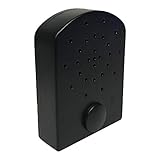
- AUDIBLE BENEFITS - simulates the pop and crackle sounds of a real fire
- COMPACT - small and lightweight, the Fire Crackler Sound System is discreet and powerful
- EASY OPERATION - a manual on/off switch is as simple as it gets
- ADJUSTABLE FEATURES - with three volume settings (high, medium, low), you’ll have the perfect complement for your needs
4. Protect the broadcast from copyright interruptions
YouTube scans live streams for third-party content matches. An unresolved match can cause the stream to be replaced with a placeholder, interrupted, or terminated. Having a copy of a track or video file does not by itself establish that you have the rights to livestream it.
- Keep a record of permissions or licenses for every audio and video asset.
- Check that a third-party license covers continuous livestream use, not just personal playback or a one-time upload.
- If you intend to archive the stream, confirm that the license also covers the replay.
- For licensed content that may be detected by Content ID, ask the rights owner whether your channel needs to be allowlisted.
5. Monitor continuity and plan for a replay
A 24/7 broadcast still needs monitoring. Check that the viewer page remains reachable and that the picture and sound are present and clear. YouTube recommends continuous audio/video monitoring and checking local archive files; for encoder workflows it also describes testing backup-encoder failover.
Rank #3

- [ NOTE ] - Please listen to the crackling sound on this product page before purchasing to ensure it matches your imagination. 😊
- [ Transform Your Electric or Gas Fireplace Into A Realistic Crackling Fireplace ] - MSELTOS fireplace crackling sound machine creates a realistic fire crackle sound for electric fireplace heater that will make you feel like you're sitting in front of a real fireplace. 6 realistic fireplace sounds and 1 classic fireplace sound, you can choose "hard" "mild" "weak" "soft" "super soft" or "fiercely" crackling sounds for your electric fireplace heater.
- [ 3H Auto-Off Timer and 16 Levels of Volume ] - Adjust the volume to your favorite level and set the timer for automatic shutdown after 3 hours.
- [ 3 Kinds of Fireplace Crackling Themed Music & 1 Nature Camping Fire sound ] - If you've had enough of the fireplace crackling sound, you might as well try the fireplace crackling themed music (You can try listening on this product page). Make a cup of coffee and let the wonderful music help you completely relax your mood
- [ Mini But Loud Enough, Upgrade Your Crackling Sound Effect] - Don't settle for a lackluster fireplace experience - upgrade the crackle with MSELTOS fireplace crackling sound maker. Just place the mini fire crackling sound machine near your electric fireplaces or gas logs. Let it make a realistic and loud crackling sound for your fake fireplace inserts.
Archiving is a separate decision from keeping the live feed running. YouTube’s current archive guidance says streams under 12 hours can be automatically archived, but streams exceeding 12 hours may not be captured at all. If you need a replay, consider scheduling sessions under that threshold or making a local recording backup.
Independent reader supportYour contribution helps us test, update, and keep practical guides available for everyone.Or let it run in the cloud
StreamNeo keeps an uploaded-video YouTube stream running from the cloud: upload your snow-and-fire recording or build a playlist, add your YouTube stream key once, and go live. Nothing has to stay on at home. Each slot streams your upload as made, at any quality up to 4K 60fps, for one flat price per slot; if YouTube drops the stream, StreamNeo automatically recovers. The first day is free with no card required. Monthly pricing is $9.99 per month.
Rank #4

- Bring the warmth of a real fire to your home — our 5W high-definition speaker delivers rich, crackling fire sounds that create a relaxing ambiance. Choose from multiple fire effects (watch the video preview!) and pair it with any gas, infrared, or electric fireplace for the ultimate comfort.
- PORTABLE - small and lightweight, the Fire Cracker Speaker is discreet and powerful, easily hidden around fireplace to produce fire crackling noise
- PLAY-TIME - Rechargeable 1500mah lithium battery provides over 10 hours of fire crackling sound, the charging cord is provided with the product.
- EASY OPERATION - a manual on/off switch is as simple as it gets, use fast forward or fast backward button to adjust volume. The volume is memorized after you turn off the noise maker
- ADDITIONAL FEATURES - Bluetooth/Line-in/mcro-SD/USB Drive Options. Remote control via bluetooth on your phone and play your own music. Want a spooky sounds for Halloween? or play Christmas songs? download it into a USB Drive and the insert into the back. The capabilities are almost limitless.
See StreamNeo for details, then start your free day.
Quick Recap
Best Value

- ❤Notice: This sound machine needs to be plugged in for use.
- ❤20 Non-Looping Sleep Sounds: White noise ,Brown noise, pink noise, blue noise, fan,brook, rain, ocean,bird and Bonfire,suitable for for Baby and Kids and Adults.
- ❤Precise Volume & Timer Settings:With 32 Levels of Volume ,it is perfect for baby sleeping .And you can set 1 hour,2 hours,3 hours,4 hours and continuous play,control the comfort level for your own environment.
- ❤Unique Design: Solid-state design with 3.01inch*3.01inch *1.77inch,it is portable for home, office or travel,can give you a perfect sleep.
- ❤Function & Safety:Memory function automatically restores your previous volume, sound and time,it is powered by AC or USB.The machine is approved by FCC, CE and RoHS,don't need to worry about accidents.
Product prices and availability are accurate as of the date/time indicated and are subject to change. Any price and availability information displayed on Amazon at the time of purchase will apply.




