The Tool Desk
Outbyte Driver Updater FREEScan for outdated or missing drivers - takes under a minuteDriver Scan →Outbyte PC Repair FREERepair Windows errors before they cause bigger problemsFix Now →Convert the MOV into a real MP4 file—typically with H.264 video and AAC audio—then send a separate, correctly configured encoder feed to YouTube Live. Conversion prepares the recording; it does not make the video loop, keep an encoder connected, or guarantee an unattended 24/7 broadcast.
What changes when you convert MOV to MP4?
MOV and MP4 are containers: they package video, audio, and related data. A MOV file may already contain codecs that work in MP4, or it may need its video and/or audio re-encoded. Changing the filename from .mov to .mp4 does not convert the contents and can leave you with a file that fails to open or upload.
As an Amazon Associate I earn from qualifying purchases.
YouTube’s recommended upload encoding settings specify MP4, H.264 video, and supported audio formats including AAC-LC. The same page covers upload-specific details such as a front-loaded moov atom (“Fast Start”), no edit lists, and preserving the recorded frame rate. Those are file-upload recommendations, not live encoder settings.
What’s actually slowing this PC down?
Pick the symptom - the matching free tool is one click away.
Convert the MOV file into an upload-ready MP4
1. Inspect the source first
In a media player or file-inspection utility, check the MOV’s dimensions, frame rate, video and audio codecs, and orientation or aspect ratio. Keep the original frame rate unless you have a specific reason to change it. Note whether the video is portrait or landscape so you can check the converted file for unwanted cropping or rotation.
#1 Best Overall

- 【Video to Digital Converter】Effortlessly convert and store analog video and audio signals into digital formats, Recording resolution up to 1080P 30Hz. Supports AV/RCA (CVBS+R/L), S-Video, and AUX inputs. Plug and play, No PC, Software, Driver Needed. NOTE: This is a Converter/Recorder/Capture box only, can NOT play with any tapes and DVDs independently.
- 【USB/SD Card for Storage】Equipped with a 3.0" preview LCD and built-in speaker. No capacity limitation for the USB drive or TF card (not included). Enables direct playback of recorded videos and audios, as well as preview snapshots on the capture box. For high-capacity USB storage devices, please ensure using its own power supply.
- 【Video & Audio Format】Store video in MP4 format or audio in MP3 format. Supports NTSC-M/J 3.58, NTSC 4.43, PAL B/G/H/I/D (PAL/N) standard TV formats input. Audio sampling rate up to 48KHz with uncompressed 2-channel LPCM digital audio output. Setup Reminders: Ensure either CVBS R/L (AV input) or AUX-IN (3.5mm) is properly connected. In settings (HOME -> Settings), verify Video-IN-Volume and AUX-IN-Volume are unmuted for the selected input.
- 【Broad Compatibility】Supports recording and digitizing video for VHS, VCR, DVR, DVD, Hi8, camcorders, Mini DV, Cassette Tape Player, and retro gaming consoles.
- 【What You Get】Video Recorder x1(Players Not included, Such as VHS, VCR, Camcorder, VHS, VCR, DVR, DVD, Cassette, Hi8, Mini DV Players, Camcorder, Gaming Consoles ), Power Adapter with USB type A to C Cable x1, Remote Control (2*AAA Batteries Not Included) x1, AV Cable x1, 3.5mm Audio Cable x1, User Manual x1 with a hassle-free 2-year warranty and lifetime technical support. Reach out to our friendly customer service for any questions.
2. Set the conversion target
In your chosen converter, select MP4 as the container, H.264 as the video codec, and AAC as the audio codec. For YouTube uploads, the platform recommends 48 kHz audio and publishes video bitrate guidance by resolution and frame rate. Check its current upload encoding recommendations for your intended output rather than applying a single bitrate to every file.
Settings and labels vary across conversion apps, and not every app handles every MOV variant identically. Choose settings that preserve the source frame rate and aspect ratio, and avoid upscaling unless you have a specific delivery reason.
Rank #2

- RCA Female to HDMI Video Converters Adapter : The cable is used to convert analog composite input to HDMI 1080p output, displayed on a 1080p HD TV/TV/monitor.
- Input ports: 1xRCA Female (Yellow, White, Red), Output ports: 1xHDMI 1.3 1080p. NOT support 3D and 4K, NOT support HDMI Converts to AV
- AV to HDMI Converter: Plug and Play, Easy to Install and Operate, Powered by External USB Cable. Note: Please hook up the USB power cable (included) to 5V 1Apower source during use (not included power supply ).
- Support PAL, NTSC3.58, NTSC4.43, SECAM, PAL/M, PAL/N standard TV formats input. For PS2,PS3,Xbox,N64,STB, VHS, VCR, DVD Players and other devices with standard composite AV input.
- You Will Get : 1x RCA Female TO HDMI Converter, 1xHDMI cable, 1xUSB cable, 1xUser Manual. ONE YEAR WARRANTY - if you are not satisfied for any reason whatsoever, do not hesitate to contact us .
3. Export to a new file and check it
Save the result as a new MP4 instead of overwriting the MOV. Play the exported file from beginning to end if practical, or at least inspect its opening, middle, and ending. Check that the picture is oriented correctly, motion looks normal, and audio is present and in sync. Re-encoding video is not lossless: the result may differ from the original, depending on the chosen settings.
Windows Errors? Fix Them Before They Spread
Repair common Windows errors and clear accumulated junk for a smoother, more stable PC - no reinstall needed.Free scan · no reinstallOutdated Drivers Are Slowing You Down
One free scan finds every outdated or missing driver and matches the right update for your exact hardware.Free scan · exact hardware matchConfigure a separate YouTube Live encoder feed
An upload-ready MP4 is not itself a live stream. A live encoder reads or plays the media and sends a real-time feed to YouTube. YouTube’s live encoder settings are separate from its upload guidance: for RTMP/RTMPS ingestion, YouTube lists H.264, H.265, or AV1 video and AAC or MP3 audio. Its encoder guidance recommends constant bitrate (CBR) and a two-second keyframe interval, with a maximum interval of four seconds.
Rank #3
![ClearClick Video to Digital Converter 2.0 (Second Generation) - Record Video from VCR's, VHS Tapes, AV, RCA, Hi8, Camcorder, DVD, Gaming Systems [Requires Working VCR/Camcorder & Tapes]](https://m.media-amazon.com/images/I/41fMH9jM-+L._SL160_.jpg)
- Convert Your Old Video Tapes or Camcorder Tapes to Digital Format With The Touch of a Button (Recording Resolution: SD 640x480 or 720x480 Pixels. Does Not Upscale To HD. Does Not Record From Modern HDMI Sources.)
- Record and Digitalize Video From VHS, VCR's, DVD Players, DVR's, Camcorders, Hi8, & Retro Gaming Systems (IMPORTANT: A WORKING VCR/CAMCORDER AND WORKING VIDEO TAPES ARE REQUIRED; CONVERTER DOES NOT PLAY VIDEO TAPES BY ITSELF)
- No Computer or Software Required - Just Hook It Up & Start Recording - Records Videos Directly Onto USB Flash Drive or SD Card (REQUIRED, NOT INCLUDED; 512 GB or less)
- What's New In The Video2Digital Version 2.0 (Second Generation): Extra-Large 3.5" Preview Screen, Better Recording Quality, Improved Audio/Video Sync Protection, Auto Stop Feature (60, 90, 120, 150 Minutes), Mobile-Friendly MP4 Recording Format, & Pause/Resume While Recording
- Includes 1-Year Wty & Tech Support from ClearClick, a USA Small Business
1. Get the live URL and stream key
In YouTube Live Control Room, create or open the stream and use the stream URL and stream key shown there. Enter both in the encoder’s YouTube connection settings. YouTube describes the stream key as password-like: keep it private, and do not publish it or include it in a screenshot. Follow YouTube’s encoder setup guide for the current interface and connection steps.
2. Match the live settings to your output and connection
Set the encoder’s resolution and frame rate deliberately, then select a live bitrate from YouTube’s current table for that exact combination. For example, a bitrate recommendation for 1080p at one frame rate should not be treated as universal for 1080p at another frame rate, much less for a different resolution. YouTube also recommends checking upload speed; leave enough headroom for a stable connection rather than setting the stream at the connection’s measured maximum.
Rank #4
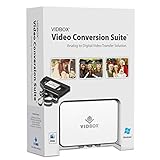
- Supports both Windows PC and Mac.
- What's in the box: USB video capture device, USB Cable, RCA AV Cable, 2 Quick Start Guides, 2 Software Download Cards
- Capture old VHS, Beta, 8 mm or camcorder tapes and convert them to DVD or other digital formats.
- Great for novice users: Step-by-step pictorial instructions guide you through the process. Capture old VHS, Beta, 8 mm or camcorder tapes and convert them to DVD or other digital formats.
- Compatible Video Players: VCR (VHS, Betamax, S-VHS), camcorder (8mm, DV, mini DV, HDV, AVCHD), TV, DVD player, game console and more. PC System Requirements: Other VCR or camcorder for video conversion, DVD Writer for DVD burning, Other player-specific cables as needed
Use the live encoder page for the current resolution- and frame-rate-specific bitrate recommendations and any additional settings. Do not assume the MP4 file’s bitrate is the bitrate YouTube should receive: one is an encoded file characteristic, the other is a live-ingestion setting.
Free tools Windows power users keep installed
One-click scans. No signup required.
3. Test before making the stream public
Where appropriate, test with a private or unlisted stream. Preview the feed in Live Control Room and check picture, motion, sound, and stream health before starting a public broadcast. YouTube’s live streaming tips recommend testing, previewing, and monitoring. If the stream reports an error, use YouTube’s live streaming error messages guidance to diagnose it.
Best Value

- RCA to HDMI Converter: Converts analog RCA composite (Yellow, White, Red) input to HDMI 720P/1080P (60HZ) output,displayed on HDTV/Monitor,which can bring back your childhood memories.
- Plug to Play: ABLEWE Mini RCA to HDMI converter no extra drivers need, just plug and play,easy to use.Please hook up the USB power cable (included) to 5V power source during use.
- Wide Compatibility: Support source formats of PAL, NTSC3.58, NTSC4.43, SECAM, PAL/M, PAL/N standard TV. Provide advanced signal processing with great precision, colors, resolutions, and details.
- Widely Used:Widely applied to PS2,PS3,Xbox,N64, WII, STB, VHS, VCR, DVD Players and other devices with standard composite AV input.
- Attention & Package:Please ensure to connect this rca to hdmi converter to power source to make it work.Package include:1*RCA to HDMI Converter,1*usb power cable(adapter not included),1*User Manual.
What a 24/7 stream additionally requires
A successful conversion and initial connection do not establish continuous operation. To loop a prerecorded video, restart after a disconnect, or recover from a computer, encoder, or network failure, you need an encoder workflow that explicitly supports those behaviors. The exact loop and recovery procedure depends on the encoder; verify its current documentation and test the behavior before describing the channel as reliably always on.
Also plan around YouTube’s archive limit: its encoder setup page says streams under 12 hours are automatically archived. That condition does not promise that one broadcast lasting longer than 12 hours will be archived as a complete video. Consult the encoder setup page when planning recordings or archives.
Troubleshoot conversion and live-stream problems
- The MP4 will not open or upload: Check that you exported an actual MP4 rather than renaming the extension. Confirm that the converter produced compatible video and audio codecs, then export again if needed.
- The video is rotated, cropped, or stretched: Compare the output’s orientation and aspect ratio with the source. Adjust the converter’s rotation or scaling options and inspect a fresh export.
- Audio is missing or out of sync: Confirm that an audio track was included and that the output uses a supported codec. Play the export locally before setting up the live encoder.
- YouTube does not receive the encoder feed: Check that the Live Control Room URL and stream key were copied into the correct encoder fields. Treat the key as a password and replace it through YouTube if it has been exposed.
- The preview buffers or stream health is poor: Compare the selected live bitrate with YouTube’s recommendation for your actual resolution and frame rate, and check upload speed. Reduce the live bitrate if the connection cannot sustain it.
- The stream stops after a failure: Initial setup does not guarantee automatic restart or recovery. Check the encoder’s loop and reconnection settings and test a simulated interruption before relying on it unattended.
Or let it run in the cloud
If the goal is to keep prerecorded video live on YouTube without leaving a home computer running, StreamNeo runs the stream from the cloud. Upload your recording or build a playlist, add your YouTube stream key, and go live. Your computer can be off; StreamNeo loops uploaded videos, supports any uploaded quality up to 4K 60fps at one flat price per slot, and automatically recovers if YouTube drops the stream. The first day is free with no card. Monthly service is $9.99 per month. Start your free day with StreamNeo.
Do these 3 things before closing this tab:
1Clear out junk files and repair common Windows errors2Fix the driver behind crashes, sound loss and screen glitches3Repair Windows errors before they cause bigger problemsQuick Recap
Product prices and availability are accurate as of the date/time indicated and are subject to change. Any price and availability information displayed on Amazon at the time of purchase will apply.




