You can get a Chromebook online through an iPhone’s Wi-Fi Personal Hotspot, but an iPhone does not have the Android-focused Phone Hub setup Google documents. Google also says phones cannot pair directly with Chromebooks over Bluetooth. For photos and files, use a cloud service accessible from both devices; the official guidance cited here does not confirm that plugging an iPhone into a Chromebook enables file browsing.
How do I connect my iPhone to my Chromebook?
There is no single iPhone-to-Chromebook connection that enables every phone feature. Choose the method based on what you want to do:
As an Amazon Associate I earn from qualifying purchases.
| Goal | Supported approach | What to know |
|---|---|---|
| Get the Chromebook online | Join the iPhone’s Personal Hotspot over Wi-Fi | It shares the iPhone’s cellular connection, so mobile data limits and carrier charges may apply. Apple’s Personal Hotspot guide |
| Use Android-style Phone Hub features | No iPhone setup path is documented by Google | Google’s Chromebook connection instructions describe an Android phone. Google’s phone connection guide |
| Pair the phone over Bluetooth | Not a direct phone-pairing method in Google’s instructions | Chromebook Bluetooth is intended for accessories such as keyboards, mice, speakers, and headsets. Google’s Bluetooth guide |
| Move photos or other files | Use a cloud service available on both devices | USB file browsing from an iPhone on ChromeOS is not established by the cited guidance. Google’s USB device guidance and Apple’s trust-computer guidance |
How do I use my iPhone hotspot on my Chromebook?
Use Wi-Fi for this cross-platform connection. Apple documents Personal Hotspot as sharing the iPhone’s cellular internet connection with other Wi-Fi-capable devices. It does not relay a Wi-Fi network the iPhone itself is using.
Recommended Free Tools
-
On the iPhone, open Settings and select Personal Hotspot. Depending on the iOS version or carrier setup, you may find it under Cellular or Mobile Service. Turn on Allow Others to Join if shown.
#1 Best Overall
Sale![[2-Pack, 1ft] Short USB Type C Cable,Portable USB-C Charger Nylon Braided Fast Charging Cord Compatible iPhone 18/17/16 Pro Max Android Samsung Galaxy S20 S10 S9 S8 Plus S10E Note 20 10 9 8](https://m.media-amazon.com/images/I/41kQBZ7Cz1L._SL160_.jpg) [2-Pack, 1ft] Short USB Type C Cable,Portable USB-C Charger Nylon Braided Fast Charging Cord Compatible iPhone 18/17/16 Pro Max Android Samsung Galaxy S20 S10 S9 S8 Plus S10E Note 20 10 9 8
[2-Pack, 1ft] Short USB Type C Cable,Portable USB-C Charger Nylon Braided Fast Charging Cord Compatible iPhone 18/17/16 Pro Max Android Samsung Galaxy S20 S10 S9 S8 Plus S10E Note 20 10 9 8- 【1-Feet Short USB C Cable】 1ft USB Type C Charger Cable Easy for charging your phone with a power bank. beat the tangle and always keep the clutter down.Ideal for Travel use
- 【USB C CABLE BROAD COMPATIBILITY】: Compatible with the new USB C devices such as Samsung Galaxy Note 8/S10/S9/S9+/S8/S8+,LG V30, LG G6 G5, LG V20,Apple Macbook 12"(2015), Pro(2016), OnePlus 5 3T 2, Google Nexus 6P/5X, Google Pixel/Pixel XL,Pixel C, New Nokia N1 tablet, Lumia 950, Lumia 950XL, ChromeBook Google Pixel, Asus Zen AiO, Lenovo Zuk Z1, HP Pavilion X2, ASUS ZenPad S 8.0,Huawei P10 Plus,Huawei Mate 9, GoPro Hero5 and other devices with USB C connector
- 【REVERSIBLE CONNECTOR】:Keeps up with the latest trend of USB interface. This user-friendly design allows you to plug into all your USB Type-C compatible devices without worrying about the orientation of the port
- 【Ultra-durable】:10X Stronger and Perfect: Encased with Triple-Braided Nylon fiber, which make it have excellent anti-twisting & Abrasion-proof property. This USB Type C Cable can withstand at least 10,000 cycles of 90 degree bend test. Ideal for your heavy daily use
- 【What You Get】: 2Pack 1ft USB C cables
-
On the Chromebook, select the time in the lower-right corner to open Quick Settings, then open the Wi-Fi network list.
-
Select the iPhone’s hotspot name and enter the password shown in the iPhone’s Personal Hotspot settings.
Rank #2
 SUNGUY 10Gbps Android Auto USB C Cable, 1.5FT 3A USB 3.1 Gen 2 Fast Charge & Data Transfer USB C CarPlay Cable, Compatible with iPhone 17/16/15 Pro Max, Samsung T7, Galaxy S23 S22 Ultra Note 20, SSD
- 10Gbps Data Transfer: SUNGUY USB 3.1 Gen 2 cable supports super speed data transmission up to 10Gbps, transfer HD movies, songs, file or photos in seconds. Backwards compatible to USB 3.0 and 2.0; DOES NOT support video output.
- Works with Android Auto: This android auto cable can quick-charge your USB-C devices at up to 3A safe charging power. 56KΩ pull-up resistor provides a safer charging current, and protects your devices from damage. Works great with your car's Android Auto.
- Works with CarPlay: The nylon braided usb c to usb a cable compatible with iPhone 15/15Pro/15 Pro Max/15 Plus CarPlay cable. Supports connecting the iPhone 15 series to iTunes on your computer.
- Great Compatibility: This usb c data cable is compatible with iPhone 15/15 Pro Max, Galaxy S23/S23 Ultra/S22/S22 Ultra/S21/S21+/Note 10 Plus/Note 20 S10/S10e/S10+, Pixel 5 6 7 Pro, iPad Pro 2020, MacBook, MacBook Pro, MacBook Air, LG G6 G7 V40 V35, ThinQ V30S V30, Chromebook, Dell XPS 13, Samsung T7 Shield, Extreme Portable SSD and more.
- What You Get: You will receive 1pcs 1.5ft USB 3.1 Gen2 10Gbps Cable, with our 12-month product replacement warranty and lifetime 24/7 friendly technical support.
-
If the network does not appear, confirm that Personal Hotspot and Chromebook Wi-Fi are on, then check with your carrier that hotspot use is supported on your plan.
Free tools Windows power users keep installed
One-click scans. No signup required.
Special offer. See more information about Outbyte and uninstall instructions. Please review EULA and Privacy policy.
Hotspot availability and any fees depend on the carrier and plan. Check your cellular data allowance before using the Chromebook for downloads or streaming. Apple also documents Bluetooth and USB hotspot connections for Mac or Windows computers, but its instructions do not specifically verify those methods for a Chromebook; Wi-Fi is the documented cross-platform choice here. Apple: How to set up a Personal Hotspot
Rank #3

- DATA TRANSFER: Transfer photos, music, and files swiftly with the USB-A to USB-C cable, achieving speeds up to 480 Mbps
- DURABLE DESIGN: Engineered for endurance, this USB-A to USB-C cable withstands bending up to 5,000 times
- COMPATIBLE CONNECTIVITY: This USB-IF Certified USB-A to USB-C charger cable reliably connects USB-A and USB-C devices; compatible with smartphones, tablets, laptops
- WARRANTY BACKED: USB-A to USB-C cable is protected by an Amazon Basics 1-Year Limited Warranty
How do I transfer photos from an iPhone to a Chromebook?
For a dependable workflow, upload the photos or documents to a cloud service you can access from both devices, then download them on the Chromebook. For example, sign in to a cloud-storage service in the iPhone app or browser and in the Chromebook browser; the exact upload and download steps depend on the service you use.
Connecting the iPhone with a USB cable may not provide this workflow. Google’s Chromebook guidance mentions USB-connected mobile phones generically, but does not specifically confirm that ChromeOS can browse or import iPhone storage. Apple’s computer instructions for connecting by cable name Mac and Windows. Tapping Trust on the iPhone is not proof that ChromeOS will display its files: Apple explains what trusted computers may access, but does not establish Chromebook support for that access. Google: Use external storage devices · Apple: About the ‘Trust This Computer’ alert
Rank #4

- Compatibility List: This cable supports 60W high-speed charging for Type-C smartphones,tablets,or laptops including for iPhone Duo/18 Pro/18 Pro Max/Air/17/17e/17 Pro/17 Plus/17 Pro Max/16/16e/16 Pro/16 Plus/16 Pro Max/15/15 Pro/15 Plus/15 Pro Max, for MacBook Pro/Air, for iPad Pro(M5/M4/M2/M1/2020-2018),for iPad Air(M3/M2/M1 series),for iPad mini(A17 Pro/A15),for Galaxy S26-S20,Note 20/10 series,for Google Pixel 10/9/8/7/6 series,and various Chromebooks.(Note: Charging speeds also depend on your device and charger.Pair your USB-C devices with USB-C Power Adapters including 100W 96W 87W 65W 60W 45W 30W and 18W adapters for optimal performance.)
- 【NOTE before purchase】: This is a USB-C to USB-C cable, which means it has the same USB C plug on both ends, please be aware that this is not a USB-C to USB-A cable. Besides, you may need a USB C wall charger to charge your device.
- 【Supports Power Delivery】: Get up to 60W high-speed charging for all of your USB-C devices when paired with a USB-C charger.
- 【Built to Last】: A hard-wearing exterior and a bulletproof fiber core combine to create a cable that can withstand up to 12,000 bends.
- 【What You Get】: 2 × New USB-C to USB-C Cable our friendly customer service.
Can I connect my iPhone to a Chromebook with Bluetooth?
Not as a direct phone-pairing method. Google’s Chromebook Help states, “Your phone can’t pair to your Chromebook with Bluetooth.” Its Bluetooth guidance covers accessories such as keyboards, mice, speakers, and headsets instead. Google: Connect Chromebook to Bluetooth devices
What’s actually slowing this PC down?
Pick the symptom - the matching free tool is one click away.
Can I use Phone Hub or get iPhone notifications on a Chromebook?
Google’s documented phone-connection flow is for Android: it uses the Chromebook’s Connected devices settings and offers Android-focused features. The guide does not provide an iPhone setup path, so do not expect those Phone Hub features by following it with an iPhone. The guide’s minimum versions—ChromeOS 71 and Android 6—apply to its Android flow, not to iPhone compatibility. Google: Connect your Android phone to your Chromebook
Quick Recap
Best Value
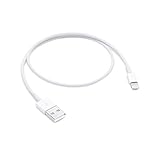
- This USB 2.0 cable connects your iPhone, iPad, Mac, AirPods or iPod with Lightning Connector to your computer's USB port for syncing and charging.
- You can connect to the Apple USB power adapter for convenient charging from a wall outlet.
- USB-C power adapters sold separately.
- Cable Length: .5 meter or 1.6 feet
Product prices and availability are accurate as of the date/time indicated and are subject to change. Any price and availability information displayed on Amazon at the time of purchase will apply.




