Choose RAM in this order: confirm what your exact computer supports, then select a capacity and speed that suit your workload. Start with the system’s memory generation, module shape, upgrade options and capacity limits—not with a kit’s advertised speed or a generic “best RAM” list.
How to check which RAM your computer supports
- Identify the exact model. For a desktop, find the motherboard model and consult its manual. For a laptop, use the complete computer model and check the manufacturer’s specifications or service documentation.
- Confirm the DDR generation. Check the motherboard or laptop documentation for DDR4, DDR5 or another supported generation. DDR4 and DDR5 are not interchangeable: a DDR4 motherboard will not accept DDR5 memory, and vice versa. Crucial explains the generation differences in its DDR4-versus-DDR5 comparison.
- Check the module form factor. Desktop computers generally use full-size DIMMs; laptops commonly use smaller SO-DIMMs. They are physically different formats, so verify what your particular system takes.
- Find out whether the memory is upgradeable. Some laptops have memory soldered to the motherboard, with no replaceable RAM; others combine soldered memory with one or more upgrade slots. Check the exact model’s OEM documentation before buying.
- Check the capacity and slot limits. Look for the system’s maximum total memory, any stated per-slot limit, the number of slots and how many are occupied. A processor’s stated memory maximum does not establish what a laptop’s motherboard or firmware supports. Intel advises laptop owners to contact the computer’s OEM for system-specific memory support; its guidance varies by processor SKU and family and was last reviewed April 16, 2026: Intel laptop memory support guidance.
- Check the supported data rate. Compare the system’s memory specification with the kit’s rating. A faster-rated module may run at a lower speed supported by the computer. On desktop systems, reaching an advertised profile speed may require enabling the appropriate supported setting in UEFI/BIOS; check the motherboard documentation for the relevant option.
Choose capacity for the work you do
Once compatibility is settled, choose enough capacity for your applications and the number of tasks you normally run at once. Memory-intensive games, editing and multimedia work may call for more RAM than casual use. Crucial’s workload-based guide recommends at least 8 GB for casual use, 16 GB for intermediate use, and at least 32 GB for gamers and multimedia creators. These are Crucial’s recommendations, not a universal requirement or an independently established minimum for every person or computer: Crucial’s RAM capacity guide.
As an Amazon Associate I earn from qualifying purchases.
More RAM is useful when your workload needs more than the system can comfortably provide. It is not automatically a better purchase if your applications and typical multitasking do not need the extra capacity, or if your computer cannot support it.
How to compare compatible RAM options
Compare only modules that meet the computer’s requirements, in this order:
#1 Best Overall
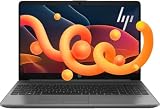
- 【AMD Ryzen 3 7330U Processor】Unleash extraordinary performance with a powerful 4-core architecture and advanced processing capabilities, ensuring effortless handling of demanding tasks and impressive power efficiency for long-lasting endurance.
- 【Operating System】Windows 11 Home—Beautiful, more consistent new design, Great window layout options, Better multi-monitor functionality, Improved performance features, New videogame selection and capabilities, and Compatibility with Android Apps.
- 【Nice and light】The HP 255 Laptop keeps up with mobile workstyles with a thin and light design and big screen-to-body ratio.
- 【High Speed RAM And Enormous Space】Upto 64GB high-bandwidth RAM to smoothly run multiple applications and browser tabs all at once; Upto 2TB PCIe NVMe M.2 Solid State Drive allows to fast bootup and data transfer.
- 【Stunning Visuals】 15.6" Full HD (1920x1080) LED-backlit display provides crisp, clear visuals, while AMD Radeon Graphics offers impressive performance for work and entertainment.
- Compatibility: Match the DDR generation and DIMM or SO-DIMM form factor, and confirm the computer supports the module.
- Capacity: Pick a total that suits your workload and stays within system limits. For an upgrade, account for existing memory and any soldered capacity.
- Speed: Choose a data rate the platform supports. A higher number on the package is not a guarantee that the computer will use that speed.
- Price: Compare prices among options that already meet those requirements. There is no universally best brand, kit or speed for an unspecified computer.
Crucial’s June 30, 2025 comparison lists DDR4 data rates of 2,133–5,100 MT/s and DDR5 data rates of 3,200–8,000+ MT/s, with operating voltages of 1.2 V for DDR4 and 1.1 V for DDR5. These are figures from Crucial’s comparison, not a complete guarantee of the specifications available in every product: Crucial’s DDR4 and DDR5 comparison.
Before you buy
- Have the exact motherboard model for a desktop or the full laptop model number.
- Confirm the DDR generation and DIMM or SO-DIMM format in the relevant manual or OEM documentation.
- Check whether memory is removable, soldered or a mix, and note the occupied slots.
- Verify total and per-slot capacity limits rather than relying only on the processor’s maximum.
- Check the supported data rate and whether a desktop profile setting is needed for the kit’s advertised speed.
- Compare prices only after narrowing the options to modules your system supports.
Crucial offers a System Scanner and System Selector as tools for identifying compatible upgrades in its compatibility guide. Treat a compatibility result as a starting point and check it against your computer manufacturer’s specifications, particularly for laptop upgrades.
Quick Recap
Best Value

- A TRUE DESKTOP REPLACEMENT EXPERIENCE: Upgrade from cramped screens and outdated desktop setups with a spacious 17.3-inch display that gives you more room to browse, manage finances, shop online, stream videos, and stay connected. Designed for users who want the comfort of a desktop with the convenience of a laptop.
- POWERFUL 32GB MEMORY & 1TB SSD STORAGE: Equipped with 32GB RAM and a fast 1TB SSD, this laptop is built to handle years of everyday use with ease. Open multiple applications, manage large files, store thousands of photos and videos, and enjoy smooth performance without slowing down.
- FULL-SIZE KEYBOARD BUILT FOR REAL-WORLD USE: Enjoy a desktop-style typing experience with a full-size keyboard and dedicated numeric keypad. Perfect for personal finances, budgeting, online banking, spreadsheets, taxes, bill payments, and everyday computer tasks that require speed and accuracy.
- BIG SCREEN COMFORT YOU CAN ENJOY EVERY DAY: The large 17.3-inch display, spacious keyboard layout, and lift-hinge design create a more comfortable experience for extended use. Read emails more easily, view content with less scrolling, and enjoy a workspace designed around comfort.
- BUILT FOR HOME, FAMILY, AND EVERYDAY LIFE: Powered by the latest Intel Core 5 processor, Wi-Fi 6, and Windows 11 with Copilot, this laptop is ready for everything from video calls and streaming to online shopping, personal projects, communication, and everyday productivity.
Rank #4

- A-Tech 8GB RAM Module, DDR4 SO-DIMM 260-Pin, 2666MHz / 2667MHz PC4-21300 (PC4-2666V)
- Non-ECC Unbuffered, JEDEC DDR4 Standard 1.2V Operating Voltage
- Compatible with select DDR4 SODIMM capable Laptop, Notebook, Mini PC, and All-in-One (AIO) computer systems. Please verify your system's memory type, form factor, and maximum supported capacity before purchasing
- Not compatible with desktop (DIMM), DDR2, DDR3, DDR5, ECC Registered (RDIMM), ECC Load Reduced (LRDIMM), or ECC Unbuffered (ECC UDIMM) memory types
- Increases available memory capacity to enhance system responsiveness, application performance, and multitasking capabilities.
Rank #3

- [RYZEN 5 PERFORMANCE] AMD Ryzen 5 7430U with 6 cores, 12 threads, and up to 4.3GHz delivers smooth multitasking for work, study, browsing, and everyday tasks. Integrated Radeon Graphics provides reliable visuals for streaming, presentations, and light creative work.
- [17.3" FHD IPS WORKSPACE DISPLAY] Designed for productivity, the 17.3-inch FHD IPS display provides a comfortable viewing area for office work, online learning, entertainment, and multitasking. The larger screen helps reduce the need for constant scrolling when working with documents and spreadsheets, while anti-glare technology improves viewing comfort. Wi-Fi 6, Bluetooth 5.2, HDMI, USB-C, and USB-A provide flexible connectivity for daily devices.
- [READY TO USE] Includes a wireless backlit keyboard and matching wireless mouse accessory bundle for a complete desktop-style setup. The external keyboard provides comfortable typing, while the wireless mouse offers smooth control for work, study, and everyday productivity.
- [BUSINESS-READY PRODUCTIVITY] Built for modern work and everyday productivity, this HP 17 inch laptop features a full-size keyboard with numeric keypad and a dedicated AI Copilot key for quick access to AI assistance. From spreadsheets and documents to remote work and daily tasks, it provides a practical setup for professionals and students.
- [VERSATILE PERFORMANCE OPTIONS] Designed for different needs, with options for everyday users, students, professionals, and power users. Select the option that matches your workload, from daily tasks and study to demanding multitasking and larger projects.
Rank #2

- Easy to Setup - You can enjoy a hassle-free installation process on the dell optiplex desktop computer. The components are already pre-built and tested, so all you need to do is connect the cables and have your Dell PC up and running in no time.
- Superior Performance: With an intel quad core i5-6500 processor clocking at 3.2GHz and 32GB of RAM, the Dell computers deliver fast and efficient performance that can handle even the most demanding tasks with ease.
- AX200 WIFI 6 WIFI Card Installed - The Data Transfer Rate of this WIFI card reach 3000 Megabytes Per Second. With WIFI 6 technology, you'll get faster speeds, improved security,so you can easily connect to the internet and other devices in your home or office on the dell desktop pc.
- Ample Storage - With a new 512GB M.2 NVMe SSD, this dell computer desktop provides ample storage space for all your important files, documents, and media. And ensuring fast boot-up times and quick access to your files and programs. This makes it ideal for demanding tasks such as video editing.
- Dual Monitor Support - The refurbished desktop computers with HDMI port and Display Port, you can use both monitors simultaneously. Dual monitors are ideal for multitasking, allowing you to work on multiple projects at the same time, or for extending your desktop computers for better productivity.
Product prices and availability are accurate as of the date/time indicated and are subject to change. Any price and availability information displayed on Amazon at the time of purchase will apply.
Free tools Windows power users keep installed
One-click scans. No signup required.




