Choose church management software (ChMS) by testing whether it fits your church’s actual work and whether the vendor can show how it protects, limits access to, and returns your data. Start with an inventory of the records and people involved; then check permissions, multifactor authentication (MFA), recovery, incident handling, hosting, contract terms, and export options. Treat vendor security pages as claims to verify—not as independent proof.
What data and ministry work will the system handle?
Before comparing products, write down the records and tasks your church would actually put in a ChMS. Depending on your needs, these may include:

As an Amazon Associate I earn from qualifying purchases.
- People, household, and contact details
- Giving and finance-related records
- Attendance and event participation
- Pastoral-care notes
- Volunteer information and scheduling
- Children’s check-in
- Church communications
Mark which information is sensitive and which roles need it. For example, a volunteer scheduling a rota may need availability and contact details but not giving records or pastoral-care notes. Avoid collecting information the church does not need, and use the inventory to judge whether a product’s features are relevant rather than simply attractive in a demo.
Who can access our church’s member data?
Ask vendors to demonstrate how access can be limited by role, ministry, and—where relevant—record type. A single broad “staff” permission may not be sufficient if administrators, finance staff, pastors, and volunteers have different responsibilities.
#1 Best Overall

- Church Management Software
- Church Facilities, Office, Bookkeeping and Finances Administration One purchase equals lifetime use. NO monthly fees Manage, Track and print member details including Personal information, member status, age group, address/email phone number, photo, member Manage, Track and print member attendance
- Scheduling and calendaring features included: Schedule client work to exact days, color code by day and hour. Get organized and avoid schedule conflicts.
- Can you give a volunteer access to a specific task without exposing giving or pastoral-care records?
- Can permissions be tailored by ministry or record type, or only by broad user role?
- Can administrators require MFA, and is it available to every user?
- Which MFA methods are supported, including authenticator apps, passkeys, or physical security keys?
- Can an account be disabled promptly when a staff member or volunteer leaves?
- Which security events are logged, and can the church review those records?
Test the answers with representative accounts in a demo or trial. CISA advises using MFA wherever possible and says strong passwords alone are no longer enough. Its guidance describes security keys as its strongest listed MFA option; confirm that the ChMS supports the method and devices your church intends to use.
What security evidence should we request?
Ask for current, written evidence—not only feature labels or a verbal assurance. CISA’s vendor-assessment guidance recommends structured due diligence for technology suppliers, including cloud services. A practical request covers:
Rank #2
- Track and print various Custom letters for members Manage, Track and print calender with events
- Track and print multiple Church Bank Accounts and transactions
- Church Finances
- Church Event Calenders
- Track and print members contribution
- Data protection: How is information protected in transit and at rest? How are separate churches’ data isolated?
- Access: Which vendor employees and subprocessors can access customer data, and under what controls?
- Monitoring: What activity is logged, how long are logs retained, and can the church obtain or review them?
- Backups and recovery: How often are backups made? Are restores tested? What recovery targets are promised?
- Incidents: What is the notification commitment if an incident affects church data?
- Assurance: What independent audit reports, certifications, or other assurance materials are available? What systems and dates do they cover?
- Contract: What does the agreement promise about confidentiality, security controls, incident notice, data use, deletion, and subcontractors?
Encryption is important, but an encryption claim by itself does not answer questions about access, separation between churches, logging, recovery, or contractual responsibilities. Also, a cloud provider’s certification does not automatically certify the ChMS vendor or the church’s configuration.
Quick wins for a faster PC:
Fix the driver behind crashes, sound loss and screen glitchesFind Drivers →Clear out junk files and repair common Windows errorsFree Scan →Scan for outdated or missing drivers - takes under a minuteDriver Scan →Where is our data stored, and who else handles it?
Ask the vendor to identify the hosting location and the subprocessors involved in handling member, payment, messaging, or analytics data. Confirm whether the answers apply to the plan and region you would actually use, and ask how the vendor notifies customers about changes. Hosting location can matter for legal and operational reasons, but a location claim alone does not establish the full privacy or security picture.
Rank #3
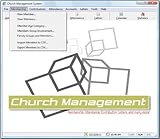
- Church Management All in One Software
- Church Management Membership Management
- Church Management Finance Management
Applicable privacy and security requirements depend on the church’s location and circumstances. This is a procurement guide, not legal advice; get advice suited to your jurisdiction if needed.
What happens to our data if we leave?
Request a sample export before committing. Check whether it includes the records and attachments the church needs, whether the formats are usable outside the product, and whether the church can retrieve it without vendor assistance. Ask the vendor to state in writing:
Rank #4
- Church Facilities, Office, Bookkeeping and Finances Administration One purchase equals lifetime use. NO monthly fees Manage, Track and print member details including Personal information, member status, age group, address/email phone number, photo, member
- Manage, Track and print member details including Personal information, member status, age group, address/email phone number, photo, member
- Manage, Track and print member attendance Scheduling and calendaring features included: Schedule client work to exact days, color code by day and hour. Get organized and avoid schedule conflicts.
- What can be exported, in which formats, and by whom
- Whether attachments and related records are included
- What happens to active and backup copies after cancellation
- What is retained, for how long, and why
- How deletion is confirmed and whether the contract covers it
Vendor export claims differ, so test a real sample if the product permits it. A promise to export “your data” is less useful than knowing exactly which records, relationships, and files are included.
How should we test a ChMS before choosing it?
- Build representative roles. Set up sample pastor, administrator, finance, and volunteer accounts—or the equivalent roles in your church.
- Run real tasks. Try the workflows you identified, such as updating a household record, recording attendance, scheduling volunteers, or managing giving, if those tasks are in scope.
- Check boundaries. Confirm that users cannot see records outside their duties. In particular, test whether a volunteer can access giving or pastoral-care information without authorization.
- Test account changes. Change a role, disable an account, and confirm that access changes as expected.
- Try portability and support. Generate a sample export and ask the vendor how the church would request help with a recovery or security issue.
Do not assume that a marketing-page feature works on every plan or in the way your church needs. Verify availability and scope with the vendor and in the product configuration.
Independent reader supportYour contribution helps us test, update, and keep practical guides available for everyone.How do we compare finalists fairly?
Use the same written checklist for every product. Compare security evidence alongside workflow fit; neither can compensate for a serious failure in the other. Relevant factors include:
- Role and ministry permissions, MFA options, and account offboarding
- Fit for the church’s actual records and processes
- Integrations the church needs
- Data export, migration effort, and support
- Member limits, module fees, payment processing, and contract terms
- Hosting, subprocessors, recovery commitments, and assurance materials
Pricing and feature availability can vary by vendor and plan, so check current terms directly rather than relying on an old comparison. Record any security risk the church accepts and why, along with the evidence behind the decision.
What do published vendor security claims show?
The examples below describe statements vendors publish about their products; they are not endorsements or independent audit findings. Features, scope, and plan availability may change.
Recommended Free Tools
| Vendor | Published security or data claim |
|---|---|
| Nave | Its security overview, last updated June 2026, describes TLS 1.2 or higher in transit, AES-256 at rest, parish-level row-level security, managed authentication, append-only audit logs for selected sensitive actions, and daily backups. |
| FaithPilot | Its security page describes TLS 1.3, AES-256, role-based access, daily backups, and data export. |
| Confide | Its security and pricing pages describe role permissions, MFA, audit logging, and data isolation. Verify current availability, scope, and any optional encryption features with the vendor. |
| Synq | Its access-control page describes role and module permissions, Google or Microsoft single sign-on, optional MFA, and audit records. |
| Flock | Its product materials describe tenant isolation, permission roles, authentication, audit logging, and account-deletion features. |
| ChurchLinker | Its product materials describe UK and EU hosting, per-church encryption for sensitive free text, and member data-rights features. |
These statements establish what vendors publicly claim, not whether a control has been independently validated or is enabled in a particular church’s configuration. Ask for dated documentation, the scope of any assurance, and the relevant contract terms.
How should we maintain the decision?
Assign an owner to review user access periodically, remove stale accounts, check vendor notices, and keep the church’s export procedure and incident contacts current. Revisit the decision when the church adds sensitive workflows, changes plans, or the vendor changes its controls or subprocessors.
Quick Recap
Product prices and availability are accurate as of the date/time indicated and are subject to change. Any price and availability information displayed on Amazon at the time of purchase will apply.




