Choose the AI service and configuration—not just the model name. First set your requirements for training use, retention, data location, access, and contract terms. Then compare only products that meet them, and evaluate model quality using data approved for testing. “Not used for training” does not mean prompts are never stored.
Decide what “safe enough” means for your data
Start with the information you intend to send and the consequences of exposing it. A workflow involving public marketing copy has different requirements from one involving customer records, source code, financial information, or regulated data. Have your security, privacy, procurement, and legal teams define which categories may be used, under what conditions, and who can approve exceptions.
As an Amazon Associate I earn from qualifying purchases.
Turn those requirements into checks you can verify against the exact product, feature, account configuration, and contract:
What’s actually slowing this PC down?
Pick the symptom - the matching free tool is one click away.
- Training and product improvement: Is customer content used for training or improvement by default? Are there opt-in, feedback, or shared-data exceptions?
- Retention: What happens to prompts, outputs, uploaded files, metadata, and logs? For each, establish purpose, duration, access, deletion method, and whether human review may occur.
- Feature behavior: Check the actual workflow—including file handling, persistent conversation state, caching, search or other grounding, tools, and background processing. Different features can have different storage behavior.
- Location: Identify where data is stored and where inference occurs. Clarify whether the requirement also covers backups, metadata, and subprocessors.
- Governance and contract: Verify identity and access controls, encryption and key options, audit records, administrator controls, incident handling, the DPA, and any terms for regulated data. Confirm each for the plan you will buy rather than assuming they are identical across tiers.
- Practical fit: Once a service passes the required controls, compare its quality on approved tasks, latency, availability, cost, and implementation effort.
Compare the precise product—not just the provider
A consumer chatbot, a commercial chat product, an API, and a cloud-hosted model can have different terms even when they use related models or share a brand. The policy for one surface does not establish the policy for another. Check the product name, hosting route, endpoint, model or snapshot, account eligibility, and enabled features that your workflow will use.
#1 Best Overall

- 【Surface Laptop 13.8 inch Privacy Screen】FILMEXT high-grade 2024 Surface laptop privacy screen 13.8 inch is perfectly fit Surface Laptop 7 13.8" Model 2036, Surface Privacy Screen filter shows a black edge with removable silicone seal, easy on and off, bubble free design.
- 【Compatibility】FILMEXT Surface Laptop 13.8 inch privacy screen is perfectly compatible with Microsoft Surface Laptop (2024), Windows 11 Copilot+ PC, 13.8" Touchscreen Display only. (Compatible Model :2036 / 2107 , the Model on the back of surface laptop , Please check the model before purchase ).
- 【Blocking Side-Snoopers】FILMEXT Surface Laptop 7 13.8 inch 2024 removable privacy angle is 30 degrees ±5, transparency is 60%±5, thickness is 0.35mm. Data is only visible in front of the display, appears a darkened or black screen from side view, with anti-glare and blocks 35% blue light feature, protects your eyes and prevents reflection from strong light, reduces stress on your eyes from daily glare & UV light and helps protect your screen from damage and dust.
- 【Eye Protection】Say goodbye to eye fatigue and sleepless. FILMEXT 2024 Surface privacy screen protector 7th 13.8" can reduces stress on your eyes by blocking blue light and preventing reflection from strong light, daily glare & UV light.
- 【Bubble Free Design】surface laptop 7 screen protector privacy 13.8 inch 2036 adopt the latest black frame silicone seal design, easy to install and remove, 100% bubble-free. The privacy screen protector for surface laptop 13.8 inch 7the generation with fingerprint resistance, and excellent touching sensibility.
The following provider documentation describes specific services, not a universal ranking or an independent security audit. Provider policies can change; verify the linked live documentation and your contract before relying on a control.
| Service covered | Training or improvement use | Retention and feature details | What to verify |
|---|---|---|---|
| OpenAI API | OpenAI says API data is not used to train or improve models unless the customer opts in. This concerns training, not all storage. OpenAI API data controls | OpenAI says default abuse-monitoring logs may contain prompts and responses and are retained for up to 30 days, except where longer retention is legally required. Modified Abuse Monitoring and Zero Data Retention require prior approval and have additional requirements. ZDR does not make every feature storage-free: endpoint eligibility and application-state exceptions apply. | Check the current endpoint and feature table, eligibility, model snapshot, contract, and any tool or file behavior in your workflow. OpenAI describes project-level data residency for eligible customers, with limits on the data and processing covered. See OpenAI business data privacy. |
| Gemini Developer API | For paid services, prompts and responses are not used for product improvement by default. Voluntarily shared logs or datasets may be used to develop or train products, and human review may occur for shared datasets. | Google AI for Developers says project logs have a default maximum retention of 55 days; settings of 7, 14, 28, or 55 days are available. Search and Maps grounding stores prompts, context, and output for 30 days. Uploaded File API content remains until deleted or expired; stateful Interactions API storage must be disabled explicitly; explicitly cached content can persist for its configured TTL. The ZDR page also describes in-memory caching separately from data at rest, and says a generated Live API session handle may last up to 24 hours. | Check the exact API features, logging setting, shared-data choices, and retention behavior. Consult Gemini API logging and Gemini API ZDR. |
| Google Cloud Vertex AI | Google Cloud says it will not use Vertex AI customer data to train or fine-tune AI/ML models without prior permission or instruction. | The Vertex AI ZDR guidance also discusses prompt logging for abuse monitoring; the training restriction is not a blanket no-retention promise. The cited guidance does not establish one retention duration applicable to every buyer or workflow. | Verify service, region, configuration, prompt-logging treatment, and contract scope in Google Cloud’s Vertex AI ZDR guidance. |
| Anthropic commercial API | Anthropic says retained data is not used for model training without express permission. | Storage varies by feature: where storage is not needed, prompts and outputs are not stored; where it is needed, Anthropic says it aims to minimize what is retained and for how long. Anthropic states that Covered Models require 30-day retention. | Confirm whether your exact model is a Covered Model, the hosting route and any exceptions. The documentation covers the Claude API and certain partner-hosted platform variants; do not infer consumer Claude terms from it. See Anthropic API and data retention. |
Use a staged selection process
- Classify the information. List the data types and workflows involved, then decide which are permitted, restricted, or prohibited from being sent to an external AI service.
- Write down pass-or-fail requirements. Specify acceptable training use, retention by data type, deletion expectations, geographic scope, access controls, and contract terms. Avoid relying on a vague requirement such as “enterprise-grade privacy.”
- Map each candidate to its actual surface and features. Record the service tier, API or hosted route, endpoint, model, region, and whether the workflow uses files, tools, grounding, or persistent state. Check the current vendor terms for that configuration.
- Ask for evidence on gaps. Obtain the applicable contract and DPA, clarify subprocessors and data handling, and ask the provider or account team about any requirement the public documentation does not settle. Have qualified internal reviewers determine whether the arrangement meets your obligations; provider pages alone cannot establish legal compliance for your business.
- Test utility only among eligible options. Compare candidates on representative tasks with data approved for evaluation. Measure quality, latency, reliability, and cost under your expected workload, and document the chosen configuration alongside the results.
- Limit and govern production use. Send only the context a workflow needs, restrict access, keep appropriate internal records, and define who can enable new features or change retention and sharing settings. Recheck controls when the product, feature, contract, or policy changes.
What “zero data retention” does—and does not—settle
ZDR is a scoped product control, not a universal property of a model. It may depend on approval, eligibility, endpoint support, and feature-specific exceptions. A workflow that adds file uploads, persistent state, caching, grounding, or tools may have different retention behavior from a simple request. Before sending sensitive content, trace the complete workflow and verify each feature’s handling, rather than treating the ZDR label as proof that nothing is stored.
Rank #2

- 【Instant Snap-on Magnetic Attachment】- The Patented Magnetic Privacy Screen – Protected by U.S. Patents 9,829,669 and D844,012. Simply place the privacy screen along the top of your MacBook and let the magnets attach along the top. No need for tricky placement, messy tape, or damaging adhesive. Easily remove and reattach when you need it.
- 【Filter Dimensions】: Width: 11 15/16" (304 mm), Height: 7 1/2" (190 mm), Diagonal: 14.1" (358.14 mm) - SightPro Blackout Privacy Filter is engineered to be compatible with Lenovo, HP, Dell, Acer, Asus, Samsung, and other laptop brands. Please verify your screen's width and height measurements before ordering. It's not recommended to make your selection based solely on your screen's diagonal size. [Not optimized for touchscreens.]
- 【Superior Privacy】- Our advanced multi-layered film filter blacks out your screen when viewing from the side, while maintaining a crystal clear screen straight-on. It also protects your eyes from harmful UV and blue light. [Note: It does not block visibility directly behind you, regardless of the distance.]
- 【Perfect for Travel and Open Workspaces】- The Laptop Privacy Screen Filter is the ideal solution for healthcare providers, mobile workers, commuters, students, and business travelers. Now you can stay compliant and safeguard sensitive corporate information while working in airplanes, subways, airports, and public areas.
- 【Package Contents】- Each package includes a magnetic privacy screen filter, magnetic stickers, a webcam privacy cover, a storage folder, and a cleaning cloth. Buy with confidence – located in the US, Sight Pro specializes in providing best-in-class privacy solutions to individuals, small businesses, corporations, government, and educational institutions. Our privacy screens are Section 889 and TAA compliant.
Likewise, data residency needs a precise boundary. A region selection may cover some storage or processing but not necessarily backups, metadata, every feature, or every subprocessor. Confirm what the provider commits to for the specific service and region, then compare that scope with your organization’s requirement.
The Tool Desk
Outbyte Driver Updater FREEScan for outdated or missing drivers - takes under a minuteDriver Scan →Outbyte PC Repair FREEClear out junk files and repair common Windows errorsFree Scan →Can you put confidential company data into an AI model?
Only if your organization has approved the particular service, configuration, workflow, and data category. “Not used for training” answers one important question; it does not answer whether data is logged, retained for abuse monitoring, stored as application state, or accessible for a feature’s operation. If you cannot verify the applicable terms and controls, do not send the sensitive data; use approved test data or a workflow that does not require it.
Rank #3
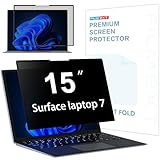
- 【Surface Laptop 7 15 inch Privacy Screen】FILMEXT high-grade 2024 Surface laptop privacy screen 15 inch Model 2037 is perfectly fit Microsoft Surface Laptop 7 15", Surface Privacy Screen filter shows a black edge with removable silicone seal, easy on and off, bubble free design.
- 【Blocking Side-Snoopers】FILMEXT privacy screen for Surface Laptop 7th Generation 15 inch privacy angle is 30 degrees ±5, transparency is 60%±5, thickness is 0.35mm. Data is only visible in front of the display, appears a darkened or black screen from side view, with anti-glare and blocks 35% blue light feature, protects your eyes and prevents reflection from strong light, reduces stress on your eyes from daily glare & UV light and helps protect your screen from damage and dust.
- 【Compability】FILMEXT Surface Laptop 7 15 inch privacy screen is perfectly compatible with Microsoft Surface Laptop (2024), Windows 11 Copilot+ PC, 15" Touchscreen Display only. ( Compatible Model: 2037 / 2018 , the Model on the back of surface laptop , Please check the model before purchase )
- 【Anti-Glare & Anti Blue Light】Say goodbye to eye fatigue and sleepless. FILMEXT 2024 Surface privacy screen protector 7th 15" model 2037 can reduces stress on your eyes by blocking blue light and preventing reflection from strong light, daily glare & UV light.
- 【Bubble Free Design】surface laptop 7 screen protector privacy 15 inch adopt the latest black frame nano-adsorption silicone seal design, easy to install and remove, 100% bubble-free. The privacy screen protector for surface laptop 15 inch 7the generation with fingerprint resistance, and excellent touching sensibility.
Is one AI model universally safest?
No. These policies describe provider services and features, not a head-to-head security assessment. The suitable choice depends on the information, product tier, settings, contract, jurisdiction, and workflow. Compare model performance only after candidates meet your organization’s controls.
Quick Recap
Best Value

- 【Precise Model Compatibility】This STARY Privacy Screen for 13.8 Inch Surface Laptop 7th/8th Gen is engineered exclusively for the 2024–2026 releases, fitting official models 2036, 2107, 2135, and 2138. To ensure a flawless fit, simply check the model number on the bottom of your Surface Laptop before purchasing.
- 【Effective ±30° Privacy Protection】Featuring a ±30°viewing angle, this Surface Laptop 7 Screen Protector Privacy 13.8 Inch effectively blocks side-angle views from both left and right. Whether in a coffee shop or open office, your business files and personal data stay safe from prying eyes.
- 【Dual Blue Light & Glare Reduction】Featuring an advanced AG anti-glare coating, this Surface Laptop Privacy Screen 13.8 Inch blocks 99% of harmful blue light and reduces 95% of reflected screen glare. The matte finish minimizes eye fatigue during long work sessions, making it ideal for daily office work, study, and extended use.
- 【Reusable Magnetic Installation】Built with a magnetic adsorption system, this Surface Laptop Privacy Screen enables tool-free, bubble-free installation and removal in seconds. It is fully detachable, washable, and reusable—keeping your laptop screen in like-new condition at all times.
- 【Versatile Protection & Reliable Support】Ideal for business meetings, open-plan offices, cafes, and other public settings, this Privacy Screen for Surface Laptop 13.8 Inch effectively safeguards your sensitive information. STARY stands behind this product with responsive customer support—contact us anytime with questions about installation or usage.
Rank #4

- 【Instant Snap-on Magnetic Attachment】- The Patented Magnetic Privacy Screen – Protected by U.S. Patents 9,829,669 and D844,012. Simply place the privacy screen along the top of your MacBook and let the magnets attach along the top. No need for tricky placement, messy tape, or damaging adhesive. Easily remove and reattach when you need it.
- 【Filter Dimensions】: Width: 13.56" (344.5 mm), Height: 8.49" (215.6 mm), Diagonal: 16" (406 mm) - SightPro Blackout Privacy Filter is engineered to be compatible with Lenovo, HP, Dell, Acer, Asus, Samsung, and other laptop brands. Please verify your screen's width and height measurements before ordering. It's not recommended to make your selection based solely on your screen's diagonal size. [Not optimized for touchscreens.]
- 【Superior Privacy】- Our advanced multi-layered film filter blacks out your screen when viewing from the side, while maintaining a crystal clear screen straight-on. It also protects your eyes from harmful UV and blue light. [Note: It does not block visibility directly behind you, regardless of the distance.]
- 【Perfect for Travel and Open Workspaces】- The Laptop Privacy Screen Filter is the ideal solution for healthcare providers, mobile workers, commuters, students, and business travelers. Now you can stay compliant and safeguard sensitive corporate information while working in airplanes, subways, airports, and public areas.
- 【Package Contents】- Each package includes a magnetic privacy screen filter, magnetic stickers, a webcam privacy cover, a storage folder, and a cleaning cloth. Buy with confidence – located in the US, Sight Pro specializes in providing best-in-class privacy solutions to individuals, small businesses, corporations, government, and educational institutions. Our privacy screens are Section 889 and TAA compliant.
Product prices and availability are accurate as of the date/time indicated and are subject to change. Any price and availability information displayed on Amazon at the time of purchase will apply.




