Do these 3 things before closing this tab:
1Fix the driver behind crashes, sound loss and screen glitches2Repair Windows errors before they cause bigger problems3Scan for outdated or missing drivers - takes under a minuteTo find out whether your PC can run a high-resolution VR headset, check the exact headset’s requirements against your computer’s graphics card, processor, memory, operating system, and connection ports. A PC that meets a published minimum may work, but that alone does not ensure a game will run smoothly at the headset’s full resolution and refresh rate.
Start with the headset and the experience you want
There is no single “VR-ready” specification that applies to every headset. First identify the exact model and how you plan to use it: tethered PC VR, a particular game, full native resolution, or a lower-resolution or lower-refresh-rate mode. Then find the manufacturer’s requirements for that model and distinguish minimum specifications from recommended or full-resolution targets.
As an Amazon Associate I earn from qualifying purchases.
Compare the requirements with your PC’s CPU, discrete GPU, installed memory, Windows version, drivers, and required ports. Also check the requirements for the specific game you want to play. A headset’s compatibility guidance is not a performance guarantee for every title.
Recommended Free Tools
Check your PC’s hardware in Windows
- Find the CPU and installed memory: Open Settings > System > About. Note the processor model and installed RAM.
- Identify the graphics card: Open Task Manager > Performance and select each GPU entry. Record the model, especially if the PC lists both integrated and discrete graphics.
- Check the operating system: In Settings > System > About, note your Windows edition and version. Check the headset vendor’s current compatibility guidance before updating or buying older hardware.
- Check the graphics driver: In Device Manager > Display adapters, identify the adapter and review its driver information. Use the PC or graphics-card manufacturer’s guidance to find a current compatible driver.
- Compare each item with the headset’s official requirements: Do not treat the GPU name alone as a pass. Confirm the CPU, memory, operating system, and other listed conditions too.
Verify ports and laptop graphics routing
Check the headset’s required physical connections and your PC’s actual ports. A USB-C connector does not by itself establish that the port supports the required data rate or power delivery. On a laptop, also confirm that the port used for the headset is connected to the qualifying discrete GPU; the presence of a powerful GPU does not prove that every video output uses it.
#1 Best Overall

- NO WIRES, MORE FUN — Break free from cords. Game, play, exercise and explore immersive worlds — untethered and without limits.
- 2X GRAPHICAL PROCESSING POWER — Enjoy lightning-fast load times and next-gen graphics for smooth gaming powered by the SnapdragonTM XR2 Gen 2 processor.
- EXPERIENCE VIRTUAL REALITY — Take gaming to a new level and blend virtual objects with your physical space to experience two worlds at once.
- 2+ HOURS OF BATTERY LIFE — Charge less, play longer and stay in the action with an improved battery that keeps up.
- 33% MORE MEMORY — Elevate your play with 8GB of RAM. Upgraded memory delivers a next-level experience fueled by sharper graphics and more responsive performance.
Valve’s requirements for the Valve Index illustrate why port details matter: Valve lists DisplayPort 1.2 or newer and USB, says USB 3.0 or newer is needed for the pass-through camera, and explicitly does not support HDMI or DisplayPort-to-HDMI adapters. Valve also warns that laptops using integrated graphics instead of a dedicated GPU meeting its requirements may not work. These are Index-specific rules, not a general standard for all VR headsets. Valve Index system requirements
Use requirements as a model-specific baseline
Valve Index
Steam Support lists a minimum graphics card of NVIDIA GeForce GTX 970 or AMD RX 480, with a recommended GTX 1070 or better. Its listed minimum CPU is dual core with Hyper-Threading, and it specifies 8 GB of RAM. These figures describe Valve Index requirements; they are not a universal high-resolution VR target. Check Valve’s current page for the full requirements and connection details. Valve Index system requirements
Rank #2

- Immersive 3D Experience: Put on our VR headset and enter the breathtaking world of immersive 3D virtual reality. 90°-110° FOV wide field of view makes it compatible with almost all smartphones to bring you a fully immersive visual 360 experience, allowing you to enter another dimension in games, movies and virtual tours. Immersive 3D Experience: Put on our VR headset and enter the breathtaking world of immersive 3D virtual reality. 90°-110° FOV wide field of view makes it compatible with almost all smartphones to bring you a fully immersive visual 360 experience, allowing you to enter another dimension in games, movies and virtual tours.
- Bluetooth Controller For Easy Interaction:Comes with a responsive Bluetooth controller for precise operation. Perfect for VR gaming, watching videos, and interactive learning. Take full control of your virtual adventures. Supports multi-platform VR applications, easily connects to a large number of games, videos and educational resources, and experiences all-round sensory stimulation from vision to touch.
- Ergonomic Design for Maximum Comfort: Enjoy all-day comfort with the TECKNET VR Headset. Featuring an adjustable headband and soft nose rest, it fits all head shapes and sizes perfectly. Weighing only 268g, its lightweight design and breathable soft foam mask reduce pressure and enhance airflow, allowing for extended gaming and viewing sessions without discomfort.
- Universal Compatibility: Our VR glasses support smartphones with 4.7-7.2 inch screens. It's compatible with iPhone 16/15/14/13/12/11/Pro/Max/Mini/Xs Max/XR/X/Xs, 8, 8 plus, 9, 9 plus, SE, for Samsung S23/ 22/ 21 Ultra/ S22/ S21/ S20/S10/ S10e/S10 Plus/S9/ S9 Plus/S8 Plus/Note 20/10 Plus/Note 10/ 9/8/A20e/A50 Google Pixel, Android etc. Mobile phones with a screen size of 6.2 inches or larger can have the screen frame removed for usage. This feature allows for a perfect fit and improved heat dissipation.
- Eye Protection & Myopic Usable: Our VR goggles are equipped with blue light protection lenses, which block harmful blue light and can relieve eye fatigue and protect your eyes. With a dual independent lens, adjustable pupil distance and focal length, it perfectly matches your focal length and reduces aberration. Support naked eye viewing for people with myopia within 600°. Even if you use it for a long time, it will not cause eye strain, giving you the best 3D immersive experience possible.
HP Reverb G2 and high-resolution Windows Mixed Reality
Microsoft’s Windows Mixed Reality guidance, last updated November 22, 2022, describes an optimal 90 Hz full-resolution experience for headsets such as HP Reverb G2. It specifies an Intel Core i5 or i7, or listed equivalent; AMD Ryzen 5 equivalent or better; NVIDIA GTX 1080 or AMD RX 5700 equivalent or better; at least 8 GB of RAM; DisplayPort 1.3; and USB 3.0 Type-C with power delivery or the included power adapter. Treat this as published guidance for that headset class and software ecosystem, not as current universal advice for every VR headset. Microsoft Windows Mixed Reality PC hardware compatibility
Free tools Windows power users keep installed
One-click scans. No signup required.
HP’s Reverb G2 troubleshooting guidance gives further examples of how GPU capability can affect resolution: it lists GTX 1080, GTX 1080 Ti, RTX 2060 SUPER, RTX 2070, RTX 3070, AMD RX 5700, RX 5700 XT, and Radeon 7 among consumer cards that typically run the headset at full resolution. Its examples of cards that typically run at half resolution include GTX 1060, GTX 1660, GTX 1660 Ti, GTX 1070, RTX 2060, and several AMD cards. These are HP’s examples, not a guarantee for a particular CPU, driver, application, or refresh rate. HP Reverb G2 troubleshooting
Rank #3

- NO WIRES, MORE FUN — Break free from cords. Game, play, exercise and explore immersive worlds — untethered and without limits.
- 2X GRAPHICAL PROCESSING POWER — Enjoy lightning-fast load times and next-gen graphics for smooth gaming powered by the SnapdragonTM XR2 Gen 2 processor.
- EXPERIENCE VIRTUAL REALITY — Take gaming to a new level and blend virtual objects with your physical space to experience two worlds at once.
- 2+ HOURS OF BATTERY LIFE — Charge less, play longer and stay in the action with an improved battery that keeps up.
- 33% MORE MEMORY — Elevate your play with 8GB of RAM. Upgraded memory delivers a next-level experience fueled by sharper graphics and more responsive performance.
Check the operating-system and software ecosystem
Older headset support can depend on the Windows version, not just on hardware. Microsoft’s cited Windows Mixed Reality guidance says WMR devices are not supported on Windows 11 version 24H2 and newer, and lists support as limited to Windows 10 version 20H2 through Windows 11 version 23H2. Because operating-system support can change, verify the vendor’s current guidance before buying an older WMR headset or updating a PC that already uses one. Microsoft Windows Mixed Reality PC hardware compatibility
Do not confuse different Quest workflows. Meta’s developer setup guidance, updated September 10, 2026, says a Windows PC using Meta Horizon Link for app testing needs a Meta VR device and a USB-C data cable supporting 5 GB/s or higher; Meta recommends its Horizon Link Cable. This is developer setup guidance, not evidence that every Quest PC gaming setup requires that specific cable. Meta Horizon OS developer hardware setup
Rank #4

- 👀 [Remote Controller] Our virtual reality headset provide a control that connected to the phone, then you can play and stop music , volume +/- directly. Put yourself right into the action with games & movies and more!
- 👀 [More Comfortable Wearing] The mask is made of soft and breathable PU leather, easy to clean and comfortable to wear.We recommend that you take a break every half hour while playing VR to maximize your eye protection.
- 👀 [HD LENS] Double spherical optical lens, restore the real image, more high-definition. High-definition optical multi-layer protection lens.360-degree panoramic view, bringing more shocking visual experience and immersive visual impact.
Microsoft Mixed Reality Link is a separate workflow for accessing a Windows 11 desktop from Quest 3 or Quest 3S. Its requirements include Windows 11 version 22H2 or newer and 5 GHz Wi-Fi, with 6 GHz recommended. Desktop streaming is not the same as rendering demanding PC VR games at the headset’s resolution. Microsoft Mixed Reality Link requirements
Interpret a readiness checker carefully
Microsoft says the Mixed Reality Portal checks hardware, drivers, and the operating system for Windows Mixed Reality. It can report “You’re good to go,” “Supports some features,” or “Can’t run mixed reality.” Microsoft calls it the best way to check readiness for Windows Mixed Reality, while noting that the experience varies with the PC’s configuration and headset ports. Use it only as an ecosystem-specific compatibility check; it does not certify every headset or game combination. Microsoft Windows Mixed Reality PC hardware compatibility
Best Value
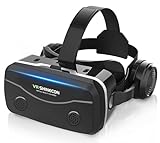
- 【2026 New Popular Design】This VR headset is the latest version, offering significantly improved comfort and focus accuracy. The Oculus Quest is too expensive for VR beginners. VR COCERKET is the most cost-effective VR headset on the market, ideal for beginners looking to explore the VR 3D world. It is compatible with almost all models, including 16/15/14/13 Plus, Sony, Samsung, Motorola, and more. It works with almost all smartphones with screen sizes between 4.7 and 7.2 inches. You can easily adjust it to fit different smartphone sizes.
- 【High Sound Quality Headphones】 Compared to VR goggles on the market, it is the best feature of having high quality headphones. Stereo headsets for a more realistic immersive 3D environment. These headphones feature a 42mm large aperture driver for immersive sound quality and clear footsteps from the movie monsters and enemies. In addition, the headset angle can be adjusted up/backward, so you can adjust it to your best angle.
- 【120 degree ultra wide angle, 1080P high resolution, aspherical optical lens】Our VR goggles adopt high quality PMMA aspherical optical lens, and adopts blue light cutting function and magnetic radiation protection, reducing eye fatigue. Our VR goggles, 120 degree wide angle viewing experience, you can change your living room into a 3D cinema or view the virtual world without turning the neck too much (don't forget to remove the film inside of the lens when using).
- 【Multi-function button and compatible with Android and iOS systems】 VR glasses do not require a Bluetooth controller. They are as easy to use as products equipped with controllers. Operation is extremely simple; just press the button on the VR glasses. In addition, the product comes with two data cables for Android and Apple devices, so you can choose according to your mobile phone (Bluetooth controller not included).
- 【Ergonomic Design and Superior Heat Dissipation】 VR headsets require prolonged use, so they are equipped with safety cushioning materials to protect your nose, face, head, and neck. Even after extended use, they leave no marks. The ergonomic three-axis adjustable headband design ensures comfort during extended use, offering exceptional elasticity and adjustability. It fits snugly on your head, eliminating concerns about slipping or falling off. The front cover features a magnetic attachment design, providing excellent heat dissipation and high breathability. When using a smartphone, heat is effectively dissipated from the interior, preventing blurred vision.
Decide whether a shortfall matters
If your PC meets the headset’s minimum but falls short of the recommended or full-resolution target, it may still support a reduced resolution or refresh rate. Whether that is acceptable depends on the headset, game, and settings. Check the game’s own requirements and the headset vendor’s guidance before assuming that a minimum-spec pass will deliver the experience you want.
- Likely compatibility issue: A required port, supported operating-system version, or qualifying discrete GPU is missing.
- Possible performance compromise: The PC meets a minimum but not the stated full-resolution or recommended target.
- Not established by a basic requirements check: Whether a particular game will sustain a chosen resolution and refresh rate on your exact configuration.
Compare candidates before choosing a headset
If you are considering more than one headset, compare each against the same PC and intended application rather than relying on a generic “VR-ready” label.
Quick Recap
| What to compare | Question to answer |
|---|---|
| GPU and CPU target | Do the official requirements match the resolution and refresh rate you want, as well as the game you plan to run? |
| Ports and routing | Does the PC have the exact connector required, and does the laptop route that port through a qualifying discrete GPU? |
| Operating system and software | Does the headset’s ecosystem support your Windows version and intended software? |
| Connection method | Are you setting up tethered PC VR, wireless PC VR, or desktop streaming? These workflows have different requirements. |
Product prices and availability are accurate as of the date/time indicated and are subject to change. Any price and availability information displayed on Amazon at the time of purchase will apply.




