Passport MRZ check digits use a repeating 7–3–1 weighted sum, reduced modulo 10. For a standard TD3 passport, the document number, birth date, expiry date and a composite selection of line 2 each have defined inputs and check-digit positions. The examples below show the calculation and provide Python and JavaScript validators that preserve those positions.
How the MRZ check-digit calculation works
ICAO Doc 9303 Part 3 defines a modulus-10 checksum. Map each character to its MRZ value, multiply those values by repeating weights of 7, 3 and 1, add the products, then take the remainder after division by 10. That remainder is the check digit.
As an Amazon Associate I earn from qualifying purchases.
Character values are fixed: digits map to their numeric values, letters A through Z map consecutively to 10 through 35, and the filler character < maps to zero. The weights begin again at 7 for each separate check-digit calculation. A filler contributes zero to the sum, but it still occupies a position, so the weight sequence continues.
Quick wins for a faster PC:
Clear out junk files and repair common Windows errorsFree Scan →Scan for outdated or missing drivers - takes under a minuteDriver Scan →Repair Windows errors before they cause bigger problemsFix Now →For mapped values v[i], the formula is sum(v[i] * [7, 3, 1][i % 3]) % 10. Keep the characters in their original order; do not remove fillers, reorder characters or parse a field as an integer.
#1 Best Overall

- Scanner type: Document
- Connectivity technology: USB
- With Auto Scan Mode, the scanner automatically detects what you're scanning
- Digitize documents and images
Example calculation
For the string 123, the weighted sum is (1 × 7) + (2 × 3) + (3 × 1) = 16. The remainder is 16 % 10 = 6, so its check digit is 6.
ICAO’s TD3 composite example has a weighted total of 448, giving 448 % 10 = 8. That example also demonstrates that filler characters contribute zero while the weights keep cycling across the entire input.
TD3 passport positions and inputs
A standard TD3 passport’s second MRZ line contains 44 character positions. ICAO Doc 9303 Part 4 defines which positions are checked. The position numbers below are one-based, as printed in the standard; code indexes are zero-based.
The Tool Desk
Outbyte PC Repair FREERepair Windows errors before they cause bigger problemsFix Now →Outbyte Driver Updater FREEFix the driver behind crashes, sound loss and screen glitchesFind Drivers →Rank #2

- Scan documents in seconds: Rapid color or B&W scanning up to 600 DPI and quick startup times of half a second
- Easy One-Button Scanning: Save images with just one touch of the button and equipped with intelligent image processing (cropping, rotation, de-skew) to enable scanning without adjusting settings
- Coverless Scanning: Scan without repetitive opening and closing of the cover
- Scan anywhere, no A/C outlet required: USB power option for portability
- Integrated TWAIN and ISIS driver: Connectivity for compatibility with hundreds of scanning software solutions
| Check | Input positions on line 2 | Check digit position |
|---|---|---|
| Document number | 1–9 | 10 |
| Date of birth | 14–19 | 20 |
| Date of expiry | 22–27 | 28 |
| Composite | 1–10, 14–20, and 22–43, concatenated in that order | 44 |
The composite input deliberately omits positions 11–13 and 21. Those are not part of the composite checksum input. Do not calculate it over all of line 2 or simply concatenate every field.
Python validator for a TD3 line
This validator accepts a complete, 44-character second line, rejects characters outside the MRZ alphabet, checks the three individual digits and then checks the composite digit. It reports the result of each check rather than treating one matching digit as validation of the whole line.
WEIGHTS = (7, 3, 1)


def mrz_value(char):
    if "0" <= char <= "9":
        return ord(char) - ord("0")
    if "A" <= char <= "Z":
        return ord(char) - ord("A") + 10
    if char == "<":
        return 0
    raise ValueError(f"Invalid MRZ character: {char!r}")


def check_digit(text):
    total = sum(mrz_value(char) * WEIGHTS[i % 3]
                for i, char in enumerate(text))
    return str(total % 10)


def validate_td3_line2(line):
    if len(line) != 44:
        raise ValueError("A TD3 passport line 2 must contain 44 characters")

    # Human positions 1–9 map to Python slice [0:9]; position 10 is index 9.
    composite_input = line[0:10] + line[13:20] + line[21:43]
    checks = {
        "document_number": check_digit(line[0:9]) == line[9],
        "date_of_birth": check_digit(line[13:19]) == line[19],
        "date_of_expiry": check_digit(line[21:27]) == line[27],
        "composite": check_digit(composite_input) == line[43],
    }
    return checks
Run it on a line you have already parsed or captured as exactly 44 MRZ characters. A result of True means that specific digit matches its prescribed input. A false result means either the character data was read incorrectly or the digit does not match; it does not identify which character is wrong.
Rank #3

- Multiple Document Reading And Imaging Capability – Imaging In 24-Bit Color - 400 DPI
- Rugged Design, No Moving Parts, Internally Sealed Optical Chamber To Prevent Dust Ingress
- Complete Access To OCR Data And Images Captured Via Software Development Kit (SDK)
- Enables Images To Be Accessed As BMP, PNG Or JPEG Format
- Auto-Triggering Of Document Capture – Presence Of Document Is Automatically Detected
Python checks for the character mapping and checksum
assert check_digit("123") == "6"
assert mrz_value("A") == 10
assert mrz_value("Z") == 35
assert mrz_value("<") == 0
assert check_digit("<1") == "7"

try:
    validate_td3_line2("A" * 43)
except ValueError:
    pass
else:
    raise AssertionError("Expected a length error")
ICAO’s worked composite example is the appropriate reference for checking the complete TD3 selection and expected composite digit: the selected input produces total 448 and digit 8. Use the exact characters and selection shown in the official example when comparing a full-line implementation.
Windows Errors? Fix Them Before They Spread
Repair common Windows errors and clear accumulated junk for a smoother, more stable PC - no reinstall needed.Free scan · no reinstallCrashes, No Sound, or Screen Glitches?
Random freezes, missing sound and display glitches usually trace back to one bad driver. Find and replace yours safely.Free scan · under a minuteJavaScript validator for a TD3 line
This version follows the same one-based ICAO positions and translates them to JavaScript’s zero-based slice boundaries. It returns a result object with a separate boolean for each checksum.
const WEIGHTS = [7, 3, 1];

function mrzValue(char) {
  if (char >= "0" && char <= "9") return char.charCodeAt(0) - 48;
  if (char >= "A" && char <= "Z") return char.charCodeAt(0) - 65 + 10;
  if (char === "<") return 0;
  throw new Error(`Invalid MRZ character: ${JSON.stringify(char)}`);
}

function checkDigit(text) {
  let total = 0;
  for (let i = 0; i < text.length; i++) {
    total += mrzValue(text[i]) * WEIGHTS[i % 3];
  }
  return String(total % 10);
}

function validateTd3Line2(line) {
  if (line.length !== 44) {
    throw new Error("A TD3 passport line 2 must contain 44 characters");
  }

  // Human positions 1–10, 14–20, and 22–43; position 44 holds the digit.
  const compositeInput = line.slice(0, 10) + line.slice(13, 20) + line.slice(21, 43);
  return {
    documentNumber: checkDigit(line.slice(0, 9)) === line[9],
    dateOfBirth: checkDigit(line.slice(13, 19)) === line[19],
    dateOfExpiry: checkDigit(line.slice(21, 27)) === line[27],
    composite: checkDigit(compositeInput) === line[43],
  };
}
JavaScript checks for the character mapping and checksum
console.assert(checkDigit("123") === "6");
console.assert(mrzValue("A") === 10);
console.assert(mrzValue("Z") === 35);
console.assert(mrzValue("<") === 0);
console.assert(checkDigit("<1") === "7");

try {
  validateTd3Line2("A".repeat(43));
  throw new Error("Expected a length error");
} catch (error) {
  console.assert(error.message.includes("44 characters"));
}
These assertions exercise a digit-only sequence, alphabetic mapping, filler handling and a wrong-length input. The official ICAO example provides the expected composite result for checking the full selection. Avoid converting MRZ fields to numbers: leading zeros and fillers are characters in the checksum input.
Rank #4
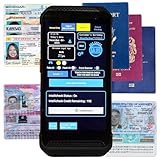
- FREE 5"" x 7"" ID Scanning Notice Included – Every Minor Decliner scanner includes a durable vinyl decal to display at your entrance or point of sale. Alerts customers that IDs are scanned and verified to help deter underage sales, fake IDs, and fraud.
- Unlimited Standard ID Scanning — Always Free - Instantly verifies age and expiration on every scan and automatically creates a compliance log - Eliminates math mistakes and protects your business during inspections.
- STOP FAKE IDs — REAL DETECTION, NOT GUESSWORK: Optional fake ID detection powered by Forensic Barcode Scanning — the industry gold standard. Analyzes encrypted barcode data against a live security database with 90%+ detection accuracy. Includes 6 free scans. After that, simply purchase scan credits. You only pay when you choose to run a fake check. Unlimited fake scans are not available.
- Fast & Easy Operation – Scans U.S. driver’s licenses and state IDs in under 2 seconds. No training required. Designed for high-volume environments.
- Portable, Battery-Powered Design – Built for long shifts per charge with a swappable battery. Fast charging in under 90 minutes for minimal downtime.
What a matching check digit does—and does not—show
ICAO describes the purpose of check digits as follows: “The check digits permit readers to verify that data in the MRZ is correctly interpreted.” A match establishes consistency between the characters supplied to the calculation and the displayed digit under this checksum rule. It does not prove that a passport is genuine, establish the holder’s identity, or validate an electronic chip or its signature.
This article describes the TD3 passport layout, not every machine-readable travel document. Other formats can use different line lengths, field positions and check-digit arrangements; do not apply these TD3 slices to a different document format. The algorithm and positions cited here are from the eighth edition of ICAO Doc 9303 Parts 3 and 4 (2021). For a compliance implementation, confirm the currently applicable ICAO edition and amendments.
Free tools Windows power users keep installed
One-click scans. No signup required.
Quick Recap
Official ICAO references
- ICAO Doc 9303 Part 3: Common Specifications, section 4.9 and Appendix A — character values, the modulus-10 method and the purpose of check digits.
- ICAO Doc 9303 Part 4: Specifications for TD3 Size Machine Readable Passports — line structure, check-digit positions and field selections.
Product prices and availability are accurate as of the date/time indicated and are subject to change. Any price and availability information displayed on Amazon at the time of purchase will apply.




