A hands-free desktop is not just speech recognition: it needs to capture audio, transcribe speech, map words to commands, and send actions to the operating system or app. You can build toward that locally, but the practical route depends on whether you want to dictate into the focused app, operate desktop controls by voice, or talk with a broader assistant. The documented examples cover Windows and Linux separately; they do not establish one universal cross-platform stack.
Choose the kind of hands-free desktop you need
First decide what “hands-free” should do. The three uses below need overlapping but distinct components.

As an Amazon Associate I earn from qualifying purchases.
| Use | What it does | What else it needs |
|---|---|---|
| Dictation | Turns speech into text in the currently focused application. | Speech-to-text plus a way to enter text into the app, such as keyboard input or clipboard paste. |
| Voice commands | Maps spoken phrases to desktop actions such as clicking or activating controls. | Command or intent handling and a compatible way to interact with the operating system and application. |
| Assistant conversation | Interprets broader requests and may speak a reply. | Speech-to-text, conversation or intent handling, and optionally text-to-speech. Desktop actions require an integration that can actually control the desktop. |
These are stages, not synonyms: offline speech recognition alone does not provide command execution or spoken responses.
Quick wins for a faster PC:
Clear out junk files and repair common Windows errorsFree Scan →Scan for outdated or missing drivers - takes under a minuteDriver Scan →Build around a local voice pipeline
A useful architecture is microphone or audio capture → local speech-to-text → command or intent mapping → operating-system or application action → optional local text-to-speech feedback. Home Assistant’s developer overview separates pipeline, conversation, intent, speech-to-text, and text-to-speech responsibilities, while its local setup guide describes audio capture and local processing choices. See the Home Assistant voice pipeline developer overview and local voice setup guide.
#1 Best Overall

- 🖥POWERFUL PROCESSOR and SUPERIOR STORAGE: Configured with top of the Intel Core i5 processor for lightning-fast, reliable and consistent performance to ensure an exceptional PC experience. 16GB RAM memory to smoothly run multiple applications and browser tabs all at once. 2TB HDD storage space to store apps, games, photos, music, and movies. Loaded with 16GB to zip through multiple tasks in a hurry without lag.
- 🖥️New 22 Inch Full HD (1920x1080) LED monitor: with 75hz, High-Quality panel with quick refresh rate and response time. With 1080p resolution, you can enjoy gaming or a modern computing experience. 22 Inch monitor has a Smart Contrast to provide optimized image quality. Bezel-less and sleek design with glossy finish, crisp edge-to-edge visuals. Wide Viewing Angles for clarity from any viewpoint. VESA Mountable and built-in tilt options allow for a variety of monitor configurations.
- ⌨️ +🖱️ RGB KEYBOARD AND MOUSE | RGB SPEAKER: 3 LED Colors - Blue, red, green, Backlight LED Lights for use at night time, looks amazing. The keyboard mouse and speaker are responsive, reliable, and probably plastered in RGB lights. It's important you pick the right one for your desktop.
- 💿 WINDOWS 10 Pro LATEST: A new installation of the latest Microsoft Windows 11 Professional 64 Bit Operating System software, free of bloatware commonly installed from other manufacturers. As Microsoft's latest and best OS to date, Windows 10 Pro 64 Bit will maximize the utility of each PC for years to come. Optional software such as Anti-Virus and Office 365 can also be easily downloaded through the Microsoft Windows App Store.
- Capture speech. A computer microphone or another voice-activated device is required. An existing headset or microphone may be enough; the reviewed sources do not compare models or establish a best microphone.
- Transcribe locally. Choose a speech-to-text engine with suitable language support and performance on your hardware.
- Interpret the result. For dictation, send the text to the focused app. For commands, match it to an action. For a conversational assistant, use an intent or conversation layer.
- Perform the action and provide feedback. Check that the app or desktop can accept the input. Add text-to-speech only if you need spoken replies or confirmation.
Local speech processing and local assistant behavior are separate questions. An app can transcribe on-device but still send a later request to a hosted AI provider; verify each configured component’s data flow.
Windows: dictation and desktop commands with Wheelhouse
Wheelhouse documents Windows dictation, voice commands, and clicking by voice. Its documentation lists three speech-recognition choices: local CPU Parakeet, local Distil-Whisper requiring an NVIDIA GPU with at least 4 GB of dedicated video memory, and a cloud Google option. The project says its local engines keep audio and transcripts on the machine, while the Google option sends audio for recognition. These are project descriptions, not independent privacy tests.
Wheelhouse also distinguishes speech recognition from optional hosted AI features: it says the desktop app sends no telemetry, but inputs to optional hosted AI features go to the provider configured for those features. A locally processed transcript therefore does not by itself make every enabled feature local.
Recommended Free Tools
Check control compatibility
Wheelhouse warns that recognition and compatibility vary across systems and applications, and that its testing across hardware and apps is limited. Voice control depends in part on the accessibility information an application exposes. Elevated windows and secure UAC prompts also have restrictions. Treat support for a specific app or control as something to confirm in the project’s current documentation rather than assume.
Rank #3

- [INTEL POWERED CONTENT] - Built with a 8th Generation Hexa-Core Intel i5 and 32GB of DDR4 RAM; Modern, Windows 11 ready, with 4K support, Executive multitasking, media streaming and smooth, multi-tab web browsing; Perfect as an all-purpose multimedia computer; built for content creators; Plenty of RAM and Mass storage for photo and video editing powered by Intel HD 630
- [LATEST WIRELESS TECH] - This Dell Desktop Computer easily connects to the internet through the Built In WiFi / Bluetooth
- [SOLID STATE STORAGE] - This Dell Computer setup comes with an ultra-fast 1TB Solid State Drive (SSD); Setup as the primary boot device; Boot and load programs with lightning speed ; Additional expansion available
- [BUY & OWN WITH CONFIDENCE] - From the world's largest Microsoft Authorized Refurbisher; Quality Guarantee and Free Tech Support; Award-winning Customer Service; | Support Sustainable Business
- [MODERN HI-SPEED PORTS] - USB 3.0 (x4) | USB 2.0 (x4) | DisplayPort (x1) | HDMI Port (x1) | Audio Combo Jack (x1) | Audio Out (x1) | RJ-45 Ethernet (x1) | Internal SATA (x3)
Linux: focused-app dictation with vosk-cli-dictation
vosk-cli-dictation layers commands and text entry into the focused application over Vosk. Its setup is session-dependent: the project documents different clipboard and keystroke tools for Wayland and X11. Identify which session your desktop uses and follow the corresponding installation instructions in the vosk-cli-dictation project documentation.
The project reports that memory use is approximately 300 MB, depending on the language model, and publishes real-time-factor measurements for particular Raspberry Pi and x86 machines. Those are project-reported, machine-specific figures, not independent benchmarks or a guarantee for your computer. The documented use case is Linux dictation; it should not be treated as equivalent to Wheelhouse’s documented Windows voice clicking and command control.
Rank #4

- 【Easy to set up】The PC bundle package, including desktop computers, monitors. You can enjoy the process of installation without trouble. The components have been pre-built and tested, so all you need to do is connect the cable and immediately start and run the desktop
- 【Stable Processor】Quad Core i5-6500, 3.2 GHz base frequency, up to 3.6 GHz, which delivers efficient processing power for a variety of tasks, including office productivity, web browsing, and multimedia consumption
- 【Ample Capacity】8GB RAM offers sufficient memory for smooth multitasking and running multiple applications simultaneously; 256GB Solid State Drive ensures fast boot times, quick file access, and sufficient storage space for your files, documents, and multimedia content
- 【21.5 inch FHD Monitor】HP EliteDesk 800 G3 Small Form Factor comes with 21.5" FHD display form a bundle that allows you to seamlessly set up your home office and enjoy the flexibility of a complete solution that is ideal for users.
- 【Operating System】Windows 11 Pro - a powerful, secure, compatible, and more manageable operating system that helps you better manage and protect your devices and data for greater productivity and security.
Choose recognition for your commands, hardware, and language
Local model choice is a capability and resource trade-off. In Home Assistant’s documented setup, Speech-to-Phrase is a constrained model for a known set of commands, while Whisper supports more open-ended speech but can take longer on modest hardware.
Free tools Windows power users keep installed
One-click scans. No signup required.
| Option in Home Assistant’s documented setup | Best fit described | Published processing example |
|---|---|---|
| Speech-to-Phrase | Known, close-ended commands; not some open-ended tasks out of the box. | Under one second on Home Assistant Green or Raspberry Pi 4, according to Home Assistant’s setup guide. |
| Whisper | More open-ended speech recognition. | Around eight seconds on Raspberry Pi 4 and under one second on an Intel NUC for incoming voice commands, according to the same guide. |
These timings are Home Assistant’s published examples for its documented setup, not predictions for Wheelhouse, Vosk, another model, or a desktop build. Home Assistant’s local voice setup guide gives the context for those examples.
Best Value
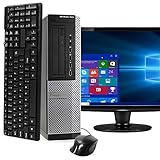
- POWERFUL PROCESSOR - Configured with top of the line series processor for lightning fast, reliable and consistent performance to ensure an exceptional PC experience.
- SUPERIOR STORAGE AND MEMORY – Customized with 500GB HDD hard drive storage space to store apps, games, photos, music and movies. Loaded with 8GB of RAM to zip through multiple tasks in a hurry without lag.
- WiFi CONNECTIVITY - Stay connected to the WiFi Adapter. Play your favorite music files with stereo sound. Easily connect to large and multiple monitors through the installed onboard video connections.
- WINDOWS 11 LATEST RELEASE - A new installation of the latest Microsoft Windows 11 Professional 64 Bit Operating System software, free of bloatware commonly installed from other manufacturers. As Microsoft's latest and best OS to date, Windows 11 Professional 64 Bit will maximize the utility of each PC for years to come. Optional software such as Anti-Virus and Office 365 can also be easily downloaded through the Microsoft Windows App Store.
- BUY WITH CONFIDENCE - All Amazon Renewed computers come with a 90-day warranty and technical support to provide customers with unmatched quality and care
For Home Assistant Voice Preview Edition’s local Whisper Base use case, its product page recommends at least an Intel N100 or equivalent. That is a vendor recommendation for that setup, not a general minimum for offline desktop voice control. See the Voice Preview Edition page.
Ask whether your language works through the whole pipeline
“Is my language supported?” has more than one answer. Recognition must understand the speech; command handling must recognize the relevant phrases or intents; and, if you want spoken replies, text-to-speech must support the language too. A language listed for a speech model does not establish support across every other stage.
Home Assistant’s June 25, 2025 voice chapter explains that language support depends on the full pipeline and that local performance varies with both language and hardware. A limited command grammar can suit lower-power equipment, while general transcription may require more resources. Check the chosen tools’ current language support and try the phrases you will actually use. See Home Assistant’s voice chapter 10.
Where Home Assistant fits—and where it does not
Home Assistant is a useful example of an open local voice-assistant architecture, but its official material describes home control rather than general desktop control. Its documented path lets you select speech-to-text and text-to-speech apps, connect them through Wyoming, configure an assistant, and expose devices for voice control. It can help illustrate how a local assistant is assembled; it is not, on the cited documentation, a general package for clicking desktop controls or typing into any focused app.
The developer overview was last updated April 8, 2025. The Home Assistant examples are most useful for understanding pipeline roles and trade-offs, not as a direct performance forecast for a Windows or Linux desktop application.
Quick Recap
A practical checklist before choosing a build
- Define the task: focused-app dictation, desktop commands, or conversation with spoken replies.
- Match the project to the platform: Wheelhouse documents Windows control features; vosk-cli-dictation documents Linux focused-app dictation.
- Check the desktop session and app: on Linux, confirm Wayland or X11 and its input dependencies; for voice control, confirm the target application exposes usable controls.
- Check language at every stage: transcription, command or intent handling, and speech output if needed.
- Check hardware against the actual workload: constrained commands and open-ended transcription have different resource demands. Test on the target machine rather than assuming a published example transfers.
- Trace data flows: distinguish local recognition from any optional hosted assistant or AI service.
- Decide whether you need audio replies: text-to-speech adds a component, but is not necessary for silent dictation or commands.
Product prices and availability are accurate as of the date/time indicated and are subject to change. Any price and availability information displayed on Amazon at the time of purchase will apply.




