A prompt tells an AI video tool what you want; a workflow makes the steps for producing it repeatable. A useful short-video generator gathers a brief, plans shots, prepares prompts and references, generates clips, supports review and revision, and helps assemble an export. Prompts still matter—they work better when the process gives them the right inputs and a clear job.
What a workflow adds to a video prompt
A one-line request can be a good starting point, but it does not by itself specify every decision needed to make a finished video. A reusable workflow can collect missing details, pass them between steps, generate individual shots, preserve alternatives, and connect the results to editing operations.
As an Amazon Associate I earn from qualifying purchases.
For example, Runway describes Workflows as a visual, multi-step pipeline connecting models, prompts, and media operations. Its workflow tools include input nodes, media-generation nodes, and LLM nodes that can modify prompts based on creative intent; documented utilities include stitching video and adding or extracting audio. Runway also describes task-oriented skills for its Agent, which can carry out procedures such as building an explainer video from a topic and voiceover. These are examples of workflow mechanics, not evidence that any one system produces better video. Runway Workflows documentation and Runway Agent documentation.
How to design a short-video workflow
1. Turn the brief into usable inputs
Capture the subject, intended audience, platform, aspect ratio, target duration, style, and any constraints. Keep a natural-language prompt as the creative starting point, but treat these details as inputs the workflow can ask for or pass on. Runway’s Agent documentation describes starting with a simple sentence and optionally supplying assets; task-specific skills guide what happens next.
#1 Best Overall

- 【Complete All-in-One Filmmaking Solution】This professional video kit includes everything you need to shoot studio-quality videos immediately: ergonomic U-shaped stabilizer handle, universal phone cage, action camera mounting adapter, RGB LED fill light, and directional shotgun microphone. No need to purchase separate accessories, saving you both time and money.
- 【Curved U-handle Stabilizer】Equipped with 3 cold shoe mount on the top and 2 universal 1/4" screw on the base, allowing you to simultaneously mount your camera, smartphone, external monitor, microphone, LED light, and other accessories. Multiple configuration options adapt to all your shooting needs.
- 【Variable Smartphone Video Cage】Rich expansion options, including 3 cold shoe mounts and five 1/4" threaded holes, offering a secure and versatile camera grip for dynamic filming. Comes with a detachable handle grip,ideal for recording different wonderful angles quality Videos. Works seamlessly with all smartphones (with or without a protective case, fits 4.7"-6.7" screens).
- 【Creative Lighting & Control】Adjustable iPhone light offers 102 LEDs (30 RGB + 72 high-CRI LED) deliver 800lm at 120° with CRI95+ sunlight accuracy. This small rgb light offers 10%-100% dimming for studio-quality led light anywhere. 【Tips】If the product does not light up when turned on, please charge it before use.
- 【External Microphone】 Compatible with iPhone, Android, cameras, camcorders, recorders, tablets, and laptops,ideal for recording YouTube Vlogs, Tik Tok, interviews, family vacation trips, live music, outdoor events, etc. 【Tips】Use a straight TRRS cable (not curved) and connect the "L" end to the microphone for proper function.
2. Plan shots before generating them
Break the idea into short units, each with one main action, a framing choice, and visual direction. This makes it easier to revise a weak moment without regenerating the entire piece. Runway’s Multi-Shot recipe can decompose a story prompt or accept a custom ordered list of 3–5 shots. Its documented total-duration options are 5, 10, or 15 seconds; those are settings for that recipe, not a general limit for AI video. Runway Multi-Shot recipe.
3. Match the prompt to the generation mode
For text-to-video, describe what should appear and how it should move. For image-to-video, the supplied image establishes composition and style, so prompt text can focus more on motion, camera movement, and timing. Runway recommends starting simply and adding prompt elements iteratively. A workflow can also use an LLM node to adapt a prompt to the intended creative direction. See Runway’s prompt-component guidance and its prompting guidance.
Rank #2

- Multifunctional -- Come with Smartphone Video Rig, both sides handles and Removable handle ideal for recording different wonderful angles quality Videos.
- Wide Compatibility -- Fits all Cameras and Camcorders with a national standard 1/4-20 thread interface. And the removable wireless shutter for all smartphones.
- Stability -- Great for Skateboarding, Rollerblading, Motor Racing, Biking, Surfing, Snowboarding, Skiing and any Extreme Sports Situation where stability is essential.
- Triple Shoe Mount -- Can be used to attach extra Video Lights, Flashes, LED Lights or Microphones at the same time.
- Moving Low Angle Filming -- Ideal for making moving low angle videos and images.
4. Generate clips and keep alternatives
Connect the planned text or image inputs to the chosen generation steps. Runway’s starter workflow tutorial, for example, connects text prompts to image generation and then connects an image and another prompt to image-to-video generation. It supports running the whole workflow or individual nodes, inspecting outputs, comparing them, and restoring previous results. That ability to branch and revisit outputs is part of the workflow—not a reason to assume the first generation will be final. Runway’s Workflows introduction.
The Tool Desk
Outbyte PC Repair FREEClear out junk files and repair common Windows errorsFree Scan →Outbyte Driver Updater FREEFix the driver behind crashes, sound loss and screen glitchesFind Drivers →5. Review, revise, and assemble
Generated results vary, and Runway cautions that its Agent can make mistakes and may require iteration. Review each clip for whether it communicates the intended action, then revise prompts or inputs where needed. Editing can join clips, extract frames, and add or extract audio. OpenAI’s Sora prompting guide says shorter clips generally follow instructions more reliably and gives stitching two 4-second clips in an editor as an example that may work better than generating one 8-second clip. Treat that as guidance in the Sora guide, not a universal guarantee. OpenAI’s Sora 2 Prompting Guide.
Rank #3

- [Powerful and Versatile 3-Axis Foldable Gimbal Stabilizer for Smartphones.]More powerful than any other smartphone gimbal, works well and compatible with iPhones and most Android phones.Smart XE phone gimbal is equipped with versatile compatibility of smartphones. Suitable for vlogging, live-streaming, selfie, hiking, and sports scenarios. One-Click video button effortlessly switchs between horizontal and vertical portrait mode for quick TikTok video or YouTube shorts.
- [Portable Foldable Design, Compact and Lightweigh]Palm-size 3-axis foldable gimbal with a net weight of only 0.78pounds, but can carry a 250-gram payload. Innovative focus wheel and zoom slide empowers you to shoot like a professional filmmaker photographer, even without complicated filmmaking skills, with adjustable focus speed and 3 brushless motors that increase power to stabilize most big-screen smartphones and create smooth and steady video shots.
- [All-day Long Video Creation] 2600mAh big-capacity battery enables up to 10 hours of continuous shooting, making it perfect for food photography, beauty live-streaming, vlogging, YouTube and TikTok video creation. One-click video button to effortlessly switch from horizontal mode to vertical portrait mode, rapidly taking your TikTok shots in just a flash. Born for filmmakers, vloggers, TikToker, IGTV, and YouTuber to shoot professional videography.
- [AI Face Track 4.0 ]Guestual Control in our Intuitive AOCHUAN APP: Easily take any kind of shooting mode, including panorama, wide-angle, cinematic and movie mode, live-streaming, time-lapse, and motion-lapse, and optimize your phone's native camera settings. Tutorial videos available on our integrated app, product videos and YouTube channel.
- [SMART 7.0 Anti-Shake Smooth ]Equipped with the enhanced powerful brushless motors and 7.0 generation anti-shake algorithm for smooth and steady video output for professional videography. Start now to be a professional videographer with AOCHUAN SMART XE gimbal stabilizer. Package and support includes AOCHUAN SMART XE gimbal (phone not included), tripod, USB-C charging cable and user manual.
6. Check the finished export
Before publishing, check pacing and continuity across shots, audio, captions, aspect ratio, and the destination platform. These are practical editorial checks for the final deliverable, rather than a checklist prescribed by a vendor. Export settings can depend on the specific model and editor: Adobe’s instructions, last updated June 16, 2026, describe using Runway Gen-4.5 in Firefly with 5-, 8-, or 10-second durations and default 720p widescreen output. Do not assume that this configuration produces portrait video. Adobe Firefly’s Runway Gen-4.5 instructions.
Choose an approach by the work you need to repeat
Different workflow styles suit different needs. A node-based setup offers explicit connections between prompts, models, and media operations; an agent skill packages a task as a procedure; a multi-shot recipe focuses on shot planning; and a timeline-centered editor puts generated clips into an editing context. The official documentation supports these feature distinctions, but does not establish a neutral quality ranking or a complete, current cost comparison.
Rank #4

- [Upgraded 3-Axis Gimbal Stabilizer for Smartphone] Embark on a journey of capturing life's most cherished moments with the L7C Pro iPhone stabilizer, as its dynamic 3-axis stabilization feature transforms shaky footage into silky smooth cinematic shots. Picture yourself on a family vacation, effortlessly recording panoramic views and cherished memories with professional-grade stability that breathes life into your videos. As an aspiring videographer or content creator, the advanced 3-axis iphone gimble technology offers the ideal companion for elevating your filming game, ensuring that every shot reflects a level of polished professionalism fit for various storytelling platforms.
- [9.0 Intelligent AI Tracking] Discover a new realm of filming possibilities with the COMITOK L7C Pro gimble and its innovative Comitok app. Effortlessly navigate through various tracking modes, including face tracking, object tracking, empowering you to capture every moment with precision and ease. Embrace the simplicity of gesture controls as manual adjustments become a thing of the past, allowing you to focus on creating perfectly centered and dynamic footage effortlessly.
- [Lightweight, No Leveling Required] Enjoy the convenience of portability with the L7C Professional smartphone gimbal, featuring a compact folded size of 6*4.3*1.8 inches that easily expands to 10.2*5.1*3.5 inches when in use. The phone gimbal weighs only 0.8 lbs. Effortlessly fold this smartphone stabilizer and stow it in your bag, ensuring that you're always prepared for impromptu adventures, hiking trips, or spontaneous photo opportunities. Forget complex setup procedures with the L7C Professional phone stabilizer for video recording—no leveling is required. Simply unfold, adjust, and you're ready to start filming in a matter of seconds, saving you valuable time and effort.
- [Wide Compatibility with Your Phone] Glide into the world of versatile compatibility with our top-notch gimbal stabilizer. The COMITOK L7C Pro gimbal is meticulously crafted to seamlessly accommodate a wide range of iPhone and Android smartphones under 7 inches in size, weighing up to 0.62 pounds. Explore the unmatched compatibility of the COMITOK L7C Pro gimbal by downloading our "Gimbal Pro" app from your Apple or Google store. Dive into a world of endless possibilities as you unlock a plethora of functions, including Inception, Dolly zoom, slow motion, time lapse, panorama, and more, all at your fingertips for seamless creative exploration.
- [All-day Long Battery Life] Immerse yourself in the world of limitless creativity with our state-of-the-art gimbal equipped with a robust 2600mAh large capacity battery. Experience unparalleled convenience as the phone stabilizer charges to completion in just 80 minutes. Harnessing cutting-edge charging technology, our gimbal for iPhone assures rapid and efficient charging times, enabling you to spend more time capturing breathtaking footage. Say goodbye to battery anxiety and welcome seamless filming sessions that empower you to focus on your artistry and storytelling.
- Choose a custom node workflow when you want to connect inputs, prompt handling, generation, and media utilities into a reusable sequence.
- Choose a task-oriented agent skill when you want to describe a goal and have a guided procedure handle multiple steps, while retaining a review and correction loop.
- Choose a multi-shot recipe when controlling shot order and dividing a short story into separate units is central.
- Choose a timeline-centered editor workflow when assembling, pacing, and finishing generated clips is a major part of the job.
To compare tools for a real project, check how much of the process can be reused, how precisely you can control shots and prompts, which text and media inputs are supported, whether outputs can be reviewed and revised, which duration and export settings are available, and how usage is charged. Models, controls, availability, and costs can change; verify current product documentation before committing to a workflow.
Why keep a person in the loop?
Automation can make a process repeatable, but it does not make creative review unnecessary. A workflow can apply the brief consistently, create alternatives, and make revision easier; a person still needs to judge whether the shots fit together, the message is clear, and the exported video meets its purpose. The practical goal is not to replace prompts with skills. It is to make prompts one well-defined part of a repeatable process.
Quick Recap
Best Value
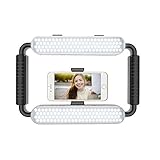
- ➤Ring light with a wide dimming range from 10%-100%, 5600K color temperature, cri(color rending Index) ≥97 brings out the most natural skin tone, which makes the portrait more attractive and realistic.
- ➤[Video light & Hand-held Grip Stabilizer] 12W 200 pieces high quality LED beads and Lightweight is convenient for outdoor shooting. Stabilized system, supporting mobile photographing via Bluetooth.
- ➤ [2 Color Filters] White and Orange Color Diffusers are made of high light transmission plastic material with steady color temperature.
- ➤[Dual Power Solutions] Ring selfie light can use two modes to power, you can use DC adapter 9V/12W (not included) and Sony F550 battery(one battery) to supply power.
- ➤[Bluetooth Photography Function] Turn on the Bluetooth function on the mobile phone and connect GVM-HL. You can take photos with the mobile phone via the Bluetooth Photographing Button.(the camera and mobile phone of the product images are not included in package)
Product prices and availability are accurate as of the date/time indicated and are subject to change. Any price and availability information displayed on Amazon at the time of purchase will apply.




