Recommended Free Tools
Keep PDF compression off the request path: accept and record each job, place a small message on a queue, and let workers fetch, compress, validate, and store the document independently. Make processing safe to repeat, tune queue visibility to the work’s actual duration, and route persistent failures to a dead-letter queue (DLQ). There is no established universal throughput figure for PDF compression; measure the document mix and compression settings you expect to run.
Design the pipeline around a durable job, not an HTTP request
A request should initiate work, not hold a connection open while a large PDF is transformed. Amazon SQS describes decoupling intensive background work and allocating tasks to workers as queue use cases (Amazon SQS Features). Apply that pattern by separating intake, storage, queueing, compression, and delivery.
As an Amazon Associate I earn from qualifying purchases.
- Accept and validate the request. Check that the requested operation and compression profile are supported, then create a stable job ID and record the job in durable application storage.
- Store the source PDF. Keep the document in object or file storage and put its reference in the job record. This avoids making the queue responsible for transporting large PDF bytes.
- Enqueue a compact message. Include the job ID, source reference, and requested profile. Keep the message small enough that workers can retrieve everything else from durable storage.
- Return a job reference to the caller. Let clients check status or retrieve the result later rather than waiting for compression to finish in the request.
- Have a worker fetch, transform, validate, and persist. The worker reads the source, applies the selected profile, checks the output against the product’s requirements, stores it, and updates the job record.
- Make the result retrievable. Publish completion only after the output and completion record are durable, so callers do not receive a success status for a missing or incomplete file.
The message should identify work, not act as the sole record of it. Store status, source and result references, selected profile, attempt count, and useful error details in the job record. This gives the application and its operators a place to inspect a job even after a queue message has been deleted or moved to a DLQ.
PC Slower Than It Used to Be?
A free scan shows the junk files, broken settings and background clutter dragging Windows down - then fixes them in one click.Free scan · Windows 10 & 11Crashes, No Sound, or Screen Glitches?
Random freezes, missing sound and display glitches usually trace back to one bad driver. Find and replace yours safely.Free scan · under a minuteChoose queue semantics and worker capacity deliberately
Amazon SQS standard queues provide at-least-once delivery and best-effort ordering. That suits workloads that can tolerate duplicate and out-of-order messages, but not an application that assumes each job arrives exactly once or in sequence (Amazon SQS Features). If your product needs stricter ordering, evaluate FIFO queues; ordering requirements and duplicate tolerance should be explicit design decisions, not assumptions.
#1 Best Overall

- EVERY PDF TOOL UNLOCKED - 30+ tools in one app: edit text and images, convert, merge, split, compress, sign, OCR, redact, watermark, batch process, and more. No feature gates, no upsells, nothing held back.
- PAY ONCE, OWN FOREVER — A one-time purchase, not a subscription. Other apps runs $240/year — Scrivar is yours for life, with free updates included.
- UNLIMITED eSIGN, BUILT IN — Send contracts and forms for signature and track every step. Recipients sign in their browser with no account or app needed. Replace DocuSign and save hundreds a year.
- PC, MAC, AND WEB — Install on any Win 10/11 PC or macOS 11+ Mac (Intel or Apple Silicon), or work in your browser at scrivar.com. Same tools, same account, everywhere you work.
- OCR + FULL OFFICE CONVERSION — Turn scanned documents into searchable, selectable text, and convert PDFs to and from Word, Excel, and PowerPoint with formatting kept intact.
Scale consumers using observed backlog and processing capacity. Queue depth alone is not enough: a queue full of short jobs is different from one containing large, slow documents. Track queue age as well as depth, and compare both with worker completion rates and your latency objective. Set worker concurrency from representative file sizes, page counts, memory consumption, and the behavior of the chosen compression profile. No source cited here establishes a safe universal worker count, SQS quota, or PDF jobs-per-second figure; verify current regional service limits before relying on a numeric SQS limit.
Pick compression settings by measuring the trade-off
qpdf: tune applicable Flate streams and image handling
The qpdf 12.4.2 manual documents options including --recompress-flate, --compression-level, --optimize-images, JPEG quality, and object streams (qpdf 12.4.2 documentation). For applicable Flate streams, levels 1 through 9 trade speed for compression: lower levels are faster and less compressive; higher levels are slower and more compressive. Recompressing already-compressed Flate streams is not the default and can make writing slower.
Image optimization is a separate quality decision. qpdf can convert eligible non-JPEG images to DCT/JPEG when doing so reduces bytes, but it does not resample images and JPEG is lossy. Its stated primary purpose is not file-size optimization, and its transformations generally do not modify content apart from possible image recompression. Treat settings as a profile to test, not a promise of a fixed percentage reduction.
The Tool Desk
Outbyte PC Repair FREERepair Windows errors before they cause bigger problemsFix Now →Outbyte Driver Updater FREEFix the driver behind crashes, sound loss and screen glitchesFind Drivers →Rank #2
![PDF Extra 2024| Complete PDF Reader and Editor | Create, Edit, Convert, Combine, Comment, Fill & Sign PDFs | Lifetime License | 1 Windows PC | 1 User [PC Online code]](https://m.media-amazon.com/images/I/41eZq4aiipL._SL160_.jpg)
- EDIT text, images & designs in PDF documents. ORGANIZE PDFs. Convert PDFs to Word, Excel & ePub.
- READ and Comment PDFs – Intuitive reading modes & document commenting and mark up.
- CREATE, COMBINE, SCAN and COMPRESS PDFs
- FILL forms & Digitally Sign PDFs. PROTECT and Encrypt PDFs
- LIFETIME License for 1 Windows PC or Laptop. 5GB MobiDrive Cloud Storage Included.
Evaluate other engines against your document mix
Ghostscript describes conversion and optimization workflows, including cloud-ready and high-throughput use, on its official site (Ghostscript). That is vendor positioning, not an independent head-to-head throughput result. Compare it with qpdf and any other candidate using the same representative inputs and acceptance criteria. Keep originals and check rendering, text, metadata, forms, links, and signatures wherever those properties matter to your users.
Build a small set of named profiles around measured needs—for example, a conservative profile where fidelity is paramount and a more aggressive profile only where its quality trade-offs are acceptable. Measure processing time, memory use, output size, and fidelity on representative files before choosing defaults or worker limits. Include malformed, encrypted, image-heavy, and unusually large documents in testing; a result from one sample does not predict the rest of the workload.
Make duplicate delivery harmless
A stable job ID and durable completion record are the basis for idempotent processing. On each delivery, a worker should check whether the job is already complete before doing expensive work. When writing results, use a stable job-specific destination or otherwise prevent a repeated attempt from publishing a second, conflicting result. Update status and publish completion only in a way that remains safe if the worker is invoked again.
Rank #3
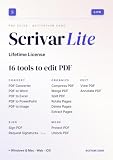
- Pay once, own Forever
- Modern PDF App. Scrivar requires no download. Use scrivar from your browser. Optional Windows/Mac app available.
- Create and edit PDFs. Collaborate with ease. E-sign documents and collect signatures. Get everything done in one app, wherever you go.
- E-sign documents or request e-signatures on any device. Recipients don’t need to log in or have an account to e-sign.
- Make editable PDF forms in just a few steps to quickly and securely capture form data.
Do not assume that rerunning a PDF transformation will always produce byte-for-byte identical output. The qpdf 12.2 CLI manual discusses deterministic IDs and the caveat around byte-level idempotency (qpdf 12.2 CLI manual). For many pipelines, the meaningful guarantee is one durable logical result per job, not identical output bytes across executions.
Quick wins for a faster PC:
Repair Windows errors before they cause bigger problemsFix Now →Scan for outdated or missing drivers - takes under a minuteDriver Scan →Clear out junk files and repair common Windows errorsFree Scan →Set visibility timeouts around real processing time
In SQS, a received message is hidden from other consumers during its visibility timeout. If the worker does not finish and delete the message before that timeout expires, another worker can receive it and start the same job. AWS states: “If a consumer fails to process a message before the visibility timeout expires, another consumer may receive and process it, leading to duplicate processing.” — Amazon Web Services, Outage recovery scenarios in Amazon SQS.
Set the timeout to cover normal processing time, based on observed job durations, and extend it with ChangeMessageVisibility when a long-running job is still active. AWS recommends tuning the timeout to processing time and extending it as needed (Outage recovery scenarios in Amazon SQS). Visibility is not a substitute for idempotency: worker crashes, delays, or timeout misestimates can still result in another delivery.
Rank #4

- EDIT text, images & designs in PDF documents. ORGANIZE PDFs. Convert PDFs to Word, Excel & ePub.
- READ and Comment PDFs – Intuitive reading modes & document commenting and mark up.
- CREATE, COMBINE, SCAN and COMPRESS PDFs
- FILL forms & Digitally Sign PDFs. PROTECT and Encrypt PDFs
- 1 Year License for 1 Windows & 2 Mobile (Android and/or iOS) devices.
Retry transient errors and isolate persistent failures
Use a bounded retry policy rather than repeatedly processing every failure. Classify errors so that temporary infrastructure problems can be retried while invalid inputs are surfaced for correction. Choose retry limits and visibility windows to fit measured job durations and recovery objectives; neither a single delay nor a receive count is correct for every workload.
| Failure class | Example | Handling |
|---|---|---|
| Transient | Temporary storage or service failure | Retry within the configured bound; record the attempt and error category. |
| Persistent or input-related | Invalid PDF or unsupported encryption | Avoid endless retries; make the failure visible and route it to diagnosis when the receive limit is reached. |
Configure an SQS redrive policy with a deliberate maxReceiveCount and send exhausted messages to a DLQ. A DLQ isolates messages for diagnosis rather than leaving them in an unbounded retry loop; AWS documents redrive configuration and receive counts in its dead-letter queue guidance. Inspect the document reference, error category, attempt count, and processing logs before redriving. Redrive only after the cause is understood, or the same failure will recur.
Instrument the workload before calling it high-throughput
Throughput depends on the document distribution, selected engine and settings, worker resources, and the quality bar for output. The cited sources do not provide a comparable PDF-engine benchmark. Establish your own baseline with representative documents and track:
- Queue depth and age, to reveal both accumulated work and how long jobs wait.
- Processing time and completion rate, segmented by profile and useful document characteristics such as size or page count.
- Worker memory use and failures, to set concurrency limits and identify problem classes.
- Output size and fidelity checks, so a faster or smaller result is not accepted at the expense of required content quality.
- Retry counts, visibility extensions, and DLQ arrivals, to distinguish routine transient issues from systemic failures.
Use these observations to adjust worker capacity, profile defaults, and retry settings together. Increasing concurrency can raise resource pressure; changing compression settings can change both processing time and output quality. Validate each change against the same workload and acceptance checks rather than extrapolating from a single PDF.
Quick Recap
Product prices and availability are accurate as of the date/time indicated and are subject to change. Any price and availability information displayed on Amazon at the time of purchase will apply.




