The Tool Desk
Outbyte PC Repair FREEClear out junk files and repair common Windows errorsFree Scan →Outbyte Driver Updater FREEFix the driver behind crashes, sound loss and screen glitchesFind Drivers →Start with a weapon you can use reliably, then build around its stat scaling and the condition that makes it strongest. Use your other weapon and skills to create that condition, cover a weakness, or make attacking safer; choose mutations, affixes, and scrolls to support the same plan. There is no single best pairing for every weapon or run.
What a loadout needs to do
A loadout is a small system, not just a weapon pairing. The starting arrangement has two weapon slots, two skill slots, and an amulet slot. Weapons can be used repeatedly, while skills have cooldowns, so the two kinds of support play different roles. The Dead Cells Wiki’s gear reference describes the slots and gear categories.
As an Amazon Associate I earn from qualifying purchases.
Choose one weapon as your anchor: the weapon you expect to use for most of your damage. The other slots should make that weapon easier or safer to use. They can help meet its critical-hit condition, offer range or crowd control, add a useful status effect, or provide a fallback when its preferred attack is awkward. Your mutations and stat choices should reinforce that same approach rather than pulling the build in unrelated directions.
This is a flexible decision framework, not a claim that any particular combination has been tested or is optimal. Nintendo describes the game as offering “over 130 different weapon combinations”; that is Nintendo’s promotional figure, not a published counting method or a guarantee that every combination is equally effective. The breadth is a reason to build around what your weapon asks of you, rather than follow a universal loadout list.
#1 Best Overall
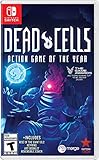
- Incredible 2D souls-lite action with more than 90 weapons and spells with nonlinear gameplay.
- Explore secret room, hidden passages, and charming landscapes. Stroll down towers and breath in that fresh sea mist infused air.
- Build your unique play style as you combat the adrenaline pumping threat of perm death in this unique game of the year!
Think of each choice as having a job. The anchor weapon supplies your repeatable attack; the second weapon can cover a gap or help set up the anchor; skills give you additional tools that are limited by cooldowns. Mutations add another layer of support, while the amulet and scroll choices should fit the direction the run is already taking. A slot that does not contribute to your plan is not automatically wasted, but you should be able to say what benefit it brings—such as more reliable critical hits, safer attacks, or an answer to an awkward encounter.
Start with the weapon’s stat and critical-hit condition
Check the item itself
Read the weapon’s details before deciding what goes in the remaining slots. Identify which stat color it scales with, what its critical-hit condition is, and what its attack pattern asks you to do. Melee weapons scale with Brutality or Survival; other weapons and skills have their own scaling. The gear reference also notes that base damage, item quality, and affixes affect an item’s performance. A weapon’s name alone is not enough to tell you whether it fits your current run.
- Stat scaling: Which stat supports this weapon? Prefer gear and choices that fit the same direction when the run allows it.
- Critical-hit condition: What needs to happen for the weapon to deal its stronger hits? Consider whether you can make that happen consistently in the situations where you need damage.
- Attack pattern: Does using it require a particular range, timing, target, or setup? Note what makes attacks unreliable or leaves you exposed.
- Item details: Compare the actual base damage, quality, and affixes on the items you have. A generic tier list cannot account for those run-specific differences.
The aim is not to maximize one displayed number in isolation. A weapon whose condition you can trigger reliably may be more useful to your run than one that looks stronger but is difficult for you to use safely. That is a practical decision rule based on the gear system, not a measured damage comparison.
Crashes, No Sound, or Screen Glitches?
Random freezes, missing sound and display glitches usually trace back to one bad driver. Find and replace yours safely.Free scan · under a minutePC Slower Than It Used to Be?
A free scan shows the junk files, broken settings and background clutter dragging Windows down - then fixes them in one click.Free scan · Windows 10 & 11Make the inspection concrete. For each candidate, note its stated scaling, what activates its critical hits, and any affix that appears relevant to your intended support. Then consider the sequence of actions the weapon requires: can you perform the setup and attack in the order you intend, and is there a support option that helps without making the sequence cumbersome? This is a way to compare the items you actually have, not a promise that a particular stat or weapon type wins in every run.
Also separate “fits the stat” from “fits the plan.” A piece of gear may scale in a direction you are already pursuing but still fail to help with the anchor’s main weakness. Conversely, a complementary tool may serve a useful setup or safety role even if its job is not simply to duplicate the anchor’s damage. Check both the item’s scaling and its practical purpose before committing a slot.
Use the other slots to solve a specific problem
After choosing the anchor weapon, look at its main obstacle. If it needs a condition to crit, support should help establish that condition. If it is hard to use at close range, look for range, control, or safety. If it lacks flexibility against a situation you often face, a complementary weapon or skill can provide an alternative. A support slot is most valuable when you can explain what problem it solves.
| What the anchor weapon needs | What to look for in support | Question to ask |
|---|---|---|
| A reliable critical-hit setup | A weapon or skill that helps create the condition | Can I trigger the condition when I need it, without spending too long setting up? |
| Safer opportunities to attack | Range, control, or another way to make attacking less risky | Does this let me use the anchor weapon without taking avoidable hits? |
| Coverage for an awkward situation | A complementary option with a different use | Does this give me an answer when the anchor weapon is difficult to use? |
| A coherent stat direction | Gear whose scaling fits the plan, where available | Am I supporting the same approach, or spreading choices across unrelated directions? |
| Useful affix interactions | Items whose affixes help the weapon or its setup | Do the actual item details work together, rather than merely sound compatible? |
These are comparison axes, not a ranking of specific items: stat fit, crit setup, range and safety, affix synergy, and ease of execution. The best support is the one that addresses the anchor weapon’s real limitation and that you can use dependably. Do not fill a slot with an option merely because it belongs to the same broad category or is commonly called strong.
Recommended Free Tools
It is also reasonable for the two weapon slots to have different jobs. One can be the main damage source while the other helps create an opening or covers a situation the anchor handles poorly. Skills are different because their cooldowns limit how often they can be used; treat them as tools for a particular opportunity or problem, not as a replacement for a weapon you can use repeatedly.
Rank #2

- 17 Levels - Each one with its own atmosphere, foes and secrets to discover
- 5 Bosses - Made by the most sadistic of the devs, raised on the salt of the testers
- 150 or so weapons and skills - Spears, swords, bows, magic spells, shields, pets, frying pans etc; You name it, we got it
- Unlock the four original Dead Cells DLCs, giving you late-game content plus an entire new pathway to follow, with an alternative ending and tons of new enemies, weapons & outfits
- Battle through the corridors of Dracula’s Castle; Wield weapons against monsters to reach the throne room of the Dark Lord
Compare potential support by asking how much of the plan it improves. A support choice that helps trigger the critical-hit condition and makes the setup safer may be more useful than one that only adds another source of damage. An option that covers a difficult range or gives you crowd control can also be valuable if it lets you return to your anchor’s preferred attack. These are different benefits, so do not judge them using only a single damage figure.
Before settling on a pair of skills, remember that each has a cooldown. Ask whether their jobs overlap or whether they answer separate problems. Two tools aimed at the same setup may be appropriate if that setup is the run’s biggest challenge, but they may leave another weakness uncovered. The point is not to follow a fixed formula for the two slots; it is to make deliberate use of their limited availability and complement the repeatable weapon attacks.
Choose mutations and stat choices to reinforce the plan
Mutations are selected between areas, most are associated with a stat, and a normal run allows up to three. The mutation reference describes the selection system and says mutations can be reset between levels for gold. Choose mutations that support the anchor weapon or make your way of attacking safer. Their value depends on the weapon, your support choices, and the way you are actually playing the run.
What’s actually slowing this PC down?
Pick the symptom - the matching free tool is one click away.
- Decide what your build is trying to do. State the plan in practical terms: for example, make the weapon’s critical hits dependable, create safer chances to attack, or improve the approach you are already using.
- Check mutation fit. Consider whether a mutation supports that plan and its associated stat. Do not choose by name alone; assess it against your weapon and how you expect to use it.
- Keep the limited selection coherent. With up to three mutations in a normal run, prioritize the ones that help the anchor weapon or address a meaningful weakness. Avoid treating every slot as an independent bonus.
- Reassess after the run changes. A new weapon, skill, or changed approach can make an earlier mutation choice less useful. Between areas, consider whether the current choices still fit.
- Use a reset when the plan has genuinely changed. Mutations can be reset between levels for gold. Reconsider them when a new setup changes what the weapon needs, rather than resetting simply because a different option is available.
Keep stat and scroll choices aligned with the weapon and support plan where the run gives you that choice. The available evidence establishes that the weapon and skills have scaling and that stat choices should support the same plan; it does not establish one universal scroll allocation for every weapon. Read the items you have and make the decision from their stated scaling rather than applying a fixed recipe.
There is a practical trade-off in mutation choices: a damage-oriented option may support the anchor’s offense, while a choice that improves safety may help you execute the attack pattern without being interrupted by avoidable hits. Which one matters more depends on whether your actual problem is insufficient damage or difficulty creating a safe opening. Do not keep a mutation simply because it matched the first weapon you picked if the run has changed enough that the original plan no longer describes your play.
The mutation system gives you a natural review point between areas. Re-read the choices in light of the current gear and ask whether each one still does useful work. Because a reset costs gold, treat it as a decision rather than an automatic routine: change direction when the gain in coherence is meaningful, not just because another mutation looks appealing in isolation.
Reassess when new items appear
A loadout is run-dependent. A drop can improve the anchor weapon, introduce a better way to set up its critical hits, or make a different stat direction more attractive. Compare what you have now, not just what you hoped to find at the start.
Do these 3 things before closing this tab:
1Clear out junk files and repair common Windows errors2Scan for outdated or missing drivers - takes under a minute3Repair Windows errors before they cause bigger problems- Keep the anchor if it still fits your stat direction and its condition remains practical to trigger.
- Change the support if a new weapon or skill solves the anchor’s main problem more clearly.
- Consider a pivot if better-scaling gear appears, but account for the setup and mutations that would stop supporting your old plan.
- Do not chase a theoretical combination at the cost of a working setup. A coherent loadout using the items available is more useful than a pairing you do not have or cannot execute reliably.
Before switching, ask whether the new gear improves enough of the system to justify changing direction: stat fit, critical-hit setup, safety, affixes, and ease of use. A single appealing item may not compensate for losing several pieces of synergy. Conversely, staying committed to an old plan is not automatically wise if the items and your current approach have changed.
Rank #3

- Play as an immortal Successor - You are a Successor, an immortal warrior empowered by the gods Lu, Ashuran, and Harnia. When you die, you revive with your gear, runes, and unlocks intact and head back out from Cliffshire to push further into corrupted zones. Choose your Successor - You'll start as the Spellblade and unlock additional Successors as you progress. Each has its own skill tree, weapons, and playstyle
- Playable Classes - Spellblade-Element-focused hybrid with close and mid-range attacks built around fire, frost, and lightning. Berserker - Heavy melee bruiser that trades its own HP and positioning for huge damage and armor. Hunter - Mobile ranged fighter using thrown weapons, poison, and beast abilities to apply damage over time and control space.
- 2D Roguelite Hack-and-Slash Combat - Combat revolves around precise dodges, reading telegraphed attacks, and committing to aggressive combos. Areas are multi-layered 2D stages that reshuffle enemy layouts, hazards, and loot each run. When you fall, you lose gold and temporary bonuses, but your gear and runes stay with you and form the base of your next attempt.
- Loot, Runes, and Artifacts - Hunt Elites and Bosses to claim Rune Stones, then craft them into Legendary and Mythic equipment. Runes and class skill trees interact to define your build, while artifacts you pick up mid-run stack into powerful synergies.
- Bonus Goodie - Poster is packed inside.
A useful reassessment has three parts. First, compare the new item’s actual scaling, quality, base damage, and affixes with the item it might replace. Second, identify the supporting pieces that would still make sense after a swap: the second weapon, skills, and mutations may need to change too. Third, decide whether the new plan is immediately usable or would depend on finding additional pieces later. If the prospective pivot needs a setup you do not currently have, keeping a functioning anchor while you wait for more information may be the less disruptive choice.
Do not treat every drop as a command to rebuild. Your original weapon may remain the best anchor if its crit condition is dependable and the support you have still addresses its weaknesses. On the other hand, a better-scaling option can be a good reason to reconsider the run’s direction. The decision is about the whole system, not loyalty to the first item or the assumption that the newest item must be better.
When to use an Aspect
An Aspect is an optional perk equipped at the start of a run. Motion Twin described Aspects in its Update 25 patch notes as “super strong yet optional perks” that make the game easier. The same official notes say that equipping one prevents unlocking a new Boss Stem Cell and prevents flawless boss achievements during that run. Use one when the easier run is your priority; do not equip one if you are pursuing either of those run outcomes.
Quick wins for a faster PC:
Repair Windows errors before they cause bigger problemsFix Now →Scan for outdated or missing drivers - takes under a minuteDriver Scan →Clear out junk files and repair common Windows errorsFree Scan →That makes the Aspect decision separate from choosing a weapon-support pairing. An Aspect can make a run easier, but it comes with a clear progression and achievement trade-off. Decide at the start what the run is for: if you are aiming for one of the blocked outcomes, leave it unequipped; if making the run easier is the priority, its optional nature gives you that choice. Do not assume that an Aspect is required to make a weapon build function.
Common loadout problems and fixes
The weapon’s critical-hit condition is unreliable
Make the condition the first thing your support choices address. Look for a weapon or skill that helps set it up, then consider whether the setup takes too long or puts you in danger. If it is still inconsistent, use an approach that makes attacking safer or reconsider whether this weapon is a good anchor for the current run.
You take hits while trying to set up
Trade some theoretical damage for range, control, or survivability if that lets you create safer attack opportunities. The point of support is not only to raise damage; it can make the damage plan practical to execute. Revisit the mutations as well if they no longer support the way you are approaching fights.
A new item has better scaling
Compare the new item’s scaling and details with the whole loadout. Decide whether you can pivot without losing too much support from your weapon, skills, mutations, and affixes. Better scaling is a reason to reassess, not an automatic instruction to abandon a functioning build.
The loadout looks strong but is difficult to use
Ease of execution is part of the comparison. If the plan depends on a setup you cannot trigger consistently, simplify it or choose support that creates clearer opportunities. A theoretically coherent pairing is not useful if its pieces do not work together in the situations you face.
Rank #4

- RogueVania: The progressive exploration of an interconnected world, with the replayability of a rogue-lite and the adrenaline pumping threat of permadeath.
- 2D Souls-lite Action: Tough but fair combat, the iconic dodge roll, more than 90 weapons and spells with unique gameplay… The unforgiving action wed to the absence of any kind of safety net makes for an adrenalin pumping ride each and every run.
- Nonlinear progression: Sewers, Ossuary or Ramparts? Once unlocked, special permanent abilities allow you to access new paths to reach your objective. Opt for the path that suits your current build, your play style, or just your mood.
- Exploration: Secret rooms, hidden passages, charming landscapes. Take a moment to stroll the towers and breath in that fresh sea mist infused air...
The support slots feel like extra damage instead of support
Give each slot a specific purpose. If a second weapon or skill does not help with the crit condition, cover a weakness, add useful range or control, or improve safety, ask whether it is duplicating the anchor’s role without helping you use it. A complementary option is not automatically valuable just because it can attack; it should make the complete loadout more practical.
Your mutation choices no longer match the run
Review them at the between-area selection point, especially after a meaningful gear change or a pivot to another stat direction. The normal limit is three, and a reset between levels costs gold. If the old choices no longer support the weapon or your current way of attacking, resetting can restore coherence; if only a small detail has changed, you may not need to pay to redo the selection.
Independent reader supportYour contribution helps us test, update, and keep practical guides available for everyone.Frequently asked questions
Should I build around Brutality, Tactics, or Survival?
Start from the weapon you can use reliably and check its stated scaling, rather than choosing a color before you know what the run offers. Melee weapons scale with Brutality or Survival, while other weapons and skills have their own scaling. Once you identify the anchor’s direction, choose support and mutations that fit the plan where possible. There is no universally best color or fixed recipe for every run.
Do I need a specific weapon pairing?
No single pairing is required. Choose the second weapon and skills according to the anchor’s crit condition, attack pattern, and weaknesses. Nintendo’s “over 130 different weapon combinations” is a promotional figure for the game’s variety, not evidence that one combination is best or that all combinations perform the same.
How many weapons, skills, and mutations can I use?
The starting arrangement has two weapon slots, two skill slots, and an amulet slot. Weapons are repeatedly usable, whereas skills have cooldowns. A normal run allows up to three mutations, selected between areas. These limits are why each support choice should have a clear job.
Can I change mutations if my weapon plan changes?
Yes. Mutations can be reset between levels for gold, according to the Dead Cells Wiki mutation reference. Reconsider them when a new weapon or support setup changes what the build needs, and weigh the cost against how much the current choices no longer fit.
Should I use an Aspect?
Use one if making the run easier is your priority, but be aware of the trade-off described in Motion Twin’s Update 25 patch notes: an equipped Aspect prevents unlocking a new Boss Stem Cell and prevents flawless boss achievements during that run. It is optional, not a requirement for building around a weapon.
Version and source context
The detailed gear and mutation references are community-maintained and may change or lag the game. Their listed mutation count is 56—12 Brutality, 12 Tactics, 12 Survival, and 20 Colorless—an accessed-2026 wiki count, not an independently verified or developer-published total. It is not a build requirement; check the current in-game descriptions for the options available in your version.
Best Value

- Roguevania: the progressive exploration of an interconnected world, with the replayability of a rogue-lite and the adrenaline pumping threat of permadeath.
- 2D Souls-lite action: tough but fair combat, the iconic dodge roll, more than 90 weapons and spells with unique gameplay… The unforgiving action wed to the absence of any kind of safety net makes for an adrenalin pumping ride each and every run.
- Nonlinear progression: sewers, Ossuary or Ramparts? Once unlocked, special permanent abilities allow you to access new paths to reach your objective. Opt for the path that suits your current build, your play style, or just your mood.
- Exploration: secret rooms, hidden passages, charming landscapes. Take a moment to stroll the towers and breath in that fresh sea mist infused air
Motion Twin’s official patch-notes page lists Update 35.9, dated 2026-06-15, as its latest dated update at the time reflected by that page. The notes describe bug fixes; earlier updates in the 35.x series introduced Misericorde, Anathema, Indulgence, and curse-related mutations. Those names matter when checking whether a guide’s item or mutation advice reflects a particular version, but they do not make any one loadout universally best.
Nintendo’s UK Dead Cells listing supplies the promotional “over 130” combination figure. The game’s loadout decisions still come down to the descriptions and drops available in your run. The official Dead Cells products page lists physical Nintendo Switch and PlayStation 4 editions, including special editions, for readers who want the game; no particular edition or accessory is needed to build a loadout.
Frequently Asked Questions
Should I build around Brutality, Tactics, or Survival?
Start from the weapon you can use reliably and check its stated scaling, rather than choosing a color before you know what the run offers. Melee weapons scale with Brutality or Survival; other weapons and skills have their own scaling. There is no universally best color or fixed recipe.
Free tools Windows power users keep installed
One-click scans. No signup required.
Do I need a specific weapon pairing?
No. Choose support based on the anchor weapon’s critical-hit condition, attack pattern, and weaknesses. Nintendo’s “over 130 different weapon combinations” is a promotional figure for variety, not evidence that one pairing is best.
How many gear and mutation slots are there?
The starting arrangement has two weapon slots, two skill slots, and an amulet slot. Weapons can be used repeatedly, while skills have cooldowns. A normal run allows up to three mutations, selected between areas.
Can I change mutations if my plan changes?
Yes. Mutations can be reset between levels for gold, according to the Dead Cells Wiki mutation reference. Consider a reset when a gear or stat pivot makes the current choices a poor fit.
Should I use an Aspect?
An Aspect is optional and can make a run easier, but Motion Twin’s Update 25 notes say equipping one prevents unlocking a new Boss Stem Cell and prevents flawless boss achievements during that run.
The Bottom Line
Pick a weapon you can execute reliably, check its stat scaling and critical-hit condition, then use the other weapon, skills, mutations, affixes, and stat choices to solve its specific problems. Reassess when drops change the plan; no fixed pairing is best for every run.
Quick Recap
Product prices and availability are accurate as of the date/time indicated and are subject to change. Any price and availability information displayed on Amazon at the time of purchase will apply.




