Recommended Free Tools
Automating invoice reconciliation means letting software capture each supplier invoice, compare it with the purchase order (PO) and, where needed, the goods receipt, and pass clean matches through. Anything that fails a rule goes to a named person. The software does the matching. You still have to set the rules, supply usable PO and receipt data, and decide who handles mismatches.
The workflow at a glance
- Map where invoices, POs and receipts live, and which system is authoritative.
- Capture invoice data in structured form.
- Choose a matching method per invoice type.
- Set tolerances and validation rules.
- Auto-accept clean matches and route exceptions.
- Lock down review and audit evidence.
- Measure results against a baseline.
Step 1: Map the process and the system of record
Before configuring anything, list where invoices arrive (email, supplier portal, EDI, paper), where POs and receipt confirmations are stored, and which ERP or accounting system is authoritative. Then decide the scope: PO-backed invoices, non-PO invoices, or both. PO matching does not cover invoices that have no PO, such as utilities or professional services. Those need a separate coding and approval route.
As an Amazon Associate I earn from qualifying purchases.
Step 2: Capture invoice data
For digital invoices, define one structured intake route, such as a dedicated mailbox, portal or e-invoicing feed, so every invoice enters the same pipeline. Paper invoices need a digitization step. Microsoft’s Dynamics 365 documentation describes paper invoices being processed through OCR, either by third parties or through its Invoice capture service.
If you still receive meaningful paper volume, a document scanner feeding your OCR tool is the supporting hardware for this step. Microsoft’s documentation doesn’t endorse any scanner brand or model. Businesses whose invoices are already digital don’t need one.
#1 Best Overall

- 【HIGH CAPACITY】This filing cabinet consists of two drawers of the same size, which are large enough to accommodate A4, letters, file boxes, legal documents, etc. The drawers are also deep enough to store some office supplies.
- 【HUMANIZED DESIGN】The steel ball bearing full extension drawer slide is noiseless, will not affect the work of others, and always maintain a quiet environment. The extra-long drawer handle design of the file cabinet makes it more convenient to open the drawer
- 【UNIQUE DESIGN】This file cabinet can lock 2 drawers at the same time with one lock, and is equipped with 2 keys. Business card holders on drawers can also be labeled according to the different documents stored.
- 【HIGH QUALITY】Although this filing cabinet is lightweight, it is also very sturdy. It is suitable for home or office use, providing more convenience for your office environment. The surface of the file cabinet has a smooth coating treatment, which can be waterproof and easier to clean
- 【NEED TO ASSEMBLE】vertical file cabinets with lock need simple assembly, we will have assembly instructions to help you complete the assembly. If you have any problems with the installation, you can contact us at any time by email, and we will provide you with the best solution
Capture is not reconciliation. Extracted fields still have to be matched and validated against your records.
Step 3: Choose the matching method
Microsoft Learn’s Dynamics 365 Finance guide defines the three-way match this way: “The invoice net unit price is compared to the purchase order’s net unit price and the matching product receipt quantity is compared to the invoice quantity.” A two-way match drops the receipt comparison.
Rank #2

- Perfect Design: Small file cabinet is easy to access and quiet.Top of the office vertical file cabinet can withstand up to 120 pounds the weight of. The sturdy construction makes this cabinet sturdy and durable, making it ideal for extended use in the home or office.
- Ample Storage Space: Narrow metal file cabinet features deep and silent, providing enough space to store all different size documents.Fit Letter/A4/Legal Size File,Files Folder.
- Lockable: Under desk file cabinet has lock and 2 foldable keys to effectively protect your private documents and valuables. It is suitable for various scenes such as offices,home.
- Sturdy File Cabinet: The file cabinet is sturdy and durable, with an all-metal design,coated with electrostatic phosphorus-free epoxy spray coating, making it very strong and resistant to corrosion and rust;
- Service Guarantee: Vertical filing cabinets require simple assembly. There is an installation video on the product details page, which can be installed correctly and quickly and efficiently when combined with the assembly instructions. If you encounter any problems during installation, please see the video or contact us and we will help you solve it.
| Method | What is compared | When it fits |
|---|---|---|
| Two-way line match | Invoice line price against PO line price | PO-to-invoice comparison is the control requirement and receipt confirmation isn’t part of it. |
| Three-way line match | Invoice price against PO price, plus invoice quantity against received quantity | You need proof that invoiced goods arrived and receipt records are available. |
| Invoice-total match | Selected invoice totals against PO totals, within configured variance limits | Totals are an acceptable validation level. It gives less detail than line-level checks. |
| Charges or price-total matching | Charges, or cumulative line amounts across invoices, against the matching PO amounts | Charges need separate validation, or suppliers issue several invoices against one PO line. |
These modes are documented for Dynamics 365. Other platforms use different names and options, so check your own product.
Receipt data is the usual blocker for three-way matching
Three-way matching only works if receipts exist in the system. SAP Concur’s setup instructions, for example, require quantity receipt data to be imported by file or API, or entered in its receiving workflow. If warehouse or service receipts are patchy, start with two-way matching and add receipt matching once the data is dependable. Otherwise you will generate false exceptions.
Rank #3

- 【Simply Modern for Seamless Room Integration】The CUSTOS Collection features clean right‑angled silhouettes that blend seamlessly into your living space. Pair it with complementary storage pieces from the same line to achieve a unified, coordinated aesthetic.
- 【Efficient File‑Storage Solution】 This 2‑drawer filing cabinet lets you sort and retrieve documents effortlessly. It comes with two roomy drawers fitted with adjustable hanging rails, supporting both A4 and letter‑size file folders.
- 【Space‑Saving Multi‑Purpose Design】 Measuring 15.7"D × 16.1"W × 27.6"H, this home‑office filing cabinet tucks neatly under most desks for space‑efficient storage. Beyond document organization, it also works great as a printer stand.
- 【Lockable 360° Swivel Casters】Equipped with five 360‑degree swivel casters for effortless cabinet mobility. The two front casters feature locking brakes to hold the cabinet securely in position when stationary, while the fifth caster mounted on the bottom drawer further enhances overall stability.
- 【Hassle‑Free Assembly】 Clearly marked components and illustrated step‑by‑step instructions simplify assembly for this 2‑drawer filing cabinet. Get your home office or study neatly organized in no time.
Step 4: Set tolerance and validation rules
Tolerances decide whether a difference is flagged or tolerated. Dynamics 365 compares discrepancies against configured tolerances for line-level, invoice-total, charges and price-total matching. Its documentation notes that, depending on configuration, a discrepancy may need approval before posting or may be allowed with a warning.
- Set price and quantity tolerances from your own policy and risk appetite. There is no universal percentage or amount.
- Add totals checks (lines plus tax and charges equal the invoice total).
- Define vendor- or item-specific exceptions, for example bulk commodities with variable weights.
- Treat product defaults as starting points only. SAP Ariba, for instance, documents a default validation-skip threshold of 5 in the site’s default currency. That is a configuration default, not a recommended threshold.
Step 5: Auto-process the routine, route the rest
The aim is that invoices meeting the rules move on without a person touching them, and every failure lands with someone accountable. SAP Ariba describes automatic reconciliation as matching invoice documents and lines to orders or contracts, then deciding whether to validate, skip validation, accept, reject, or send the invoice to exception handlers or approvers.
Rank #4
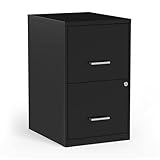
- Sold as 1 Each
- Vertical file cabinet for everyday use. Two-drawer filing cabinet holds letter size documents. Features black finish with metal construction. Dimensions: 24.1"H x 14"W x 18"D. Key lock for added security. Assembly required. 7-year manufacturer limited warranty.
Give each common exception type an owner and a route:
- Price variance beyond tolerance: purchasing or the buyer.
- Quantity invoiced exceeds quantity received, or no receipt: the receiving team or requester.
- No matching PO: route to the non-PO approval process, or return to the supplier.
- Capture or validation failure: AP staff correct the data or request a corrected invoice.
Step 6: Preserve controls and audit evidence
These are recommendations drawn from the approval, tolerance and exception controls these products document. They are not a universal configuration. Decide in advance:
Best Value

- [PLASTIC HANGING FILE FOLDER] The file cabinet folders hanging is made of PP plastic, durable and tear resistant, not easily dirty, and has a longer usage time compared to paper materials
- [ACCORDIAN POCKET FILE FOLDERS] The shutex plastic hanging file folders come with a 2-inch expansion strips of plastic board to place into the bottom of the folder to make the flat edge, which makes them able to hold up to 500 sheets of letter size paper. Accordian pocket design can prevent file drops
- [STAY ORGANIZED] Our hanging file folders letter size can organize different types of files for quick and easy identification to keep your documents tidy. Simple to use and effective for keeping paperwork organized in the cabinet
- [INSERT FILE FOLDER TABS] Traditional plastic tabs, all clear, and paper inserts that you write on to identify the folder's contents. The tabs can be placed at various positions along the top of the hanging folder
- [SOLVES THE OVERFLOWING FILE PROBLEM] Provide 12 extra capacity folders with 12 plastic board supports,sufficient quantity designed for heavy duty bulky files, medical charts, letter Size
- who may amend source data such as PO prices or receipts, and who may resolve exceptions (keep these separate where practical);
- what evidence must be attached to a resolution, such as a supplier credit note or a receiving note;
- which invoices may post without human review, and up to what value.
Step 7: Measure your own results
The official product documentation reviewed (Dynamics 365, SAP Ariba, Sage Intacct) doesn’t give independent, comparable benchmarks for accuracy, time savings or cost savings. Don’t expect a promised figure. Record a baseline before go-live, then track:
- share of invoices matched without intervention;
- exception volume, split by cause;
- time spent waiting for receipts or approvals;
- how often matched invoices are later corrected;
- time from receipt to posting.
Exception causes tell you what to fix next. Many are upstream issues, such as late receipts or stale PO prices, rather than tolerance problems.
Use your ERP or add a tool?
Dynamics 365, SAP Ariba, SAP Concur and Sage Intacct all document relevant matching capabilities. If your ERP already covers your match type, tolerances and exception routing, configure it first. If it doesn’t, compare add-on AP automation tools on matching coverage, tolerance controls, receipt-data handling, exception workflow, approval options and integration with your accounting system.
Quick Recap
Product prices and availability are accurate as of the date/time indicated and are subject to change. Any price and availability information displayed on Amazon at the time of purchase will apply.




