iPhone apps do not display side-by-side in split-screen windows: Apple’s UIKit overview says an iPhone app shows one scene at a time. On iPhone, multitasking means switching between apps and, for supported video or FaceTime experiences, using Picture in Picture while another app is open. Apps should be designed to preserve a person’s place when they leave and return.
Can iPhone apps use split screen?
No—not as iPad-style, side-by-side app windows. Apple states in its UIKit app and environment overview that “On iPhone, your app only shows one scene.” Apple describes iPhone multitasking instead as switching between apps and using FaceTime or video in Picture in Picture alongside another app in its Human Interface Guidelines section on multitasking.
That distinction matters for product design: an iPhone app should not promise that it can remain visible beside another app. It should work well when the person leaves it, uses another app, then comes back.
How iPhone apps should handle app switching
Preserve the person’s context
Save enough state to restore the user to a useful point in the task: for example, the open document and editing position, the current step in a form, or the selected item in a list. Apple’s Human Interface Guidelines say: “Because you don’t know when people will initiate multitasking, your app or game always needs to be prepared to save and restore their context.”
What’s actually slowing this PC down?
Pick the symptom - the matching free tool is one click away.
#1 Best Overall

- Height & Angle Adjustable - The universal adjustable phone stand can be titled to vertical, and height can be extended up to 3.2 inches. It allows you to get a more comfortable viewing angle and height. Reduce the frequency of looking down at the phone screen to avoid hurting your back and neck. A perfect desktop accessory that frees your hands to watch online class, do live stream.
- Thick Case Friendly - This cellphone stand work for phone with thick case up to 0.71 inches thick. The enlarged & thickened anti-slip & anti-scratch silicone mats on the backrest, hooks and base feet protect your moilephone from sliding and scratching. Durable materials and the high-precision smooth surface prevent this phone stand from scratch and break even after long-term use.
- Full Foldable & Portable - This portable phone stand is easy to carry by anyone. Bi-folding design allows this foldable mobile stand to be pocket-sized. Simply fold it up to a small size anytime and carry around into a handbag, backpack wherever you travel or business trip. Necessary office desk accessories & workspace organizers, office supplies, cell phone accessories.
- Weighted Metal Base - As to ensure the stability, the telescopic rod and the base of this mobile phone stand are made of weighted excellent metal. The exquisite groove design of the base match with the strong adjustable rod allows your mobilephone to rest steadily on it, even with a thick case. It’s the best Thanksgiving Day, Christmas gift.
- Wide Compatibility - Universal table phone holder works for telephones and tablets between 4 - 8 inches, such as Apple iPhone Duo, iPhone 18 Pro, iPhone 18 Pro Max, iPhone 17, iPhone 17 Pro, iPhone 17 Pro Max, iPhone 17 Air, iPhone 16, iPhone 16 Pro, iPhone 16 Pro Max, iPhone 16 Plus, iPhone 15, iPhone 15 Pro, iPhone 15 Pro Max, iPhone 15 Plus, iPhone 14, 14 Pro, 14 Pro Max, 14 Plus, 13, 13 Pro, 13 Pro Max, 13 Mini, 12, 12 Pro, 12 Pro Max, 12 Mini, 11, 11 Pro, 11 Pro Max, XS, XS Max, XR, X, 8, 7, 7 Plus,SE, SE2, android, Galaxy S22, S22 Ultra, S21 Ultra, S21, S20, A72, A71, A52, A5. Compatible for Nintendo Switch 1 2. Best Christmas Gift.
Restoration should be meaningful, not merely a return to the same screen. Avoid discarding unsaved work or resetting a multi-step task without warning. If the app cannot safely restore a particular state, make that limitation clear and provide a sensible way to continue.
Decide what belongs in the background
Apple advises developers to complete background work when it no longer needs user input. That makes background execution appropriate for work that can continue independently, but not a reason to keep an interactive workflow running as though the app were still on screen. If a task needs the person to make a choice or provide information, pause it and restore the relevant step when the app returns.
Rank #2

- 360° Rotatable - This Lamicall Phone stand features a smooth 360° rotatable pivot with a click-stop sound. Designed for stability, it requires two hands to adjust, ensuring your view is always secure. Tip: For high-angle stability, place your phone in landscape mode; for portrait use, please lower the angle. Office supplies
- Sturdy & stylish base - This cell phone stand for desk features a large, weighted base and anti-slip pads for ultimate stability. The CD-pattern swivel on the base adds a touch of elegance, giving you peace of mind while working, studying, or exercising. For optimal stability, we recommend using this phone stand at an incline of 80° or less.
- Multi-Angle Adjustment - This cell phone holder for desk boasts a 2-pivot arm design for a full 180-degree range of adjustment. Easily find your ideal vertical or horizontal angle for browsing, reading, and gaming. As an office desk accessories, this cell phone stand is great for video recording, online classes, and FaceTime. Gaming desk accessories.
- Detailed & Durable - Thisphone holder is crafted from durable carbon steel, ensuring it’s sturdy and built to last. The backrest and hooks feature high-quality silicone pads for anti-slip and anti-scratch protection, making it a reliable cell phone holder for your desk, study, or library. Gaming accessories.
- Wide Compatibility - The 0.59in (15mm) hook ensures wide compatibility with phones and slim cases. This desk phone stand works for devices 4-10”, like Apple iPhone Duo, iPhone 18 Pro, iPhone 18 Pro Max, iPhone 17, iPhone 17 Pro, iPhone 17 Pro Max, iPhone Air, iPhone 16e, iPhone 16, iPhone 16 Pro, iPhone 16 Pro Max, iPhone 16 Plus, iPhone 15, 15 Pro, 15 Pro Max, iPhone 14, 14 Pro, 14 Pro Max, iPhone 13, 13 Pro, 13 Pro Max, 12, 12 Pro, 12 Pro Max, 11, 11 Pro Max, XS, Galaxy S24, S24 Ultra.
Use notifications sparingly
Notify the person when completion or a meaningful change requires their attention; do not use notifications simply because the app moved out of view. Apple’s guidance treats notifications as something to use sparingly and ties them to whether the person needs to know that work completed.
Picture in Picture is not split-screen app support
Picture in Picture lets a supported video or FaceTime experience remain visible while the person uses another app. It is a focused, floating video or call experience—not a second full app window, and not a general way for an iPhone app to show its interface beside another app. Design the main app flow around switching and returning, and treat Picture in Picture as a distinct capability where it fits the experience.
Free tools Windows power users keep installed
One-click scans. No signup required.
Rank #3
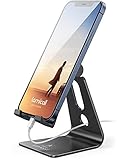
- Universal Compatibility: Lamicall cell phone stand can work with all smartphones from 4-8 inches, like Applei iPhone Duo, iPhone 18 Pro, iPhone 18 Pro Max, iPhone 17, iPhone 17 Pro, iPhone 17 Pro Max, iPhone Air, Phone 16, iPhone 16 Pro, iPhone 16 Pro Max, iPhone 16 Plus, iPhone 15, iPhone 15 Pro, iPhone 15 Pro Max, iPhone 15 Plus, iPhone 14, iPhone 14 Plus, iPhone 14 pro, iPhone 14 pro max, iPhone 13 Mini, iPhone 13, iPhone 13 Pro, iPhone 13 Pro Max, 12,11 SE 2020, XS, XS Max, XR, X, 8 7 6 Plus, Galaxy S21 Ultra, S20, S10, S9, S9 Plus, A71, A51, A11, Edge, Note 20 ultra, even with a case on.
- Desktop Partner: Great desk accessories for office and home. A smartphone stand with perfect viewing angle for making phone calls, watching movies, viewing recipes and using facetime.
- Sleek and Elegant: Made of high-quality aluminum alloy, this desk phone holder has a smooth edge, a nice finish and beautiful metallic luster. It looks sleek and elegant on your desktop.
- Stable and Protective: This phone dock with a low gravity center can hold your phone stably. Besides, its rubber cushions protect the phone from scratches and sliding.
- Warm Tips: The hook width of the mobile phone stand is 14mm, please make sure the thickness of your device is no more than 14mm (0.55 in). For a cell phone larger than 6 inches, kindly set it in landscape mode for more stability.
How scene lifecycle guidance affects developers
UIKit delivers lifecycle events per scene, and a scene can move through different states independently. Apple’s scene-based lifecycle migration guidance directs developers to move scene-specific lifecycle handling into scene delegate methods rather than treating all lifecycle changes as one process-wide event.
Apple’s current app life cycle transition guidance says the scene lifecycle is required for apps built with the latest SDK beginning in iOS 27. That requirement is scoped to apps built with that SDK and is version-sensitive; it should not be generalized to every existing iPhone app or earlier SDK.
Rank #4

- Desk Phone Stand with Enhanced Stability; Featuring a reinforced weighted base for superior sturdiness, this cell phone stand prevents tipping even on uneven surfaces. Extended hooks securely grip phones with thick cases (up to 0.65"). Perfect as a travel-friendly cell phone holder for desk or airplane use.
- Full-Base Anti-Slip Protection; Unlike standard phone stands with 4 rubber pads, our entire base is coated with premium silicone for maximum grip on desks, dashboards, or trays. Keep your device secure with this reliable phone holder for desk.
- Adjustable Height & Angle Viewing; Customize your viewing experience with different height levels and 180° rotation. Use as a vertical iPhone stand for desk video calls or a horizontal tablet stand for hands-free streaming.
- Space-Saving Portable Design; Compact and lightweight , this cellphone stand fits effortlessly in bags or pockets. The foldable iPhone holder for desk doubles as a travel essential for workstations, or flights. A nice desk accessory.
- Universal Compatibility for Phones; Accommodates 99% of smartphones, such as iPhones iPad under 12" (iPhone 17 Series, iPhone 16, iPhone 16 Pro, iPhone 16 Pro Max, iPhone 16 Plus, iPhone 15, iPhone 15 Pro, iPhone 15 Pro Max, iPhone 15 Plus, iPhone 14, 14 Pro, 14 Pro Max, 14 Plus, 13, 13 Pro, 13 Pro Max, 13 Mini, 12, 12 Pro, 12 Pro Max, 12 Mini, 11 Pro, 11 Pro Max, XS, XS Max, XR. Android Device, Galaxy Galaxy S23/S22/Ultra, S21 Ultra, S21, S20, A72, A71, A52, A5,and more. Works seamlessly with thick cases (≤0.65"), making it an ideal cell phone stand for desk setups.
In practice, separate app-wide setup from per-scene behavior. Handle a scene becoming active, moving to the background, or returning to the foreground in the appropriate scene lifecycle methods, and preserve user context so a transition does not become a lost task.
Independent reader supportYour contribution helps us test, update, and keep practical guides available for everyone.Multi-scene support belongs to iPad and other supported platforms
Apple’s UIKit overview describes multiple simultaneous app scenes for iPad, Mac, and Apple Vision Pro, not iPhone. If an app supports multiple scenes on a platform that offers them, its scenes may share app resources. Apple’s scene configuration documentation warns that shared data structures need coordination: without adequate synchronization, scenes can interfere with one another and cause corruption or unexpected behavior.
Quick wins for a faster PC:
Scan for outdated or missing drivers - takes under a minuteDriver Scan →Clear out junk files and repair common Windows errorsFree Scan →Fix the driver behind crashes, sound loss and screen glitchesFind Drivers →Best Value

- 【Lightweight & Foldable】With small size of 3.9" x 3.2" x 0.8" and weight of 1.3 ounces, cellphone stand is lightweight and portable, but can bear a load of up to 11 pounds. With foldable design, phone stand holder is super easy to take out wherever you go. A great cell phone holder for desk, travel, home, kitchen and office.
- 【Multi-Angle Adjustable】Simply adjust and choose your preferred viewing angles from 0° to 270°. Desk phone stand holds your smart phone or mini tablet at a comfortable angle, perfect for watching video, reading, video chatting, browsing the web, playing games or facetime call.
- 【Sturdy and Durable】High quality ABS material supports this desktop phone holder durable in usage. Silicone pads on the bottom and cradle protect both your phone and stand from sliding and scratches.
- 【Widely Compatible and Tips】The universal mobile phone stand fits all smartphones and mini tablet. Not recommended to the phones with too heavy case, OR you can choose to rotate the mobile stand to 270° (Please refer to the picture), OR choose to remove the silicone pad.
- 【Services】Our desk phone holder provides a worry-free guarantee for 12 months to prove the importance we set on quality. If you have any questions, please log in to your Amazon Account-Your Orders-Contact Seller to contact us.
This is a separate engineering concern from iPhone app switching. Multi-scene apps need to define how shared state is coordinated across windows; an iPhone app should instead prioritize a reliable single-scene experience and resilient restoration after switching away.
Quick Recap
Choose behavior based on the task
- Does the task need more user input? Pause at the input point and restore that context when the app returns.
- Can work finish without the person? Complete appropriate work in the background, then notify only if the completion needs the person’s attention.
- Is the experience a call or video? Consider Picture in Picture where supported, without presenting it as general split-screen support.
- Does the target platform support multiple scenes? If so, plan synchronization for resources shared across those scenes; do not assume the same multiwindow model applies to iPhone.
Product prices and availability are accurate as of the date/time indicated and are subject to change. Any price and availability information displayed on Amazon at the time of purchase will apply.




