Intel uses PyTorch in two ways: it contributes optimizations to the open-source framework, and it provides software paths for running PyTorch workloads on Intel CPUs, GPUs and Gaudi accelerators. For CPU work, optimizations include oneDNN integration and support for Intel hardware features; Intel GPUs use PyTorch’s XPU backend; and OpenVINO can take a trained PyTorch model into an inference deployment targeting Intel CPUs, GPUs or NPUs.
Intel’s role in PyTorch
Intel contributes features and performance work to open-source PyTorch rather than relying only on a separate Intel-specific fork. That matters because developers can start with familiar PyTorch APIs and, where an optimization is supported by their software and hardware combination, use it without rewriting a model for a proprietary framework.
As an Amazon Associate I earn from qualifying purchases.
Intel also maintains complementary tools for particular stages of a workload. PyTorch is the framework for building, training and evaluating models; Intel’s extensions and hardware backends help execute them on Intel processors and accelerators; OpenVINO offers another route for optimizing and serving inference models.
Do these 3 things before closing this tab:
1Scan for outdated or missing drivers - takes under a minute2Repair Windows errors before they cause bigger problems3Fix the driver behind crashes, sound loss and screen glitchesChoose the Intel hardware path that fits the workload
| Target | PyTorch path | Typical considerations |
|---|---|---|
| Intel Xeon or another Intel CPU | Regular PyTorch with oneDNN integration; additional options include TorchInductor, Intel Extension for PyTorch and Neural Compressor. | Useful for CPU training and inference. Performance depends on the processor generation, model, tensor layout, precision and software versions. |
| Intel Arc or Data Center GPU Max | PyTorch’s XPU backend, using the Intel GPU software prerequisites and installation flow. | Intel states that native Intel GPU XPU support is in stock PyTorch starting with version 2.5. Check support for the specific GPU, operating system, driver and PyTorch build. |
| Intel Gaudi accelerator | Intel’s Gaudi software stack for PyTorch training or inference. | A distinct accelerator option for workloads that justify its deployment and operational requirements; confirm model and software compatibility before committing. |
Running PyTorch on an Intel CPU
Start with standard PyTorch
Official PyTorch integrates oneDNN, Intel’s performance library for deep-learning operations. Depending on the processor and workload, execution can also benefit from features such as Intel Advanced Matrix Extensions (AMX), AVX-512 and Vector Neural Network Instructions (VNNI). These capabilities are hardware- and workload-dependent; their presence does not guarantee a particular speedup.
#1 Best Overall

- High-Performance AI Processing: The MX3 is designed to handle the most demanding AI computer vision workloads, delivering exceptional performance and efficiency.
- Flexible Integration: The MX3 can be easily integrated into your existing systems via its M.2 M-key form factor and support for Linux operating systems.
- Energy Efficient: The MX3 is designed to provide high performance while minimizing power consumption.
- Comprehensive Software Development Kit (SDK): The MX3 is supported by a comprehensive SDK that simplifies development and deployment.
- Hardware compatability: The MX3 is compatible with the PCI-SIG M.2 M-key 2280 Specification. It can be used with the Raspberry Pi 5 with a M-key 2280 HAT.
Optimize execution and precision
TorchInductor, used by torch.compile, can optimize model execution on supported CPU configurations. Intel also documents mixed-precision approaches, including BF16 or FP16 where appropriate, and channels-last memory format for some models. Lower precision can improve throughput or memory use, but its effect on model accuracy must be measured on the model and data that will actually be deployed.
Intel Extension for PyTorch provides additional Intel-oriented optimizations. Neural Compressor offers quantization workflows, including INT8 paths. These are options to evaluate, not requirements for every model: compare output quality and end-to-end performance against the unoptimized baseline.
Rank #2

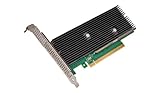
- Intel Optane 16gb Internal Flash Accelerator - Pci Express - M.2 2280 - Pci Express - M.2 2280
Account for the machine, not just the model
CPU results can depend on OpenMP thread settings, NUMA placement, batch size and memory layout as well as model architecture. For multi-socket systems, check that the process and its memory are placed sensibly across NUMA nodes. Benchmark the full workload, including data preparation and preprocessing, rather than inferring application performance from a processor feature name.
The Tool Desk
Outbyte Driver Updater FREEFix the driver behind crashes, sound loss and screen glitchesFind Drivers →Outbyte PC Repair FREERepair Windows errors before they cause bigger problemsFix Now →Running PyTorch on an Intel GPU
Intel’s GPU route uses the XPU backend. Intel says native XPU support for its GPUs is available in stock PyTorch starting with PyTorch 2.5. Intel identifies Arc GPUs and Data Center GPU Max as supported targets, but that broad product-family statement is not a guarantee that every model, operating system or software combination works identically.
Rank #3

- A USB accessory that brings machine learning inferencing to existing systems. Works with Raspberry Pi and other Linux systems
- Performs high-speed ML inferencing: the on-board edge TPU Coprocessor is capable of performing 4 trillion operations (tera-operations) per second (tops), using 0.5 watts for each tops (2 tops per watt). For example, it can execute state-of-the-art mobile vision models such as mobilenet V2 AT 400 FPS, in a power efficient manner
- Works with Debian Linux: connects to any debian-based Linux system with an included USB 3.0 Type-C cable
- Supports tensorflow Lite: no need to build models from the ground up. Tensorflow Lite models can be compiled to run on the edge TPE
- Supports automl vision edge: easily build and deploy fast, high-accuracy custom image classification models to your device with automl vision edge
- Check compatibility first. Confirm that the exact GPU, operating system, driver and PyTorch version are supported together in Intel’s current installation guidance.
- Install the matching PyTorch XPU environment. Follow Intel’s prerequisites and installation flow for that combination; do not assume a generic CPU-only PyTorch installation can use the GPU.
- Move the model and its tensors to XPU. PyTorch’s device-specific operations must target the XPU device. Verify that the operations used by the model are supported on the selected stack.
- Test correctness and performance. Run representative inputs, check outputs against the CPU baseline, and benchmark after warm-up. Include memory use and any data transfers in the measurement.
For code, the key practical distinction is the target device: a model that runs on the CPU does not automatically execute on an Intel GPU merely because XPU support is installed. Device placement and operator support matter.
Training and inference on Intel Gaudi
Intel provides PyTorch training and inference resources for Gaudi accelerators. Gaudi is a separate accelerator path from the XPU backend used for Intel GPUs, so follow the Gaudi software stack’s setup and compatibility guidance rather than treating the two devices as interchangeable.
Rank #4

- System Compatibility Note: This 2-slot card measures 271 x 112 x 39 mm and requires a single 12V-2x6-pin power connector. Please verify chassis and PSU compatibility before purchase.
- Dedicated Support: Please contact us directly through Amazon for any product questions or assistance you may require.
- Professional Intel Arc Pro B70 GPU: Built on the Intel Xe2-HPG architecture, it features 32 Xe cores and 256 XMX engines, designed to accelerate AI, rendering, and complex visualization workloads.
- Massive 32GB GDDR6 VRAM: Equipped with 32GB of high-speed GDDR6 memory on a 256-bit bus, running at 19 Gbps, which allows for handling large AI models and complex datasets locally.
- High-Performance Engine Clock: Delivers an engine clock of 2540 MHz, providing the compute power needed for demanding professional applications and AI inference.
Whether Gaudi is appropriate depends on workload scale, model support and deployment requirements. Intel also describes production generative-AI systems combining Gaudi with Xeon CPUs; that is an example of a system design, not a claim that every PyTorch application needs both.
Using OpenVINO after training in PyTorch
OpenVINO is an inference and deployment option, not another name for the PyTorch XPU backend. Intel describes a workflow in which a PyTorch model is imported into OpenVINO Runtime, optimized or compressed, and run through a target plugin for an Intel CPU, GPU or NPU. OpenVINO Model Server can expose deployed models through REST or gRPC APIs.
- Train and validate the model in PyTorch. Keep a known-good checkpoint and representative inputs for comparison.
- Import the model into OpenVINO. Check that the model architecture and operators are supported by the conversion path.
- Evaluate optimization choices. Graph optimizations or reduced precision may change performance and, in some cases, output accuracy. Validate both against the PyTorch baseline.
- Select the deployment target. Choose the supported CPU, GPU or NPU plugin that matches the intended Intel hardware.
- Package and serve if needed. For a service deployment, OpenVINO Model Server supports REST and gRPC patterns; test the deployed service under representative traffic and input sizes.
This route is most relevant when the goal is optimized inference or service deployment. It does not mean a model must leave PyTorch for development or training.
How to interpret Intel’s performance figures
Intel reported up to 1.7× faster FP32 inference in a 2023 announcement covering specified PyTorch 2.0 CPU-backend benchmarks from TorchBench, HuggingFace and timm. The “up to” figure applies to that benchmark scope and its configuration; it is not a general guarantee for arbitrary models or systems.
A separate Intel and L&T Technology Services case study reports a 46% reduction in inference time for chest-radiology software. The current Intel page cited for that example does not state a publication year, and the figure describes that case rather than a general PyTorch performance result.
Outdated Drivers Are Slowing You Down
One free scan finds every outdated or missing driver and matches the right update for your exact hardware.Free scan · exact hardware matchPC Slower Than It Used to Be?
A free scan shows the junk files, broken settings and background clutter dragging Windows down - then fixes them in one click.Free scan · Windows 10 & 11These vendor-reported results can show what Intel measured in particular settings, but they do not establish a broad ranking against other hardware. For a purchasing or architecture decision, benchmark the same model, precision, batch size, software stack and end-to-end workload on the systems under consideration.
Which Intel PyTorch route should you use?
- Choose CPU execution when the workload fits the available Xeon capacity or you want to use a CPU deployment. Begin with stock PyTorch, then test compilation, precision changes and Intel optimization tools as needed.
- Choose XPU when you have a compatible Intel Arc or Data Center GPU Max and want PyTorch execution on that GPU. Confirm the exact software combination before implementation.
- Choose Gaudi when an accelerator-scale training or inference workload fits the Gaudi software ecosystem and deployment model.
- Evaluate OpenVINO when the priority is optimized inference, portable execution across supported Intel CPU/GPU/NPU targets, or a model-serving workflow.
Across all four routes, compare workload phase, target hardware, precision, software-version support and operational needs. A training configuration that is right for one target may not be the simplest or fastest inference deployment on another.
Quick Recap
Product prices and availability are accurate as of the date/time indicated and are subject to change. Any price and availability information displayed on Amazon at the time of purchase will apply.




