Free tools Windows power users keep installed
One-click scans. No signup required.
An FPGA console recreates a PlayStation by configuring programmable hardware to implement a PlayStation-oriented system. On MiSTer, selecting the PSX core loads that implementation into the FPGA; it is not a conventional software emulator running as an ordinary game application. The core must coordinate processor, graphics, sound, memory, disc and peripheral behavior, and its documented options show that recreation involves practical trade-offs rather than a guarantee of perfect equivalence.
What an FPGA core does
An FPGA is programmable logic: hardware whose digital logic can be configured for a particular design. MiSTer uses the word core for the system the FPGA is configured to simulate. Loading a core reprograms the FPGA logic for that target, so selecting the PSX core configures the device as a PlayStation-oriented implementation. MiSTer describes this model in its core documentation.
As an Amazon Associate I earn from qualifying purchases.
This differs from running a typical emulator as software on a general-purpose computer. In the MiSTer approach, the FPGA is configured to implement the target system’s digital behavior. That distinction describes the method, not a promise that every timing detail or game will match original hardware exactly. The PSX core documentation itself describes workarounds and options that can affect compatibility.
FPGA cores can also be packaged differently across platforms. Analogue’s openFPGA documentation describes a core as a bitstream accompanied by JSON definitions and managed through its Analogue Platform Framework. That is another example of how an FPGA implementation is distributed and managed; it does not establish that different cores or platforms have identical behavior.
#1 Best Overall

- [Compatible with Various SOMs] Sipeed Tang Console FPGA development board enjoy powerful FPGA performance with configurations up to 60K/138K LUT4s, onboard Mega 138k/60K SOM CPU, 468Kbit SSRAM 2124Kbit BSRAM/1080Kbit SSRAM 6120Kbit BSRAM, 4Gbit 16bit DDR3 RAM/8Gbit 32bit DDR3 RAM. Ensuring smooth operation for your projects and games.
- Rich Expansion] Sipeed Tang Console FPGA Dev Board onboard PCIe Gen2/3 x 1 FPC connector, USB3 x 2 (Type-A, Device, 5Gbps or 10Gbps), USB2 x 2 (Type-A, Host, 1.5Mbps or 12Mbps), HDMI TX x 1 (1080P 30Hz/720P 60Hz), Soft-PHY USB2 x 1 (Typc-C, Device, 480Mbps), PMOD x 2 Standard Pitch Port, microSD slot x1 (Supports 4-bit SDIO/MMC or SPI mode). Support USB JTAG and UART.
- [High Performance] Sipeed Tang Console FPGA single board computer supports multiple Tang Core emulator cores,(NESTang/SNESTang/GBATang/MDTang/SMSTang), Onboard BL616 MCU, supports running TangCore firmware for BL616, which can be used as FPGA debugger. Able to meet different developers' needs.lts small size allows it to fit in a card box, making it highly portable and easy to integrate into any setup.
- [Multi-Mode Functionality] Sipeed Tang Console uses it as an FPGA development board, a RPi5 PCle FPC HAT, a retro gaming console, or a handheld device-endless possibilities in one versatile package. Equipped with dual PMOD and dual 40P interfaces, supports fast switching between emulator cores. The Tang Console offers strong expandability for your custom projects.
- [Gamestick HDMI Gaming Experience] Sipeed Tang Console FPGA Retro Game Console support 1080P HD HDMI output, suitable for different monitors, can be connected to TV/computer/TV set-top Box /PC/Laptop/Projector, perfect to meet your high resolution and game configuration needs. The retro game Console stick also support saving game progress, perfect for gaming at any time
What a PlayStation recreation has to coordinate
A console is not just a processor. The software expects multiple subsystems to work together: computation, graphics, audio, memory, disc access and input devices. A 2016 Carnegie Mellon University ECE 545 student-team report describes the original PlayStation as having a 32-bit MIPS I CPU with two coprocessors and 2 MB of RAM, a GPU with 1 MB of VRAM, an SPU with 512 KB of RAM, a CD-ROM reader, controller input and two memory-card slots. These are figures and terminology reported by that project at that time; hardware revisions and descriptions can vary.
For an FPGA core, the practical challenge is making those parts behave coherently enough for PlayStation software to run. A game depends on more than receiving the right result from a CPU instruction: graphics must be produced, sound and memory behavior must fit the system, and disc and peripheral interactions must occur in ways the software can handle. The cited component list helps explain the scope, but it is not a claim that each original component is reproduced as a separate physical chip inside the FPGA.
The core runs within a platform that also needs suitable supporting hardware. MiSTer’s requirements page says an SDRAM add-on is required by multiple cores, including PlayStation. Thus, a compatible FPGA board alone should not be assumed to be a complete PSX setup: verify the platform requirements and included memory hardware for the particular build.
Why video output is part of compatibility
Video is a visible example of the difference between reproducing a machine and simply producing an image. MiSTer documents PlayStation games that change resolution or shift the image beyond display bounds. On modern screens, those behaviors can cause loss of synchronization rather than a neatly scaled picture.
The PSX core offers options including fixed horizontal and vertical blanking, cropping and deinterlacing. Fixed blanking can stabilize output and, in relevant cases, preserve the intended 4:3 framing, according to the MiSTer PSX documentation. These are output accommodations for particular display behaviors; they do not mean every game uses the same resolution or that one setting is right for every display.
If a game image is unstable, shifted, cropped or out of sync, the useful response is to consult the core’s video options and adjust the relevant behavior rather than assume that the FPGA cannot run the game. Conversely, applying a crop or fixed blanking indiscriminately can change what is visible. The appropriate setting depends on the game’s output and the display path being used.
Speed options can trade compatibility for convenience
The MiSTer PSX core documents a Fastboot option that skips the BIOS sequence. It can shorten startup, but the documentation warns that a small number of games may exhibit bugs with it. Starting faster is therefore an optional convenience, not a setting to treat as universally safe.
Crashes, No Sound, or Screen Glitches?
Random freezes, missing sound and display glitches usually trace back to one bad driver. Find and replace yours safely.Free scan · under a minuteWindows Errors? Fix Them Before They Spread
Repair common Windows errors and clear accumulated junk for a smoother, more stable PC - no reinstall needed.Free scan · no reinstallThe core also labels some performance-related options as unsafe because they can improve speed or reduce loading time at the risk of compatibility. Turbo increases CPU, DMA, memory and GTE performance. The documentation describes Turbo levels as roughly 10%, 20% or 50% performance increases. Those are the core’s stated setting behaviors, not independently measured benchmark results across games, and they should not be read as a guaranteed overall frame-rate improvement.
Disc-related speed options have a similar trade-off. Faster CD seek or speed settings may cause some games to crash when those games depend on original delays. A title that fails under accelerated settings may therefore behave differently with those options disabled. A cautious troubleshooting order is to return to normal timing, disable Fastboot, and then test the game again before concluding that the core cannot run it.
Rank #2
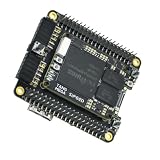
- Package Include: 1PCS* 138K Single Console
Some copy-protected games add a separate disc-image requirement. MiSTer documents Libcrypt-protected games that need a matching SBI file. That is a specific compatibility condition, not a general requirement for every game image. Consult the current core instructions for supported image formats and the necessary files, and use lawful sources for game images.
How to choose a MiSTer-based setup
There are two broad hardware paths in the documented examples: assemble a DIY MiSTer setup around the Terasic DE10-Nano and add-on boards, or use a packaged MiSTer-based console intended to reduce setup effort. They should be compared on what is actually supplied and supported, not on an assumption that one is more accurate.
Recommended Free Tools
| Consideration | DIY MiSTer build | SuperStation One |
|---|---|---|
| Setup | Starts with a Terasic DE10-Nano and add-on boards; the buyer must check requirements and assemble a suitable configuration. | A packaged MiSTer-based console built around PlayStation use; confirm the exact current bundle and accessories. |
| Memory | MiSTer requirements specify an SDRAM add-on for multiple cores including PSX. | A January 29, 2025 product overview reports 128 MB SDRAM; check the current configuration before purchase. |
| Original controllers and memory cards | Depends on the chosen add-ons and core-specific peripheral support. | Documentation describes PlayStation-style SNAC controller ports and memory-card slots. SNAC use is core-specific, not universal across MiSTer cores. |
| Video outputs | Depends on the add-ons and output configuration in the particular build. | The cited 2025 overview reports HDMI and analog video outputs. |
| Original optical discs | MiSTer PSX can load supported game images from storage; the cited sources do not establish a built-in optical drive for a standard DIY build. | The optional SuperDock is the documented path for a CD drive that reads original PlayStation discs; the base console should not be assumed to include it. |
| Game compatibility | Depends on the PSX core, settings, files and peripherals used; no population-level compatibility percentage is established. | Uses the MiSTer context described for the product; no directly comparable test establishes greater accuracy or compatibility. |
The SuperStation One documentation is available in its project documentation. A product overview published by CNX Software on January 29, 2025 reports a Cyclone V SX FPGA, 128 MB SDRAM, HDMI and analog video outputs, and an optional SuperDock with a CD drive and M.2 SSD slot. Those are reported product details from that dated overview, not a guarantee about current stock, package contents or revisions. Check the exact listing and included dock before making a buying decision.
Original PlayStation controllers and memory cards can matter to readers who want familiar physical controls or cards. For the SuperStation One, the cited documentation describes PSX-style SNAC ports, but explicitly treat that support as core-specific. The existence of a matching port does not mean every MiSTer core supports the attached device.
Independent reader supportYour contribution helps us test, update, and keep practical guides available for everyone.What “recreates” does—and does not—mean
Calling a core a hardware recreation identifies its implementation approach: the FPGA is configured with logic intended to behave as the target system. It does not by itself establish cycle-perfect reproduction, universal peripheral support, or flawless operation across every title. The most concrete evidence here is the core’s own list of settings, workarounds and failure risks, including video handling, Fastboot, accelerated timing and Libcrypt SBI files.
There is no named population-level statistic or independently measured game-compatibility percentage in the cited material. The hardware figures from the Carnegie Mellon report are component specifications attributed to a 2016 student project; the SuperStation memory figure is a product detail reported in 2025; and the Turbo percentages are documented setting values. None of these is a test of how accurately a particular setup reproduces PlayStation hardware.
Quick wins for a faster PC:
Fix the driver behind crashes, sound loss and screen glitchesFind Drivers →Repair Windows errors before they cause bigger problemsFix Now →Scan for outdated or missing drivers - takes under a minuteDriver Scan →That distinction is useful when evaluating claims about accuracy. A setup may be convenient, support particular original peripherals, provide both HDMI and analog output, or have a route to original discs, while still requiring core options or game-specific files. Compare documented capabilities and the exact configuration you intend to use. Without a directly comparable test, there is no basis here to declare a DIY build or packaged console inherently more accurate.
A practical setup and troubleshooting sequence
- Check the hardware requirements. For a DIY MiSTer build, confirm that the DE10-Nano and necessary add-ons are present, including SDRAM for the PSX core. For a packaged system, verify its memory configuration, outputs and bundled accessories against current product documentation.
- Load the PSX core and consult its current instructions. Use the PSX core guide for image formats, operating options and files. Do not assume that every image format or disc-protection case works without additional requirements.
- Begin with conservative timing. Leave Fastboot and unsafe speed changes off while establishing a baseline. If a title fails after enabling faster CPU, DMA, memory, GTE or CD behavior, restore normal settings and retry.
- Address display problems in the video settings. If output shifts, loses sync or is framed incorrectly, test the documented blanking, crop and deinterlacing options as appropriate for the game and display.
- Check title-specific requirements and peripherals. For a Libcrypt-protected game, check whether the matching SBI file is required. For physical controllers or memory cards, confirm the selected core’s support rather than relying only on the presence of a port.
- Separate base hardware from optional accessories. If original discs are a requirement, establish that the specific SuperStation One package includes the SuperDock. The base unit is not the cited disc-reading configuration.
For platform requirements, use MiSTer’s requirements page. The exact board, add-on and accessory combination can differ by build, so an old product overview or a general platform description is not a substitute for checking the current configuration.
Bottom line
An FPGA console recreates PlayStation hardware by configuring programmable logic with a PlayStation-oriented core, then coordinating the system behaviors software expects. MiSTer’s PSX core documents both the breadth of that task and its limits: video may need adjustment, speed options can affect compatibility, and some games require specific supporting files. Choose hardware based on setup effort, memory, I/O, peripheral support and whether original-disc reading is actually included; do not infer perfect equivalence from the term “FPGA.”
Quick Recap
Product prices and availability are accurate as of the date/time indicated and are subject to change. Any price and availability information displayed on Amazon at the time of purchase will apply.
What’s actually slowing this PC down?
Pick the symptom - the matching free tool is one click away.




