Windows Errors? Fix Them Before They Spread
Repair common Windows errors and clear accumulated junk for a smoother, more stable PC - no reinstall needed.Free scan · no reinstallOutdated Drivers Are Slowing You Down
One free scan finds every outdated or missing driver and matches the right update for your exact hardware.Free scan · exact hardware matchAn AI voice agent is useful for a distributor only if it turns a call into a correctly matched order—or a reviewable draft—inside the existing order workflow. Answering the phone is the easy part. The harder work is recognizing the account, resolving products and pack sizes, applying account-specific rules, and knowing when to stop and involve a person.
What should an AI order-taking call produce?
The goal is not simply a transcript or a conversation that sounds natural. It is a structured order containing the right customer, ship-to location, products, units, quantities, and any necessary order details, with a clear status in the distributor’s ERP or order-management process.
As an Amazon Associate I earn from qualifying purchases.
That status matters. A system might prepare an ERP-ready draft, submit an order directly, or place it in a queue for employee review. Those are materially different levels of authority and risk. Decide which outcome the business needs before comparing vendors.
How does an AI voice agent handle an inbound order?
A dependable workflow treats order capture as a sequence of checks, not one open-ended conversation. The agent should be able to clarify uncertain details and hand the call to a person rather than guessing.
#1 Best Overall
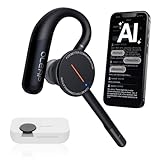
- [ 4-in-1 AI Earpiece — Your All-in-One Office Essential ] This single device replaces your earbud, voice recorder, AI transcription tool, and notebook. Use it for calls, meetings, interviews, or on-the-go work. It delivers clear, noise-reduced call audio for meetings, and can also transcribe speech in real time and generate concise summaries. — so you can stay focused, hands-free, and fully organized without carrying multiple devices.
- [ Powered by industry-leading Oleap AI VoiceOn tech ] This wireless headset with mic separates your voice from up to 50dB of background noise in real time( most headsets only handle 20–30dB)—far beyond traditional mic-based noise cancellation. Even in busy public spaces, callers hear your voice loud and clear. And unlike typical AI recorders that often capture muffled or noisy audio, our advanced noise control keeps your recordings crisp and clean.
- [ 4 record modes — Calls, Media Voice, Personal Memos, and Ambient Sound ] The bluetooth headset with microphone stores up to 133 minutes locally without needing the cloud; extra files can sync to the cloud when you choose. Local data is encrypted, cloud files stay private, and all processing happens only with your authorization. The Ambient Mode precisely separates voices from background noise for cleaner recordings in noisy places.
- [ AI-Powered Audio Transcribe & Summarize] AI recorder with transcription to text, high accuracy transcription, support multi-language, automatically analyzes the content of recordings to generate concise summaries, easy to deal with meetings, interviews, courses and other scenarios, say goodbye to manual recording. No matter online or offline recording, it can quickly generate transcripts, work efficiently anytime, anywhere.
- [ Comfort Earpiece with Ear Hooks for All-Day Wear] Ultralight (13g) office headset with mic with ergonomic ear hooks, stays comfortably in place during calls, work, or travel, long time wearing without pressure. This single-ear design eliminates the pressure and heat common with over-the-head headsets, while also removing the hassle of carrying an extra recording device. Oleap worry-free after-sales protection, 24 hours customer service - answer your questions at any time!
- Identify the caller and account. Determine which customer is calling and, where relevant, which account or ship-to location applies. If the caller or destination cannot be resolved confidently, ask a follow-up question or route the call for help.
- Capture requested products and quantities. Record what the customer asks for, including quantities and units. Reorders, spoken shorthand, aliases, part numbers, and pack-size language can all complicate this step.
- Match requests against the catalog and account context. Confirm that each request maps to the intended catalog item and that customer-specific pricing or other account rules are available where needed. An uncertain match, substitution, unusual quantity, or pricing exception should have a defined resolution path.
- Read back the order. Give the caller an intelligible summary of the matched items and quantities, and capture confirmation according to the business’s process. A transcript alone does not establish that the customer approved the intended order.
- Submit, draft, or queue the order. Send it to the appropriate ERP workflow with the status and review checkpoint the distributor has chosen. Preserve a human checkpoint when the order or integration requires one.
- Escalate exceptions and preserve context. Transfer the call or route it to staff with the information already gathered, so the customer does not have to start over. Define what happens if the phone connection or system integration fails.
What does ERP integration actually mean?
“ERP integration” can describe anything from reading account data to writing a submitted sales order. Ask the vendor to demonstrate the exact permissions and order status, not just confirm that an integration exists.
| Integration level | What the agent can do | What to verify |
|---|---|---|
| Order draft | Capture and structure an order for later entry or review. | Which fields are populated, where the draft appears, and who is responsible for completing it. |
| Read access | Look up relevant information such as account, catalog, inventory, or ship-to data, depending on the integration. | Which records are accessible, how current they are, and what happens when a lookup is missing or ambiguous. |
| Review queue | Write an order or held order to a workflow where staff can inspect it before release. | Which exceptions trigger the queue, what the reviewer sees, and how corrections are recorded. |
| Order submission | Write and submit a sales order into the ERP workflow. | What confirmation the caller receives, which rules block submission, and how staff can correct or trace an order. |
These levels are not interchangeable. A system that reads SKUs but leaves orders for review differs from one authorized to submit sales orders. Match the permission level to the cost of an incorrect order, the quality of your catalog and account data, and the amount of oversight your operation requires.
Rank #2

- Download the oleap App to get the latest feature upgrades, expanded recording storage, AI transcription, and AI-powered to-do list extraction for a smarter headphone experience! AI Noise Canceling Wireless Headset with Mic for Work - Through Oleap AI VoiceOn, the bluetooth earpiece with mic real-time separation of human voice and background noise depth up to 50 dB. Two high-sensitivity microphones accurately capture the sound in the direction of the mouth, suppressing side and rear interference sound. Focuses the sound heard by the other party, reduces echo and word break problems, and ensures that remote attendees hear all speakers.
- 4 Modes with AI Voice Recorder Wireless Headset - Multi-functional recording wireless headphones with mic, voice memo, media audio capture and environment recording, headset recordings are stored locally, more secure than cloud storage and more portable than voice recorder. You can record even if your phone is out of battery, no need to rely on the cloud or external devices (hardware), a single battery life can store up to 133 minutes of recordings.
- AI-Powered Audio Transcribe & Summarize - AI Voice recorder with transcription to text in seconds, high accuracy transcription, support multi-language, automatically analyzes the content of recordings to generate concise summaries, easy to deal with meetings, interviews, courses and other scenarios, say goodbye to manual recording. No matter online or offline recording, it can quickly generate transcripts, work efficiently anytime, anywhere.
- Dual Device Connection & Long Battery Life - Oleap wireless earbuds bluetooth can connect to two devices at the same time. Smart calls/meetings switching with mute button. Professional headset wireless bluetooth for remote workers and multitaskers. 28 hours for long life: The headset offers 7 hours of talk time and 21 hours of talk time with the 600mAh charging case, making it a dependable wireless bluetooth headphones for business travel.
- Comfort Earpiece with Ear Hooks for All-Day Wear- Ultralight (13g) headphones wireless bluetooth with ergonomic ear hooks, stays comfortably in place during calls, work, or travel, long time wearing without pressure. Optimized for voice calls – Noise-isolating mics ensure clear conversations, even in busy spaces. Oleap worry-free after-sales protection, 24 hours customer service - answer your questions at any time!
How do phone-only, order-desk, and phone-system approaches differ?
Vendors describe several architectures. The distinctions below reflect provider-described capabilities, not independent validation of performance or fit for a particular distributor.
Quick wins for a faster PC:
Fix the driver behind crashes, sound loss and screen glitchesFind Drivers →Clear out junk files and repair common Windows errorsFree Scan →Scan for outdated or missing drivers - takes under a minuteDriver Scan →| Approach | Example described by the provider | Questions for evaluation |
|---|---|---|
| Phone-focused order capture | Canals says its service answers calls and processes voicemails, transcribes them in real time, and turns them into ERP-ready orders. Its broader order-entry workflow identifies requested products against a catalog and lets a representative review a prepared quote or order before submission. | Does your implementation handle both live calls and voicemail? What does “ERP-ready” mean in your system, and who reviews or submits the result? |
| Voice agent within a broader order desk | Ordana describes inbound order voice automation and a wider wholesale order desk that reads and validates orders, resolves exceptions with retailers, and closes orders into an ERP. Its industrial and MRO page describes conversational order capture, part and catalog matching, and writing completed sales orders to an ERP. | Which channels and request types are included? Which ERP actions are available, and how are exceptions resolved in your workflow? |
| Sector-specific voice ordering | Niun describes a food-distribution workflow that recognizes callers, uses customer pricing and history, matches products and quantities, places orders into an ERP, confirms them, and routes unusual cases to a person. | Does the product and account model fit your sector’s catalog, units, pricing, and ordering rules? Do not assume a food-distribution workflow transfers unchanged to another wholesale sector. |
| Voice agent connected to a phone platform | In a distributor case study, Viirtue describes querying ERP data for SKU lookups, ship-to disambiguation, and customer-number resolution, then placing orders in a held-order review queue. The case study also describes warm transfer and failover features in its phone platform. | Can your phone and ERP systems support the same lookups, handoff context, and review queue? Treat a single provider’s case as an example to verify, not a guarantee about other integrations. |
The buying choice is not simply “AI or no AI.” Establish whether you need a phone-only order taker, an order desk that handles multiple channels or request types, or an agent integrated with the existing phone system. Then compare the scope and authority of the actual workflow.
Rank #3

- Crystal-Clear Calls with Noise Cancelling Mic:Our bluetooth headset with microphone features advanced noise cancelling technology, filtering out 99% of background noise like keyboard clicks and office chatter. The built-in mute button lets you instantly pause calls for privacy, making this noise cancelling headset perfect for call centers, open offices, and remote work.
- Seamless Dual-Device Connection for Multi-Tasking:This wireless headset for work connects to your PC/laptop and cellphone simultaneously, allowing you to switch between Zoom meetings and business calls with one click. No more disconnecting and reconnecting—stay productive during back-to-back meetings with this computer headset with microphone.
- 30H All-Day Battery Life with Convenient Charging Base:Get up to 30 hours of continuous talk time on a single charge with this wireless bluetooth headset. The included plug-and-play charging base lets you charge the headset between meetings, so you never miss an important call. Ideal for heavy daily use, this headset with mic is always ready for work.
- All-Day Comfort for Long Work Hours:Designed with ultra-soft breathable ear cushions and an adjustable padded headband, this computer headset with microphone keeps you comfortable even after 8+ hours of video calls. The lightweight design won’t strain your head or ears, making these headsets with microphone for work perfect for remote workers and call center agents.
- Universal Compatibility with All Office Platforms:This bluetooth headset works seamlessly with Zoom, Microsoft Teams, Skype, Webex, and most video conferencing apps. It’s compatible with Windows, Mac, PC, laptops, and smartphones, so you can use it anywhere you work—at home, in the office, or on the go.
What should a distributor ask before choosing a system?
- Call scope: Does it handle only new orders, or also reorders, order-status questions, quotes or RFQs, availability checks, and related requests? Ask what happens when a caller changes topics mid-call.
- Customer and account recognition: How does it identify a caller and resolve customer numbers, accounts, and ship-to locations? What does it do when more than one match is possible?
- Catalog matching: Ask how it handles aliases, part numbers, misspeaking, units, pack sizes, substitutions, and discontinued or unavailable products. Request examples that use your own catalog language.
- Pricing and business rules: Verify how account-specific pricing and exceptions are obtained and applied. Determine which conditions require employee approval rather than an automated decision.
- ERP permissions and data: Confirm which systems are supported in your configuration and whether access is read-only, draft-only, review-queued, or able to submit. Ask how inventory and ship-to information are accessed and how stale or unavailable data is handled.
- Escalation and failure handling: Define when the agent asks for clarification, pauses for approval, or transfers the customer. Find out what information follows the handoff and what happens during an integration or telephony failure.
- Confirmation and audit: Ask what order summary the caller hears, how confirmation is captured, and where staff can review call records, resulting orders, and corrections.
- Operational ownership: Establish who maintains catalog mappings and business rules, monitors failed or unusual conversations, manages fallback queues, and makes changes when products or pricing change.
- Evidence: Request dated customer references and measured outcomes with definitions, baselines, and calculation methods. Separate a provider’s description of capability from evidence that it works with your systems and call patterns.
How should you judge vendor performance claims?
Published outcome figures are not a dependable forecast for another distributor unless the underlying method and comparison are clear. The vendor pages described here do not provide enough information to treat their headline figures as independent benchmarks.
- Canals lists “90%” time savings, “2.8X” hit rate, and “-59%” returns. The page does not state a year for those figures, and the retrieved material does not give a study method or baseline.
- Ordana lists a “95%” decrease in order-entry errors, “4×” more orders per agent, and “Zero” unanswered order calls. The page does not state a year for the figures; they are vendor marketing claims rather than an independent benchmark.
- Datablooz describes about 9% lower order-input errors and order entry taking seconds in a Würth field-sales case study. The page does not state a year for those figures. It concerns a voice assistant listening to sales calls and extracting order details, not proof of inbound autonomous order-taking performance.
There is no independent, cross-vendor accuracy benchmark or controlled study in the cited material that establishes expected return on investment across distributor deployments. Ask for dated references, the precise definitions of each measure, the baseline, and the calculation behind any claimed improvement.
Rank #4
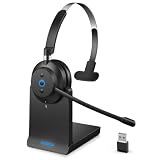
- ✅ Crystal-Clear Calls, Even in Noisy Environments – Advanced AI noise cancelling technology filters out 99% of background noise—keyboard clicks, office chatter, traffic—so your voice reaches clients clearly. The built-in mute button lets you pause instantly when needed. Ideal for call centers, open offices, and remote work.
- ✅ Stay Connected to PC and Phone at the Same Time – This wireless headset for work pairs with your computer and smartphone simultaneously. Move from a Zoom meeting to a client call on your phone with one click—no re-pairing, no downtime. Built for professionals who juggle back-to-back meetings all day.
- ✅ 45-Hour Battery with Charging Base, Ready When You Are – Up to 45 hours of continuous talk time on a single charge. Place the headset on the included plug-and-play charging base between calls, and it's always fully powered for the next meeting. Designed for heavy daily use—no more last-minute charging panic.
- ✅ Comfort That Lasts Through 8-Hour Workdays – Ultra-soft breathable ear cushions and an adjustable padded headband keep pressure off your head and ears. Lightweight enough to wear all day without strain, making it a reliable choice for remote workers and call center agents who live in their headsets.
- ✅ Plug-and-Play Compatibility with All Major Platforms – Works seamlessly with Zoom, Microsoft Teams, Skype, Webex, and most video conferencing apps. Compatible with Windows, Mac, PC, laptops, and smartphones—one headset for every device and every workspace, whether at home, in the office, or on the go.
How can you run a useful pilot?
Use a bounded pilot on your own call mix before forecasting labor savings or order-quality gains. Set a baseline and decide in advance what counts as a successful order, an error, an escalation, and a completed call.
Do these 3 things before closing this tab:
1Fix the driver behind crashes, sound loss and screen glitches2Clear out junk files and repair common Windows errors3Scan for outdated or missing drivers - takes under a minuteQuick Recap
- Select representative calls. Include the call types you expect the system to handle, such as straightforward orders and the less routine cases that test account recognition, catalog matching, or escalation.
- Agree on the workflow boundary. Decide whether pilot orders are drafts, held for review, or eligible for submission. Keep staff review in place wherever an incorrect order could create unacceptable risk.
- Measure operational outcomes. Track correct customer and ship-to selection, correct item and quantity matching, pricing treatment, required clarifications, escalations, corrections, and whether the call produced the intended order status. Record how much employee review or rework each outcome required.
- Review failures, not just averages. Examine mismatches, abandoned calls, missing data, and failed transfers to understand their causes. Confirm that staff receive enough context to resolve them.
- Compare with a defined baseline. Use the same success definitions and a comparable call mix when comparing the pilot with the existing process. Calculate savings only after accounting for exception handling, order review, integration upkeep, and ongoing monitoring.
- Set a change and ownership plan. Confirm who will update catalog mappings and rules, monitor performance, and respond when products, prices, systems, or call patterns change.
Product prices and availability are accurate as of the date/time indicated and are subject to change. Any price and availability information displayed on Amazon at the time of purchase will apply.




