Yes—when a supplier is covered by India’s e-invoicing mandate, it must report its own invoice to an Invoice Registration Portal (IRP) even if the recipient pays the GST under reverse charge. Reverse charge determines who pays the tax; it does not, by itself, determine whether the supplier must register its outward invoice electronically. The supplier’s turnover, taxpayer status, transaction and any applicable exclusion also matter.
Does reverse charge remove the supplier’s e-invoicing obligation?
No. The GST E-Invoice System FAQ says that when a notified person issues an invoice for its own supply and that supply attracts reverse charge under section 9(3), e-invoicing applies. In other words, a covered supplier does not avoid invoice registration simply because the recipient is responsible for paying the tax.
As an Amazon Associate I earn from qualifying purchases.
The FAQ illustrates this with an advocate firm: if the firm crosses the applicable threshold and supplies services to a company that pays tax under reverse charge, the firm reports its invoice to the IRP. The official FAQ states: “If the invoice issued by notified person is in respect of supplies made by him but attracting reverse charge under Section 9(3), e-invoicing is applicable.” GST E-Invoice System FAQ.
Crashes, No Sound, or Screen Glitches?
Random freezes, missing sound and display glitches usually trace back to one bad driver. Find and replace yours safely.Free scan · under a minuteWindows Errors? Fix Them Before They Spread
Repair common Windows errors and clear accumulated junk for a smoother, more stable PC - no reinstall needed.Free scan · no reinstallWhich party issues the e-invoice, and which pays the tax?
These are separate roles. The supplier generates and reports the invoice for its outward supply; where reverse charge applies, the recipient discharges the GST liability as specified for that supply. The CBIC’s IGST Act text sets out recipient liability for specified supplies. Check the relevant reverse-charge provision and facts rather than assuming every transaction involving a recipient’s tax payment follows the same rule.
#1 Best Overall

- SET04 is Touch Screen Cash Register POS System with Built-in 58MM Thermal Receipt Printer+MSJ POS SOFTWARE (Restaurant or Retail Optional)+Stainless Steel Cash Drawer+Handheld barcode scanner
- Our MSJ POS-Software provide the Cash Register function required for Business: Billing/Order/Discount/Checkout etc. Include: Invoicing management, Customer management, Basic Data management, Report management, Order management, Promotion management. (One Purchase, Lifetime Use)
- Cash Register PC-Main Screen 15 inches (1024*768) Full Flat Touch Screen, High Touch Fast Response. Strong Compatibility with hardware. Industrial Motherboard CPU I5 (RAM-8G and Hard Disk-128G SSD)
- We provide the Free Lifetime after-sale Service, Free Keyboard and Mouse set, Free High-Quality Cash Register Thermal Paper 10 Rolls.
- Our Touch Screen POS Perfect for Restaurant, Bar, Salon, Fruit Store, Pizzas, Coffee, Supermarket, Clothes Shop, Makeup Shop, Bakery, Convenience, Pet Store, Cinema, Maternal and Infant Shop, Retail or other Businesses.
For e-invoicing, the supplier submits invoice data to an IRP. The IRP validates the data and assigns an Invoice Reference Number (IRN). The GST E-Invoice System explains that e-invoicing is generated by the supplier, not by the recipient or transporter; see its mandate and process guidance.
How does the ₹5 crore turnover threshold apply?
The GST E-Invoice System’s mandate guidance lists an aggregate annual turnover threshold of ₹5 crore, effective 1 August 2023. It says turnover in any preceding financial year from 2017–18 onward is considered. This is a threshold test, not a stand-alone conclusion: a taxpayer’s class and the transaction’s scope or exclusions must also be checked against the rule applicable to the relevant date. See the GST E-Invoice System mandate page.
Rank #2
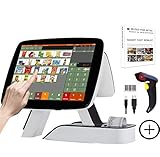
- SET03 is Touch Screen Cash Register POS System with Built-in 58MM Thermal Receipt Printer+MSJ POS SOFTWARE (Restaurant or Retail Optional)+Barcode Scanner
- Our MSJ POS-Software provide the Cash Register function required for Business: Billing/Order/Discount/Checkout etc. Include: Invoicing management, Customer management, Basic Data management, Report management, Order management, Promotion management. (One Purchase, Lifetime Use)
- Cash Register PC-Main Screen 15 inch (1024*768) with 11.6 inch Customer Display, Full Flat Touch Screen, High Touch Fast Response. Strong Compatibility with hardware. Industrial Motherboard CPU I5 (RAM-8G and Hard Disk-128G SSD)
- We provide the Free Lifetime after-sale Service, Free Keyboard and Mouse set, Free High-Quality Cash Register Thermal Paper 10 Rolls.
- Our Touch Screen POS Perfect for Restaurant, Bar, Salon, Fruit Store, Pizzas, Coffee, Supermarket, Clothes Shop, Makeup Shop, Bakery, Convenience, Pet Store, Cinema, Maternal and Infant Shop, Retail or other Businesses.
How do the common reverse-charge cases differ?
| Case | Supplier e-invoice treatment | What to check |
|---|---|---|
| Covered supplier’s own supply subject to section 9(3) reverse charge | The supplier reports its invoice to an IRP if it is otherwise within the mandate. | Supplier turnover history, taxpayer class, transaction scope and any applicable exclusion. |
| Service received from an unregistered supplier | The GST E-Invoice System FAQ says supplier e-invoicing does not arise for this case. | Analyze the recipient’s reverse-charge tax liability separately; the absence of a supplier e-invoice does not answer whether tax is due. |
| Imported service | The FAQ says supplier e-invoicing does not arise for imported services. | Determine the recipient’s tax treatment separately under the applicable provisions. |
The distinction is who issued the invoice and whether it is the covered supplier’s own outward supply—not simply whether the recipient pays GST. These distinctions are described in the GST E-Invoice System FAQ; recipient liability for specified reverse-charge supplies is addressed in the CBIC’s IGST Act text.
What should the recipient check in its GST records?
Recipients should reconcile inward supplies liable to reverse charge against the supplier’s document and their own tax treatment. The GST Portal’s GSTR-2B FAQ identifies inward reverse-charge supplies as a separate category, including invoices, debit notes and amendments. That record category is a useful reconciliation check; it does not mean every reverse-charge transaction must have a supplier-issued e-invoice. See the GST Portal GSTR-2B FAQ.
Rank #3
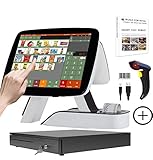
- SET05 is Touch Screen Cash Register POS System with Built-in 58MM Thermal Receipt Printer+MSJ POS SOFTWARE (Restaurant or Retail Optional)+Barcode Scanner+Stainless Steel Cash Drawer
- Our MSJ POS-Software provide the Cash Register function required for Business: Billing/Order/Discount/Checkout etc. Include: Invoicing management, Customer management, Basic Data management, Report management, Order management, Promotion management. (One Purchase, Lifetime Use)
- Cash Register PC-Main Screen 15 inch (1024*768) with 11.6 inch Customer Diaplay, Full Flat Touch Screen, High Touch Fast Response. Strong Compatibility with hardware. Industrial Motherboard CPU I5 (RAM-8G and Hard Disk-128G SSD)
- We provide the Free Lifetime after-sale Service, Free Keyboard and Mouse set, Free High-Quality Cash Register Thermal Paper 10 Rolls.
- Our Touch Screen POS Perfect for Restaurant, Bar, Salon, Fruit Store, Pizzas, Coffee, Supermarket, Clothes Shop, Makeup Shop, Bakery, Convenience, Pet Store, Cinema, Maternal and Infant Shop, Retail or other Businesses.
- Match the supplier document to the relevant inward supply and any amendments or debit notes.
- Check whether the transaction is liable to reverse charge and whether the recipient has accounted for that liability under the applicable provisions.
- Where the supplier is within the e-invoicing mandate, confirm the invoice has the required IRP registration details.
What should a business verify before deciding?
- Identify the issuer and supply. Establish whether the document is for the supplier’s own outward supply, a service received from an unregistered person, or an imported service.
- Check turnover history. Assess the supplier’s aggregate annual turnover for each relevant preceding financial year from 2017–18 onward against the threshold effective for the period in question.
- Check coverage and exclusions. Confirm the supplier’s taxpayer class and the transaction against the current e-invoice rule and applicable notifications. The GST E-Invoice System FAQ summarizes exclusions, but its summary is not a complete substitute for checking the current law.
- Determine the reverse-charge provision. Confirm the specific category and which party is liable to pay GST; do not infer the invoice obligation from the payer alone.
- Reconcile both sides. Compare the supplier’s invoice and IRP details, where required, with the recipient’s inward RCM records and tax treatment.
Because the applicable rule and notifications can change, check the provisions in force for the transaction date before making a case-specific compliance decision. The portal’s FAQ supports the general distinction between a covered supplier’s own reverse-charge supply and services received from an unregistered supplier or imported services; it does not establish a complete list of current exclusions for every taxpayer or transaction.
Quick Recap
Rank #4

- SET02 is Double Touch Screen Cash Register POS System with Built-in 58MM Thermal Receipt Printer+MSJ POS SOFTWARE (Restaurant or Retail Optional)
- DUAL TOUCH SCREEN: Main 15"(1024*768) and Secondary 11.6"(1366*768). Full Flat Touch Screen,High Touch Fast Response. Strong Compatibility with hardware. Industrial Motherboard CPU I5 (RAM-8G and Hard Disk-128G SSD) The Secondary Screen Can Display New Products and Discount Information or Used as an Advertising Screen.
- Our MSJ POS-Software provide the Cash Register function required for Business: Billing/Order/Discount/Checkout etc. Include: Invoicing management, Customer management, Basic Data management, Report management, Order management, Promotion management. (Not Monthly Paid, One Purchase, Lifetime Use)
- We provide the Free Lifetime after-sale Service, Free Keyboard and Mouse set, Free High-Quality Cash Register Thermal Paper 10 Rolls.
- Our Touch Screen POS Perfect for Restaurant, Bar, Salon, Fruit Store, Pizzas, Coffee, Supermarket, Clothes Shop, Makeup Shop, Bakery, Convenience, Pet Store, Cinema, Maternal and Infant Shop, Retail or other Businesses.
Product prices and availability are accurate as of the date/time indicated and are subject to change. Any price and availability information displayed on Amazon at the time of purchase will apply.




