Google Sheets lets you change the theme font for an individual spreadsheet, but the documented theme setting is not a universal preference for every new file. To reuse the same starting appearance, customize a blank spreadsheet and make a copy when you need another one.
Change the font for the current spreadsheet
Google Sheets manages spreadsheet-wide formatting through themes. A theme can affect grid text, charts, and pivot tables, while formatting applied directly to an item takes precedence over the theme. Google’s Sheets theme help describes this theme workflow.



As an Amazon Associate I earn from qualifying purchases.
-
Open the spreadsheet in Google Sheets.
-
Select Format > Theme.
-
Choose Customize.
-
Set the font option shown in the customization panel, then apply the customized theme.
DriversCrashes, No Sound, or Screen Glitches?PerformanceWindows Errors? Fix Them Before They SpreadDriversOutdated Drivers Are Slowing You DownSpecial offer. See more information about Outbyte and uninstall instructions. Please review EULA and Privacy policy. -
Check cells, charts, or other items that did not change. They may have direct formatting that overrides the theme; adjust those items’ formatting separately if needed.
The available font choices can vary or change; Google’s help does not establish a complete current list, so choose from the options shown in your own customization panel.
Use the same starting font in future spreadsheets
The theme workflow applies to the spreadsheet you customize. Google’s documentation does not describe a setting that makes your chosen font the default for every newly created spreadsheet. A practical workaround, described in community guidance, is to prepare a blank spreadsheet and use copies of it as starting files.
Rank #2
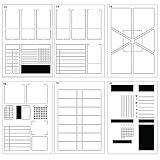
- CREATE YOUR WEEKLY SPREAD IN MINUTES - Place stencil. Trace lines. And your spread is done!
- 3 DIFFERENT LAYOUTS - the 6 stencils combine to make 3 different full-page A5 weekly spreads
- FULL-PAGE LAYOUT STENCILS (5.7x8.25") sized to align with 5mm dot grid and fit in A5 journal
- VARY YOUR SPREADS each week with many different layout options including a geometric dynamic spread
- FLEXIBLE LAYOUTS show your schedule with space for habit tracker, to do list, weather and more
-
Create a blank spreadsheet and customize its theme and any other formatting you want to reuse.
Recommended Free Tools
Special offer. See more information about Outbyte and uninstall instructions. Please review EULA and Privacy policy. -
Keep that file as your template.
-
When you need a new spreadsheet, make a copy of the prepared file and work in the copy.
A Google Sheets Product Expert has also described changing an /edit URL to a /template/preview link so recipients can create their own copy. This is community advice, not an official guarantee; access permissions and interface behavior may affect whether it works.
Which approach should you use?
| Approach | Where it applies | Setup and reuse |
|---|---|---|
| Customize the theme | The spreadsheet you edit | Change the theme in that file; the theme affects supported spreadsheet elements unless direct formatting overrides it. |
| Copy a prepared blank spreadsheet | Each new copy made from the prepared file | Set up the starting appearance once, then make a copy for each new project. This is a community-described workaround, not a global default setting. |
Why some text may keep its old appearance
Theme changes do not necessarily replace formatting that was applied directly to a cell or item. If a particular area remains unchanged after applying the theme, select it and change its formatting directly. Charts and pivot tables are within the theme’s scope, but an item-specific override can still affect the result.
Quick Recap
Rank #4

- CREATE YOUR WEEKLY SPREAD IN MINUTES - Place stencil. Trace the lines. And your spread is done!
- DIFFERENT LAYOUTS - the 6 stencils combine to make single or full-page A5 weekly spreads
- FULL-PAGE LAYOUT STENCILS (5.7x8.25") sized to align with 5mm dot grid and fit in A5 journal
- VARY YOUR SPREADS each week with different layout options including a geometric dynamic spread
- FLEXIBLE LAYOUTS show your schedule with space for habit tracker, to do list, weather and more
Product prices and availability are accurate as of the date/time indicated and are subject to change. Any price and availability information displayed on Amazon at the time of purchase will apply.
Quick wins for a faster PC:
Clear out junk files and repair common Windows errorsFree Scan →Fix the driver behind crashes, sound loss and screen glitchesFind Drivers →



