I still use Google Keep because it makes quick capture and retrieval feel straightforward: I can jot a thought, make a list, add a reminder, and find the note later without building a notebook system first. That is a personal preference, not proof that Keep is universally better. OneNote is a stronger fit when a note needs more structure or mixed media; the right choice depends on how you work.
What Google Keep is built to do well
Keep centers on compact notes and quick organization. Google documents tools to create and edit notes, archive them, apply labels and colors, pin important items, and share notes. Its Help Center also covers lists, drawings, and reminders. Google Keep Help: create, edit, and organize notes
As an Amazon Associate I earn from qualifying purchases.
Google’s Workspace page adds search and filters, real-time syncing, offline updates, collaborative editing, and the ability to export a note to Google Docs. Google Keep for Google Workspace
Free tools Windows power users keep installed
One-click scans. No signup required.
That feature mix suits brief, changing information: a shopping list, a reminder, a meeting prompt, or a thought you want to capture before it slips away. This is a workflow inference from Keep’s documented features, not a measured claim that it is faster or more reliable than another app.
#1 Best Overall

- Plan, Digitize, Erase, Re-Plan: Write to-do lists, notes, and goals on reusable paper with the Pilot Frixion Pen. Digitize plans using the Rocketbook app and organize in the cloud. When done, simply wipe the pages clean with a damp cloth and reuse.
- 7 Versatile Page Templates: Plan for life and work with Monthly & Weekly Calendar, To-Do List, Goal Tracker, Idea List, and both Dotted and Lined Notebook Pages. Diverse for everything from project management to fitness tracking to household planning.
- App-Enabled for Digital Organization: The Rocketbook app allows you to scan and upload your plans & lists directly to cloud platforms like Google Drive, Dropbox, OneNote, etc. The app-connection ensures your notes are accessible from anywhere.
- High-Quality & Durable Materials: Premium reusable paper, durable spiral binding, and a waterproof cover. The flexible design allows it to lay flat for comfortable writing and planning sessions, whether you're at home, school, or the office.
- Eco-Friendly and Reusable: Replaces the need for traditional paper planners. Designed for sustainability, combining the convenience of 7 reusable page types with the ability to digitize and erase, allowing you to streamline tasks and reduce waste.
Google Keep vs OneNote: the practical difference
| Decision point | Google Keep | OneNote |
|---|---|---|
| Organization | Compact notes organized with labels, colors, pins, archive, search, and filters. Google Keep Help Google Workspace | Notebooks contain sections and pages; notes can be placed on an open canvas. Microsoft OneNote support Microsoft OneNote product page |
| Content and capture | Text, lists, drawings, and reminders are documented features. Google Keep Help | Microsoft lists text, pictures, graphics, handwriting, audio and video clips, lists, and links. Microsoft OneNote product page |
| Sharing and collaboration | Notes can be shared, and Google describes collaborative editing. Google Keep Help Google Workspace | Microsoft lists sharing as a OneNote capability. Microsoft OneNote product page |
| Reminders and tasks | Reminders and lists are documented Keep features. Google Keep Help | The cited Microsoft feature pages describe lists and tags, but do not establish a direct equivalent to Keep’s reminder workflow. Microsoft OneNote product page |
| Offline and sync | Google describes offline updates and real-time sync. Google Workspace | The cited Microsoft pages do not establish comparable offline or sync details here. Microsoft OneNote support |
| Export | Google documents export to Docs. Google Workspace | The cited Microsoft pages do not establish an equivalent export detail for this comparison. Microsoft OneNote support |
The distinction is less about which app has more features and more about the shape of a note. Keep favors lightweight capture and retrieval. OneNote’s notebooks, sections, pages, and open canvas offer room for longer, more structured or mixed-media notes. That is an inference from the companies’ feature descriptions, not a controlled head-to-head test.
When Keep is the better fit
- You want to capture short notes, lists, or reminders without sorting them into notebooks and sections.
- You rely on labels, colors, pins, search, or filters to retrieve small notes later.
- You want a note that can be shared or collaboratively edited, or may be sent to Google Docs for further work.
- Your notes are mostly text, lists, simple drawings, and reminders rather than long documents or collections of media.
Keep’s offline and sync capabilities are described on Google’s Workspace page, but that documentation alone does not establish performance on every device or network. Google Keep for Google Workspace
Rank #2
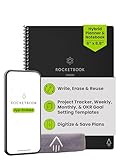
- Plan, Digitize, Erase, Re-Plan: Write to-do lists, notes, and goals on reusable paper with the Pilot Frixion Pen. Digitize plans using the Rocketbook app and organize in the cloud. When done, simply wipe the pages clean with a damp cloth and reuse.
- 7 Versatile Page Templates: Plan for life and work with Monthly & Weekly Calendar, To-Do List, Goal Tracker, Idea List, and both Dotted and Lined Notebook Pages. Diverse for everything from project management to fitness tracking to household planning.
- App-Enabled for Digital Organization: The Rocketbook app allows you to scan and upload your plans & lists directly to cloud platforms like Google Drive, Dropbox, OneNote, etc. The app-connection ensures your notes are accessible from anywhere.
- High-Quality & Durable Materials: Premium reusable paper, durable spiral binding, and a waterproof cover. The flexible design allows it to lay flat for comfortable writing and planning sessions, whether you're at home, school, or the office.
- Eco-Friendly and Reusable: Replaces the need for traditional paper planners. Designed for sustainability, combining the convenience of 7 reusable page types with the ability to digitize and erase, allowing you to streamline tasks and reduce waste.
When OneNote makes more sense
- You prefer to arrange material into notebooks, sections, and pages.
- Your notes need a more open layout, or you want to combine text with pictures, graphics, handwriting, audio, video, lists, or links.
- You expect to develop notes into substantial reference material rather than keep them as quick reminders or snippets.
Those advantages follow from OneNote’s documented structure and supported content types; they do not establish that every user will find OneNote easier to navigate. Microsoft OneNote support Microsoft OneNote product page
Check which OneNote for Windows you mean
Older comparisons can refer to a different Windows app. Microsoft says OneNote for Windows 10 reached end of support in October 2025 and recommends using the current OneNote app. If you are choosing OneNote now, check that you are using the current app rather than relying on instructions or reviews for the retired Windows 10 version. Microsoft: OneNote for Windows 10 end of support
Rank #3

- Plan, Digitize, Erase, Re-Plan: Write to-do lists, notes, and goals on reusable paper with the Pilot Frixion Pen. Digitize plans using the Rocketbook app and organize in the cloud. When done, simply wipe the pages clean with a damp cloth and reuse.
- 7 Versatile Page Templates: Plan for life and work with Monthly & Weekly Calendar, To-Do List, Goal Tracker, Idea List, and both Dotted and Lined Notebook Pages. Diverse for everything from project management to fitness tracking to household planning.
- App-Enabled for Digital Organization: The Rocketbook app allows you to scan and upload your plans & lists directly to cloud platforms like Google Drive, Dropbox, OneNote, etc. The app-connection ensures your notes are accessible from anywhere.
- High-Quality & Durable Materials: Premium reusable paper, durable spiral binding, and a waterproof cover. The flexible design allows it to lay flat for comfortable writing and planning sessions, whether you're at home, school, or the office.
- Eco-Friendly and Reusable: Replaces the need for traditional paper planners. Designed for sustainability, combining the convenience of 7 reusable page types with the ability to digitize and erase, allowing you to streamline tasks and reduce waste.
What about Obsidian and the other apps?
The headline reflects my experience trying Obsidian and three other apps, but the available product documentation does not identify those three apps or establish a fair feature-by-feature comparison with Obsidian. So I won’t assign them capabilities or claim Keep beat them in a test. The useful conclusion is narrower: I stayed with Keep because its quick-note workflow matches what I want from a notes app. If your own priority is deeper structure or richer media, OneNote’s documented model may suit you better.
Quick Recap
Best Value

- UNDATED DAILY PLANNER - The daily planner is undated, if you miss a day or you are off of work that day you don’t need to waste a page, start use this schedule planner any time.
- Work Smarter with Daily Task Management - This daily planner undated each page includes space for 5 top priorities, 9 to do list,daily schedule from 6am-8pm, notes&ideas and water intake.Break your day into hours and help you work effective.
- A5 SIZE - This undated daily organizer size of 8.5 x 5.8 inch, perfect size to fit in your bag.1 quick reference page, contact pages, important dates page, and 75sheet (150 page) daily plan & notes,8 dotted grid pages, Undated appointment planner makes it easy for you to start the planner at any time.
- SUPERIOR QUALITY - This to do list planner with 100gsm thick paper to reduce ink leakage, erase fraying and shade issues. Sturdy and flexible PP cover to protect the inner pages well. Strong metal and lay-flat twin-wire binding, Planner with inner pocket to store loose items, like tickets, cards etc and elastic closure to protect your planner.
- PERFECT FOR - This day planner features flexible structures that allow you to keep track of goals, tasks, appointments, project, works, habbits etc. Perfect for planner, organizer or academic agenda for school, work or home or makes a great gift for your family members, relatives or friends
Rank #4

- Easily Stay On Track & Make The Most of Your Time: ZICOTOs’ daily planner makes it easier than ever for you to stay organized, reduce stress & enjoy more free time! Arrange your schedule, priorities, to do’s and jot down plans & ideas on the daily notes section
- Smartly Plan Ahead & Boost Your Productivity: Absolutely clever & efficient! With the planner notebook you can break down your daily tasks into half-hourly focus blocks and map out priorities & follow-up duties to keep your day on track and enhance productivity
- Plenty Of Space For Efficient Planning: Stay focused & manage your time wisely! The 9.3x6.3” (inner pages) work planner & organizer notebook offers ample space for 80 days of life-changing planning with each day being spread across 2 pages - set yourself up for purposeful days
- Now Is The Best Time To Start: The daily planner is undated so you can start to add structure to your schedule and cultivate new planning habits right away! Beat procrastination, boost happiness & make each day count with the hourly planner
- Adds Beauty To Daily Planning: A gorgeous champagne pink cover, chic gold foil letters, a golden ring wire and a clean, easy-to-use layout - enjoy the gorgeous and modern minimalist design of the undated daily planner!
Product prices and availability are accurate as of the date/time indicated and are subject to change. Any price and availability information displayed on Amazon at the time of purchase will apply.




