Free tools Windows power users keep installed
One-click scans. No signup required.
Use Gemini to turn your preferences and constraints into a draft itinerary; use Google Maps to find and inspect places, compare routes, and navigate. They are not wholly separate options: Gemini can draw on Maps information, and Maps has its own Gemini-powered discovery and navigation features. A practical approach is to draft in Gemini, check the specific stops and routes in Maps, and confirm time-sensitive details with the venue or organizer.
What’s the difference?
The simplest distinction is the job you want done. Gemini is better suited to synthesizing a plan from a prompt—such as a destination, dates, interests, travel constraints, and preferred pace. Google Maps is built around places and movement: finding locations, examining place details, seeing where stops are in relation to one another, and getting directions.


As an Amazon Associate I earn from qualifying purchases.
Google describes Gemini as able to draw on information from Maps, Flights, and Hotels when helping plan trips. Its August 6, 2026 travel-planning article says Gemini can use trip details and preferences to suggest custom routes and group activities by neighborhood. Those are Google-described capabilities, not a guarantee that every generated itinerary will be complete or workable. Google’s explanation of Gemini trip planning
Maps is not limited to static directions. Google has announced Gemini-powered place discovery and navigation features inside Maps. Their availability and capabilities vary by feature, location, platform, and rollout, so “Gemini in Maps” is not one universally available mode.
#1 Best Overall

- Road Atlas, Adventure Edition
- Road Atlas, Adventure Edition
- National Geographic Maps
Which should you use for each part of trip planning?
| Trip-planning task | Better starting point | Why |
|---|---|---|
| Turn several preferences and constraints into a proposed itinerary | Gemini | Google describes Gemini as combining trip details, preferences, and location information into a suggested plan. |
| Find a particular kind of place or inspect a specific venue | Google Maps | Maps centers on place discovery and details, with Gemini-powered discovery features in some rollouts. |
| See where stops are and get directions between them | Google Maps | Maps provides routes and navigation; Gemini can help shape the sequence before you check it there. |
| Personalize suggestions using connected Google apps | Gemini, if you enable the relevant connections | Access to personal app information depends on connected-app settings and permissions; it should not be assumed to be automatic. |
| Confirm a current opening time, event schedule, or reservation detail | The venue or event organizer | Neither generated plans nor map listings guarantee that time-sensitive information is current. |
A practical workflow: draft in Gemini, verify in Maps
- Give Gemini useful constraints. Include your destination and dates, the kinds of activities you want, who is travelling, mobility or timing needs, and any fixed commitments. For example: “Plan a day in San Francisco with the Golden Gate Bridge, one museum, and a relaxed dinner; keep the stops geographically sensible.” Treat the result as a draft, not a confirmed schedule.
- Review the sequence and assumptions. Check whether the suggested order, time available, and travel pace make sense for your plans. If the answer assumes a preference or commitment you did not provide, correct the prompt rather than treating that assumption as fact.
- Open the proposed places in Google Maps. Inspect each stop’s location and available place details, then look at the routes between stops. This is where you can judge whether the plan works geographically and choose how to get around.
- Confirm details that can change. Check opening hours, reservations, ticket requirements, and event times directly with the venue or organizer before you commit to the itinerary.
What Gemini features are available inside Maps?
Place discovery and questions
Google’s October 31, 2024 announcement introduced Gemini-curated place inspiration, review summaries, and the ability to ask questions about places. Google said the initial rollout would start that week in the U.S. on Android and iOS; that announcement does not establish availability everywhere today. Google’s 2024 Maps announcement
Google’s March 12, 2026 Ask Maps announcement described a staged rollout for India, in English, on Android and iOS. That specific announcement is evidence of an India rollout, not worldwide availability. Google’s Ask Maps announcement for India
Rank #2
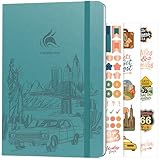
- ALL-IN-ONE UNITED STATES TRAVEL PLANNER – This US Travel Journal helps you plan and document trips across all 50 states with structured bucket lists, state highlights, capital city checklists, and National Parks tracking—all in one place.
- BUCKET LISTS & VISUAL MAPS THAT DRIVE ACTION – This travel planner includes thematic 50 states bucket lists, a full U.S. National Parks map, and dedicated pages to check off visited states, capitals, and National Parks.
- DETAILED TRIP PLANNING & MEMORY KEEPING – Go beyond planning with in-depth trip itineraries, trip budgets, travel expense trackers, goals, and journaling pages, designed to help you stay organized and get more value out of every journey.
- MADE-TO-LAST & COMES WITH STICKERS – This 50 states book comes in A5 format (5.8x8.3 inches) with eco-leather hardcover, thick 120gsm paper, pen loop, elastic band, lay-flat binding, 3 bookmarks, stickers, and user guide.
- 60-DAY SATISFACTION GUARANTEE - We will exchange or refund your 50 states travel journal if you aren’t satisfied with it for any reason. Reach out to us via message to refund your USA travel journal.
Driving, walking, and cycling navigation
Google announced conversational driving features in Maps on November 5, 2025. Its announcement described navigation with Gemini coming to Android and iOS wherever Gemini is available, while individual features had narrower rollout details, including U.S.-specific availability. Google later announced Gemini navigation for walking and cycling, saying on January 29, 2026 that it was rolling out worldwide on iOS and Android wherever Gemini is available. These announcements describe rollouts at those dates; check your own Maps app for current access. Google’s driving-navigation announcement · Google’s walking and cycling announcement
What’s actually slowing this PC down?
Pick the symptom - the matching free tool is one click away.
Personalization depends on what you connect
Google says optional Personal Intelligence connections can let Gemini use information from services such as Gmail, Photos, Search, and YouTube to take saved interests or existing bookings into account. This is conditional on the relevant connection and permissions; do not assume Gemini can see personal information just because you use Google apps. Google’s August 12, 2026 connected-app announcement also described services and features with specific availability, such as OpenTable in the UK and GetYourGuide as a service coming to Gemini. Availability can differ by region and account. Google’s connected-app announcement
Google’s developer documentation offers another way to understand the overlap: Maps grounding supplies structured location information such as addresses, hours, and ratings, while Search grounding contributes descriptive and timely web context. This is a developer-facing explanation of grounding, not proof that every consumer Gemini response uses the same tools or sources. Google’s Maps grounding overview for developers
Independent reader supportYour contribution helps us test, update, and keep practical guides available for everyone.Can you rely on either one for an accurate itinerary?
There is no independent head-to-head benchmark in the sources cited here that establishes Gemini or Maps as more accurate for trip planning. Google’s published capability descriptions explain what the products are designed to do, not how reliably every suggestion will fit a particular trip. A generated route can still have impractical timing, and a place listing or suggested itinerary is not an independent confirmation that a business is open or an event is happening.
Rank #4

- KEEP YOUR TRAVEL ORGANIZED - This travel notebook will help you to plan your itinerary before start your trip, record trip journal and plan for your next travel. It can help you plan your trip effectively and maximize your time at each destination. By making a travel packing list, you've got all the important details sorted out. This trip organizer will help you relax and enjoy your trip, saving you a lot of time.
- FULFILL YOUR TRAVEL DREAMS - If you dream of seeing the world,but are worried about the difficulties and lack of planning during the trip, this travel planner organizer is for you! Use this travel log book to build your travel bucket list and start fulfilling it, explore new places, and plan exciting and safe trips
- RECORD THE GOOD MOMENTS - This travel journal for couples and includes safety tips, helpful travel info, common phrase translations, and a packing list to ensure you have everything you need while traveling. And keep track of travel important details: like flight and hotel reservations, packing list, budget, trip itinerary and lots of space for the daily adventures.
- HIGH QUALITY - This travel planner size of 5.8" x 8.5", just the perfectly size to fit in your backpack, purse or laptop case. Is used to high quality 100gsm pure white paper, elastic band and a back pocket for extra space.
- THE PERFECT GIFT - Travel Journal for kids daily tracking, give it to your children, friends, family as a gift for Birthday| Easter|Children's Day|Halloween|Thanksgiving|Christmas|Back to school and New Year's Day.
Use the tools for different checks: let Gemini help organize your requirements, use Maps to inspect actual locations and routes, and confirm details that could disrupt a visit with the original venue or organizer. Access to features can also differ by country, device, account, and staged rollout; announcements are not a promise that a feature is available to every user now.
The Tool Desk
Outbyte Driver Updater FREEScan for outdated or missing drivers - takes under a minuteDriver Scan →Outbyte PC Repair FREERepair Windows errors before they cause bigger problemsFix Now →Quick Recap
Product prices and availability are accurate as of the date/time indicated and are subject to change. Any price and availability information displayed on Amazon at the time of purchase will apply.




