Recommended Free Tools
Free timesheet templates are available for Excel, Google Sheets, Word, Google Docs, and PDF, with daily, weekly, biweekly, monthly, employee, and project layouts. The right choice depends on your pay period, what you need to record, and whether you want formulas, approvals, or a printable form. Template options and fields vary by publisher, so check the specific file before relying on it.
Free timesheet template options by format and period
Toggl lists free timesheet templates in Excel, Google Sheets, Word, Google Docs, and PDF, across daily, weekly, biweekly, and monthly periods, as well as employee and project uses. Its templates are described as covering work hours, regular and overtime hours, billable time, and leave; some feature start and end times, breaks, and automatic hour totals. Those features should not be assumed to appear in every format or template.
As an Amazon Associate I earn from qualifying purchases.
Smartsheet offers weekly layouts, including simple and employee versions, and describes biweekly downloads in Excel, Word, PDF, and Google Sheets. Chronotek Pro describes Excel workbooks for weekly, biweekly, monthly, and editable periods that can also be opened in Google Sheets. Its listed fields include date, in and out times, unpaid breaks, and optional rates. These are publisher descriptions; inspect a workbook’s formulas and behavior in your own app before using its totals.
The Tool Desk
Outbyte Driver Updater FREEScan for outdated or missing drivers - takes under a minuteDriver Scan →Outbyte PC Repair FREEClear out junk files and repair common Windows errorsFree Scan →| Need | Options described by publishers | What to check |
|---|---|---|
| One day at a time | Toggl lists daily templates; available formats vary by template. | Whether the form captures start/end times, breaks, and the total you need. |
| One-week record | Toggl lists weekly templates; Smartsheet describes simple and employee weekly layouts. | Whether daily entries and a weekly total are both visible. |
| Two-week pay period | Toggl and Smartsheet list biweekly options; Chronotek Pro describes biweekly Excel workbooks. | Whether the two individual workweeks remain separate when reviewing overtime. |
| Month view | Toggl lists monthly templates; Chronotek Pro describes monthly Excel workbooks. | Whether the layout is practical to complete and review across the full month. |
| Project or client hours | Toggl lists project templates. | Whether it has project/client identifiers and a way to distinguish billable time. |
| Employee attendance and review | Toggl lists employee templates; Smartsheet describes an employee weekly layout. | Whether it includes employee identification and any required approval fields. |
Sources: Toggl’s free timesheet template page; Smartsheet’s weekly and biweekly timesheet template pages; Chronotek Pro’s Excel and Google Sheets template page.
#1 Best Overall

- 【Value Pack】You will receive 2 pieces of time tracker notebook,50 sheets for each notebook,100 pages in total,measures about 9 x 6.1inch/23 x 15.5cm.Time tracking notebook is a necessary addition to any attorney’s office,small business or freelance assignment.Enough size and quantity to meet your daily needs,which will bring much convenience to your work.
- 【Practical Design】For business or personal use,time tracker log is shown across a 2-page spread,on the left side,you have days and each hour,where you can write quick details about who you worked for. On the right side of the page you can keep more detailed track of the specific tasks you worked on and what client it was for,as well as the specific amount of time you spent on each task.Understand exactly where your time goes and start making the most of every minute with this task planner pad.
- 【Easy to Use】The timesheet log book is designed with a spiral to make it easier to turn pages,do not worry about the crease,and if you tear out a single page,the rest of the paper won't fall apart.Break free from clunky blocks of time in your work planner,a simple and easy way track your billable hours.
- 【Effectively Track Time】Take charge of your time and start organizing your life with these to do list notepad.Essential for those who need to track time, this time tracker log helps you keep an accurate account of your time,achieve maximum office productivity.These notebook offer deeper insight into your time management,know what's next on your agenda at a glance,and add some strategic structure to your day.either way,this notebook will be a help to you.
- 【Quality Material】Our time management logbook are made of quality paper,reliable and sturdy,not easy to break.With nice printing,the words and colors are not easy to fade,can be applied for a long time and provide you with a smooth writing experience.
Choose a template that fits your work
- Choose the period. Use a daily form for a single-day record, a weekly form for one workweek, a biweekly form for a two-week pay cycle, or a monthly form when you need a month view. A biweekly pay period does not, by itself, determine how overtime is calculated.
- Match it to the purpose. Personal hour tracking may need only time entries and totals. Employee records may also need worker identification, daily and weekly totals, and approval fields. Project or client billing generally calls for project identifiers and a way to mark billable hours.
- Check the fields. Look for the date, start and end time, unpaid-break duration, total hours, and worker or employee identifier that your workflow requires. Add rate or pay fields only if you need estimates or the template is intended for that use.
- Pick the file format for the workflow. Spreadsheet formats can support calculated totals, but verify the formulas in the downloaded file. Word and Google Docs are useful when you want an editable document; PDF is suited to printing or handwriting. Do not assume a document or PDF calculates hours automatically.
- Test before adopting it. Open the file in the app you plan to use, enter a sample day that includes a break, and check that displayed totals match your own calculation. Confirm that dates, formulas, and any approval fields are preserved when sharing or printing.
What to check in a timesheet before using it for payroll
A downloadable template is a recordkeeping aid, not proof that the resulting records meet every legal requirement. For U.S. employers covered by the Fair Labor Standards Act (FLSA), the Department of Labor says no specific form or timekeeping method is required, but records must be accurate and complete. Its Fact Sheet #21 says, “Any timekeeping plan is acceptable as long as it is complete and accurate.” That describes acceptable recordkeeping methods; it does not certify any particular template.
Fact Sheet #21 lists employee identifying information, the workweek start, daily and weekly hours, pay basis and rate, straight-time and overtime earnings, wage adjustments, wages by pay period, and payment dates among required records. The fact sheet, revised July 2008, says payroll records are generally kept for at least three years and records used to compute wages, including time cards, for at least two years. Check current federal requirements and applicable state and local rules before setting a retention policy.
For covered nonexempt workers, the Department of Labor’s general FLSA guidance describes overtime at no less than 1.5 times the regular rate for hours over 40 in a workweek. A workweek is a fixed, regularly recurring period of 168 hours, or seven consecutive 24-hour periods. Consequently, a biweekly sheet used to review U.S. FLSA overtime should show each workweek separately rather than applying one combined two-week threshold. This is a practical implication of the weekly rule, not a separate template requirement. Coverage, exemptions, state law, and pay arrangements can affect the analysis.
Quick Recap
Best Value

- Easily Stay On Track & Make The Most Of Your Time: ZICOTOs’ daily planner makes it easier than ever for you to stay organized, reduce stress & enjoy more free time! Arrange your schedule, priorities, to do’s and jot down plans & ideas on the daily notes section
- Smartly Plan Ahead & Boost Your Productivity: Absolutely clever & efficient! With the to do list notebook / notepad you can break down your daily tasks into half-hourly focus blocks and map out priorities & follow-up duties to keep your day on track and enhance productivity
- Plenty Of Space For Efficient Planning: Stay focused & manage your time wisely! The 8.4x6.1” work planner & organizer notebook offers ample space for 105 days of life-changing planning with each day being spread across 2 pages - set yourself up for purposeful days
- Now Is The Best Time To Start: The daily planner is undated so you can start to add structure to your schedule and cultivate new planning habits right away! Beat procrastination, boost happiness & make each day count with the hourly planner
- Adds Beauty To Daily Planning: A luxury sage hard cover, chic golden letters, a gold ring wire and a clean, easy-to-use layout, elastic band - enjoy the lovely and modern design of the undated daily planner!
Rank #4

- ACTIVITY LOG NOTEPAD FOR WORK – Structured activity log book and time log designed as a work log and task tracker with expanded tracking space
- TRACK WORK WITHOUT RELYING ON MEMORY – Use this work log, time log, and task tracker to maintain detailed workflow records and accountability
- TIME TRACKING LOG FOR WORK, PROJECTS & CLIENT TASKS – Track workflow and tasks using a structured productivity planner and task tracker format It also works as an activity log notebook, call log notepad, time tracker notebook, and employee activity log for detailed work records.
- ANALOG TIME TRACKING THAT WORKS – Written tracking improves recall, reduces errors, and increases execution accuracy
- STRUCTURED TIME & TASK LOGGING SYSTEM – Organized layout provides clear tracking for workflow, tasks, and time entries
Rank #3

- 1 Efficient Time Tracking:This weekly time sheet log book is designed for accurate recording of work hours log book needs helping employees and managers easily track daily and weekly time improving productivity and organization
- 2 Premium Durable Material:Made with 80g paper double sided black and white printing and a sturdy 350g kraft cover this weekly time book ensures smooth writing and long lasting use size 8.5 x 11 inch
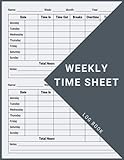
- 3 Clear Layout Fields:The interior pages include Day Date Time In Time Out Breaks Overtime Total Total Hours Notes providing a complete structure for daily time sheet log book and timesheet log book tracking
- 4 Large Capacity Design:Includes 120 pages with identical layouts allowing extended use for weekly daily log book for work reducing the need for frequent replacement
- 5 Multi Purpose Use:Ideal for office staff construction workers freelancers project managers and small businesses can be used as time sheets for employees daily log book or work tracking notebook
Product prices and availability are accurate as of the date/time indicated and are subject to change. Any price and availability information displayed on Amazon at the time of purchase will apply.




