Audit your website by crawling its important pages, recording each error alongside the page that caused it, and checking those findings against Google Search Console. Fix broken links that your site controls, redirect pages that have moved, and leave genuine missing pages as 404s when there is no suitable replacement. A 404 is not automatically a problem to redirect.
What a website audit should uncover
A useful audit answers two questions: what is failing, and where does the failure originate? Check internal links leading to 4XX responses, server errors, redirect chains or loops, and pages that should be reachable but cannot be found. Keep the referring page with every finding so you can fix the link in context.

As an Amazon Associate I earn from qualifying purchases.
Start with the pages your site intends people to reach: navigation destinations, pages linked from other content, and URLs listed in the XML sitemap. These are a practical baseline, not necessarily a complete list of every URL on the site.
Do these 3 things before closing this tab:
1Clear out junk files and repair common Windows errors2Fix the driver behind crashes, sound loss and screen glitches3Repair Windows errors before they cause bigger problemsHow to run the audit
-
Establish the important URLs
Review the site navigation, internal links, and XML sitemap. Note key pages that should be reachable, including recently moved or replaced content.
-
Crawl the site and retain source URLs
Use a site crawler to follow internal links and report their destination responses. Export or record the source page for each broken link, server error, redirect chain, and loop. For example, Screaming Frog documents exporting response codes and the URLs that link to them in its broken-link tutorial. Its free SEO Spider version is limited to 500 URLs per crawl; check the vendor’s product page for current details.
-
Check links that depend on JavaScript
A visible control is not necessarily a crawlable link. Google says it generally parses links expressed as an HTML
<a>element with anhrefattribute. If your site adds links using JavaScript, inspect the rendered HTML or configure the crawler to render JavaScript; otherwise, its crawl may not show what a visitor or Google can access. Use descriptive anchor text so the link’s destination is understandable to readers and search engines. See Google’s link best practices.Rank #2
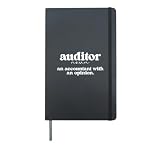 Auditor Definition Auditing Audit Hardcover Journal, Black
- Great auditing idea for the best auditor, who performs an audit.
- Excellent choice for a proud auditor, who is working in an auditing firm.
- Hardcover journal with 240 line-ruled pages (120 sheets)
- Built-in elastic closure and ribbon bookmark
- Includes an expandable inner storage pocket and a pen holder
-
Compare the crawl with Search Console
Use the Page indexing report and URL Inspection to investigate Google’s view of specific URLs, and Crawl Stats to look into site availability and crawling activity. These diagnostics complement a site crawl; they are not a complete inventory of every internal link. A URL being crawled does not mean it has been indexed. See Google’s Page indexing report guide and Crawl Stats report guide.
The Tool Desk
Outbyte PC Repair FREERepair Windows errors before they cause bigger problemsFix Now →Outbyte Driver Updater FREEFix the driver behind crashes, sound loss and screen glitchesFind Drivers →Special offer. See more information about Outbyte and uninstall instructions. Please review EULA and Privacy policy. -
Repair, then verify
Correct the source link, update the sitemap if the listed URL should change, or redirect a moved page to its replacement. Re-crawl the source page and destination. If your concern is whether Google can access or index a URL, inspect it in Search Console as well. A live test may work after a temporary server failure that Google encountered earlier, so compare the dates and crawl history rather than treating the two results as contradictory.
Rank #3
 Teacher Record Book
- Keep track of everything from attendance to test scores
- Spiral bound
- Measures 8-1/2" x 11"
Which errors need action?
Prioritize issues that affect a page people need, a link your site controls, or a URL you have deliberately published in the sitemap. Google recommends focusing on 404 URLs that your site links to or includes in its sitemap. Some 404s can result from tracking behavior and may not affect crawling or ranking, so investigate the URL and its source before changing it.
| Finding | What to do |
|---|---|
| An internal link leads to a 404 | Correct or remove the link on the source page. If the destination content moved, link to its new URL or redirect the old URL to the replacement. |
| A sitemap lists a 404 | Remove or replace the sitemap entry if the page is no longer meant to exist. If it moved, list the replacement URL. |
| A page moved to a suitable replacement | Set a redirect from the old URL to the relevant replacement and update internal links and sitemap entries. |
| A page was intentionally removed with no replacement | Return a genuine not-found response. Do not redirect every missing URL to the homepage or display fake content as though the page exists. |
| A server error appears in a report | Check whether it is ongoing, review availability and crawl history, and retest. A past failure may have been transient even if the URL responds now. |
| A redirect chain or loop appears | Review the redirect path and link directly to the final destination where possible. Resolve loops so a browser and crawler can reach the intended page. |
Google distinguishes crawling from indexing: a page can be crawled without appearing in search, and indexing is neither instant nor guaranteed. A broken-link crawl is also not a full technical SEO or accessibility assessment. W3C’s G127 technique offers an example of helping users understand a page’s relationship to a larger collection, but WAI notes that techniques are examples, not requirements for WCAG conformance. See W3C WAI’s G127 guidance.
Rank #4
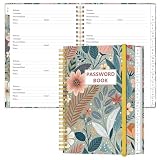
- NEVER FORGET YOUR PASSWORDS AGAIN - Store your passwords & online login details safely in this password notebook. Quick & easy to use, you'll never have to reset forgotten passwords again.
- ALPHABETICAL A-Z TABS - Password book with alphabetical tab system for easy to record the passwords you need
- LOADS OF SPACE FOR MULTIPLE LOGINS - The password journal with 128 pages total, 3 entries per page. The Logbook also has space to write 2 pages important data,2 internet service provider, 2 pages wireless & email settings, 2 pages software license information & 5 pages notes
- HIGH QUALITY & MEASURE - The password keeper book is used to high quality 120gsm pure white acid-free paper that won't bleed through.Password notebook size of 6.4" x 8.5". Pick the size best suited for your needs!
- CHANGE YOUR PASSWORD REGULARLY - New password? No Problem! Keep your account safe by updating your password frequently, Password books for seniors, Each website has 4 password lines, and you can easily update your new password
Choose the right diagnostic for the question
| Need | Best fit | Important limit |
|---|---|---|
| Find internal links that fail and identify their source pages | A site crawler | Coverage depends on crawl configuration, URL limits, JavaScript rendering, and access restrictions. |
| Investigate Google’s reported crawl or indexing status for a URL | Search Console Page indexing and URL Inspection | These tools show Google-specific diagnostics, not a complete sitewide internal-link crawl. |
| Investigate crawl activity or availability patterns | Search Console Crawl Stats | Use it alongside URL-level and site-crawl checks when tracking a specific broken link. |
For a small site or an occasional check, Search Console can help investigate Google’s reports without replacing a crawler’s source-link inventory. For a larger site or repeat audits, a crawler’s exports can make repair work easier to track. No crawler decides whether a URL should be redirected or removed; that choice depends on the page’s purpose and whether a relevant replacement exists.
Quick Recap
Best Value

- 🚗 AUTOMOTIVE SERVICE-FOCUSED DESIGN: Tailored for automotive services, this Daily Car Service Record Book supports technicians and service writers in auto service shops, service truck operations, and dealership departments by organizing repair appointments, job authorizations, and maintenance tracking efficiently for professional workflow.
- 🚗 COMPREHENSIVE LOGGING SOLUTION: With 50 sheets per book structured 8.5" × 11" size, this record book provides ample space to log customer information, auto service needs, and additional repair authorizations, making it ideal for managing detailed service jobs, tracking mileage, and maintaining vehicle maintenance records across automotive services.
- 🚗 BUILT FOR SHOP ENVIRONMENTS: Constructed from high-quality paper and spiral-bound for durability, it withstands daily use in busy auto service bays and service truck operations. Pages are easy to flip, write on, or remove without tearing, providing a reliable solution for organized record-keeping.
- 🚗 USER-FRIENDLY RECORD KEEPING: Designed for quick and easy use, this record book includes fields for customer names, phone numbers, technician assignments, repair notes, flat-rate hours, and mileage logs, ensuring professionals can track all service details accurately without missing important information.
- 🚗 PROFESSIONAL AND VERSATILE: Whether scheduling jobs for a service truck, documenting auto service tasks in an independent shop, or maintaining dealership records, this car service record book functions as a daily planner, mileage log, and maintenance tracker, ensuring organized and professional workflow management for all automotive services.
Product prices and availability are accurate as of the date/time indicated and are subject to change. Any price and availability information displayed on Amazon at the time of purchase will apply.




